Travel connectivity guide
Sibiti eSIM: Mobile Internet & Connection Guide
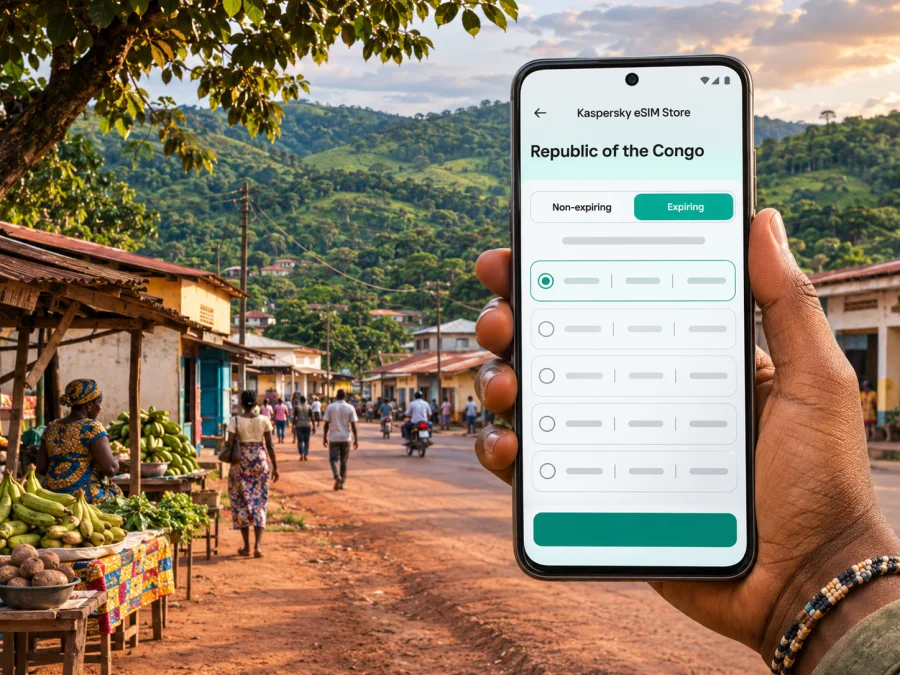
Sibiti eSIM: mobile connection and internet for your trip
Sibiti is not a conventional stop on a high-volume international city itinerary. It is the capital of the Lékoumou Department in the Republic of the Congo, a town where visits may combine administrative appointments, family connections, local work and onward travel through the south-west of the country. That makes a little preparation especially useful: mobile internet can help with directions, messages and checking arrangements, while the actual signal and available transport depend on where you are and the day you travel.
An eSIM is a digital SIM profile installed on a compatible, unlocked phone. A travel data plan can be useful in Sibiti if its current conditions include the Republic of the Congo and the partner network reaches the places you need. Neither the presence of a plan in a country list nor the word “coverage” guarantees a particular speed or signal in every neighbourhood, building or stretch of road. Treat connectivity as one part of your travel plan, alongside offline maps, confirmed transport and a way to contact your host.
Where Sibiti fits into a Republic of the Congo itinerary
Sibiti is the administrative centre of Lékoumou, one of the country’s departments. It is distinct from Sibiti District, a wider administrative area that also includes settlements outside the town. If an itinerary, booking or local contact mentions Sibiti, confirm whether the destination is the town itself, a village in the district or somewhere else in Lékoumou. This matters for both road planning and expectations about mobile service.
The Republic of the Congo is also called Congo-Brazzaville to distinguish it from the neighbouring Democratic Republic of the Congo, often called Congo-Kinshasa. They are two different countries. When arranging a data plan, check the complete destination name: a plan for one Congo does not automatically apply to the other. For a visit to Sibiti, the relevant country selection is Republic of the Congo.
Lékoumou’s landscape includes forest and savannah as well as settled areas. The town is a useful base for local business and visits around the department, but it should not be treated like a major metropolitan hub with a dense public-transport network or continuous high-speed service. Plans may involve informal transfers, a private driver, a local contact or road travel between communities. Confirm the exact meeting point and pickup time directly before setting out.
Arriving in Sibiti and planning the last leg
Build your journey around confirmed transport rather than an assumed connection. Public information identifies Sibiti as a road-connected departmental centre, but a current passenger timetable or dependable through-service schedule can be difficult to confirm online. Do not assume that a flight, bus departure or same-day transfer is operating simply because a map lists an airport, road or transport company. A Republic of the Congo government profile described Sibiti airport as no longer operating when that profile was published; it is not a live schedule, so ask a local organiser whether anything has changed. Confirm what transport is running on your date, where vehicles depart and how long the journey is expected to take.
Road conditions and journey times can change with weather, maintenance and the condition of a particular section. Government planning material describes the RN7 as a route that passes through Sibiti and notes that parts of the road network are not fully surfaced. That document is not a live road report, so verify conditions locally before relying on it for a current journey. If your route continues to Zanaga, Bambama, Loudima or another community, ask specifically about the final stretch, daylight, fuel stops and whether a vehicle suitable for the road is needed.
A practical arrival routine:
- Save your destination name, a map pin and the host’s phone number before leaving a reliable connection.
- Agree on a pickup point in plain language. If possible, share a pin and a written landmark rather than relying on a live map alone.
- Keep your phone charged and carry a power bank. A weak or intermittent signal can make a phone work harder, and travel days may be long.
- Download an offline map covering Sibiti and the route you expect to take. Save accommodation details and any essential directions as screenshots or notes.
- Tell someone your planned route and an approximate arrival window. Arrange how you will check in if mobile data is unavailable on part of the journey.
- Keep some local currency available for practical expenses. Do not rely on an online payment method being accepted at every point.
If you arrive after dark or your onward ride is uncertain, pause and contact your accommodation or host before leaving the established pickup area. A data connection can help you send an update, but it is not a substitute for a confirmed driver or a local contact who knows the route.
Getting around town without depending on a live signal
In a compact town, a saved map and a clear description of the destination can be more useful than a turn-by-turn route that requires a steady data connection. Ask your host to write down the neighbourhood, nearby public landmark or other locally recognised directions. Confirm spellings: place names may appear differently in booking systems, map apps and local usage.
For each trip around Sibiti, use a simple three-part check:
| Before you leave | What to confirm |
|---|---|
| Destination | Exact name, spelling, map pin and a nearby landmark |
| Transport | Driver or vehicle, pickup point, fare arrangement and return plan |
| Connectivity | Whether the route needs live navigation, or whether an offline map is enough |
A moving map dot can drift or stop updating when a phone loses data or satellite visibility. Keep the destination details written down and check the route with your driver or host. If you need to meet someone, exchange a specific time and a recognisable meeting point rather than saying only “I’ll message when I get there.”
For an appointment, add time for finding the building and confirming its entrance. For a visit outside town, settle the return arrangement before departure; do not assume that a ride will be easy to arrange from a smaller settlement. Ask whether your driver will wait, whether another vehicle is available and when you should expect to be back within reliable coverage.
What mobile internet can and cannot do for a Sibiti visit
A data connection is useful for messaging, email, translation, checking an updated itinerary and refreshing a route when a signal is available. It can also help you send a location pin or contact your accommodation. Download anything essential before travelling: offline maps, tickets, booking confirmations, documents and the contact details for people meeting you.
The national regulator, ARPCE, identifies Airtel Congo and MTN Congo as mobile network operators and publishes measurements of service in localities around the country. Its 2026 assessment describes differences between operators and technologies, progress in some inland locations, and quality gaps that still need attention. These findings are a reason to plan for variation; they are not a guarantee about a particular street, building or trip in Sibiti. A travel eSIM may use only the partner network stated in its plan, so do not assume it can switch between local operators. Network reach and data performance can differ indoors, outdoors and on the road beyond town.
Use this expectation guide:
- In a central, settled area: data may be available, but check the signal on arrival before relying on it for a time-critical call or transfer.
- Inside a building: walls, construction and the phone’s position can affect reception. Step outside to test before assuming the plan has stopped working.
- On an intercity road: expect gaps. Keep the route and important details available offline and agree on check-in points.
- In a village or rural area: confirm the specific network and plan conditions with a local contact. Do not infer local service from a signal observed in Sibiti.
- During an outage or congestion: try a voice or messaging option already agreed with your contact, move to a safe open area if appropriate, and wait before repeatedly changing network settings.
If continuous communication is important for work or personal safety, ask your host which local network has recently worked at the exact address and along your route. A travel eSIM may use a specific partner network; it may not let you switch to every local operator. Read the plan details before purchase and keep a fallback, such as a local contact’s number or a second communications method arranged in advance.
Choosing an eSIM plan for Sibiti
Start with the Republic of the Congo as the destination, then check the plan’s country coverage, partner network, validity period, data allowance and activation rules. A city name is not usually a separate tariff destination. The country plan is the relevant place to review current options; it does not mean every plan has identical network access or that service is guaranteed at every point in Lékoumou.
You can review current eSIM plan options for the Republic of the Congo and compare the displayed terms with your dates and itinerary. Check whether the selected plan is data-only, when its validity begins, whether a top-up is possible, and whether it requires data roaming to be enabled for that eSIM. The Kaspersky eSIM Store app and website help you select, arrange and activate an eSIM plan for international travel; the network service itself depends on the plan’s stated provider, local availability and device settings.
Estimate your data needs from what you will actually do. Messaging and occasional email usually require less data than frequent video calls, streaming or uploading large files. If you expect to work remotely, consider how often you will need to transfer files and whether your accommodation offers a separate connection. Avoid choosing solely by the largest advertised allowance: validity, coverage conditions and the places you will visit are just as important.
| Your trip pattern | What to check when comparing plans |
|---|---|
| Short town visit | Validity dates, data allowance for maps and messaging, and activation timing |
| Several workdays | Allowance for calls and file transfers, hotspot rules and top-up terms |
| Town plus district travel | Partner network, country coverage wording and a realistic offline fallback |
| Multi-country itinerary | Whether each country is explicitly included; do not assume a Republic of the Congo plan covers the Democratic Republic of the Congo |
Before checkout, compare the plan information shown in the app or website with your final route. Product availability and terms can change. If the listing does not clearly answer a question about a destination, partner network or activation, resolve it through the product’s support channel before depending on it for travel.
Check your phone and prepare the eSIM
An eSIM plan is useful only if your phone supports eSIM and is not locked in a way that prevents another profile from being used. Support varies by exact model, regional device version, software configuration and carrier restrictions. A model name alone is not enough to confirm compatibility; check your device’s settings and the manufacturer or seller’s specifications for your exact variant. You can check whether your device supports eSIM before selecting a plan.
Also confirm that you can connect to Wi-Fi during installation. Keep access to your account and any activation details available, and do not delete an installed eSIM profile while troubleshooting unless the plan instructions tell you to. Some profiles cannot be installed again after removal. Read the specific terms before starting installation, especially if you have limited connectivity at your destination.
A low-stress setup sequence is:
- Check eSIM compatibility and confirm the phone is unlocked.
- Select the Republic of the Congo and review the plan’s coverage, network, data, validity and activation conditions.
- Install the profile over a stable internet connection, following the instructions for your phone. Use the Android installation guide or the iOS installation guide.
- Label the new line clearly, such as “Congo data,” so it is easy to distinguish from your home SIM.
- Decide which line will use mobile data. Keep your home line enabled only if you need it and understand its roaming charges.
- Activate or enable the travel line according to the plan’s instructions. If required by that plan, enable data roaming for the eSIM line; this setting is separate from roaming on your home SIM.
- Test the connection before the trip if the plan permits activation before arrival. Otherwise, keep the installation information and troubleshooting steps accessible offline.
The exact menu names differ between phone brands and operating-system versions. Follow the instructions on your own device rather than changing settings at random. A travel data eSIM does not necessarily include a regular phone number, voice calls or SMS. Check the specific plan terms; internet-based calling and messaging apps can work over data when both parties have a compatible service and a connection.
Common travel scenarios
You are arriving for a short appointment
Download the address and offline map before departing. Send the host your estimated arrival while you have service, then agree on a meeting point and a reasonable delay plan. Use the eSIM for messages and directions when the network is available, but carry the address in writing in case the signal drops.
You are staying several days for work
Check your accommodation’s internet arrangements before arrival rather than assuming mobile data will be suitable for long meetings. Estimate how much data video calls and file transfers need, check tethering terms, and schedule large downloads for Wi-Fi. Keep a low-bandwidth option ready, such as audio-only calls or sending compressed documents.
You are travelling beyond Sibiti
Ask a local contact about recent service on the precise route and at the destination. Save the map, contact details and return arrangement offline. Tell someone when you leave and when you expect to check in. A plan that works in the town centre may not connect continuously outside it.
Frequently asked questions
Is Sibiti in the Republic of the Congo or the Democratic Republic of the Congo?
Sibiti is in the Republic of the Congo, in Lékoumou Department. The Republic of the Congo and the Democratic Republic of the Congo are separate countries, so verify the full destination name on any eSIM plan.
Does a Republic of the Congo eSIM guarantee signal in Sibiti?
No plan listing can guarantee a signal at every address or along every road. Reception depends on the plan’s partner network, local coverage, buildings, terrain, congestion and temporary service conditions. Check the plan wording and keep offline directions and a local contact as backups.
Can I use an eSIM for calls and text messages?
Many travel eSIM plans are data-only. Check the individual plan details for voice, SMS and a phone number. Data can support internet-based calling and messaging apps, but those services need a working connection and may require both people to use the relevant app.
Should I install the eSIM before travelling?
If the plan allows it, installing before departure over stable Wi-Fi gives you time to resolve setup questions. Read when the plan’s validity begins: installing a profile and starting its validity may be separate events, depending on the plan. Follow the instructions shown for the selected plan.
Will the same plan work if I cross into the Democratic Republic of the Congo?
Do not assume so. The two countries have separate coverage listings. Check that each country on your route is explicitly included, or review a regional plan’s terms for both destinations before purchase.
What if I need service outside the town?
Ask your host or local organiser which network has recently worked at your exact destination, then compare that with the eSIM’s stated partner network. Download maps and save essential details before leaving Sibiti. Coverage can vary substantially between the town, roads and rural settlements.
Before you set out
For Sibiti, good connectivity preparation is practical rather than complicated: confirm the country and plan conditions, check your exact phone variant, install over Wi-Fi, save directions offline and ask a local contact about the route and recent signal. Keep your plans flexible where transport or service information is uncertain. A phone with data can make coordination easier, while a written address, charged battery and confirmed pickup still matter.
When you are ready, compare current eSIM options for the Republic of the Congo, review the terms for your itinerary and choose a suitable plan in the Kaspersky eSIM Store app or website. Install it on a compatible, unlocked phone and follow the plan-specific activation steps before relying on it during your journey.


