
Travel connectivity guide
Sierra Leone eSIM: mobile internet guide
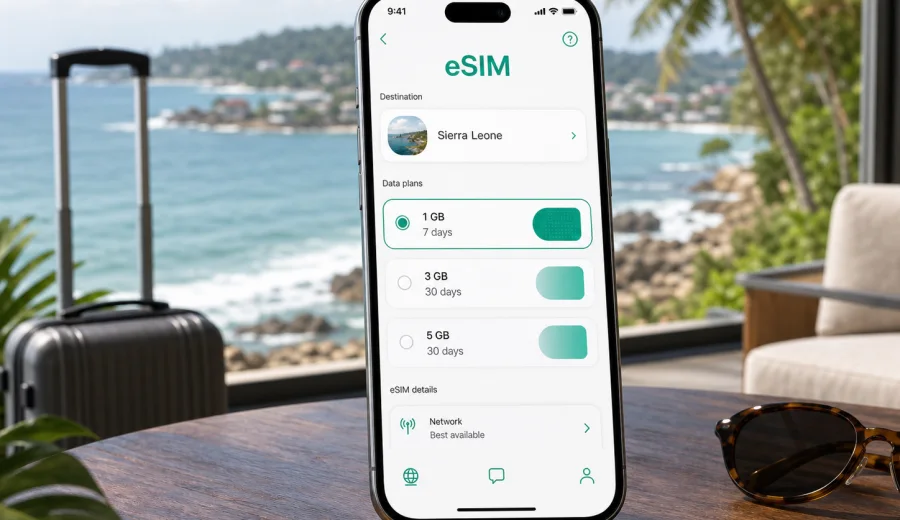
eSIM for Sierra Leone: mobile connection and internet for your trip
Sierra Leone is a country where mobile internet can make a trip feel much easier from the first day. You may need a connection while moving between Freetown and Lungi, checking a ferry time, arranging a ride to the hotel, sharing your location with colleagues, or navigating toward beaches, islands, markets, and inland towns. A physical SIM card can still be an option, but an eSIM is often the cleaner way to prepare mobile data before you arrive.
An eSIM is a digital SIM profile built into a compatible smartphone or tablet. Instead of inserting a plastic card, you install a data plan on the device and use it for mobile internet while abroad. For Sierra Leone, this matters because travel routes may involve airports, boats, city traffic, coastal roads, and regional transfers where Wi-Fi is not always available when you need it.
Kaspersky eSIM Store is an app and website where you can quickly choose, arrange, and activate an eSIM with a suitable mobile data plan for an international trip. It helps you prepare mobile internet for travel without treating the service as a local mobile operator, a network owner, or a replacement for every telecom feature. The practical goal is simple: choose a destination, check the plan conditions, install the eSIM on a compatible device, and use mobile data during the trip.
Why mobile internet matters in Sierra Leone
For many visitors, Sierra Leone is not a single-point destination. A trip may begin around Freetown or Lungi International Airport, continue through the Western Area, and then move toward beaches on the peninsula, Bunce Island, Banana Islands, Bo, Kenema, Makeni, or other regional stops. Even if your itinerary is mostly business-focused, the daily need for data is similar: maps, messages, ride coordination, hotel communication, payment confirmations, and emergency contact.
Mobile internet is useful before you leave the airport area, but it is just as important later in the trip. You may need to confirm an address with a driver, translate a short message, check opening times, download boarding documents, or send photos and files when hotel Wi-Fi is slow. A prepared eSIM reduces the number of small connectivity decisions you have to make after arrival.
Typical situations where data helps in Sierra Leone:
- confirming pickup details after landing;
- messaging a hotel or local contact from the airport area;
- using maps in Freetown, Lumley, Aberdeen, or along the peninsula;
- checking transport options before moving between districts;
- keeping access to email, banking apps, cloud documents, and bookings;
- sharing your location during longer transfers;
- using messengers for voice or video calls over data.
The value is predictability. If you arrange mobile data before the trip, you can land with a clearer plan and spend less time looking for a shop, comparing unfamiliar terms, or relying on public Wi-Fi when you are tired or carrying luggage.
What an eSIM gives you in practice
An eSIM for Sierra Leone is mainly about mobile data. It does not automatically include a regular phone number, voice calls, or SMS unless those features are clearly stated in the conditions of the selected plan. For many travelers, that is enough because most communication happens through internet-based apps: messengers, email, maps, booking tools, ride coordination, and work platforms.
The main benefits are practical:
| Travel need | How an eSIM helps |
|---|---|
| Arrival day | You can prepare mobile data before the trip and avoid searching for a SIM card immediately after landing. |
| Moving around Freetown | Maps, messages, and route checks are easier when data is already available. |
| Beach or island plans | You can keep access to confirmations, contacts, and transport updates while moving between areas. |
| Business travel | Email, meeting details, and document access remain available outside hotel Wi-Fi. |
| Family communication | Messengers can be used over mobile data if calls and SMS are not included in the plan. |
An eSIM is also useful when you want to keep your main physical SIM card in the phone. Many compatible devices let you use your home SIM for your usual number while the eSIM handles mobile data abroad. Before relying on this setup, check your device settings so you understand roaming, data selection, and any call or SMS charges.
Before you buy: compatibility and device checks
The first step is not choosing the biggest data package. It is checking whether your device can use eSIM. Support depends on the exact device model, the market where it was purchased, and whether the device is locked to a mobile operator.
Before choosing a plan, check your device. Make sure the phone or tablet supports eSIM, has no operator lock that prevents adding another mobile plan, and can connect to mobile data abroad. If you use a dual-SIM setup, also check how your device lets you choose the default line for data.
A quick checklist:
- Your device supports eSIM.
- The device is not locked to one operator.
- The operating system is up to date enough to add an eSIM profile.
- You have stable Wi-Fi available for installation.
- You know which SIM line should be used for mobile data.
- You understand whether your main SIM will remain active for calls or SMS.
Do this check before payment. It is much easier to solve compatibility questions at home than after arrival, especially if you are trying to connect while changing transport or moving through a busy area.
How much data to prepare for Sierra Leone
The right amount of data depends on how you travel. A short city visit with maps and messages needs less data than a two-week trip with remote work, photo uploads, cloud backups, and video calls. The safest approach is to match the plan to your real habits rather than choosing by price alone.
Use this simple estimate:
| Usage style | Common behavior | Planning note |
|---|---|---|
| Light | Maps, messaging, ride coordination, occasional web search | Suitable for short trips if you use Wi-Fi for large downloads. |
| Moderate | Daily navigation, email, social apps, travel research | A balanced option for most leisure and business travelers. |
| Heavy | Video calls, cloud documents, frequent uploads, hotspot use | Choose more data and monitor usage regularly. |
Avoid assuming that hotel or cafe Wi-Fi will cover every need. Wi-Fi can be helpful for large updates and backups, but mobile data gives you control when you are outside, in transit, or between appointments. If you plan to use your phone as a hotspot for a laptop, choose enough data and check whether hotspot use is allowed by the plan conditions.
For a practical starting point, think about your first three travel days. Arrival, local orientation, and route planning often use more data than expected because you are checking addresses, maps, contacts, and confirmations. After that, usage becomes more predictable.
When to choose and install your eSIM
The best time to arrange an eSIM is before your departure, when you have stable Wi-Fi and enough time to read the plan conditions. You do not need to wait until you are standing in the airport or at the hotel desk. Preparing in advance also gives you time to check your device, save the installation details, and understand when the plan validity begins.
After you have checked your device and estimated your data needs, you can choose an eSIM plan for Sierra Leone in Kaspersky eSIM Store. Review the data allowance, validity period, destination coverage, price, and activation details before confirming. The plan should fit the trip you are actually taking, not just the country name.
For many travelers, this sequence works well:
1. Check eSIM compatibility on the device you will use.
2. Choose Sierra Leone as the destination.
3. Compare data volume and validity period.
4. Arrange the plan before departure while connected to reliable Wi-Fi.
5. Install the eSIM profile on the device.
6. Activate and select the eSIM for mobile data according to the plan instructions.
7. Monitor data usage during the trip.
Some eSIM plans start counting validity after installation; others start after connection to a supported local network. Always read the specific conditions before installing or activating.
How to install an eSIM before your trip
Installation is usually straightforward, but it is still worth treating it as a setup step rather than something to do while boarding. You will normally need a stable internet connection, access to the eSIM installation details, and a compatible device.
If you use Android, follow the Android installation guide. If you use iPhone, follow the iOS installation guide. The exact screen names can vary by device model and operating system version, so follow the instructions carefully and keep the eSIM details available until setup is complete.
Useful installation habits:
- Install over stable Wi-Fi, not a weak public connection.
- Keep your phone charged during setup.
- Do not delete the eSIM profile after installation unless you are sure you no longer need it.
- Label the eSIM line clearly, for example “Sierra Leone data”.
- Set the eSIM as the mobile data line when you are ready to use it.
- Turn off data roaming on your main SIM if you want to avoid accidental roaming charges.
On some devices, data roaming must be enabled for the eSIM line to connect correctly abroad. Check that the setting applies to the travel eSIM line and not to your home line unless you specifically want that behavior.
Arrival scenarios: Freetown, Lungi, beaches, and regional travel
Sierra Leone trips often involve a few distinct connectivity moments. The first is arrival. Lungi International Airport is separated from central Freetown by water, so visitors may rely on arranged transfers, ferries, or other transport options. Having data available helps you message a driver, confirm timing, and keep key addresses accessible.
The second moment is city navigation. In Freetown, mobile data helps with maps, hotel communication, meeting locations, restaurants, and short-notice changes. Traffic and route choices can vary, so being able to check messages and location details is more useful than it may seem during planning.
The third moment is travel outside the capital. If your plans include the Freetown Peninsula beaches, Banana Islands, Tiwai Island, Bo, Kenema, Makeni, or other inland routes, prepare for more variable connectivity conditions. Mobile data can be useful, but no travel connectivity option should be described as guaranteed in every place. Download key documents, save offline maps where possible, and keep important phone numbers stored locally.
Practical preparation by route type:
| Route type | What to prepare |
|---|---|
| Airport to Freetown | Transfer contact, hotel address, offline copy of booking, battery backup. |
| Freetown city days | Map pins, meeting locations, ride details, payment confirmations. |
| Peninsula beaches | Offline maps, return transport details, enough battery, saved accommodation contacts. |
| Inland travel | Downloaded documents, local contact numbers, data usage monitoring. |
The eSIM should be part of a broader travel setup. Keep documents offline, carry a power bank on long days, and avoid relying on one communication channel only.
eSIM vs roaming vs public Wi-Fi
There is no single best connectivity method for every traveler. The useful question is which option gives you the right balance of preparation, cost visibility, and control.
| Option | Strengths | Limits |
|---|---|---|
| Travel eSIM | Can be prepared before arrival; keeps data separate from your main SIM; conditions are visible before choosing. | Requires eSIM-compatible device; usually focused on mobile data rather than voice and SMS. |
| Home operator roaming | Keeps your usual number active; no extra SIM setup in some cases. | Charges and data limits can vary; accidental roaming can be expensive if settings are unclear. |
| Local physical SIM | May be useful for longer stays or local-number needs. | Requires finding a sales point, completing local steps, and swapping or adding a physical SIM. |
| Public Wi-Fi | Useful for large downloads in hotels or offices. | Not always available when moving; quality and security can vary. |
For many short and medium trips, an eSIM is a practical middle path. You can prepare the data connection in advance and still use Wi-Fi when it is reliable. Roaming can remain a backup if you understand the costs.
Data-saving tips during the trip
Mobile data lasts longer when your phone is configured for travel. Before leaving, check which apps are allowed to use mobile data in the background. Cloud photo backup, automatic app updates, streaming, and large file sync can use data quickly.
Useful settings to review:
- Turn off automatic app updates over mobile data.
- Pause cloud photo and video backup until Wi-Fi is available.
- Download offline maps for key areas before departure.
- Save boarding passes, hotel confirmations, and insurance documents offline.
- Reduce video streaming quality if you must stream over mobile data.
- Disable background refresh for apps you do not need during the trip.
- Check data usage daily on longer stays.
If you travel for work, prepare large files before departure. Download presentation decks, contracts, offline notes, and reference documents while you still have stable Wi-Fi. Use the eSIM for access, updates, and communication rather than as the default channel for every large transfer.
Quick checklist for Sierra Leone
Use this checklist before departure:
- Confirm that your phone or tablet supports eSIM.
- Check that the device is not operator-locked.
- Choose a plan with enough data for maps, messages, work, and travel research.
- Read the validity period and activation rules.
- Install the eSIM over reliable Wi-Fi.
- Label the eSIM line clearly.
- Set the eSIM as the mobile data line when you are ready to use it.
- Save key documents and maps offline.
- Keep your home SIM roaming settings under control.
- Carry a charger or power bank on long travel days.
For a short trip, focus on arrival, navigation, and communication. For a longer trip, add data monitoring, offline files, and a backup plan for remote areas.
FAQ: eSIM and mobile internet in Sierra Leone
Can I use an eSIM in Sierra Leone for calls?
Most travel eSIM plans are focused on mobile data. Regular voice calls and SMS are not included unless the chosen plan clearly says otherwise. You can usually use internet-based messengers for calls and messages over mobile data.
Should I install the eSIM before arrival?
It is usually better to arrange and install the eSIM before departure while you have reliable Wi-Fi. Check the plan conditions first, especially when the validity period begins.
Can I keep my usual SIM active?
On many compatible devices, yes. You can keep your home SIM for your regular number and use the eSIM for mobile data. Check your device settings so data does not accidentally use the wrong line.
Is public Wi-Fi enough for Sierra Leone?
Public or hotel Wi-Fi can help, especially for large downloads, but it may not be available when you are moving between airport, hotel, meetings, beaches, or regional destinations. Mobile data is useful for those in-between moments.
What should I do if the eSIM does not connect?
Check that the eSIM is installed, selected for mobile data, and allowed to use data roaming if the plan instructions require it. Restart the device, check signal availability, and review the installation guide for your operating system.
Choose your eSIM setup for Sierra Leone
A good mobile internet plan for Sierra Leone should match your route, device, trip length, and data habits. If you mostly need maps and messages, choose a plan that covers those essentials without overcomplicating the setup. If you expect video calls, hotspot use, or work files, prepare more data and monitor usage during the trip.
Kaspersky eSIM Store helps you choose, arrange, and activate an eSIM with a suitable data plan for an international trip. Before you travel, review the available options, check your device, and prepare an eSIM plan for Sierra Leone so mobile internet is one less thing to solve after arrival.