Travel connectivity guide
Sigiriya eSIM: Mobile Internet for Your Visit
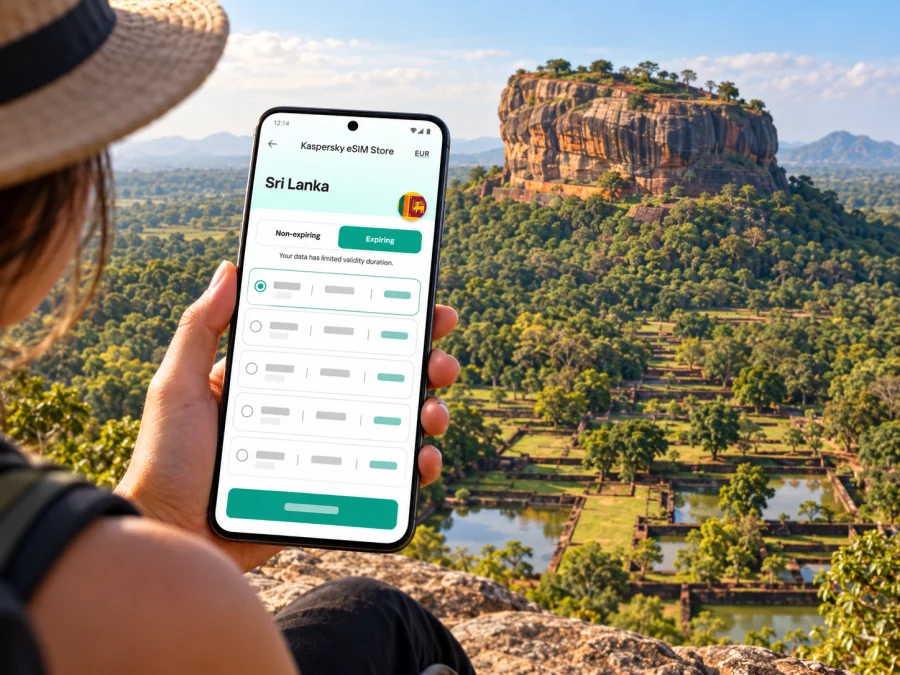
Sigiriya eSIM: Mobile Connection and Internet for Your Visit
Sigiriya is best known for the monumental rock and the ancient city spread around it. It is also a place where practical planning matters: you may arrive from another part of Sri Lanka, travel between a hotel and the archaeological site, and use maps or messages while moving through a rural landscape. A travel eSIM can help you prepare mobile internet for that journey, provided your phone supports eSIM and the selected plan covers Sri Lanka.
This guide focuses on the Sigiriya area: getting there, finding your accommodation, planning a climb, staying oriented, and deciding what to check before relying on mobile data. It does not assume that service is identical at every hotel, road, or viewpoint. Local terrain, the network used by a particular plan, congestion, and your device can all affect reception.
First, understand the destination
Sigiriya is an inland destination in Sri Lanka’s Matale District, not a coastal city or an airport hub. The name is used for both the settlement and the surrounding archaeological landscape. The Ancient City of Sigiriya is a UNESCO World Heritage property: the site includes the famous rock, the remains of a palace complex, gardens, water features, and other historic structures.
The rock rises prominently above the surrounding plain. The climb involves stairs and exposed sections, so many visitors plan around heat, daylight, water, and their own pace. Signal on a phone is useful for coordination and navigation, but it is not a substitute for carrying water, agreeing on a meeting point, or checking local site rules before setting out.
The wider region is often combined with Dambulla and other Cultural Triangle destinations. That makes connectivity a route question as much as a hotel question: a plan useful in Sigiriya should also be checked against the rest of your Sri Lanka itinerary, rather than assumed to cover only one landmark.
Where mobile internet helps in Sigiriya
A working data connection can make small travel tasks easier. Before leaving your room, you can confirm a pickup point with a driver, download a route, message your accommodation, or check a saved booking. During the day, maps can help you distinguish a road junction from a footpath, while messaging apps can keep a group coordinated if people move at different speeds.
Common uses include:
- opening a map to locate your guesthouse or the site entrance;
- sharing your location with a travel companion before a walk or tuk-tuk ride;
- contacting your accommodation about arrival time or a change of plan;
- checking transport or weather information when you have a usable connection;
- translating a short message or saving a confirmation for offline access;
- keeping work messages available if your stay combines business and sightseeing.
Download essentials before leaving a reliable Wi-Fi connection. Offline maps, booking details, transport notes, and emergency contacts remain useful if mobile data becomes weak or unavailable. Save the accommodation name and address in a form you can show a driver, and keep a screenshot of any route that matters.
Arriving from Colombo or another Sri Lankan stop
Bandaranaike International Airport, Sri Lanka’s primary international air gateway, is near Colombo and Negombo. Sigiriya lies inland, so an airport arrival is followed by a substantial overland journey rather than a short city transfer. The precise route and journey time depend on traffic, the chosen road, stops, and the onward transport you arrange. Avoid relying on a single map estimate for a late-night arrival or a tight connection.
Before travelling, settle three details with your driver, hotel, or transport provider:
- The exact drop-off point. A property may use a similar name to another lodge or be reached by a smaller local road.
- The meeting method. Agree whether the driver will wait at arrivals, a station, or a named landmark, and exchange a working contact method.
- The fallback. Keep the hotel’s phone or messaging details, a screenshot of the booking, and a second route option available offline.
If you arrive after dark, ask your accommodation to confirm the final part of the route and whether the driver can reach the property directly. A map pin is helpful, but it may not explain a gate, an unpaved lane, or a local pickup point. Share a clear location pin with your driver while you still have a stable connection.
For a multi-stop itinerary, think in legs. The route from Colombo or the airport to Sigiriya is different from a day trip between Sigiriya and Dambulla, and both differ from onward travel to Kandy, Anuradhapura, or Polonnaruwa. Keep the itinerary saved so you can continue if a connection drops during a transfer.
Getting around the Sigiriya area
The site, places to stay, restaurants, and road junctions are spread out rather than arranged as a dense urban grid. Depending on where you are staying, you may walk, arrange a tuk-tuk, use a hotel transfer, or travel with a driver. Ask locally about current availability, pickup arrangements, and fares: these can change, and an old online price should not be treated as a current quote.
A useful navigation routine is simple:
- Save your lodging and the main site entrance in your map app before departure.
- Confirm the pickup location with the driver using a written message or map pin.
- Keep the lodging’s name and phone number available offline.
- If you walk, check the road and return route before leaving, not only when you are ready to come back.
- Tell someone your expected return time for a longer walk or independent excursion.
Mobile maps are a guide, not a guarantee. A route that looks direct may use a private track, an unlit road, or a path unsuitable for walking. Follow local signs and advice, especially around archaeological grounds and rural roads. If your driver suggests a locally familiar meeting point, save that point rather than navigating only by a hotel label.
A day trip to Dambulla
Dambulla is a common companion stop for visitors to Sigiriya. The two places are close enough to plan together, but the details of a bus, tuk-tuk, or private transfer should be checked on the day. Confirm the last return option before setting out and agree where you will meet if you travel separately from your group.
When moving between sites, keep enough data for navigation and coordination rather than assuming that every stop will have dependable Wi-Fi. If the chosen eSIM plan has a limited allowance, download maps over Wi-Fi and use mobile data for live directions, messages, and necessary updates.
Choosing an eSIM for a Sri Lanka itinerary
An eSIM is a digital SIM profile installed on a compatible device. For a trip to Sigiriya, it can be a practical way to prepare mobile data without changing the physical SIM in your phone. A travel data plan usually focuses on internet access; do not assume it includes a local phone number, ordinary voice calls, or SMS unless the plan’s terms explicitly say so. You can continue using internet-based messaging and calling apps where their requirements are met.
Kaspersky eSIM Store is an app and website that helps you select, arrange, and activate an eSIM with a suitable plan for mobile internet while travelling abroad. The service is not a mobile network operator. The network, coverage, speed, validity, data allowance, and any restrictions depend on the specific plan and its network partner.
Before choosing, check the destination and the actual plan details. A country page or country name alone does not tell you which local network a plan uses, whether the plan supports calls, or how well it will work at a particular guesthouse. Review the plan description at the time of purchase and use current information from your accommodation or local provider for location-specific expectations.
If you want to review current options for the whole island before your inland trip, browse eSIM plans for Sri Lanka. Treat the plan page as the place to check available terms, not as a promise of reception at every point in Sigiriya.
Match the plan to how you travel
Estimate what you will actually do online. A traveller who mostly uses offline maps and sends occasional messages may need a different allowance from someone who joins video calls, uploads large photo files, or streams entertainment. Consider the full stay and any onward stops, not just the time spent at Lion Rock.
| Trip pattern | What to consider |
|---|---|
| One or two nights in Sigiriya | Enough data for messages, maps, and arrival coordination; download heavier content on Wi-Fi. |
| Sigiriya plus Dambulla and other inland stops | Confirm the plan applies throughout Sri Lanka and review validity against the entire route. |
| Remote work during the stay | Check allowance, validity, hotspot rules, and whether your accommodation has a dependable backup connection. |
| Heavy photo or video sharing | Upload on Wi-Fi where possible; media uploads can use data quickly. |
| Group travel | Decide whether each person needs a plan or whether a supported hotspot arrangement fits the plan terms. |
A larger data allowance does not guarantee better signal. It only changes how much data you may use under the plan terms. For work that cannot be interrupted, arrange a backup connection and avoid treating a rural mobile connection as a guaranteed substitute for fixed broadband.
Device and plan checks before purchase
Compatibility varies by exact device model, regional variant, carrier lock, and software configuration. A phone that looks like another version of the same model may not support eSIM. Check the manufacturer’s specifications for your precise model and confirm the phone is not locked to a home carrier. Check whether your device supports eSIM before you pay.
Then review the selected plan’s own conditions:
- Is Sri Lanka explicitly included as the destination?
- What data amount and validity period are shown?
- When does validity begin: installation, activation, or first network connection?
- Is data roaming required for the travel eSIM profile?
- Does the plan support tethering or hotspot use if you need it?
- Are voice calls or SMS included, or is the plan data-only?
- Are there installation, reuse, or transfer restrictions?
Do not infer these answers from another eSIM or another country’s plan. Terms can differ between offers, and the exact Sri Lanka plan in the store is the relevant source for your purchase decision.
Install before departure, activate with care
If convenient, install the eSIM while you have stable Wi-Fi and enough time to follow the on-screen steps. Read the plan instructions before scanning a QR code or adding a profile. Some eSIM profiles are intended for one installation, so do not delete a profile just to troubleshoot unless the instructions or support team tell you to do so.
A general preparation sequence is:
- Confirm exact-device compatibility and remove any carrier lock issue.
- Buy the plan that matches Sri Lanka and your itinerary.
- Follow the setup steps for your operating system: Android installation instructions or iPhone installation instructions.
- Label the new line clearly, for example “Sri Lanka data,” so you can distinguish it from your home SIM.
- Review which line is selected for mobile data and whether data roaming must be enabled for that line.
- Keep your home line configured for calls or SMS if you need it, and check your home operator’s roaming charges before travel.
- Activate the plan at the time described in its terms. If validity starts at first connection, waiting until arrival may be appropriate; if it starts earlier, plan accordingly.
Menu labels differ by phone and operating-system version, so follow the instructions for your device rather than relying on a generic screenshot. If installation fails, keep the confirmation and error details, use Wi-Fi for support, and do not repeatedly remove and reinstall a profile without guidance.
In Sigiriya: data habits that help
Rural travel rewards preparation. Keep your phone charged, save key details offline, and avoid focusing on the screen while climbing steps or moving through crowded passages. If your allowance is limited, disable automatic updates and cloud photo uploads over mobile data; download maps on Wi-Fi and use mobile data for messages and necessary live directions.
After landing, confirm the travel eSIM is selected for data and your home SIM’s data is off if you want to avoid roaming charges. A signal icon with no working internet can mean the wrong line is selected, data roaming is disabled, or the plan has not started. Check the plan settings before assuming there is no local service.
Scenarios: plan for the connection you need
Airport to Sigiriya. Install the profile beforehand if allowed, confirm when validity starts, and keep your driver’s details and accommodation pin offline. Use a stable connection at the airport to send a final message and download anything missing.
A lodge outside the central cluster. Ask how guests arrange transport and whether the final approach is easy to find. Save the property pin and phone number. Reception can vary between the road and a room, so keep offline directions as a fallback.
A climb or day trip. Agree on a meeting point and return plan before separating from companions or leaving for Dambulla. Verify current transport and the last return option locally; do not count on reaching one another at every point on the climb.
A scheduled work call. Ask about accommodation Wi-Fi and test it in advance. Check hotspot terms if you plan to connect a laptop, and have a backup because neither mobile coverage nor lodging internet is guaranteed.
Troubleshooting checklist
If mobile data does not work after arrival, work through these checks in order:
- Check the active line. Make sure the travel eSIM is enabled and selected for mobile data.
- Check plan status. Confirm the plan has been installed, activated, and has remaining validity and data.
- Check settings. Follow the plan’s instructions for data roaming and network selection; do not change unrelated settings at random.
- Refresh carefully. Turn airplane mode on briefly and off, or restart the phone once.
- Move safely. Reception can vary; try again outdoors or at a different safe location rather than while driving or climbing.
- Use Wi-Fi for help. Contact your accommodation or the eSIM support channel with the plan name and a description of the issue.
Avoid deleting the eSIM profile during troubleshooting unless support or the installation guide specifically recommends it. If the plan is active but data still fails, record what you have checked and share that information with support; it is more useful than repeated resets.
Questions travellers ask
Is Sigiriya a city?
The name refers to the settlement and archaeological destination around Lion Rock. Official tourism descriptions place it in Matale District. For planning, treat it as an inland destination with dispersed accommodation rather than a dense urban centre.
Will an eSIM work at Lion Rock and my hotel?
No plan can guarantee reception at every point. Service depends on its network partner, local coverage, terrain, buildings, device, and network conditions. Keep offline maps and accommodation details available.
Does a travel eSIM include a phone number?
Many travel eSIMs are data-focused. Check the selected plan for voice and SMS; internet-based messaging apps require a data or Wi-Fi connection.
Should I install before reaching Sri Lanka?
You can prepare the eSIM before departure if its instructions allow it. Read when validity starts: the condition may be installation, activation, first connection, or another event specified by the plan.
Can I use one plan around the island?
Confirm Sri Lanka is included and the plan remains valid for your full route. A country plan can be convenient for multiple stops, but local reception still varies.
A practical checklist before you leave
- Check exact-device eSIM compatibility, carrier lock, plan validity, data allowance, and hotspot terms.
- Install using the device instructions; save the hotel, driver, and map details offline.
- Download route maps on Wi-Fi, carry a charging cable, and ask locally about current transport.
- Keep a backup connection for work or time-sensitive travel.
Prepare your connection for Sigiriya
Before you travel inland, use Kaspersky eSIM Store on the website or app to review the current Sri Lanka plan details and choose an option that fits your route, expected data use, and length of stay. Check your device and installation conditions, then keep offline maps and transport details ready as well. Explore eSIM options for your Sri Lanka trip and review the specific plan terms before activation.


