Travel connectivity guide
Síminn eSIM in Iceland: what to check
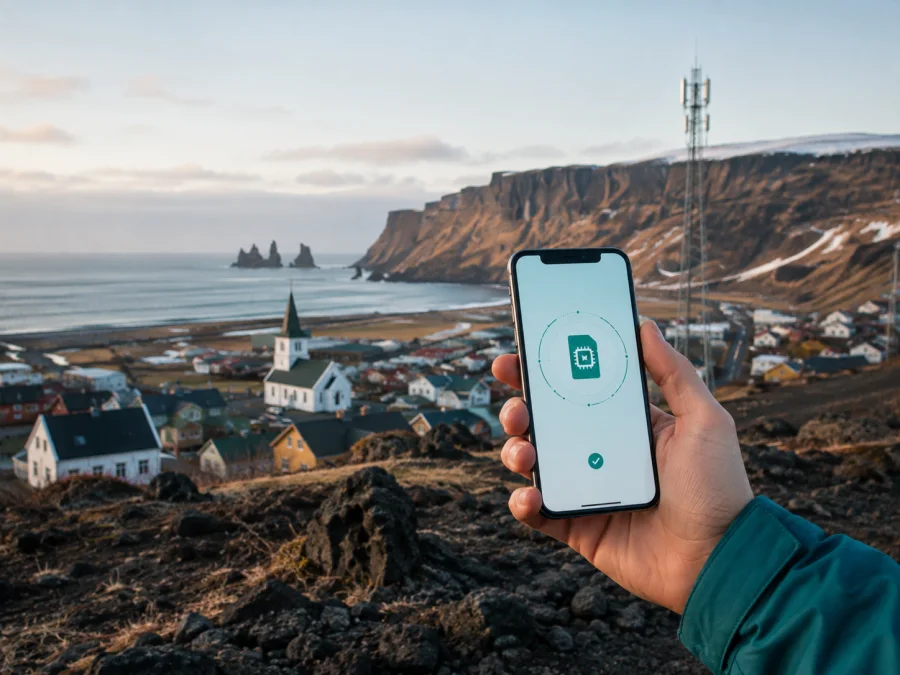
Síminn eSIM in Iceland: connection and travel guide
If you are planning a trip to Iceland and searching for “Síminn eSIM”, you need to know how the service is ordered, when it becomes active, which devices can use it, and what to check before relying on mobile data. This guide explains those points without a tariff catalogue.
As of 6 September 2026, Síminn’s public pages confirm eSIM support for compatible phones, tablets and smartwatches. Its English mobile shop also describes prepaid eSIM starter packs for shorter stays. Activation and destination conditions can differ, so check current terms at purchase.
Síminn’s role in Iceland
Síminn is an Icelandic telecommunications company with mobile services alongside internet and other communications services. Its public catalogue presents recurring mobile services and prepaid options. For a traveller, it can be considered as a local-service route for staying connected in Iceland, while the right setup depends on whether you need a local number, an existing Síminn service, or data for a temporary visit.
The operator’s eSIM page describes a digital SIM as an electronic profile built into a compatible device. It replaces a physical SIM and connects the device to Síminn’s mobile network. The same page covers phones, smartwatches and tablets, but that does not mean that every model sold in every market will work. Device and service eligibility still need to be checked.
Is Síminn eSIM available for a trip to Iceland?
Yes. Current official Síminn pages publicly describe eSIM and a prepaid eSIM route for an Icelandic stay. The official eSIM page explains how an existing service can be moved to an eSIM and how a QR code can be delivered electronically. The English mobile-subscriptions page separately presents a prepaid eSIM starter-pack route for shorter stays. These pages confirm availability, but they do not make every service interchangeable.
Keep two situations separate. For an existing Síminn service, customer support can move a subscription to an eSIM number and the setup uses a QR code sent by email. For a prepaid visitor setup, the English shop presents starter packs for shorter stays, notes that activation may happen at purchase, and warns that some options have destination limits. A phone can have eSIM hardware and still be carrier-locked, region-restricted or unable to use a profile, so compatibility and current service conditions remain part of the decision.
What to check before ordering
You need an eSIM-compatible device, an unlocked device that accepts another mobile profile, and a reliable internet connection during installation. Síminn’s eSIM page says that Wi-Fi or mobile data is needed for activation and describes a QR-code flow. Preparing at home can be convenient, but do not start an activation you cannot finish or troubleshoot until you can access the relevant account and connection.
If you are converting an existing physical SIM, Síminn warns that electronic credentials stored on that plastic SIM do not work through the new eSIM profile. It recommends setting up its authentication application before the change. A visitor arranging a new prepaid eSIM may not face the same issue, but anyone moving an existing line should account for it.
| What to check | Why it matters |
|---|---|
| eSIM support in the exact model | Support varies by model, software version and sales market. |
| Carrier-unlocked status | A locked phone may reject another mobile profile. |
| Wi-Fi or working mobile data | QR-code installation and activation need connectivity. |
| Space for an additional profile | Dual-SIM behaviour varies between devices. |
| Current Síminn conditions | Activation, roaming and service restrictions can change. |
The words “supports eSIM” on a general specification page are not enough on their own; check the phone settings and manufacturer information before travelling.
How Síminn eSIM activation works
The operator’s public instructions describe a simple sequence. The exact screens differ between Android and iOS, and the prepaid shop may use a different flow from an existing-line conversion.
1. Confirm the device
Open mobile-network settings and look for “Add eSIM”, “Add mobile plan” or “Add cellular plan”. Confirm that the phone is unlocked and that you can access the email address or account used for the order.
2. Arrange the service
For an existing Síminn subscription, use the operator’s support or ordering route to request conversion. For a shorter stay, review the current prepaid eSIM flow and its activation timing.
3. Receive the QR code or prompt
Síminn says that a QR code can be sent electronically by email. Keep it on a second screen if you will scan it with the same phone. If an in-device flow is offered, follow that prompt rather than an old code.
4. Add the profile
On iPhone, open Settings, choose Mobile Service or Cellular, and select Add eSIM. On Android, open Settings, choose Network and Internet or Connections, then SIMs and the option to add a mobile plan. Names vary by manufacturer. Scan the QR code, wait for the profile to download, and label the line clearly.
5. Select mobile data
If you keep your home SIM active, decide which line should provide mobile data in Iceland. Select the intended eSIM for data and review default voice and messaging choices separately. Dual-SIM behaviour depends on the device.
6. Check registration
The phone may need a short time to register. If it does not connect, check that the eSIM is on, mobile data is assigned to it and the device has not selected the wrong line. Restarting may help with registration, but it cannot fix an incompatible or locked phone.
For a device checklist, see the eSIM device compatibility guide.
Device compatibility and travel limitations
An eSIM is installed inside the device, not on a removable card. Síminn’s guidance notes that it cannot simply be taken out and placed in another phone if the phone is lost or stolen. Before deleting a profile, resetting a phone or changing devices, check whether the service can be reissued and what support process applies.
Software updates, regional variants, unsupported bands, a carrier lock and a damaged installation can affect registration. Síminn also describes support for cellular tablets and connected watches, but a phone eSIM purchase does not automatically activate another device; match the service, device and account requirements.
The operator publishes information about VoLTE and the move away from older mobile technologies. A traveller using ordinary calls should ensure that the model supports VoLTE. A 5G icon is not a guarantee of a particular speed or coverage at every location.
Coverage and supported technologies in Iceland
Síminn’s eSIM page describes the eSIM as using the same mobile network as its physical SIM service. The prepaid shop links to a coverage map and describes service across Iceland in broad terms. Check the map for your route, while remembering that terrain, buildings, weather, congestion and device capabilities can change the result.
Current public materials refer to 4G and 5G mobile technologies and publish separate information about VoLTE:
| Technology or feature | What a traveller should understand |
|---|---|
| 4G/LTE | A common mobile-data mode; availability depends on location and device support. |
| 5G | Available where network, device, software and service conditions align; not guaranteed along every route. |
| VoLTE | Relevant for voice calls as older technologies are retired; check device support. |
An Iceland itinerary can move between towns, open countryside and areas with different terrain. Treat the coverage map as route-planning information, not a promise of continuous service; keep essential documents and maps available offline.
Local Síminn eSIM or a travel eSIM?
A local Síminn eSIM and a travel eSIM solve related but different problems. A local option may suit someone who wants a local mobile identity, local account support or a connection for a longer stay. Depending on the service, it may support ordinary calls and SMS as well as data. Confirm the exact functions, activation rules and top-up conditions with Síminn.
A travel eSIM is arranged around a destination or region and can be prepared before departure or after arrival. It is often used as a data line alongside a home SIM for maps, transport, translation, bookings and messaging. It may be data-only, may not provide a local number, and may require data-roaming settings on the eSIM line.
Choose according to your trip: consider ordinary calls, length of stay, one line or two, and places where coverage should be checked in advance. This article does not list or compare named plans.
Kaspersky eSIM Store as a travel-data alternative
Kaspersky eSIM Store is an app and website that helps you choose, order and activate an eSIM plan for mobile internet during an international trip. It is not a mobile operator, does not own Síminn’s network and does not provide its radio coverage. The Iceland page checked on 6 September 2026 describes a general flow: check compatibility, choose the destination, activate the digital SIM, then manage it in the app or on the website.
The page states that its travel eSIM is data-only and does not include a phone number or ordinary calls and texts. Internet calls and messages can work through compatible messengers. If your trip depends on regular SMS verification or standard calls, keep your home line available or confirm another voice solution.
The travel-data route can be used alongside a home SIM when the device supports dual SIM. Set the eSIM as the mobile-data line, review call and message defaults, and check data-roaming settings. Some devices require roaming on the travel eSIM; avoid unintentionally using home-line roaming.
If you want to prepare mobile data for Iceland before departure, choose an eSIM option for Iceland in Kaspersky eSIM Store. Check the live coverage, activation instructions, compatibility information and conditions shown at purchase. The app and site manage a travel-data setup; they are not Síminn’s customer service or a local network.
A calm installation plan for a trip
Prepare with stable Wi-Fi, enough battery and access to the purchase confirmation. Keep the QR code and support details available, and do not delete your home SIM until the new connection has been tested if your trip requires that line.
Before leaving:
- confirm that the phone is unlocked and supports eSIM;
- check how to add a second profile on the exact model;
- decide whether the home line remains active for calls or verification messages;
- save essential maps and reservations offline;
- review the selected service’s activation and cancellation conditions.
After arrival:
- Open SIM or Mobile Service settings.
- Turn on the intended eSIM profile.
- Select it for mobile data.
- Allow data roaming on that profile only if instructions require it.
- Test a simple webpage or messenger message.
- Confirm that the home line is not the default data line.
If the connection does not appear, check the profile status and data-line selection, then restart the device. Do not repeatedly delete and reinstall an eSIM without reading the provider’s instructions, because some profiles have installation or transfer limits. If the issue continues, contact the issuing provider with the device model, operating-system version and order information.
FAQ about Síminn eSIM in Iceland
Does Síminn support eSIM?
Yes. Síminn’s current public eSIM page describes eSIM for compatible phones, tablets and smartwatches, including QR-code activation. Eligibility still needs to be checked for your device and service.
Is a prepaid eSIM available for a short stay?
Síminn’s English online shop presents prepaid eSIM starter packs for shorter stays. The shop also warns that activation and destination conditions can vary, so read the current terms before purchase.
Does an eSIM include a phone number?
It depends on the service. A local Síminn eSIM may be linked to a mobile subscription or prepaid service whose functions are defined by its conditions. Kaspersky eSIM Store’s travel eSIM is data-only and does not provide a phone number, ordinary calls or SMS.
Does eSIM guarantee coverage everywhere in Iceland?
No. Síminn publishes a coverage map and information about mobile technologies, but terrain, buildings, device support and network conditions can affect service.
Final checklist
For Síminn eSIM, start with the exact device model and an unlocked phone. Confirm current eSIM or prepaid availability, activation timing and service conditions. If you need a local number or ordinary calls, verify that separately instead of assuming that every eSIM has the same functions.
For travel data, compare the practical fit of a local Síminn route with a destination eSIM from Kaspersky eSIM Store. Kaspersky eSIM Store helps you choose, order and activate an eSIM for mobile internet; it is not affiliated with Síminn, does not own the network and does not act as the operator.
Before departure, save the installation instructions, secure a stable connection for activation and decide which line will handle data. In Iceland, check the coverage map for your itinerary and remember that 4G, 5G and VoLTE availability depends on network, location, device and configuration.
When ready, review the Iceland eSIM options in Kaspersky eSIM Store, then verify conditions, compatibility and activation instructions. Síminn’s pages remain the right place to confirm local service requirements.
Síminn and related marks belong to their respective owner. Kaspersky eSIM Store is not affiliated with Síminn and is not presented as its official partner or representative.


