Travel connectivity guide
Sinaia eSIM: Mobile Internet for Travel
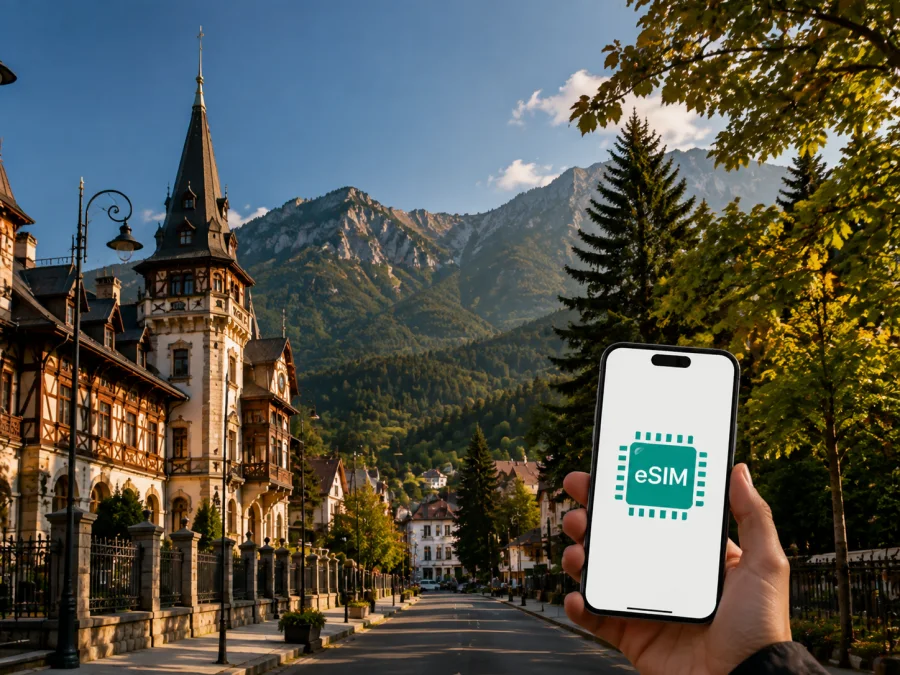
Sinaia eSIM: Mobile Connection and Internet for a Mountain Trip
Sinaia is a practical base in Romania’s Prahova Valley, with royal heritage, forest paths, ski areas and rail connections between Bucharest and Brașov. You may need a map while walking uphill, a message for a hotel, a ticket after arriving at the station, a ride to a trailhead or mobile internet for a work call.
An eSIM, or digital SIM, can help you prepare mobile internet for Sinaia without replacing your physical SIM card. Kaspersky eSIM Store is an app and website where you can choose, arrange and activate an eSIM with a suitable plan for mobile internet during a trip abroad. It is useful when you want a clear data allowance and validity period before leaving, while keeping your primary number available for calls or messages if needed.
Why an eSIM can be useful in Sinaia
Sinaia does not feel like a large city. Many central places can be reached on foot, while the town rises from the railway station and main road towards the forest and the Bucegi Mountains. That compact layout is convenient, yet the slopes, changing weather and spread-out sights make a working data connection helpful.
The first hours after arrival
The railway station is an important arrival point for travelers coming from Bucharest or continuing towards Brașov. On arrival, mobile internet can help you check the address of your accommodation, message a host, confirm check-in details and follow a walking route with luggage. If you arrive by road, the same preparation is useful for finding a hotel entrance, a parking area or a meeting point away from the main street.
If the chosen eSIM is installed in advance, you can review the correct mobile-data line before departure and activate it according to the plan conditions. A physical SIM can remain in the phone for your usual number, subject to device settings and operator terms.
Moving between the town and the sights
Sinaia’s best-known places are not all on one level or in one block. The central area, Sinaia Monastery, the Peleș estate, accommodation streets and mountain transport points may require different walking routes or short rides. A map is useful for checking elevation, opening a saved location and adjusting plans when rain or snow changes the pace of the day.
Mobile internet is also useful for small decisions that are easy to overlook:
- sending the accommodation address to a travel companion;
- checking whether a planned visit still fits the day’s timetable;
- translating a notice or reading a booking message;
- opening a digital ticket, sharing your location or calling a family member through a messenger.
These are ordinary travel actions, but they often happen at the exact moment when searching for Wi‑Fi would be inconvenient.
A useful base for a wider route
Sinaia is often one stop in a route through Bucharest, Bușteni, Predeal or Brașov. If the trip crosses several places in Romania, review the country or regional scope of the selected eSIM plan. The right choice depends on the stated destination, route, number of days and expected data use.
Sinaia locations where mobile data matters most
Different parts of a short visit create different connection needs. Thinking in scenarios makes it easier to choose a plan without paying for data you will not use or underestimating a work-heavy trip.
| Travel situation | Typical online tasks | What to prepare |
|---|---|---|
| Arrival at Sinaia station | Accommodation messages, maps, transport details | Have the eSIM profile and booking information ready |
| Walk through the centre | Navigation, restaurant searches, messages | Use mobile data for short map checks and communication |
| Visit to the royal estate | Route planning, tickets, photos and updates | Leave enough data for maps and reservation pages |
| Mountain or ski day | Meeting points, weather checks, emergency contact | Download key information where possible and keep the phone charged |
| Remote work or onward journey | Video calls, email, tickets and directions | Select an allowance for work and keep key details offline |
The table is a planning aid, not a promise about quality in every location. In mountain terrain, indoors or during poor weather, performance can vary. Combine mobile data with offline copies of addresses, reservations and essential route information.
Choosing an eSIM plan for Sinaia
Start with the whole journey, not only the number of nights in Sinaia. A two-night stop inside a ten-day Romania itinerary may need a plan that remains valid for the entire route. Conversely, a short stopover with light browsing may not require a large allowance.
1. Confirm the destination scope
Choose a plan that explicitly covers Romania if Sinaia is the main destination. If you will continue to another country, check whether the selected offer is national or regional and whether all parts of your route are included. Do not infer the scope from a hotel, airport or city name alone; read the destination shown at the time of selection.
2. Estimate how you will use data
Your data needs depend more on habits than on the city itself. Messaging, maps, email and occasional searches usually require less data than video meetings, cloud backups or continuous video streaming. Photos can also consume more data when they are automatically uploaded in the background.
Use this simple estimate before choosing:
- List the number of travel days, including arrival and departure days.
- Mark the days when you expect remote work, navigation or long transfers.
- Decide which activities can be done over accommodation Wi‑Fi.
- Leave a reasonable reserve for route changes and unexpected messages.
- Compare the resulting pattern with the allowance and validity period shown for the plan.
For a leisure weekend, the main needs may be maps, messages and reservations. For a business trip, email, documents and video calls can change the calculation, so assess work use separately from entertainment streaming.
3. Check the validity period
The validity period should cover the time when you need mobile data, not just the time between booking and departure. Read when validity starts under the selected plan’s conditions. Some travelers prefer to install an eSIM before leaving but activate or select it for data only after arrival; the exact sequence depends on the device and plan instructions.
4. Leave room for the mountain part of the itinerary
A city visit can turn into a longer day in the Bucegi area. Downloading maps and reservations in advance helps control data use, while a mobile-data option remains useful when the route changes.
5. Keep the choice transparent
Kaspersky eSIM Store helps you see the destination, data allowance, validity and price of an available plan before you choose it. The service helps with selecting, arranging and activating an eSIM for the trip; it is not a mobile operator or a replacement for every function of your regular SIM. Conditions depend on the chosen plan, your device and the networks available at the destination.
When your route is confirmed, choose an eSIM plan for your trip to Romania and compare the available conditions for the dates and data usage you expect.
Arrival, navigation and work in Sinaia
Sinaia station, the central streets and the uphill routes to the monastery and Peleș estate create different arrival patterns. Save your hotel address, check-in details, station name and the next destination before leaving. When walking with luggage, compare the map route with a ride option; slopes and weather can matter more than the distance.
For a heritage visit, keep reservation details and entrance information offline, then use mobile data for a route change or message. For a Bucegi or ski day, tell someone where you are going, carry a charged phone and treat mobile data as a practical aid rather than a substitute for local safety preparation.
Sinaia can also be a conference stop or a short break between trains. Remote workers should check whether the accommodation has suitable Wi‑Fi, keep the eSIM available for essential messages, and remember that hotspot use and video calls consume data faster than maps. For a brief stopover, the most useful preparation is a charged phone, an offline ticket and a clear understanding of when the selected plan starts using data.
How to install an eSIM before or after arrival
Installation is easiest when you have a stable internet connection, the purchase or activation details, and enough battery. Complete the process at home or in your accommodation when possible, rather than waiting for a busy station. Follow the device instructions carefully; wording differs between Android models and iPhone versions.
Step 1: Check the device
Confirm that your phone supports eSIM and is not locked to an operator. Model availability can differ by region, so check the exact device rather than relying only on the product family name. Before choosing a plan, check your device compatibility.
Step 2: Prepare the profile
Open the Kaspersky eSIM Store app or website and keep the plan information accessible. Depending on the purchase flow, you may use a QR code or an on-screen installation option. Do not delete your existing SIM profile while adding the travel eSIM.
Step 3: Add the eSIM in mobile settings
Open the mobile network or cellular settings, choose the option to add a mobile plan, and follow the on-screen steps. If the device asks which line should handle calls, messages or mobile data, select the option that matches your intended use. You can keep the regular SIM for your primary number when the device supports dual SIM operation.
Step 4: Set the travel eSIM for data
Choose the travel eSIM as the mobile-data line when you are ready to use it. If the device or selected plan requires data roaming to be enabled for the eSIM, follow the plan instructions. Avoid enabling data roaming on the primary line by mistake, especially if your home operator charges separately for roaming.
Step 5: Test a simple task
After activation, open a small web page, send a message or check a map. A connection can take a few minutes and depends on the device and local network conditions. If the test fails, check the selected data line, mobile data, roaming setting where applicable and the plan’s activation instructions before contacting support.
For device-specific help, use the Android installation instructions or the iOS installation instructions. Keep the primary SIM enabled only for the functions you need, and review the settings again when you leave Romania.
What to check before you leave
Use this checklist one day before departure:
- [ ] Sinaia and the rest of the Romania itinerary match the plan’s destination scope.
- [ ] The validity period covers arrival, the stay and any onward travel.
- [ ] The data allowance fits your expected maps, messages, work and media use.
- [ ] Your phone supports eSIM and is not operator-locked.
- [ ] The eSIM profile, QR code or installation option is accessible.
- [ ] Your primary line is labelled clearly in the phone settings.
- [ ] You know which line will be used for mobile data.
- [ ] Data roaming is configured only as required by the travel eSIM instructions.
- [ ] Accommodation addresses, reservations and train details are saved offline.
- [ ] The phone, power bank and any work devices are charged.
The same checks are useful after arrival. If you change from hotel Wi‑Fi to mobile data, confirm the selected line first. If you move from Sinaia to another Romanian city, do not assume that a settings change is needed; verify the plan scope and monitor usage instead.
Frequently asked questions
Is eSIM useful for a short Sinaia visit?
Yes, if you need maps, arrival messages, reservations or mobile internet. Choose by the full itinerary and validity conditions, not only by the number of nights in town.
Can I keep my usual number active?
Often, a compatible dual-SIM phone can keep the physical SIM active while the eSIM handles mobile data. Check the selected data line and possible roaming charges from your primary operator.
Does a travel eSIM include a Romanian phone number?
Usually not. In this travel context, the eSIM is intended for mobile internet; voice calls and SMS are included only if the specific plan says so. Messengers can handle calls and messages over data.
What if the eSIM does not connect?
Check the data line, mobile data, any required roaming setting, plan status, destination and validity. If the issue remains, contact support with the device and plan details.
Is Kaspersky eSIM Store a mobile operator?
No. It is an app and website that helps you choose, arrange and activate an eSIM with a suitable plan for mobile internet during a trip abroad. Conditions depend on the selected plan and destination networks.
Prepare mobile internet for Sinaia
Sinaia rewards a flexible itinerary: the same day can include a railway arrival, a steep walk, a museum visit, a café, a mountain transfer and an onward travel decision. Preparing mobile data in advance can make those transitions easier while leaving the focus on the town, the landscape and the people you came to see.
Before departure, check your device, choose a plan that matches Romania and your full route, and save the essential addresses offline. After arrival, use the eSIM for the practical tasks that keep the trip moving: maps, reservations, messages and work when necessary.
Choose an eSIM plan for your Sinaia trip in Romania and prepare the connection settings before you leave.


