Travel connectivity guide
Singapore eSIM: Mobile Data for City Travel
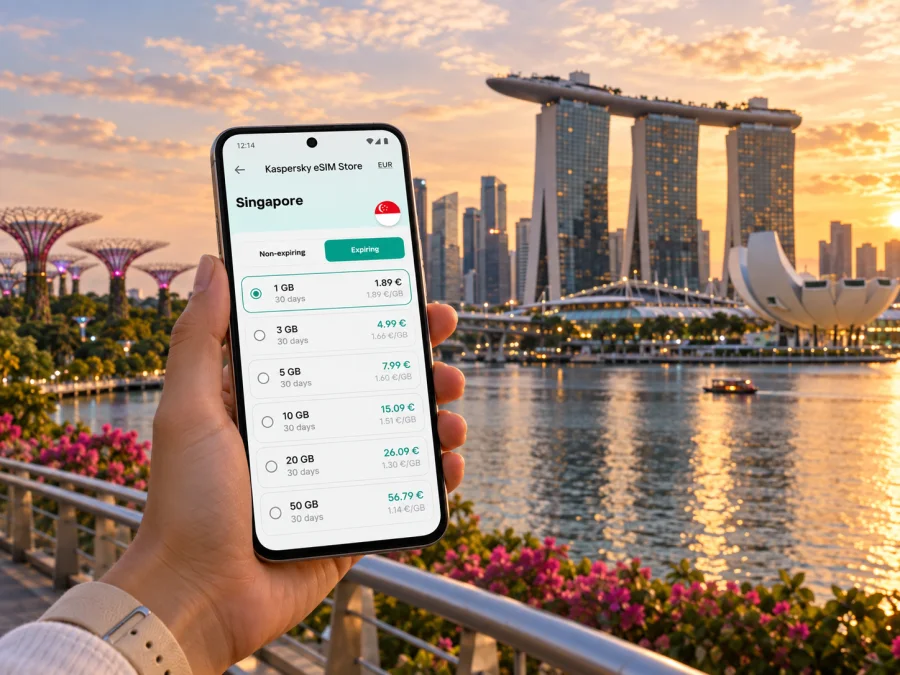
Singapore eSIM for a reliable mobile connection and internet around the city
Singapore is compact enough to cross in a day, yet a first visit can involve several very different journeys: leaving Changi Airport, finding a hotel entrance among high-rise buildings, changing between MRT lines, and walking through a district whose streets look different after dark. A dependable mobile data plan helps make those transitions easier. You can check a route before leaving the station, confirm a meeting point, message your hotel, or adjust a day plan when the weather changes.
An eSIM is a digital SIM profile that you add to a compatible device. For a city trip, it can keep maps, messaging, ride-hailing and travel information available without changing the physical SIM in your phone. It is useful to plan the setup before departure: understand when the plan starts, which device will use mobile data, and how you will reach your first destination from the airport.
Before you land: prepare for the first hour
Changi Airport is connected to Singapore’s rail network. The airport MRT station serves the terminals, and a common route into the central area is to travel to Tanah Merah and transfer to the East West Line. Another route connects at Expo with the Downtown Line. Which option is convenient depends on your hotel, arrival time, luggage and any service changes, so check a live route planner on the day rather than relying on a saved route alone.
Keep the rail journey and the first walk separate in your planning. The train takes you into the urban network, but the final leg may involve a different station exit, a bus or a walk through a large complex. Save both the hotel pin and its written address, and check whether late check-in requires a message or code. If you are meeting a driver, agree on the terminal and pick-up point before leaving arrivals; a map pin alone may not explain which airport pick-up area to use.
At the airport, follow signs for the train, taxi queue or pick-up point that suits your plans. Most MRT and bus services do not run all night; if you arrive after public transport has ended, taxis and private-hire cars remain options. For a late arrival, verify available services and fares, and keep the hotel address ready to show.
If you plan to take the train, route planning is more than choosing a station name. Large interchanges can have multiple exits, and the most direct exit is not always the most comfortable one with luggage. Check the walk from the station to the accommodation as well as the train route. A hotel that appears close on a map may still require a long walk through a large complex or across a busy road.
Why mobile data is useful in Singapore
Singapore’s public transport network makes it possible to visit many areas without a car, but moving around still involves decisions at street level. A map helps distinguish the correct building entrance, locate a sheltered passage, compare walking and rail routes, and see where a transfer takes place. Mobile data is also useful when the day mixes indoor and outdoor stops: an exhibition booking, lunch reservation, shopping street and evening view may each have separate confirmation details.
Plan connectivity around what you will actually do, rather than choosing an amount of data by instinct. Frequent video calls, cloud uploads and streaming use more data than maps, text messages and checking opening information. If you are travelling with others, remember that one person’s plan does not automatically provide data to everyone else; hotspot use can also consume the allowance more quickly and drain a phone battery.
| Trip pattern | Likely online tasks | Planning consideration |
|---|---|---|
| Weekend city break | Maps, messaging, bookings, photos | Keep map and hotel details available offline as a backup |
| Several days of sightseeing | Route changes, transit checks, translation, reservations | Estimate how often you will upload photos or use video |
| Business visit | Email, calendars, meeting links, ride bookings | Check whether your device and work apps permit the setup you need |
| Stopover | Airport-to-city route, one or two bookings, return timing | Leave a buffer for travel back to Changi and airport procedures |
Before choosing a plan, compare the stated data allowance and validity with your itinerary. Confirm whether the plan is intended for data, whether tethering is supported under its terms, and what event starts its validity. Plan details can differ, so rely on the conditions shown for the specific option you select.
Kaspersky eSIM Store is an app and website where you can choose, arrange and activate an eSIM with a suitable data plan for an international trip. If you are preparing for Singapore, you can review eSIM plan options for Singapore and compare the allowance and validity with the time you expect to spend in the city.
Get around with a map and a flexible route
The MRT is often a straightforward way to cover longer distances, while walking is useful for connecting places within a neighborhood. Buses can fill gaps between stations and destinations, but the stop and direction matter: check the route and arrival information before boarding. Contactless bank cards and mobile wallets are among the payment methods accepted for public transport, alongside transit cards; acceptance may depend on card type and issuer, so check the current guidance if you intend to tap a foreign-issued card.
In the central area, Marina Bay, the Civic District and the Singapore River are close enough to combine into a walk, but the route can feel longer in heat or heavy rain. Use a live map to choose a shaded or sheltered alternative where available, and avoid planning every transition as if it were a short outdoor stroll. Singapore’s weather can change quickly; if a shower interrupts a walk, mobile data makes it easier to find a nearby station, covered passage or indoor stop.
The same principle applies to Sentosa. The island is reached from the mainland through the HarbourFront area, and the last part of the journey depends on your chosen entrance and destination. Check the route to the specific attraction, hotel or meeting point instead of treating “Sentosa” as one stop. For evening plans, verify the return journey and operating times before you set out.
Choose a base that fits your itinerary
Where you stay changes how you use maps and transit. A central hotel can reduce transfers for a short visit, while a neighborhood stay can make local meals and quieter walks part of the trip. Use the accommodation’s exact address when comparing options; district names cover more ground than they suggest, and a property may be several blocks from the station or entrance you expect.
| Area | What it is useful for | What to check on the map |
|---|---|---|
| Marina Bay and the Civic District | Waterfront walks, major city sights, museums and business venues | Distance to the nearest station, the route around large buildings and evening return options |
| Chinatown | Heritage streets, temples, food and access to the central area | Which station exit is closest to your lodging and whether the address is on a busy street |
| Kampong Gelam and Bugis | Heritage sites, independent shops, cafés and street life | Walking distance from Bugis or nearby stations, especially with luggage |
| Little India | Markets, food, temples and a lively neighborhood atmosphere | The exact street and station entrance; walking routes can be busy at peak times |
| Orchard Road | Shopping, hotels and connections across the central area | Whether your destination is nearer one end of the shopping corridor than the other |
| Katong and Joo Chiat | Peranakan architecture, cafés and a more neighborhood-scale stay | Bus connections and the last leg from the nearest rail station |
This is a planning guide, not a ranking. If your schedule is built around meetings, choose a base close to the venue or a direct route. If you want to walk between heritage sites and food stops, consider a neighborhood where those visits cluster. In either case, put the hotel pin in your map before arrival and check the route from the airport with your actual arrival time.
Use mobile data for a day that keeps changing
Singapore rewards flexible city days. You may begin with a museum, pause for lunch in Chinatown, cross to Marina Bay, and finish with an evening visit elsewhere. A mobile connection helps you make small decisions along the way, but it works best as part of a simple offline backup.
For a sightseeing day: save your first destination and ticket confirmation before leaving the hotel. When you finish, check the next route and opening information before walking to the station. If weather or crowds alter the plan, choose the next stop based on distance and transport rather than trying to preserve a fixed sequence.
For a business day: store the venue address, building name, meeting-room details and organizer’s contact information in one accessible place. Large office developments may contain several towers or entrances. Confirm the exact lobby and allow time to navigate from the station or drop-off point. Keep calendar invitations accessible if you expect to move between meetings.
For a short stopover: decide on one compact area before leaving the airport. A short visit can become rushed if it includes several cross-city journeys. Check the last practical return option, leave a generous airport buffer, and keep boarding details available offline. Your eSIM setup should be completed early enough that you are not troubleshooting it while watching the clock.
Set up an eSIM before relying on it
An eSIM can be installed before departure or at another time allowed by the plan instructions. Installation and activation are not always the same moment: the plan may begin according to the specific offer’s conditions. Read those conditions before installing, especially if you are trying to align a validity period with arrival day.
Before purchase, check whether your phone supports eSIM and is not restricted by a carrier lock. Device support can vary between model versions and sales regions. Check whether your device supports eSIM before choosing a plan.
A practical setup sequence
- Review the plan conditions. Check the destination, data amount, validity period, activation rules and any device or hotspot limitations shown for the plan.
- Connect to a reliable Wi-Fi network. Keep the device charged and follow the installation steps shown in the app or account.
- Add the eSIM profile. Use the device’s mobile or cellular settings and follow the on-screen prompts. Avoid deleting a profile unless the instructions tell you to; reinstalling may not be possible in the same way.
- Label the line clearly. A name such as “Singapore data” can help you distinguish the travel profile from your regular SIM when selecting mobile data.
- Choose which line uses data. Keep your usual line configured for calls or messages if you need it, and select the travel eSIM for mobile data according to your plan instructions.
- Check roaming settings only as instructed. Some eSIM plans require data roaming to be enabled for the travel profile. Follow the specific setup guidance rather than changing settings on every line.
- Test after arrival. Allow the phone time to register, then check that mobile data is assigned to the intended eSIM. If it does not connect, review the plan steps and restart the device if instructed.
For device-specific steps, use the Android eSIM installation instructions or the iPhone and iOS eSIM installation instructions. Menu wording can differ by operating system version, so follow the instructions for your model.
Common questions about eSIM in Singapore
Will an eSIM help me navigate from Changi Airport?
Yes, if the selected plan is active and the phone is configured to use it for mobile data. It can help you check the airport-to-city route, find a station entrance and contact your accommodation. Keep the hotel address and a route screenshot available as backup.
Can I use an eSIM for normal calls and text messages?
Usually, a travel data eSIM is for mobile internet and does not include a separate phone number, voice calls or SMS unless the specific plan says otherwise. You can use internet-based messaging and calling apps where available, while keeping your regular SIM active if you need its number and understand any roaming charges from your home carrier.
Should I install the eSIM before flying?
You can prepare it before departure if the plan instructions allow that. Check when validity starts and whether installation itself triggers any step in the plan. If the timing is unclear, read the displayed conditions before installing or activating it.
Make Singapore easier to navigate
For a first visit, the most useful setup is simple: know how you will get from Changi Airport to your accommodation, save the addresses that matter, and keep a map and messaging available as you move between neighborhoods. Check routes and transport details as your day unfolds, especially when you are travelling late, carrying luggage or crossing between distant parts of the city.
Before departure, choose a plan that matches your itinerary and review its data allowance, validity and activation conditions. Kaspersky eSIM Store is an app and website that helps you choose, arrange and activate an eSIM for mobile data during an international trip. Choose an eSIM plan for your Singapore visit, then follow the installation instructions for your device and confirm the settings before you rely on mobile data in the city.


