Travel connectivity guide
Sinnamary eSIM: Mobile Internet in French Guiana
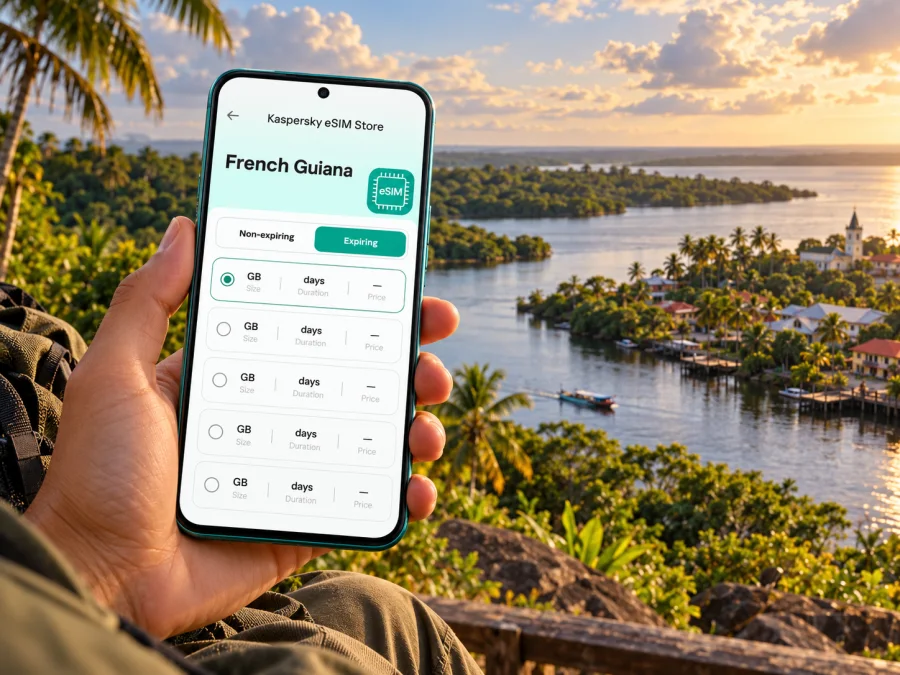
Sinnamary eSIM: mobile connection and internet for your trip
Sinnamary is a small coastal commune in French Guiana, where mobile data is useful for the practical parts of a visit: coordinating a transfer, checking a route, contacting a host, and keeping maps available while you explore. An eSIM can provide mobile internet without replacing the physical SIM already in your phone. Before choosing one, check that the plan explicitly covers French Guiana, that your device supports eSIM, and that the plan’s validity and data allowance match your route.
The place name can cause confusion when you search for connectivity. French Guiana is in South America, between Suriname and Brazil, and is a French territory with a distinct geographic position from mainland France. Sinnamary is a commune within French Guiana, not a separate country or an overseas island. In a plan selector, “France” and “French Guiana” may be listed separately; do not assume a plan for mainland France includes French Guiana unless its terms say so.
Why mobile data helps in Sinnamary
Sinnamary is not a dense metropolitan destination with a large urban transit grid. A visit is more likely to combine the village centre, accommodation, roads along the coast, and excursions into natural areas. In this setting, an online map and a way to message your driver or host can be more useful than fast connectivity for entertainment. Mobile data can also help you confirm opening times, find the right meeting point, and check a return journey before leaving an area with limited services.
Use your connection as one layer of preparation, not as a guarantee that every location will have signal. French Guiana has inhabited coastal settlements as well as extensive forest and river areas. Service can vary between the centre, a building, a road, and a remote excursion site. Download the route and essential details before leaving your accommodation, and keep the address and contact number available offline.
| Trip moment | What mobile data can help with | A useful backup |
|---|---|---|
| Before departure | Reviewing your booking, meeting point and transfer details | Save confirmation messages and addresses offline |
| Arrival in French Guiana | Messaging a driver, checking the next step and opening a map | Agree on a meeting point in advance |
| In Sinnamary | Looking up a saved place, contacting your host and checking plans | Keep a screenshot of directions and booking details |
| On an excursion | Sharing an update or checking information when a signal is available | Download maps and follow the guide’s instructions |
| Leaving town | Checking the bus or road plan before setting out | Confirm the latest timetable and carry a second payment option |
Arrival and the first leg of the journey
Many visitors reach French Guiana through Cayenne–Félix-Éboué Airport, which is in Matoury. Sinnamary is farther along the coastal road, so your airport arrival and your first hours in the commune are separate stages of the trip. Plan the onward transfer before landing: confirm whether a rental car, pre-arranged driver or intercity coach best suits your arrival time and luggage. A working map is helpful, but it does not replace a confirmed pickup arrangement.
If you install an eSIM before departure, do it while you have a reliable internet connection and enough time to follow the steps on screen. You can usually keep your home SIM available for calls or messages while selecting the eSIM for mobile data, depending on your device and plan. Avoid deleting a profile just because it has not connected yet; first check the plan instructions and the device settings.
At the airport, public Wi-Fi may be useful for a quick message or to retrieve a booking. It is still sensible to keep core information saved offline, since a connection can be time-limited, busy or unavailable at the moment you need it. Save your accommodation address, the name and number of your driver, any coach details and the route to the agreed meeting point. If your phone battery is low, a screenshot is more dependable than a live map.
Getting around the commune and nearby towns
Sinnamary sits on French Guiana’s Atlantic coastal corridor. Road journeys can connect it with nearby places, but distances and travel times should be checked for the exact day and route rather than guessed from a map. The Territorial Collectivity of French Guiana lists the Transport Interurbain Guyanais route 3 between Kourou, Sinnamary and Iracoubo. Its public transport page also notes that schedules are being updated, so confirm the current timetable and stop information before you set out. Mobile access is helpful for checking an update, but save the departure time and stop details in advance in case you lose signal.
Within Sinnamary, think about your day in terms of booked destinations rather than assuming that a city-style transit app will plan every leg. For a guesthouse, nature visit or meeting, ask your host which entrance or landmark to use and whether a vehicle is needed. A map pin can point to the general area rather than the exact access point. If your plans include a remote trail, river or marsh, arrange transport and return timing with the activity provider before leaving the built-up area.
For a multi-stop itinerary, save each destination separately and check the order of travel. A practical sequence might be: arrive in the commune, settle in, visit a pre-arranged local site, and return before continuing toward Kourou or Iracoubo. Keep enough data for essential tasks, but do not rely on a live connection to guide you through an unfamiliar rural turn. Take screenshots of the route, note the road name or kilometre marker supplied by your host, and confirm the return arrangement.
Places and outdoor plans: prepare beyond the map
A well-known nature outing near Sinnamary is the Pripris de Yiyi area, associated with wetlands and varied habitats. Access, guided visits and facilities can change, so check locally before travelling and make a reservation if the activity requires one. Do not treat an old travel description, a map pin or a photo online as confirmation that a trail is open today. Ask about current conditions, transport, meeting time and what to bring.
In natural areas, connectivity may be weaker or intermittent. Download any map you need, tell someone your plan, and follow local guidance on access and weather. Do not step away from a group or marked route to chase a signal. A phone can help you share your location when service exists, but it is not a substitute for a guide, a planned return time or appropriate equipment.
A useful pre-excursion routine is short:
- Confirm the site is open and the activity is operating on your travel date.
- Get the exact meeting point and transport arrangement from the organiser.
- Save the address, route and contact details offline.
- Charge your phone and consider carrying a power bank.
- Tell your host or travel companion when you expect to return.
- Use mobile data when available, and follow the guide’s instructions if coverage drops.
For a slower visit in the centre, the same preparation is lighter: save your accommodation pin, check any appointment or opening time before you walk out, and bring the directions back with you. If you are meeting someone, agree on a clearly named landmark rather than “near the river” or “by the road.” Local wording and a shared pin can prevent confusion when several nearby paths or entrances appear similar.
Choose an eSIM for French Guiana, not by city name alone
An eSIM plan is normally selected by the territory it covers, not by an individual commune. For Sinnamary, check the destination and coverage wording for French Guiana specifically. Kaspersky eSIM Store is an app and website where you can choose, purchase and activate an eSIM with a suitable plan for mobile internet on an international trip. The exact destination availability and plan terms are shown during selection, so review them before purchase.
Browse eSIM options for French Guiana
Compare a plan against your actual travel pattern rather than choosing by headline data volume alone. Note how long you will be in French Guiana, whether you will continue to Kourou, Cayenne or another territory, and how often you expect to use maps, messaging, email or video. Check the plan’s data amount, validity period, supported destination and any activation conditions. A regional plan may suit a wider itinerary, but only if its published coverage includes every place on your route.
| Check before purchase | Why it matters for a Sinnamary trip |
|---|---|
| Destination wording | French Guiana may be listed separately from mainland France |
| Validity period | The period should cover the dates when you expect to use the plan |
| Data allowance | Maps, messaging and email differ from video calls or frequent uploads |
| Start of validity | Some plans start on installation or activation; follow the plan’s stated rule |
| Device compatibility | The phone must support eSIM and be allowed to use another carrier profile |
| Data roaming setting | Some eSIMs require data roaming to be enabled for that profile; check its instructions |
| Voice and SMS | A data plan may not include a local phone number, ordinary calls or SMS |
Estimate data needs based on how you use your phone. Navigation and text messages are generally lighter tasks than uploading large videos or making long video calls, but exact consumption varies by app and settings. If you will use hotel Wi-Fi for large downloads and keep video streaming to a minimum, your travel pattern differs from someone who works online throughout the day. Check your device’s data usage and set an alert if available.
Check your phone before you choose
Confirm eSIM support for your exact phone model and regional variant. Product names can cover versions with different hardware or carrier restrictions, so a model family name alone is not enough. Also check that the device is not locked in a way that prevents adding another operator profile. The compatibility check is a useful first step: check whether your device supports eSIM.
Keep your existing SIM active if you need it for calls, authentication messages or account recovery, and set the travel eSIM as the mobile-data line only if that is your intention. Dual-SIM behaviour varies by device. Read the on-screen prompts carefully, because selecting a default line for calls is different from selecting the line for mobile data. If you need to receive messages on your home number, confirm how your phone handles that while the eSIM is active and whether your home operator may charge roaming fees.
Before installation
- Verify eSIM support for the exact device and sales region.
- Check for a carrier lock or other restriction on adding an eSIM.
- Make sure the operating system is current enough for the device’s eSIM features.
- Use a reliable internet connection to download or add the profile.
- Keep the QR code or activation details accessible on another screen if you need to scan them.
- Read the selected plan’s activation and validity terms before installing it.
- Do not assume installation and the start of the plan’s validity are the same event.
Installing and activating your travel eSIM
If you are installing before travel, complete the setup at home or somewhere with stable Wi-Fi. Some plans can be installed in advance and used after arrival; others have specific activation rules. Follow the plan’s instructions and avoid switching settings based on a generic guide if the plan says otherwise. The setup references are available for Android and iPhone and iOS.
A general setup sequence is:
- Open the Kaspersky eSIM Store app or website and select the destination and plan that match your trip.
- Review the coverage, data allowance, validity and activation conditions.
- Add the eSIM profile using the method shown for your device.
- Label the profile something recognisable, such as “French Guiana trip.”
- Keep your usual line selected for calls if you need it, and choose the travel eSIM for mobile data when appropriate.
- On arrival, enable the eSIM line and follow the plan’s guidance for data roaming or network selection.
- Allow the phone a little time to register. If there is no connection, check settings and the plan instructions before removing the profile.
Some phones ask whether the new profile should be used for calls, messages or mobile data. Choose deliberately. If the eSIM is data-only, it does not automatically provide a conventional phone number or ordinary SMS service. Internet-based messaging and calling apps may work over data, subject to the app, contact and local network conditions.
Mobile coverage: what to expect and how to plan
No eSIM can promise a signal in every building, on every road or in every outdoor area. Coverage depends on the local network used by the plan, the phone, terrain, construction and current network conditions. The French communications regulator ARCEP publishes a map for comparing mobile coverage and service quality in mainland France and overseas territories. Its coverage maps are predictive tools and an indication, not a guarantee of service at a particular point.
For Sinnamary, use that principle in practical planning: expect a connection to be more useful in settled areas and prepare for gaps during travel or outdoor activities. The exact experience also depends on which local network the chosen plan can access, so check the plan details rather than inferring performance from a French mainland operator name. If dependable service at a particular worksite or accommodation is essential, ask the venue about its own experience and keep an offline alternative.
A small offline kit makes a real difference:
- Download the area in your preferred map app while connected to Wi-Fi.
- Save accommodation, transfer and excursion details as screenshots or notes.
- Keep a power bank charged for long outdoor days.
- Store essential phone numbers in your contacts and in a note.
- Tell a companion your itinerary if you are travelling outside the centre.
- Keep some flexibility in the schedule in case a route, activity or connection changes.
Common connection questions
Is Sinnamary in France or South America?
Both descriptions can be true in different contexts. Sinnamary is in French Guiana, a French territory in South America. For an eSIM, select and verify the specific destination coverage shown in the plan terms; do not rely only on the word “France.”
Will a French eSIM work in Sinnamary?
It depends on the plan. “French Guiana” should be named in the coverage details or confirmed by the provider. A plan for mainland France is not proof of coverage in French Guiana.
Does an eSIM guarantee mobile internet across the whole commune?
No. Coverage depends on the local network, exact location, device and conditions. Check coverage information for the network available through the selected plan, and prepare offline maps for roads and outdoor visits.
Can I keep my usual number?
Often, a compatible dual-SIM phone can keep a physical SIM active while using an eSIM for data. The available combinations vary. Check your phone settings and your home operator’s charges for calls, SMS and roaming before departure.
Does a travel eSIM include calls and text messages?
Not necessarily. Many travel plans are designed for data and may not include a standard phone number, voice calls or SMS. Read the plan details. Messaging and voice apps can use internet data when their requirements are met.
Should I install the eSIM before I fly?
Installing in advance can make the arrival routine simpler if the plan’s terms allow it. Use reliable Wi-Fi, follow the plan’s instructions and verify when validity begins. If installation is intended for arrival, keep the QR code or setup details available and make sure you can access them.
What if the eSIM is installed but mobile data does not work?
Confirm that the eSIM line is enabled and selected for mobile data, check the plan’s activation instructions, and see whether data roaming must be enabled for that profile. Restarting the phone may help. If the issue continues, contact support with the device model, the plan name and the steps already tried. Do not delete the profile unless the support guidance or plan instructions tell you to.
A calm connection plan for Sinnamary
The most reliable preparation is straightforward: identify the destination correctly, arrange your journey from the airport, confirm local transport and excursion details, and keep key information available offline. Then choose an eSIM plan whose published terms cover French Guiana and match your device, dates and expected data use. Mobile internet can make navigation and coordination easier, while an offline backup keeps your trip practical when coverage changes.
When you are ready, choose an eSIM plan for French Guiana in Kaspersky eSIM Store. Review the current coverage, data allowance, validity and activation conditions, then install the profile on a compatible, unlocked device using the relevant setup instructions. This gives you a clear starting point for staying connected in Sinnamary and planning the next leg of your trip.


