Travel connectivity guide
Sintra eSIM: Mobile Internet for Your Trip
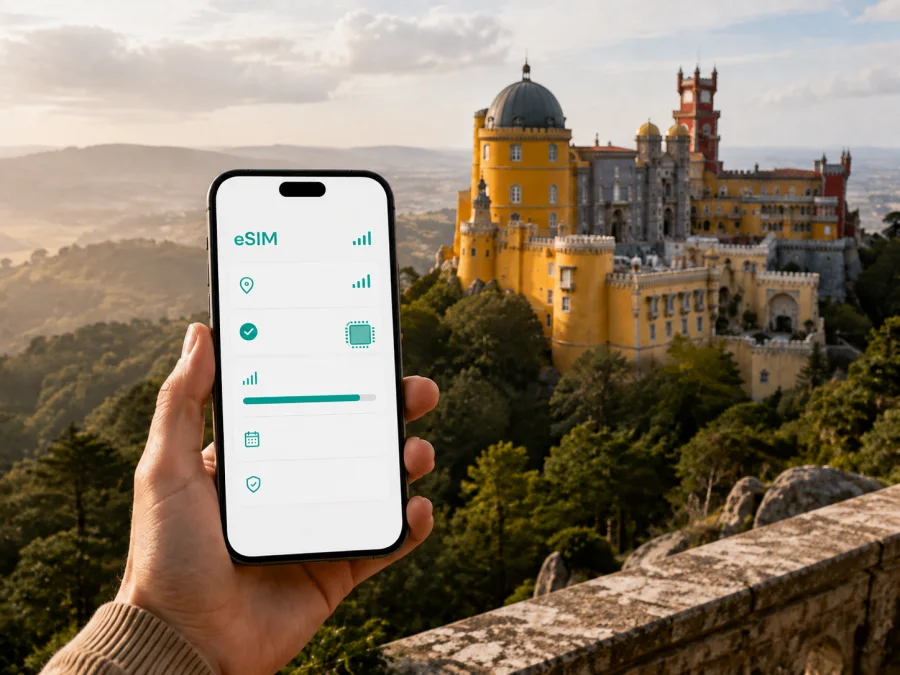
Sintra eSIM: mobile connection and internet for your trip
Sintra is not a destination where every stop sits along one flat, easy street. The historic centre, hilltop palaces, wooded roads, viewpoints, cafés and nearby Atlantic routes create a day with many small decisions: which way to walk, where to meet a driver, when to check a timetable and how to find the right entrance. Reliable mobile internet makes those decisions easier.
An eSIM, or digital SIM card, lets you use a compatible phone for mobile data in Portugal without swapping out your physical SIM. Kaspersky eSIM Store is an app and website that helps you choose, arrange and activate an eSIM tariff for an overseas trip. It is not a mobile network or a replacement for a local operator. The country, data allowance, validity and activation conditions of your selected tariff always apply.
Quick answer: is an eSIM useful in Sintra?
For many visitors, an eSIM is useful when they want data from the moment they leave the airport or station, need navigation between separated sights, or are combining Sintra with Cascais, Cabo da Roca or Lisbon. It is particularly practical for a short visit because you do not need to look for a physical SIM shop during a tightly planned day.
The essentials are straightforward:
- Choose a Portugal or relevant regional tariff. Sintra is in Portugal, so a tariff should cover Portugal and the rest of your route if you are travelling onward.
- Check that your phone supports eSIM and is not locked to another operator. Check your device compatibility before paying.
- Match the data allowance to your use: maps and messages need less than video calls, cloud uploads or a laptop hotspot.
- Install the eSIM with a dependable internet connection, then select it for mobile data when you are ready.
- Keep your physical SIM active if you need its number for calls or verification messages, while reviewing its roaming settings.
Plan your connection before leaving
Start with the whole route
A stay labelled “Sintra” may mean a room in the historic centre, a property nearer the railway station, or accommodation farther into the hills. Your data needs begin before check-in: airport directions, the transfer into the Lisbon area, the final walk with bags and messages to the host all use the connection.
Think through your arrival, accommodation, historic centre, hilltop sights, optional coast and return route. This makes it easier to decide whether a Portugal tariff is enough or a regional option better fits a longer itinerary. Kaspersky eSIM Store shows the direction, validity and data allowance for each option. Treat those displayed conditions as the source of truth: offers, prices and activation rules can differ by tariff.
Estimate your data use
Your daily pattern matters more than the number of attractions. Light use includes walking directions, transport searches, messages, email and occasional photo sharing. Medium use adds frequent uploads, translation tools, ride-hailing and short calls. Heavy use includes video meetings, streaming, large backups or a hotspot for a computer.
| Visit pattern | Likely data tasks | Sensible approach |
|---|---|---|
| Short stopover | Directions, tickets, messages and searches | Choose a modest allowance with validity covering the stopover |
| One- or two-day visit | Navigation, photos, restaurant research and messaging | Leave room for repeated map use and photo sharing |
| Longer Portugal itinerary | Sintra plus Lisbon, the coast and other towns | Match validity to the full route, not only Sintra nights |
| Work trip with sightseeing | Email, authentication, calls and documents | Reserve extra data and confirm hotspot conditions |
Save hotel details, reservation confirmations and important addresses before travelling. Offline preparation is a useful backup, not a reason to skip mobile data: live directions, updates and messages still depend on a connection.
Arriving in Sintra
Many visits begin at Lisbon Airport or in central Lisbon. The journey toward Sintra usually has several stages: leaving the terminal, finding the correct public-transport connection or driver, travelling toward town and locating the accommodation. An eSIM can remove a small but noticeable source of friction during this sequence.
Before leaving the airport, confirm:
- the accommodation name and complete address;
- the meeting point or transfer instructions;
- the phone number or messaging contact for your host, driver or companion.
The railway is a familiar way to travel between Lisbon and Sintra, while a taxi or private transfer may suit luggage or a late arrival. Departures, works and traffic can change, so check current information when you travel. Mobile internet is valuable here because it lets you compare options, read updates and contact the person waiting for you; it does not guarantee a particular journey time.
Moving around the town and hills
Sintra rewards a flexible plan. The centre is pleasant for short walks, but several major sights are set on the hills and within large parks. Public transport, taxis, walking and pre-arranged tours suit different parts of the day. A good connection supports the decision without dictating it.
Historic centre
The historic centre is a useful reference point for many visitors. It connects a visit to the National Palace of Sintra with food, accommodation and the rest of the day. Use your phone for directions, reservation details and messages, but keep your attention on the surroundings: narrow streets can be busy and pavements are not always spacious.
Pena and the Moorish Castle
The Park and National Palace of Pena and the Moorish Castle sit in the hills above the town. Their elevation changes the character of the journey: weather can differ from the centre, roads can be winding, and a planned walk can demand more energy than the map suggests. Keep tickets, meeting details and directions available before going uphill. A portable battery helps if you will use the camera, map and translation tools throughout the visit.
Do not assume that one route works equally well for every attraction. Check the destination name, allow time for the final approach and verify transport instructions on the day.
Gardens and estates such as Quinta da Regaleira and Monserrate add paths and longer pauses. Here, a phone matters most at transition points: finding the next entrance, coordinating with a group, calling a taxi or checking the way back to town. Save essential confirmations so a short interruption in reception does not interrupt your plan.
Walking suits the centre, while the train is a familiar link with Lisbon. Local transport, taxis and guided excursions can be more practical for hilltop or coastal stops, luggage and group travel. Check current timetables, pickup points, access information and reservation conditions on the day. A connection does not replace a ticket; it makes the correct details easier to reach when plans change.
Choosing an eSIM tariff for Sintra
There is no single correct allowance for every visitor. Use these four questions.
How long will you use it? Compare validity with the complete period in Portugal, not only the nights in Sintra. If the profile starts counting from installation or first use, understand that condition before activating it.
Where will you travel? Most visitors combine Sintra with Lisbon or another part of Portugal. Confirm that the direction covers every place on your route. If your plans cross borders, read the regional tariff’s coverage description instead of making assumptions.
What will you do online? Maps, messages and booking pages are modest users compared with video. Work calls and hotspot use can consume data quickly. Choose a buffer that reflects your routine and check whether tethering is allowed.
What happens when data runs low? Review the tariff’s balance, top-up and expiry conditions. The app or website can help you manage the selected tariff, but its specific terms remain decisive.
At this point, you can choose an eSIM tariff for a trip to Portugal and compare options for your route. This is the country link that covers Sintra; it does not imply a separate city-only tariff.
Installation and activation
Install the profile with stable internet, enough battery and a few uninterrupted minutes. You can prepare it at home or at your accommodation. Avoid deleting your regular SIM profile while changing settings.
Before installation
- Confirm eSIM support and that the phone is unlocked for another operator.
- Check whether the tariff is data-only and whether voice calls or SMS are excluded.
- Have the activation details or QR code ready.
- Connect to dependable Wi-Fi or use an existing data connection for the download.
- Decide which line you want for calls, messages and verification codes.
On iPhone or Android
Labels vary by manufacturer and operating-system version. Follow the relevant Android installation instructions or iOS installation instructions and use the on-screen prompts.
- Open mobile-network or cellular settings and choose to add an eSIM or mobile plan.
- Scan the QR code or enter activation details as instructed.
- Give the profile a clear label, such as “Portugal travel data”.
- Set the eSIM as the mobile-data line when you want to use it.
- Turn on data roaming for the eSIM only if the tariff instructions require it.
- Test a simple web page or map before leaving Wi-Fi.
Activation can take a little time, and the order depends on the device and tariff. If data does not work, check the selected data line, mobile-data switch, required roaming setting and any access-point instructions. Do not repeatedly delete and reinstall a profile unless the instructions say to do so; some profiles limit transfer or reinstallation.
Practical Sintra scenarios
A half-day between Lisbon plans. Save the return details, choose one compact cluster of sights and keep a data buffer for changes. Use mobile data for the first and last connection, when a missed direction or message is most inconvenient.
A full day of palaces and parks. Confirm reservations before leaving the centre. Charge the phone, label the eSIM profile and carry a screenshot of your accommodation address. If the group splits, agree on one messenger and a meeting point with a recognisable landmark.
A work trip or coastal extension. Use the eSIM for email, authentication and maps, but keep meetings on Wi-Fi where possible. If you continue toward Cascais or Cabo da Roca, check that the same Portugal tariff remains valid for the whole route and allow extra time for changing transport.
Pre-departure checklist
- [ ] The phone supports eSIM and is not operator-locked.
- [ ] The selected tariff covers Portugal and the planned route.
- [ ] Data allowance and validity match the trip, with a reasonable buffer.
- [ ] Activation conditions and the moment data use begins are clear.
- [ ] The profile is installed or the activation details are safely available.
- [ ] The normal SIM’s role for calls and verification messages is understood.
- [ ] Accommodation, arrival and meeting details are saved offline.
- [ ] The phone is charged and a power bank is packed if needed.
- [ ] Current transport information will be checked close to departure.
After arrival, run one small test: turn on the intended data line, open a map and send a short message. If it works, leave the settings alone. If it does not, follow the device instructions methodically instead of changing several network settings at once.
Frequently asked questions
Do I need a separate eSIM just for Sintra?
Usually, the relevant direction is Portugal rather than the town itself. Choose a tariff that covers the country and compare its validity with the rest of your itinerary. A separate city-only product is not needed simply because your hotel is in Sintra.
Can I keep my usual number and use calls?
You can often keep the physical SIM profile active for calls and SMS, subject to your home operator’s roaming terms. Travel eSIM tariffs are commonly intended for mobile data, so voice and SMS are included only when the selected tariff explicitly says so. Calling and messaging apps can work over data.
What if my phone shows the eSIM but has no internet?
Check that the eSIM is enabled and selected for mobile data, that you are in the covered direction, and that any required roaming or access-point setting is correct. Also check whether the tariff has started, expired or reached its allowance. If the issue remains, use the applicable guidance and contact support through the service’s normal channels.
Is an eSIM a replacement for a local operator?
No. It is a digital SIM profile used according to the selected tariff and supported network arrangements. Kaspersky eSIM Store is an app and website that helps you choose, arrange and activate an eSIM tariff for a foreign trip; it does not own the local network.
Keep the trip simple
Sintra is easiest to enjoy when the digital preparation is finished before the hills, gardens and narrow streets take your attention. Choose a Portugal tariff for the whole route, check your phone, install the profile with a stable connection and keep essential addresses offline. During the visit, use data where it has the most value: arrival, navigation, coordination and a safe return.
When you are ready, select a Portugal eSIM tariff for your Sintra trip. Review the allowance, validity and conditions shown for the option, then activate it on your compatible device and manage the profile through the app or website.


