Travel connectivity guide
Sisimiut eSIM: Mobile Internet for Your Trip
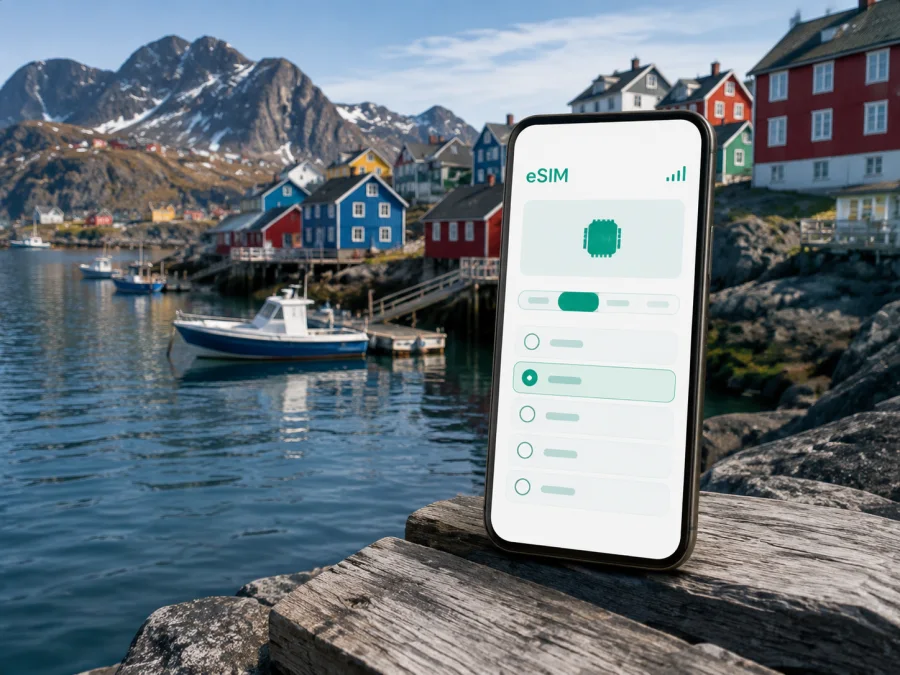
Sisimiut eSIM: mobile connection and internet for your trip
Planning a trip to Sisimiut, Greenland, means preparing for a compact Arctic town where the harbor, colorful houses, mountains and open landscapes are closely connected. A mobile data plan can make the practical parts of the journey easier: checking an arrival message, opening a map, confirming a transfer, contacting a hotel or sending a message when you are away from Wi‑Fi. An eSIM, or digital SIM, lets you prepare mobile internet without replacing your physical SIM card.
Kaspersky eSIM Store is an app and website where you can choose, arrange and activate an eSIM with a suitable plan for mobile internet during an international trip. You can review the destination, data allowance and validity period shown for the selected plan, then install the eSIM on a compatible, unlocked device. The actual service depends on the selected plan, the local network and your device, so a little preparation is worthwhile before leaving for Sisimiut.
Sisimiut at a glance
Sisimiut is one of Greenland’s principal towns and the largest town in Qeqqata Municipality. It is known for its fishing harbor, colorful settlement and access to outdoor routes. For a visitor, the key data moments are arrival, the waterfront and central streets, accommodation coordination, navigation and planning the next leg. Terrain, weather and transport timetables make offline backups useful as well.
When mobile internet helps in Sisimiut
The first hours after arrival
Arrival days often contain several small decisions. You may need to identify the correct pickup point, message a host, check whether luggage or equipment has arrived, or confirm where to walk next. In an Arctic destination, it is sensible to avoid making the first connection depend entirely on finding an open café or a convenient Wi‑Fi network.
Before the flight, save your accommodation address, host contact and transfer instructions. After landing, mobile data can help you open navigation, send a message and confirm the next step.
Getting your bearings around the harbor
The harbor is one of the clearest orientation points in Sisimiut. From the waterfront, the town rises toward slopes and open ground, while colorful buildings and working facilities create a landscape that is easy to enjoy but not always easy to interpret quickly in poor weather. A map is useful when a hotel, guesthouse, meeting place or tour departure point is described by a local landmark rather than a familiar street grid.
Use data for the exact task in front of you: check the pin, confirm walking time, read a message and then put the phone away. Download a map area or save a screenshot before going out; hills, weather and a low battery can make a phone less convenient than expected.
Moving between accommodation, shops and meeting places
Central Sisimiut is suited to short walks, but distance on a map does not tell the whole story. Slopes, stairs, rocky edges, snow or ice and wind can change the time needed for a route. If you are carrying luggage, camera equipment or work materials, check the route before setting off and allow more time than you would in a flat city.
Local transport options and timetables can change, so use current information for the day rather than relying on an old screenshot. If a local bus, taxi or arranged transfer is part of your plan, save the departure time and pickup location. A mobile connection is particularly useful for clarifying a change, but it is still wise to arrive early and keep the address written down.
Hiking and trips beyond town
Sisimiut is also a base for outdoor travel. Shorter marked trails lead into the landscape, while longer routes connect the wider Sisimiut–Kangerlussuaq area. The Arctic Circle Trail is commonly described as roughly 160 kilometres and is a serious multi-day undertaking rather than an improvised walk from the waterfront. Route conditions, equipment, weather, transport and accommodation arrangements require their own preparation.
For any trip outside the built-up area, treat mobile data as one tool among several. Tell someone your plans, carry suitable supplies and navigation material, and save the return plan and meeting point before departure. A connection may be intermittent or unavailable in remote terrain.
Arrival planning: airport, transfers and the first connection
Flights are the normal starting point for many visitors to Sisimiut. Current itineraries may involve a connection through Nuuk or Kangerlussuaq, and schedules can vary by season and date. Check the itinerary supplied for your journey, including the local arrival time, baggage arrangements and the next transfer. Avoid building a plan around an assumed departure time from a previous trip.
Prepare the eSIM before the travel day if your device and plan allow it. Installation needs an internet connection and enough battery, and some phones make it easier to scan a QR code when the code is displayed on another screen. If you prefer to wait until arrival, keep the purchase or activation information available offline and know where you can access Wi‑Fi if the setup requires it. Save your accommodation address, transfer details and booking information offline, and review which line will be used for mobile data.
If your journey includes a long connection, use the time to verify the next airport or town segment rather than assuming the next step is automatic. Nuuk, Kangerlussuaq and Sisimiut are different parts of a wider itinerary, and the plan you choose should match the territory and dates you will actually travel.
Choosing an eSIM plan for Sisimiut
There is no single correct data allowance for every visitor. A person spending two quiet days in the center may use very little data, while a traveler combining navigation, photo uploads, video calls and outdoor logistics may need a larger allowance. Choose by expected use and trip length, then leave a modest margin for map updates, calls through messaging apps and changes to the itinerary.
| Your Sisimiut scenario | Likely data habits | What to consider |
|---|---|---|
| Short stopover | Messages, a few maps, booking checks and weather updates. | A smaller allowance may be enough if maps and key documents are saved in advance. |
| Weekend in town | Navigation, restaurant or activity research, social messages and occasional uploads. | Match the validity period to the actual stay and avoid paying for unused time without checking the conditions. |
| Business visit | Email, chat, cloud documents, ride or transfer coordination and video calls. | Estimate work traffic separately from personal use; use Wi‑Fi for large files when appropriate. |
| Outdoor-focused trip | Route planning, location sharing, weather checks and logistics before and after excursions. | Carry offline navigation and do not treat mobile coverage as an emergency guarantee. |
| Multi-stop Greenland itinerary | Repeated maps, flight updates and communication between towns. | Confirm that the plan applies to every part of the route, not only Sisimiut. |
The most useful plan details are the destination or region covered, data volume, validity period, activation rules and any limits on sharing data. Conditions may differ between plans. If you are unsure whether a Greenland plan matches a route involving another country or territory, check the destination shown in the product interface before completing the purchase.
For a trip that includes only Sisimiut and other Greenland stops, you can choose an eSIM plan for Greenland after checking the dates and expected usage. Kaspersky eSIM Store helps you compare the information displayed for the available direction and then arrange the eSIM for installation on your compatible device. The plan is not the same thing as a local phone number: unless the selected conditions say otherwise, expect mobile data rather than ordinary voice calls and SMS. Messaging and calling apps can work over that data connection.
How to install and activate an eSIM
Installation is easiest when you complete it in a calm place with a stable internet connection. The names of settings differ between manufacturers, and a device can support eSIM while still being locked to an operator. Check both points before buying. If you need platform-specific steps, use the Android installation instructions or the iOS installation instructions.
The general sequence is:
- Check that the phone supports eSIM and is not operator-locked.
- Connect the phone to the internet for the installation.
- Open the mobile network or cellular settings.
- Choose the option to add a mobile plan or eSIM.
- Scan the QR code from your Kaspersky eSIM Store profile or purchase email, if the plan uses one.
- Give the new line a clear name such as “Greenland trip” so it is easy to identify.
- Select the eSIM as the line for mobile data when you are ready to use it.
- Turn on data roaming for the eSIM only if the plan instructions require it.
- Wait a few minutes for activation and check whether the expected data line is selected.
Do not delete the profile simply because the first connection takes time. Check the device settings, signal indicator and plan instructions first. If the profile does not install, confirm that the QR code has not already been used, that the phone has internet access and that you followed the instructions for your operating system. If questions remain, contact support with the device model, the step where the problem appeared and the information requested by the service team.
What to check before purchase and before departure
Compatibility is a practical requirement, not a minor detail. Some models differ by region, and an eSIM-capable phone may still have an operator lock. Before choosing a plan, check whether your device is compatible. Then review the following points:
- Is the device listed as supporting eSIM in its own settings?
- Is it unlocked for use with another operator or travel plan?
- Does the plan cover Greenland and the other destinations on your itinerary?
- How much data do you expect to use for maps, messages, email and media?
- When does the validity period begin: at installation, activation or first use according to the plan conditions?
- Is data sharing allowed if you need a laptop connection?
- Can you install the profile while you still have Wi‑Fi?
- Are the QR code or activation details accessible on a second device?
- Do you know how to switch mobile data back to your regular SIM after the trip?
On dual-SIM phones, label both lines clearly. Keep your regular line available for the functions you need, but check that the travel eSIM is selected for data. Review the setting for automatic data switching: if it is enabled, the phone may use a different line than you intended. Keep an eye on data usage during the trip, especially when uploading photos or using a laptop.
Frequently asked questions
Is eSIM useful for a visit to Sisimiut?
Yes, if your device is compatible and unlocked and the chosen plan covers Greenland. It can help with maps, messages, bookings and work tasks without removing your physical SIM card. Actual performance depends on the plan, local network conditions and the device.
Can I install the eSIM after I arrive?
Yes, when the plan conditions permit it and you have internet access for installation. Preparing it before departure is often more comfortable, but you can also use Wi‑Fi after arrival. Keep the activation information available and check when the validity period starts.
Will the eSIM give me a Greenlandic phone number?
Usually not, unless that is explicitly included in the selected conditions. Travel eSIM plans in this context are intended for mobile data and do not automatically replace ordinary calls or SMS. You can use messaging apps over the internet for communication.
What if the connection is weak outside Sisimiut?
Prepare for that possibility. Save maps, addresses and route information offline, tell someone your plans and follow local guidance. Mobile data is convenient for town-based tasks, but remote travel needs offline preparation and should never rely on uninterrupted coverage.
Can I keep my regular SIM active?
Often yes on a dual-SIM device, but settings vary. Select the travel eSIM for mobile data, review data-roaming settings and watch for accidental use of the regular line. Your operator may charge roaming fees under its own conditions, so check those before departure.
Final preparation checklist
Use this short checklist on the day before departure:
- confirm the exact Sisimiut dates and any onward destinations;
- check eSIM compatibility and operator lock status;
- select a plan by destination, data allowance and validity period;
- install the profile while you have a stable connection, when practical;
- save the accommodation address, transfer details and itinerary offline;
- label the travel line and select it for mobile data;
- keep the Android or iOS instructions available if you need them;
- pack a charger or power bank and make an offline backup of essential information;
- prepare maps and route details before heading beyond the built-up area.
Sisimiut rewards a practical travel setup: a clear arrival plan, realistic expectations about transport and weather, offline backups, and a mobile data option that matches the route. Kaspersky eSIM Store can help you choose, arrange and activate an eSIM for the Greenland part of your international trip. When your device is ready and the plan conditions fit your dates, choose your eSIM plan for Greenland and prepare to stay connected for the tasks that matter during your time in Sisimiut.


