Travel connectivity guide
Siteki eSIM: Mobile Internet in Eswatini
Siteki eSIM: mobile connection and internet for your trip
Siteki is a small town in eastern Swaziland, the country officially known today as the Kingdom of Eswatini. It is the administrative capital of the Lubombo region and a useful stopping point for travellers moving between the country’s eastern communities, King Mswati III International Airport and the Mozambique border. In a town where plans may involve a guesthouse, a local meeting, a market stop and a road journey on the same day, mobile data can help with directions, messages and checking arrangements.
An eSIM can be a practical option when your phone supports it and the selected travel plan explicitly includes Eswatini. It is a digital SIM profile installed on a compatible device, so you do not need to replace your physical SIM to use it. The exact network, data allowance, validity period, activation rules and coverage depend on the plan. Confirm those details before relying on an eSIM for your arrival or onward travel.
Siteki at a glance
Siteki stands in the eastern part of Eswatini, west of the Lubombo Mountains. The town council identifies it as the administrative capital of the Lubombo region and places it about 30 kilometres southeast of King Mswati III International Airport and about 27 kilometres southwest of the Mhlumeni border post leading to Mozambique. These are approximate geographic distances; actual journeys depend on the road route, border procedures and current conditions.
The name in a booking or older travel material may still appear as “Swaziland.” The country changed its official name to Eswatini in 2018. Siteki is a town, not an airport or a separate network market: a plan must be valid for Eswatini, and its coverage should be checked for the places on your itinerary.
| Trip detail | What to plan for |
|---|---|
| Location | Eastern Eswatini, in the Lubombo region |
| Role | Regional administrative and commercial centre |
| Airport reference | King Mswati III International Airport is approximately 30 km to the northwest of Siteki |
| Mozambique route | Mhlumeni border post is approximately 27 km northeast of Siteki |
| Best use of mobile data | Maps, messages, bookings, work updates and checking onward arrangements |
| Key eSIM check | Confirm Eswatini is included in the specific plan and read its activation conditions |
Before you travel: prepare for the first connection
Siteki is not a large airport hub. Many itineraries reach it by road after landing elsewhere or after crossing a border, so it helps to save the important details before leaving a stable connection. Keep your accommodation address, driver or pickup contact, reservation details and any meeting location available offline. Download an offline map covering Siteki and the approach roads you expect to use; offline maps are a backup for navigation, not a substitute for current traffic or road advice.
If you arrive at King Mswati III International Airport, the town council’s approximate distance gives you a useful sense of the onward leg, but it is not a guaranteed travel time. Confirm your transfer directly with the accommodation or driver, especially if your flight arrives late or your journey includes a stop. Share your expected arrival time and ask where the driver will meet you. Do not assume that a local taxi, shuttle or public transport service will be available at a particular hour without checking in advance.
A working data connection can help you contact a driver, open a saved route, translate a message or update someone if the plan changes. A travel eSIM is only one part of that preparation: it cannot replace a confirmed transfer, an offline copy of essential information or a charged phone. Carry a charging cable and, if you have one, a power bank for the airport-to-town journey.
A quick pre-departure checklist
- Confirm that your device is unlocked and supports eSIM. Check whether your device is compatible.
- Check the selected plan’s country list for Eswatini. A nearby-country or regional plan may have different inclusions from a country-specific one.
- Read whether installation, activation or data use starts at purchase, installation, first connection or another stated event.
- Save your accommodation address, reservation number and driver contact in a note that opens offline.
- Download an offline map for Siteki and the next leg of your route.
- Keep your home SIM available for calls or verification messages if you need it, and confirm any roaming charges with your home operator.
- Make sure you can access the eSIM installation instructions and account details while connected to Wi-Fi.
A compatible phone is essential, but device support alone does not guarantee that a particular plan will work on a given route. The plan’s destination list and terms determine where it can be used. Regional versions of the same phone can also differ, and an operator lock can prevent installation. Check the exact handset variant, not just the product family name.
Getting around Siteki with mobile data
Siteki is a regional town rather than a sprawling metropolis. That changes what is useful on a phone: you may need a route to a particular guesthouse, business, clinic or meeting point, then directions onward to another settlement. Place names and business listings can be written in different ways, and a map pin may point to a general area rather than the exact entrance. Ask your host for a pin or a clear local landmark before setting off, and confirm the final approach if the destination is outside the built-up centre.
A simple navigation routine reduces wrong turns and unnecessary data use:
- Open the destination while you still have a reliable connection and confirm the town or region in the result.
- Compare the route with the directions provided by your host or driver; do not follow an unfamiliar shortcut solely because an app suggests it.
- Save the destination and, where available, download the surrounding map for offline use.
- Check your remaining battery before starting the trip and keep the phone accessible but secure.
- If the route changes, stop in a safe place before checking the map or sending a message.
For short local movements, a pinned location and a brief message can be more useful than keeping a map open continuously. For a longer drive, download the map in advance, keep the next stop saved and avoid assuming that a signal will remain available on every section of the road. Connectivity varies by operator, terrain, building and network conditions; an eSIM does not remove those variables.
Where a connection may matter during a Siteki visit
- At your accommodation: send an arrival update, check a booking message or confirm the location of the entrance.
- Around the central business area: look up a saved address, contact a business or check opening details before walking over. Listings can change, so confirm critical appointments directly.
- On the edge of town: use a preloaded map and agree on a meeting point if a driver or host is collecting you.
- On a regional road: keep directions available offline and send updates when you have a usable connection rather than depending on uninterrupted service.
- Near the Mozambique route: check the exact border crossing, opening arrangements and any entry requirements through current official channels before travel; an internet plan does not establish your right to cross.
Choosing an eSIM plan for Siteki
For a city visit, the useful comparison is not simply “more data” versus “less data.” Match the plan to your route and habits. A visitor staying mainly in Siteki and using maps, chat and email may have different needs from someone who will upload work files, make frequent video calls or travel across several countries. Estimate your likely use, then check the plan’s allowance and validity period together.
Before buying, read the plan details for:
| Check | Why it matters |
|---|---|
| Destination coverage | The plan must explicitly include Eswatini; city names are not always listed separately. |
| Network or roaming partner | This can indicate which local network the plan may use, if the information is provided. It is not a guarantee of signal at every address. |
| Data allowance | Maps, messaging and email usually require less data than video, cloud backups or hotspot use. |
| Validity | Confirm when the validity clock starts and whether the period covers your full itinerary. |
| Tethering and restrictions | Check whether hotspot use or particular data types are limited by the plan terms. |
| Installation and activation | Some profiles are installed before travel and activated later; follow the selected plan’s instructions exactly. |
| Top-up or expiry | Check whether additional data can be added and what happens when the allowance or validity ends. |
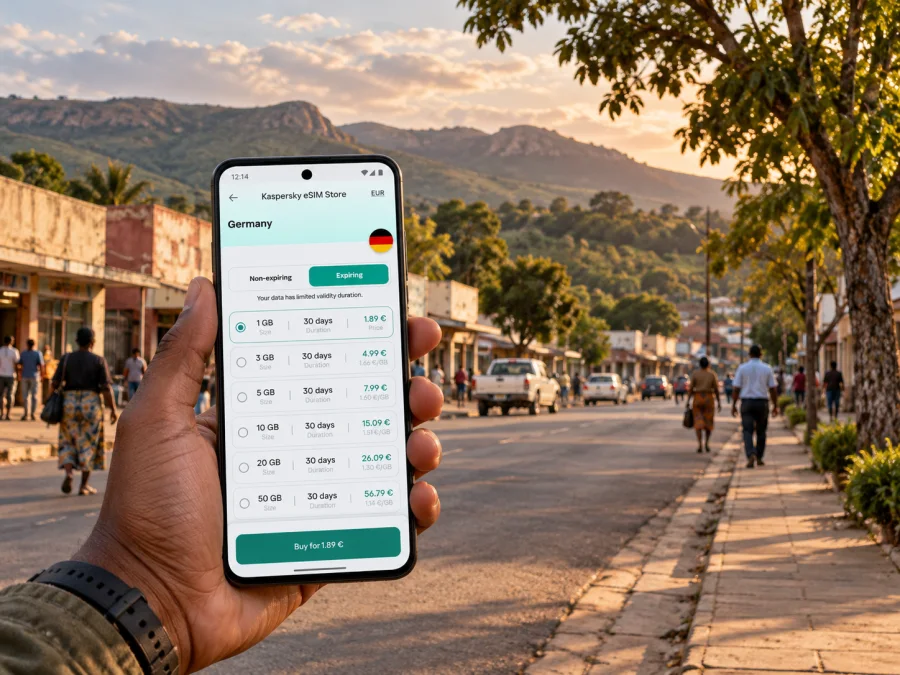
Kaspersky eSIM Store is an app and website for choosing, arranging and activating an eSIM with a suitable plan for mobile internet on an international trip. It is not a mobile network operator. The actual connectivity depends on the selected plan and the network arrangements described in its details. Use the Eswatini destination page to review the available plan details and verify that the offer you select suits Siteki and every other country on your route. Do not interpret the destination page as confirmation of a particular network, local coverage level or service at a specific address.
Estimate your data needs by activity
Think in terms of what you expect to do rather than choosing an allowance based on a generic “average traveller.” Text messages, email, map searches and occasional browsing are usually lighter activities than video streaming, video calls, photo syncing or using your phone as a hotspot. Apps may also use data in the background unless you change their settings.
A practical estimate can be made before departure:
- List the apps you will use for navigation, messaging, work and bookings.
- Decide which activities can wait for Wi-Fi, such as large uploads or software updates.
- Turn off automatic photo and cloud backups over mobile data if you do not need them while travelling.
- Allow extra room if you plan to use video calls or tether a laptop, and check that the plan permits tethering.
- Review your device’s data-usage screen after the first day and adjust your habits if needed.
Treat the allowance and duration shown in the current offer as the source of truth. Price, available packages and plan conditions can change. A plan that looks appropriate for a short stay might not cover a longer regional itinerary, especially if its validity begins before you use it or if you expect to cross into another country.
Installation and activation: a careful sequence
If possible, install the eSIM before departure while you have stable Wi-Fi, but follow the instructions for the exact plan. Some providers require installation before arrival; others specify a different activation moment. Avoid deleting an installed profile to troubleshoot unless the plan instructions or support team tell you to do so, because some eSIMs cannot simply be reinstalled.
A typical preparation sequence is:
- Confirm the destination, data allowance, validity and activation conditions in the selected plan.
- Check that the phone is unlocked, eSIM-compatible and connected to Wi-Fi.
- Follow the platform-specific steps: eSIM installation instructions for Android or eSIM installation instructions for iOS.
- Label the new line clearly, for example “Travel data,” so you can distinguish it from your home SIM.
- Before travel, check which line is selected for mobile data. Keep your home line’s settings as intended to avoid unexpected roaming charges.
- On arrival, select the travel line for data and enable data roaming only if the plan instructions require it.
- Allow the phone to register, then test a simple webpage or message. If it does not connect, review the plan’s troubleshooting steps before changing multiple settings.
The labels and menu names differ between Android devices and iPhones, and can also vary by software version. The steps shown by your handset may not match another model exactly. Keep the QR code or activation details accessible on a second screen or in a safe saved location if the setup method requires them; a phone generally cannot scan a QR code displayed on its own screen.
An eSIM plan for travel is commonly intended for data. Do not assume it includes a local phone number, ordinary calls or SMS unless those items are explicitly listed. You can use internet-based calling and messaging apps when data is available, while keeping a separate line for services that require your usual number.
If mobile data does not connect
Troubleshooting is easier when you change one setting at a time. First check that the eSIM profile is present and switched on, the correct line is selected for mobile data, and the plan is active under its stated rules. Confirm that Eswatini is included and that the plan has remaining validity and data. If the provider’s instructions require data roaming for that eSIM, enable it for the travel line only.
Then try these steps:
- Move to a place with a clearer signal, such as outside or near a window, and wait briefly for network registration.
- Toggle airplane mode on and off, or restart the phone, following the device maker’s usual guidance.
- Check whether a network selection should be automatic or manual under the plan instructions.
- Confirm that mobile data is assigned to the eSIM rather than the home SIM.
- If the service still fails, contact the eSIM provider through the support channel shown in your account and include the device model, approximate location and the steps you already tried.
A successful connection in one part of Siteki does not promise the same experience indoors, on the edge of town or along a road. The national regulator lists local mobile operators and connectivity infrastructure, but that does not verify the roaming behavior of an individual travel eSIM. The plan’s current partner and coverage terms are the relevant checks for your purchase.
Plan for the kind of visit you have
A short stop before an onward drive calls for a saved accommodation pin, offline map and a message to your host. If you have several local meetings, keep addresses and contact numbers in an offline note and confirm changes directly with each contact. For remote work, ask your guesthouse about its internet access and check the eSIM allowance and hotspot rules before relying on mobile data for video calls or file transfers.
If your visit continues into Mozambique, first verify that the selected plan explicitly includes both countries. Save the route and confirm the crossing arrangements before leaving Siteki; geographic proximity does not mean a country-specific plan extends across the border.
Manage data while travelling
For a finite data allowance, disable automatic app updates and cloud photo backups over mobile data, and download maps or documents over trusted Wi-Fi before setting out. Check your phone’s data-usage screen after the first day. When joining venue Wi-Fi, confirm the network name with staff and use your usual account-security precautions.
Frequently asked questions
Is Swaziland the same destination as Eswatini?
Yes. The country officially changed its name to Eswatini in 2018. Older travel material may still use Swaziland, so check that your plan includes Eswatini.
Is Siteki a city or a region?
Siteki is a town in eastern Eswatini and the administrative capital of the Lubombo region. Plans generally list the country rather than the town, so verify Eswatini and the plan’s coverage terms.
Will an eSIM work everywhere in Siteki?
No plan should be assumed to work at every address. Signal depends on the network, buildings, terrain and conditions. Check the provider’s network information and keep offline maps as a backup.
Does a travel eSIM include a phone number?
Not necessarily. Many plans are data-only. Check the offer for voice and SMS; internet calling apps use data but do not provide a standard local number.
Can I use one plan for Siteki and Mozambique?
Only if the specific plan lists both countries. Verify its destination list, validity and conditions before crossing the border.
What if my phone does not support eSIM?
Check roaming with your home operator or ask a local provider about a physical SIM and its requirements. Keep essential contacts and maps available offline either way.
Make the connection part of your travel plan
For a smoother visit to Siteki, prepare the essentials before the journey: confirm how you will get from the airport or border, save your accommodation and meeting locations, download an offline map and check the eSIM conditions for Eswatini. Compare data allowance and validity with the way you expect to use your phone, and make sure the exact device variant supports eSIM.
When you are ready, use Kaspersky eSIM Store to choose, arrange and activate a suitable travel eSIM, then follow the selected plan’s setup instructions. Review eSIM options for your trip to Eswatini and confirm the destination list, network details and activation terms before you travel.


