Travel connectivity guide
SK Telecom eSIM in South Korea: Traveler Guide
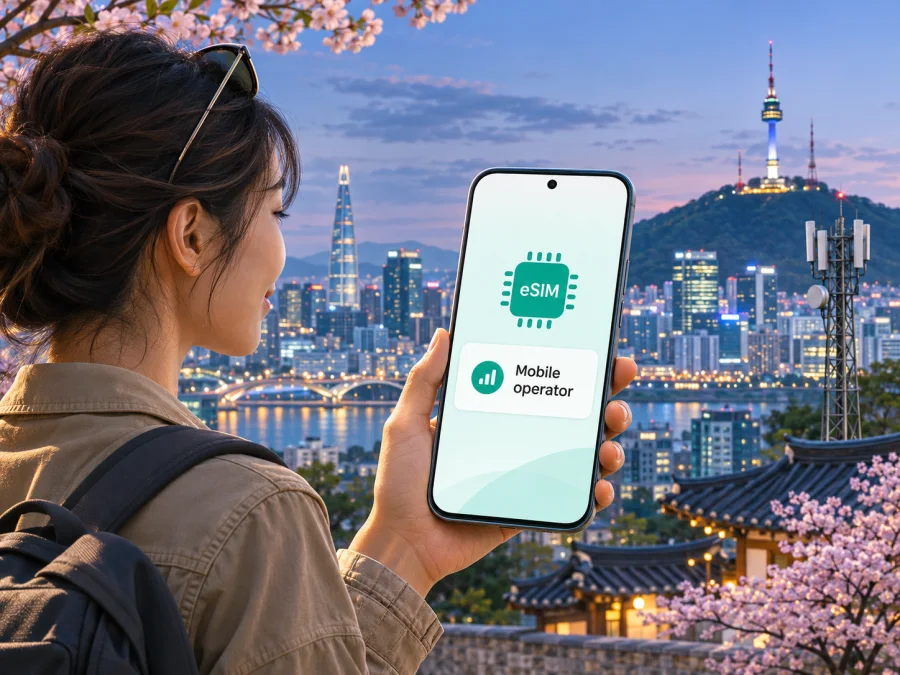
SK Telecom eSIM in South Korea: what travelers should check
If you are planning a trip to South Korea, an SK Telecom eSIM may be one way to arrange mobile service before or during your stay. SK Telecom is one of South Korea’s major mobile network operators. Its 2024 Annual Report describes its domestic wireless business and LTE/5G network, while its visitor-facing SKT Roaming service presents eSIM and SIM options for travelers. These official SK Telecom materials were checked on 5 November 2026. The exact service, activation route and eligibility depend on the option you select, so confirm the current terms with the operator before you buy. This guide explains what to check without listing or comparing individual plans.
SK Telecom and SKT Roaming are names and marks of their respective rights holders. Kaspersky eSIM Store is not affiliated with, endorsed by, or an official partner or distributor of SK Telecom. It is a separate app and website that helps travelers choose, purchase and activate an eSIM with a mobile-data plan for an international trip.
Is SK Telecom eSIM available to visitors?
SK Telecom supports eSIM activation, and its visitor-facing SKT Roaming service currently presents eSIM alongside SIM options for trips to South Korea. Apple’s current iPhone carrier-support page also lists SK Telecom for eSIM activation in South Korea and among providers with prepaid eSIM options for travelers. This confirms general availability, not that every service is open to every visitor or device.
For a short stay, check the visitor section of SKT Roaming rather than assuming a domestic subscription is intended for tourists. Eligibility and purchase steps can differ by service and may change. Follow the current instructions for your dates and circumstances.
A visitor eSIM is not automatically equivalent to a resident subscription. Temporary services may have limits on identity verification or access to services that require a locally verified number. Do not rely on a visitor number for banking, government services, account recovery or identity checks unless the operator confirms it supports your intended use.
The official SKT Roaming information and Apple Support carrier list were checked on 5 November 2026. They confirm general eSIM availability in the South Korea context; current product eligibility and activation terms remain specific to the operator’s offer.
What kind of service are you looking for?
Decide whether you need mobile data, a Korean number, or both. “eSIM” describes a digital SIM profile; it does not specify which services are included. A profile may be data-focused or connected to a service with calling or messaging. Check the selected SK Telecom service rather than inferring features from the word eSIM.
For maps, translation, transport information, browsing and app-based messages, data may be enough. If you need ordinary calls or SMS, confirm that the service supports them, what type of calls or messages are available, and whether identity checks apply.
Also decide how to keep your usual number active. Many phones can retain a physical SIM or another eSIM alongside a travel profile, but active-line options vary. You may be able to use your home line for calls or texts and the travel eSIM for data. Check roaming charges with your home provider and select the intended data line.
A locally issued visitor profile and an international travel eSIM have different purchase paths and terms. A local visitor product may suit a traveler who needs an operator-issued service; a travel eSIM may be convenient when the main need is data arranged online. Neither label guarantees coverage, a number, voice service, verification or hotspot use. Decide from the actual conditions.
Before you buy: device and account checks
Confirm eSIM support on the exact phone you will take to South Korea. Support can vary by manufacturer, model, country or region of sale, and carrier configuration. The product name printed on the box may not fully identify regional differences. Check the device settings for an option such as “Add eSIM” or “Add mobile plan,” and consult the manufacturer’s support page for your precise model and market variant.
The phone should also be unlocked for use with another carrier. A device can support eSIM in general but still be restricted to a particular provider. If you bought the phone through a carrier or are paying it off under a carrier agreement, ask that provider whether the device is unlocked and can accept an eSIM profile from South Korea. Resolve any restriction before departure, while you can still contact the provider easily.
Use this checklist before placing an order:
- Confirm the exact device model and regional variant support eSIM.
- Check that the phone is not carrier-locked.
- Verify that the intended SK Telecom visitor service accepts your passport, nationality and travel status, where applicable.
- Read whether activation is online, by QR code, through an app, at a service desk, or through another method.
- Check when the service begins: installation, first connection, or a step described in the operator’s terms.
- Confirm whether the service includes mobile data only or also a number, calls or texts.
- Check whether identity verification is required for any features you plan to use.
- Keep access to the email address and payment method used for the order.
- Save the installation instructions somewhere you can open them from another screen.
The SKT Roaming service provides traveler information and its official materials include eSIM installation guidance. Depending on the current purchase path, you may receive digital instructions or need to complete a step after arrival. Read the specific order confirmation: do not assume a QR code can be reused, that a deleted profile can be restored, or that installation can be transferred freely to a replacement phone. If your phone is lost or replaced, contact the provider shown in your order before deleting or reinstalling anything.
Coverage and mobile technology in South Korea
SK Telecom operates LTE and 5G networks in South Korea. Its 2024 annual report describes LTE and 5G services and 5G standalone and non-standalone network modes. This confirms the technologies used by the operator; it does not guarantee that every visitor eSIM, handset or location will use each one.
Service depends on the eSIM profile, phone radio bands, local availability, conditions and product terms. A 5G-capable phone may connect through LTE in a particular place. Buildings, underground stations, terrain, congestion, maintenance and settings can also affect reception, so no general network description guarantees service at every address.
Consider where you will need data: airports, stations, city neighborhoods, hotels, rural areas or hiking routes. Consult the operator’s current coverage information for destinations on your itinerary. A map is an estimate, not a guarantee of reception indoors or in a vehicle. Confirm whether the selected visitor service supports LTE, 5G or both, and whether your phone supports the relevant bands.
SK Telecom visitor eSIM and travel eSIM: practical differences
An SK Telecom visitor eSIM is issued under the operator’s travel-service process and uses the terms described for that service. Depending on the selected option, the operator may define how a profile is delivered, when it can be installed, when service starts, whether a Korean number is associated with it, and whether an in-person identity step is needed. Verify each item from the operator’s current official instructions.
A travel eSIM arranged through a separate app or website can offer a different purchase and setup process. Kaspersky eSIM Store is an app and website that helps you choose, purchase and activate an eSIM with a plan for mobile internet during an international trip. It is not a mobile operator, does not own a network, and does not provide radio coverage. The underlying service depends on the plan’s stated destination and terms. The Kaspersky eSIM Store South Korea destination page and its online setup information were checked on 5 November 2026. Check the listing before purchase and confirm whether the offer fits your need for data, calls, texts or a local number.
For a visitor who wants a local operator’s service, the SKT Roaming route may be relevant. For someone who mainly wants to arrange travel data in one place, a travel eSIM may be worth considering. This is a difference in product path, not a claim that one choice is universally cheaper or better. A local visitor eSIM may have local-use requirements; a travel eSIM may not provide the phone number or identity features you need. Make the decision based on your destination, device, timing and essential services.
Once you know whether a separate travel-data eSIM fits your trip, you can check eSIM options for South Korea. Review the current destination and plan conditions on that page; availability, terms and supported networks can change. The page is a starting point for checking travel eSIM options, not a representation that it is an SK Telecom tariff or an official SK Telecom purchase channel.
How to install and activate an eSIM
Follow the instructions supplied by the provider that issued your eSIM. The steps below describe a general setup sequence; menu names differ between phone models and operating-system versions. Keep Wi-Fi or another working internet connection available if the phone needs it to download a profile.
- Check compatibility first. Confirm that the phone supports eSIM, is unlocked, and has space for another profile.
- Read the activation instructions. Note whether the provider uses a QR code, an app, direct carrier activation, or an in-person step.
- Add the eSIM profile. On iPhone, open Settings and the cellular or mobile-data section, then choose the option to add an eSIM. On Android, open Settings and the network or SIM section, then choose to add a SIM or download a SIM. The exact wording varies.
- Complete the provider’s steps. Scan the QR code or follow the on-screen instructions. If you are using the same phone to display the QR code, open the instructions on another screen or use the provider’s alternate installation method.
- Label the line clearly. For example, use “South Korea” or “Travel” so that you can distinguish it from your regular line.
- Choose the data line. In cellular settings, select the intended eSIM for mobile data. Keep your usual line configured according to your roaming preferences.
- Wait for registration. The profile may need time to connect after installation or arrival. Follow the provider’s activation timing, and restart the phone only if its instructions recommend it.
For a travel-data eSIM, check the provider’s directions about data roaming before enabling it. Some eSIM services require data roaming on for the travel profile to connect. If so, make sure the roaming switch is enabled for the correct eSIM, not inadvertently for your home line. If the connection does not work, verify that the right profile is active, mobile data is assigned to it, airplane mode is off, and the phone has selected an available network. Avoid deleting the profile as a troubleshooting step unless support tells you to do so.
You can also review device compatibility before choosing a travel eSIM. The compatibility check is about the device’s eSIM capability; it does not replace the operator’s own eligibility rules or guarantee a connection at every location.
Troubleshooting during your trip
If the eSIM shows no service, check that its line is switched on and selected for mobile data, airplane mode is off, and the phone has had time to register. If the phone connects but apps do not, review the provider’s network and roaming instructions and confirm that data is assigned to the travel profile.
If installation fails, verify the code or QR instructions and avoid deleting or reinstalling the profile unless support confirms this is safe. Contact the provider listed in your order with your phone model, software version, location and the error message. Never send passwords or payment-card details.
What to check about calls, texts and identity
A temporary visitor number may not work for every Korean website, financial service or identity-based app. Confirm whether the selected service supplies a number, what calls or messages it supports, and whether identity verification applies. If you need SMS codes sent to your usual number, check that your home line can remain active and ask your home provider about roaming charges.
Keep a second way to access important accounts where possible. Do not remove your main SIM until you know how to restore your number and account access.
Which option may fit your trip?
Consider the operator’s visitor eSIM when you specifically want to use an SK Telecom-issued travel service and are comfortable following its purchase and activation process. It may be a suitable route for a traveler whose device and circumstances meet the operator’s current requirements. Confirm any number, voice or identity needs directly with SK Telecom; the general availability of a visitor eSIM does not establish that each feature is included.
Consider a travel eSIM when you mainly need mobile data and prefer to prepare it through an app or website before the trip. With Kaspersky eSIM Store, you can review the South Korea destination and choose a travel plan based on its displayed conditions. The app and website help with selecting, purchasing and activating the eSIM; the network service is provided through the arrangements described for the selected plan, not by Kaspersky as an operator. Check destination coverage, start date, data allowance, device compatibility and support information before completing a purchase.
A physical SIM may remain relevant if your phone has no eSIM support or if you need a service that is available only through a particular local activation process. Ask the provider about its current options and where they can be obtained. You can also keep your home line and use its roaming service, after checking the conditions with your usual carrier. These alternatives are not interchangeable in every respect, so compare the features you need rather than relying on a blanket recommendation.
Frequently asked questions
Does SK Telecom support eSIM in South Korea?
Yes. SK Telecom appears on Apple’s current carrier-support list for eSIM activation in South Korea, and SKT Roaming currently presents eSIM options for travelers. The exact product and eligibility depend on the current operator instructions.
Can a tourist buy an SK Telecom eSIM online?
SKT Roaming provides a traveler-facing service and lists eSIM as a purchase option. The current route may depend on the product and customer details. Check the operator’s official purchase page to see whether your chosen service can be ordered online or requires another step.
Do I need a passport?
Check the operator’s current requirements for the service you select. Some visitor services may request passport details or other identity information during registration or activation. Requirements can depend on the product and feature, so do not assume that all eSIMs have the same process.
Will an SK Telecom eSIM give me a Korean phone number?
Not necessarily. An eSIM profile can be data-only or can be associated with calling or messaging features. Confirm whether the specific service supplies a number and whether that number supports the calls, SMS or verification you need.
Will my phone connect to 5G?
That depends on the selected service, the phone’s supported bands, local network availability and device settings. SK Telecom operates LTE and 5G networks, but this does not guarantee 5G access for every visitor eSIM or every location. Check the relevant product details and your phone’s regional specifications.
Can I install the eSIM before I fly?
Use the timing given by the provider. Some services let you install a profile before travel while activation or data use begins later; others may have different rules. Confirm when the service starts and avoid deleting an installed profile unless the provider says it can be restored.
Is Kaspersky eSIM Store part of SK Telecom?
No. Kaspersky eSIM Store is a separate app and website that helps travelers choose, purchase and activate a travel eSIM for mobile data. It is not SK Telecom, does not own a mobile network, and is not affiliated with the operator.
Before you go
The key steps are straightforward: confirm that the exact phone is unlocked and eSIM-compatible, decide whether you need data or a number-related feature, and follow the activation instructions for the specific service. SK Telecom’s official visitor information and Apple’s carrier-support list currently confirm that eSIM is available in the South Korea context, while the precise terms remain product-specific. For network expectations, check the operator’s current coverage information and consider the places on your itinerary.
If a travel-data eSIM better matches your plans, review current eSIM options for South Korea and check the displayed conditions before purchase. Kaspersky eSIM Store can help you choose and activate an eSIM with a plan for mobile internet abroad; it is a separate service and is not affiliated with SK Telecom.


