Travel connectivity guide
Skardu eSIM: Mobile Internet for Your Trip
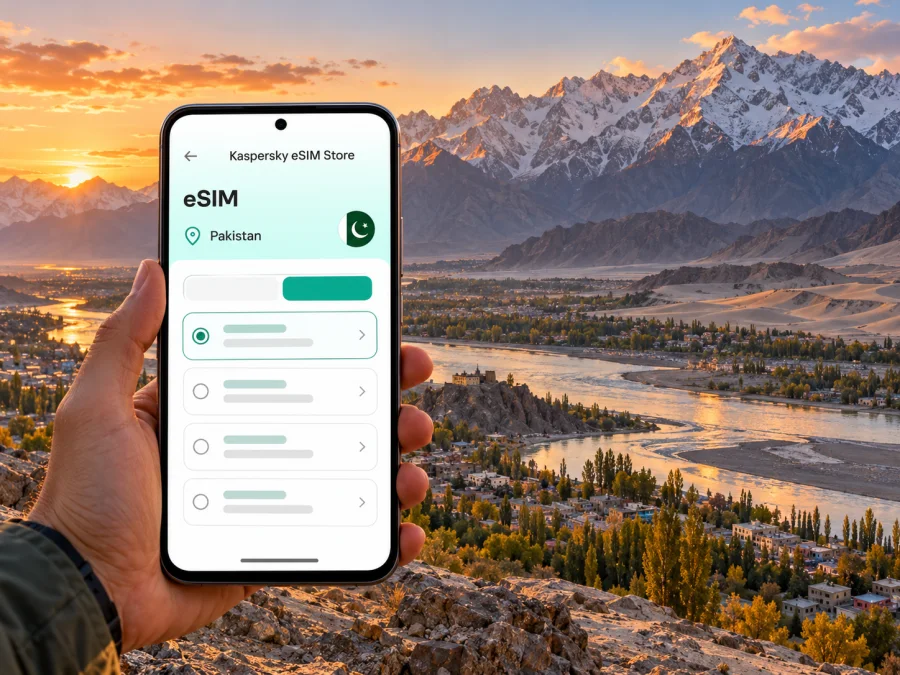
Skardu eSIM: mobile connection and internet for a mountain journey
Skardu is a town and district in Gilgit-Baltistan, Pakistan, and a gateway to some of the region’s most dramatic landscapes. A phone can hold hotel details, help coordinate a pickup, show routes and keep travel information close at hand. Yet Skardu is not a city where it is sensible to assume that a signal will be constant on every road, beside every lake or in every mountain valley.
An eSIM can make the data side of a trip simpler, provided your device and chosen plan are compatible and the local network is available where you are. Prepare before departure, keep key information offline and treat mobile internet as one useful tool among several. This guide focuses on arriving in Skardu, getting around the town, planning short excursions and choosing a reliable setup for a trip in this high-mountain region.
What a mobile connection is useful for in Skardu
In the central town, mobile data may help with map searches, messages, translating a short phrase, checking a reservation or contacting a driver. It is also useful when plans change: a delayed arrival, a revised pickup point or a weather update can quickly turn a saved screenshot into a more convenient live conversation. For a visitor moving between the airport, accommodation and local sights, having data ready can reduce the need to find Wi-Fi before doing anything else.
That convenience has limits. Skardu lies in a mountainous region, and the coverage experience can vary with terrain, distance from settlements, weather, buildings and the network used by a particular plan. A working connection in the town centre does not establish that data will work on the way to Deosai, at a lakeside stop or along an isolated stretch of road. Do not rely on a phone as your only source of directions, emergency information or trip coordination outside settled areas.
Use your connection for tasks that benefit from being current, and save the rest in advance:
- Keep the hotel address, booking reference and host’s phone number in a note or screenshot.
- Download an offline map for Skardu and the areas you expect to visit; check that it opens in airplane mode.
- Save tickets, transfer arrangements and important messages locally.
- Share your broad itinerary with someone travelling with you or back home, especially before longer drives.
- Carry a power bank. Navigation, camera use and weak-signal searching can drain a phone faster than a day spent mostly indoors.
Arrival: airport, road and first stop
Skardu International Airport is in District Skardu. The regional tourism department describes the airport in the setting of the surrounding mountains and Indus River. Flights from Islamabad are an option, but mountain weather can affect operations; check your airline’s current flight status and leave room in onward plans. Road access and journey times can also change. Check current official notices shortly before setting out: the regional tourism department currently lists a Jaglot–Skardu Road closure advisory.
Before landing, save your accommodation’s exact name and location, pickup details, driver contact and booking confirmation offline. Agree who will meet you and confirm the pickup time against your actual arrival. At the airport, the eSIM may take a little time to register after airplane mode is off; this depends on your plan, device settings and local service. Keep your regular SIM in place if you need calls or messages, and select deliberately which line should use mobile data.
Arrival sequence: confirm your pickup, open the saved map, check the route with the driver, then test data with a small task after settling in. Keep the first evening flexible instead of scheduling a time-sensitive call immediately after landing.
Moving around town: keep the map and the plan together
Skardu’s visitor itinerary often combines time in town with drives to places outside it. Kharpocho Fort, Manthal Buddha Rock, Katpana Cold Desert, Sadpara Lake and the Kachura Lakes are among the district’s named destinations. They are not all in one walkable central neighbourhood, and a map pin alone does not establish current road access, travel time or mobile coverage. Arrange transport locally, ask your accommodation about conditions for the day and leave extra time for photo stops and changing plans.
Use the map as a planning aid, not a substitute for local guidance. Search the destination while online, save its route and name, then confirm it with your driver. Similar transliterations can produce confusing results. Agree on a meeting point in case your group separates; a saved screenshot can help explain a route when data drops.
| Trip pattern | Prepare while connected | Keep available offline |
|---|---|---|
| Airport to accommodation | Confirm pickup time and live arrival update | Address, booking reference, driver contact |
| Town errands | Check map pins and opening details where available | Short list of stops and accommodation location |
| Day trip to a lake or viewpoint | Confirm the route and transport plan with local help | Destination name, route map, return arrangement |
| Longer mountain excursion | Coordinate with a qualified local guide or operator | Itinerary, emergency contacts, essential documents |
| Remote work from your hotel | Test the connection and ask the property about its Wi-Fi | Meeting details, files, dial-in or backup plan |
The table is a preparation checklist, not a promise that a connection will be available at every stop. Mountain roads can pass through areas where the service from a particular operator is weak or absent. For a longer excursion, ask your guide what communication is practical on that specific route and follow their safety advice. Do not separate from a group because a map application appears to show a shortcut.
Choosing where to stay and when to use data
A stay in central Skardu can make shops, food and local transport easier to reach; a property outside the centre may offer a quieter setting or a different view. Neither location guarantees a particular mobile signal or Wi-Fi quality. If connectivity matters for work or an important family call, ask the accommodation directly about its internet connection, power arrangements and backup options. A property’s general description is not a substitute for confirming the conditions for your room and dates.
For a business trip, download work files before travelling and schedule calls only after testing the room connection. Keep an audio-only option or a time to reconnect if video becomes unstable. For leisure, do heavier uploads when you have a dependable connection and avoid assuming that photographs will synchronise in the background on a drive. If you have a limited data allowance, disable automatic app updates, cloud photo backup and video autoplay on mobile data. These settings make a small plan easier to reserve for maps, messages and essential checks.
A practical data budget depends on what you do, not just how many days you stay. Messaging and map lookups can use less data than video calls, social feeds and automatic photo uploads. Track the device’s mobile-data counter after setup and compare it with the allowance and validity shown for your selected plan. If you expect to use a phone as a hotspot, confirm that tethering is permitted and account for the extra data use. Keep Wi-Fi available for large downloads when it is trustworthy, but avoid entering sensitive information on a network you do not trust.
Day trips from Skardu: plan for changing conditions
Skardu is a base for exploring Baltistan, but nearby places can still mean a substantial drive in mountain terrain. The district’s destinations include Katpana Cold Desert, Sadpara Lake, Kachura Lakes and valleys. Confirm the day’s route and road conditions with a local driver or guide; a map pin alone does not establish access, travel time or mobile coverage.
For a visit beyond town, download directions and confirm the exact destination name. A trip to Shigar Fort or toward Askole is a regional excursion, not a quick town transfer. Deosai is a high-altitude destination: check current access, weather and local advice before planning a visit. Do not treat a distance estimate on a screen as a safe timetable.
Before leaving, keep an offline note with stops in order, your driver or guide’s contact, planned return time, accommodation details and any booking information. Share your itinerary with someone you trust. Ask locally what communication is practical on that particular route, and do not separate from a group because an app appears to show a shortcut.
A sensible eSIM setup for Pakistan
The current Pakistan plan page lists ZONG as the local provider. Its coverage information includes Skardu, but this does not guarantee reception in every building, on every road or in valleys beyond town. The exact plan matters, so prepare for offline periods.
For a trip centred on Skardu, check the country and route covered by the exact plan, then compare its data allowance, validity, activation conditions and restrictions. A Pakistan plan may suit an itinerary within Pakistan. If you will cross borders, check the destination list for any regional plan rather than assuming a label such as “Asia” includes every stop. Plan names, prices and availability can change, so review current details when choosing.
Kaspersky eSIM Store is an app and website where you can select, arrange and activate an eSIM with a suitable plan for mobile data during an international trip. Plans are provided through local telecommunications providers; the store is not the local network operator, and service depends on the selected plan, provider and coverage at your location. You can review current Pakistan plan options and check the listed terms.
Compare plans by asking: Where is the plan valid? How much data and how many days are included? When does validity begin? Can you top up or use hotspot sharing? What happens when data runs out? Check whether the selected offer includes only data or also voice and SMS; do not assume it provides a local number. Keep your usual line available for calls or verification if needed, and check roaming charges with your home carrier. Messaging and voice apps use data and remain subject to app, network and local conditions.
Check device compatibility before purchase
Support can vary between device families, regional versions and carrier-locked models. The name printed on a phone box is not enough to establish that a particular variant supports eSIM. Check the manufacturer’s settings or support information for your exact model number, confirm that the device is unlocked, and use the device compatibility checker before choosing a plan. Do not buy on the assumption that all models with the same retail name have the same capabilities.
If your phone supports eSIM, check that it can store an additional profile and that you know how to select the line for mobile data. Keep the installation instructions accessible on another device or in saved notes in case you need to follow them while the phone is offline. Before travelling, make sure you can sign in to the account used to manage your plan and that you have access to any verification method it requires.
Install before departure, activate with care
Installing over dependable Wi-Fi before travel can make arrival easier. Follow the specific plan’s instructions: installation and activation are not always the same, and the validity start rule varies. Do not delete a profile while troubleshooting unless the plan instructions or support team advises it; it may not be reusable.
For platform guidance, see the Android eSIM installation instructions or iOS eSIM installation instructions. Save the instructions and confirmation details in case you need them offline.
- Connect to stable Wi-Fi and add the eSIM using the method shown for your device.
- Label the line clearly, such as “Pakistan data,” and set it as the mobile-data line when appropriate for your travel dates.
- Enable data roaming for the eSIM only if the plan requires it; check possible charges before changing your home SIM’s roaming settings.
- Keep your primary line configured for calls or messages if needed, and confirm which line handles each service.
- After arrival, allow the eSIM to register and test a small data task before relying on it for navigation.
Check the plan’s terms for any manual activation step, supported network settings and when validity begins. Follow plan-specific instructions if they differ from a general guide.
If mobile data does not connect
Troubleshooting is easier when you change one setting at a time and note what you changed. First check that the eSIM profile is present and enabled, the correct line is selected for data, the device has airplane mode turned off and the plan is active for the current date and location. If the plan requires data roaming, enable it for the eSIM line. Restart the device only after confirming that you can access your setup instructions again.
If there is still no service, move to a place with a clearer view or closer to a settled area, wait briefly for network registration and check the plan’s supported network settings. The available network may differ from the one shown in a general guide, so do not manually select a network unless your plan instructions recommend it. Confirm that the device is unlocked and that no data limit or system setting is blocking the connection. If the issue persists, contact the store’s support using Wi-Fi and provide the plan name, device model and a description of the steps already tried.
Remember that a successful connection in one part of Skardu does not prove that service is available farther along your route. If you are leaving town soon, download what you need while connected, tell your driver or guide that you may be offline and do not make a remote area dependent on a last-minute support chat.
Short scenarios: choose the setup around your trip
A weekend in town: prioritise reservations, maps and transport coordination. Save accommodation details and download a town map. Keep large uploads on Wi-Fi where practical.
A week with day trips: expect to use maps and messages, but prepare for areas without service. Save routes, check conditions locally, carry a power bank and share your return plan.
A multi-country itinerary: compare Pakistan-only and regional plans by checking the exact destination list, data allowance and validity. A regional label alone is not enough.
Remote work: ask the property about its connection, test it early and keep essential files offline. Mobile data can be a backup where service exists, not a guarantee of stable video calls.
Quick checklist before you leave
- [ ] Confirm the exact eSIM variant and unlocked status of your device.
- [ ] Check the Pakistan plan’s country coverage, data allowance, validity and activation rules.
- [ ] Install the profile over a stable connection and save the instructions.
- [ ] Keep your home SIM’s roaming settings and likely charges in mind.
- [ ] Save flight, accommodation, pickup and guide details offline.
- [ ] Download maps and route notes for the places you plan to visit.
- [ ] Check current flight, weather and road advisories before travel and before day trips.
- [ ] Carry a power bank and avoid relying on one phone for all group navigation.
- [ ] Tell your accommodation or a trusted person about longer excursions.
Frequently asked questions
Is an eSIM enough for a trip to Skardu?
It can provide mobile data when your device supports the plan and a partner network is available. It does not guarantee coverage in every valley or on every road. Keep maps and travel contacts available offline.
Will mobile internet work everywhere around Skardu?
Do not assume so. Coverage depends on the local network, terrain, route and current conditions. Ask your accommodation or guide about the places you plan to visit and prepare for periods without data.
Can I rely on data as soon as my flight lands?
You may need to enable the eSIM, select it for data and wait for network registration. Save airport pickup and hotel details before flying so your first steps do not depend on an immediate connection.
Does a data eSIM give me a Pakistani phone number?
Do not assume it does. A data plan usually provides mobile data rather than a standard local number, voice minutes or SMS. Check the individual plan’s stated features.
Is Skardu a city in Pakistan?
Skardu is a town and district in Gilgit-Baltistan, an administrative region of Pakistan, and a regional base for travel to lakes, valleys and mountain routes.
Prepare your connection before the mountain journey
A little preparation makes a bigger difference than trying to solve everything at the airport: confirm your device, review the plan’s current terms, install the profile over stable Wi-Fi and keep the first day’s details offline. In Skardu, treat mobile data as a useful companion for town navigation and coordination, while leaving room for the variable signal and travel conditions of a high-mountain region.
When your route includes Pakistan, choose a current eSIM plan for your trip after checking its coverage, data allowance, validity and activation details. Kaspersky eSIM Store lets you select and manage an eSIM through its app and website; the service itself depends on the plan’s local telecommunications provider and coverage at your destination. Set up what you need, save the details you may need offline, and enjoy Skardu with a practical backup plan.


