Travel connectivity guide
Skinny eSIM in New Zealand: traveller guide
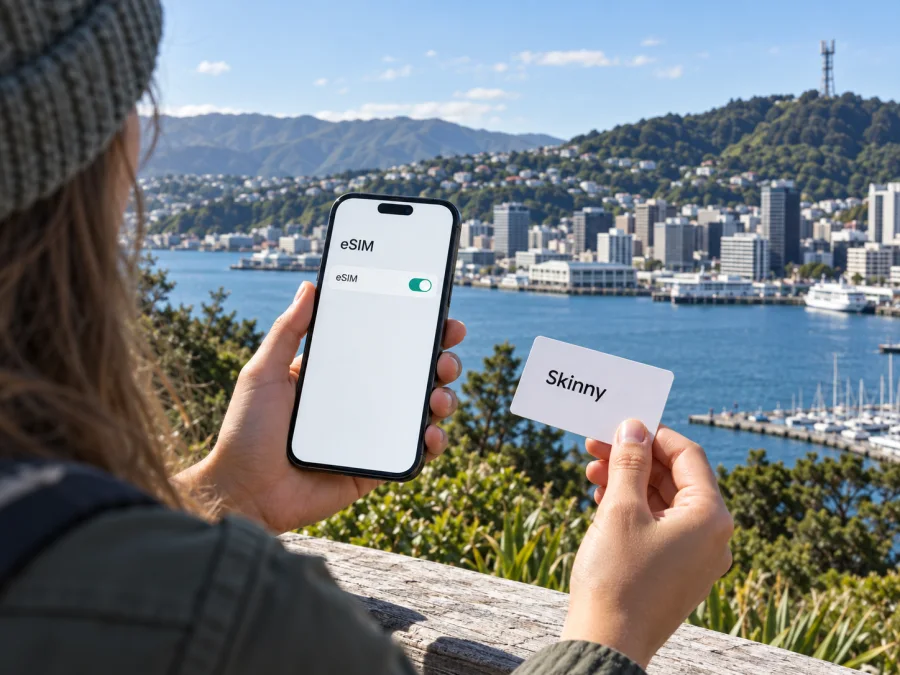
Skinny eSIM in New Zealand: what travellers should know
Skinny is a New Zealand mobile brand that uses the Spark network. Its current website lists an eSIM as an online purchase option, and its joining instructions describe activating an account by scanning an eSIM QR code and calling 456. A Skinny eSIM may suit a traveller who wants a local mobile service and can complete activation in the country. Before buying, check that your phone supports eSIM, is unlocked, and meets Skinny’s current network requirements.
This guide summarises what Skinny’s public information confirms, how to prepare for installation, what can affect service while travelling, and when a separate travel eSIM may be useful. It does not list or compare specific mobile plans. Skinny’s offers and conditions can change, so check the operator’s current information before you purchase or activate a service. Facts below were checked on 28 September 2026 against Skinny’s public eSIM, joining, prepay, and compatibility information and Spark’s mobile network guidance.
Does Skinny offer eSIM in New Zealand?
Yes. Skinny’s official “Where to Buy Skinny” page says customers can buy a Skinny SIM or eSIM online. The eSIM purchase page is also presented as a Skinny product. This confirms eSIM availability through the operator’s online channel at the time of checking. Eligibility and the exact order steps should be verified on Skinny’s own site when you are ready to join.
Skinny also publishes information about prepaid mobile service in New Zealand, including how to join, activate a SIM, and manage an account. This establishes the general availability of prepaid service; it does not mean that every prepaid option is available on eSIM. Review the live checkout details and conditions for your own situation. The pages reviewed for this article did not confirm a separate tourist-only eSIM offer. If you want a product designed specifically for visitors, ask Skinny whether one is currently available and what its joining requirements are.
Skinny’s public joining instructions describe QR-based setup and say activation must take place in New Zealand. You may be able to prepare a purchase or install a profile before departure, but do not assume the service will be active until you complete the operator’s required steps in the country. Follow the instructions supplied with your order, as the sequence can change.
Is a local Skinny eSIM the right fit?
A Skinny service may be worth considering if you want a New Zealand mobile account during a longer stay or prefer the operator’s ordinary prepaid service. If you need a local number, calls, or text messages, confirm that the specific service you choose supports them. A local account can be more suitable than a data-only travel eSIM when those functions matter.
For a shorter trip focused mainly on data, a travel eSIM is another option. It can often be purchased and installed digitally, potentially before departure, and may reduce the need to find a retail outlet after arrival. Its usefulness depends on device compatibility, destination support, service conditions, and whether you need a local number or conventional calls and SMS. A travel eSIM is a separate service and should not be described as a Skinny account or as part of Skinny’s network unless the provider’s current terms explicitly say so.
Kaspersky eSIM Store is an app and website that helps travellers choose, purchase, and activate an eSIM with a plan for mobile internet abroad. It is not a mobile operator, network owner, or provider of mobile connectivity. A country-specific destination page is available in Kaspersky eSIM Store; check its current service terms and device compatibility before choosing.
Check these points before purchase
Before buying, check the exact phone model and regional variant for eSIM support; devices with the same product name can differ. Confirm the phone is unlocked, especially if purchased overseas, and compare its supported bands and 4G voice capability with Skinny’s current requirements. Skinny says activation must happen in New Zealand, so plan to complete the process after arrival. The public pages reviewed do not establish every account requirement for every customer type; check the live order process or ask whether identification, local details, or a particular payment method is needed. Keep the QR code accessible from another screen, have Wi-Fi available, and treat the code like a credential. Review current service conditions before purchasing.
How to install and activate
Skinny’s public joining page says to activate an account by scanning the eSIM QR code and calling 456. The exact screens can change by device and software version, so the instructions supplied by Skinny should take priority over this general outline.
- Prepare: Connect to Wi-Fi and confirm eSIM support, unlocked status, and current network compatibility.
- Purchase: Use Skinny’s official route and save the order confirmation and QR code. Do not share the code.
- Install: On iPhone, look under Settings → Mobile Service/Cellular → Add eSIM. On Android, look under Network & Internet or Connections → SIM manager. Menu names vary. Scan the QR code supplied by Skinny.
- Activate: In New Zealand, follow the current instructions. Skinny’s public joining page refers to scanning the QR code and calling 456. Wait for confirmation and contact Skinny if activation fails; avoid deleting the profile without support advice.
- Configure and test: Select the desired line for data, calls, and messages. Turn off Wi-Fi briefly to confirm registration and data access. Check your home SIM roaming settings if it remains enabled.
Installing an eSIM profile, activating the account, and registering on a mobile network are separate steps. A profile appearing in phone settings does not by itself confirm that the service is active.
Coverage and network technology
Skinny says it uses the Spark network. Skinny’s compatibility information describes 4G and 5G availability in some areas and points customers to coverage and device checks. Spark’s public network information also provides a coverage checker. Use the maps as planning tools rather than guarantees: reception can vary with terrain, buildings, indoor position, the handset, and local network conditions.
Coverage maps do not guarantee a signal inside a building, in a valley, on a ferry, or along a hiking track. Check the official map for places on your route and save navigation or other essentials for offline use.
Spark’s current network guidance states that its 3G network shut down on 31 March 2026. Skinny’s compatibility information advises customers to check 4G compatibility and notes 5G availability in some areas. A visitor should not assume that an older 3G-dependent handset, or a device without the required 4G calling support, will work. Check the exact model with Skinny, especially if it was purchased overseas. A generic “4G” label does not by itself prove that voice service is compatible.
Access to 4G or 5G depends on coverage, compatible bands, device settings, and the selected service. Do not assume that 5G is available throughout the country or that a travel eSIM has the same network access as a Skinny account.
| Check | Why it matters |
|---|---|
| Coverage at each stop | Availability changes by location and indoor or outdoor conditions. |
| Exact phone model | eSIM, band support, and 4G calling can differ between variants. |
| 4G voice compatibility | The 3G shutdown makes current voice compatibility important. |
| 5G availability | Skinny describes 5G in some areas; access depends on location. |
| Offline access | Useful when travelling through areas without mobile service. |
Prepaid and tourist options
Skinny publishes information about prepay service and offers an online eSIM purchase route. These are general availability facts, not confirmation that every prepaid product is offered as an eSIM or that there is a tourist-specific product. The pages checked for this guide described ordinary prepaid service but did not establish a distinct tourist-only offer. That could change, so ask Skinny directly if you require a visitor product or need to confirm eligibility.
For travellers, the main distinction is between a local account and a travel-focused data eSIM. Consider whether you need a New Zealand number, ordinary calls or SMS, or simply data for maps, email, and messaging apps. Think about the length and route of the trip, how you will reach support, and whether your phone can keep a home SIM active alongside the travel profile. After narrowing down the use case, check the live product conditions rather than relying on older screenshots or third-party summaries.
| Travel need | Question to check |
|---|---|
| Local calls or texts | Does the selected service support the type of number and communication you need? |
| Data when you arrive | Can you install it before travel, and when does it become active? |
| Longer stay | Can you manage the account for the length and use of your visit? |
| Multiple destinations | Does the service cover every country on your route? |
| Home number access | Can your phone keep the home SIM active while data uses another line? |
| Setup support | Which provider handles account, profile, and connection issues? |
Kaspersky eSIM Store can be considered when you want to prepare a separate eSIM for mobile internet during an international trip. It helps users choose, purchase, and activate a travel eSIM plan; it does not operate Skinny’s network, supply a Skinny account, or itself provide connectivity. Review current country support, device compatibility, and service conditions before relying on it. Kaspersky eSIM Store is not affiliated with Skinny, and Skinny does not sponsor or endorse this guide.
Common problems
No “Add eSIM” option: Check the exact device model and region; some variants do not support eSIM.
QR code will not scan: Display it on another screen, increase brightness, and contact Skinny if it appears invalid. Do not share the code.
Profile installed but no service: Confirm you are in New Zealand, activation is complete, and the line is enabled. Check device compatibility and local coverage, then restart the phone.
Data or calls fail: Check the selected line and current 4G voice compatibility. Use only Skinny’s current network settings and contact support if the issue persists.
Frequently asked questions
Is Skinny eSIM available online and can I activate before arrival?
Skinny’s Where to Buy page lists an online eSIM purchase option. Its joining information says activation must happen in New Zealand. Check live eligibility and instructions before buying.
Does Skinny offer prepaid service or a tourist eSIM?
Skinny publishes prepay information. The pages reviewed on 28 September 2026 confirmed eSIM and prepaid service generally, but did not confirm a separate tourist-only eSIM. Ask Skinny if you need a visitor-specific offer.
Will any eSIM phone work, and is 5G everywhere?
No. The phone must be unlocked and compatible with Skinny’s current network, including 4G calling requirements. Skinny describes 5G in some areas; check coverage for your route.
Can I keep my home number active?
Many dual-SIM phones support two lines, but combinations vary. Check your device and home operator’s roaming terms, and select the correct line for data and calls.
Is Kaspersky eSIM Store part of Skinny?
No. It is a separate app and website that helps travellers choose, purchase, and activate a travel eSIM for mobile internet abroad. It is not a mobile operator or network owner and is not affiliated with Skinny.
A practical decision
Skinny is worth investigating if you want a New Zealand mobile account: its public website confirms online eSIM availability, describes QR-based joining, and publishes prepaid information. Prepare by checking eSIM support, confirming the phone is unlocked, verifying current network compatibility, and allowing for activation in New Zealand. Do not assume a tourist-specific product or particular account requirements without checking with the operator.
If you mainly need mobile data for a trip, you can also consider a separate travel eSIM through Kaspersky eSIM Store after reviewing current New Zealand support, compatibility, and conditions. The choice depends on whether you need a local account and number, when you can activate, and where you plan to travel. Recheck official information before departure and save essentials offline where coverage may be limited.
Explore New Zealand eSIM options as one way to prepare mobile internet for travel. Kaspersky eSIM Store helps with selection and activation; connectivity and service conditions come from the chosen provider.


