Travel connectivity guide
Skopje eSIM: Mobile Internet for Your City Trip
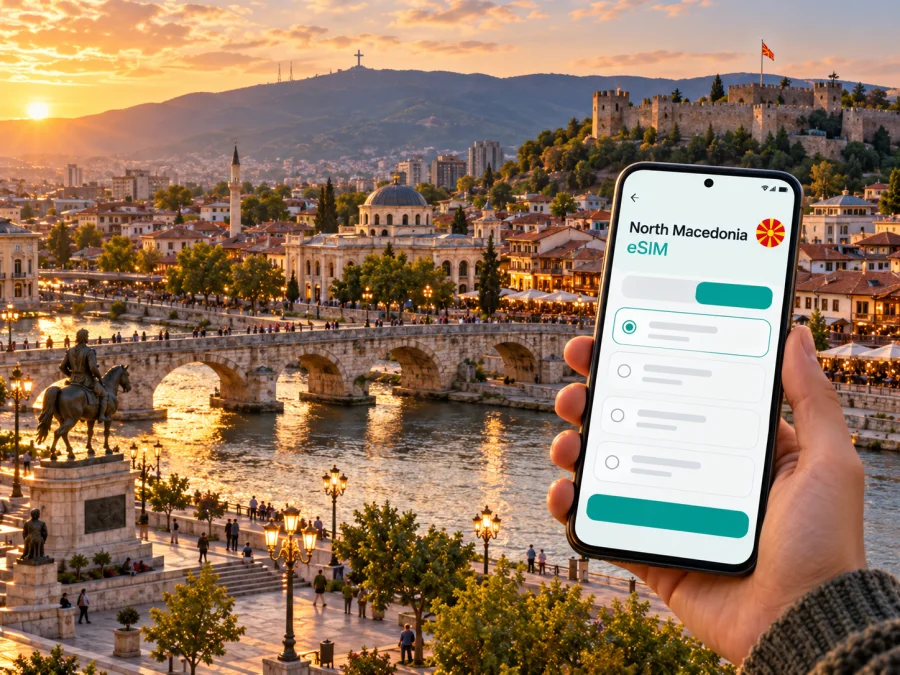
Skopje eSIM: Mobile Connection and Internet for Your City Trip
Skopje is a practical city to explore with a phone in your pocket: a map helps connect the riverfront and central squares with the Old Bazaar, museums, cafés, and hillside viewpoints, while mobile data is useful for checking transport, opening hours, and directions as plans change. A travel eSIM can give your compatible phone a separate data connection without removing your home SIM. The important step is to prepare it for the specific North Macedonia plan you choose, then use it in the way that suits your arrival and itinerary.
This guide focuses on staying connected in Skopje: what to plan before landing at Skopje International Airport, how to move between districts, where online maps are most useful, and what to check before buying or activating an eSIM. Network availability, supported devices, plan validity, and activation rules depend on the particular product and local network. Do not assume that a city name in a guide guarantees coverage in every building or on every excursion.
Why mobile data helps in Skopje
The city’s most familiar central landmarks sit on both sides of the Vardar River. Macedonia Square and the modern central streets are linked across the river by the Stone Bridge to the Old Bazaar, while Kale Fortress rises above the historic quarter. This compact sightseeing area is easy to walk, but having data is handy when you need to find a hotel entrance, check a restaurant’s current details, translate a sign, or choose a route around a busy street.
A connection is also useful beyond the postcard route. Skopje spreads into distinct residential and business areas, and visitors may stay around Centar, Debar Maalo, the railway and bus station, or farther out. A navigation app can help you compare a walk with a bus or taxi, find the right stop, and share your location with a host or colleague. For a business trip, messaging and email can keep working while you travel between a hotel, meeting venue, and the airport.
| Part of the trip | What mobile data can help with |
|---|---|
| Arrival | Checking the airport transfer information saved for your flight and sharing your arrival time |
| City walks | Following a route between Macedonia Square, the Stone Bridge, the Old Bazaar, and Kale |
| Local errands | Finding a pharmacy, café, cash machine, or a hotel entrance |
| Work | Joining messages, checking email, and confirming a meeting address while away from Wi-Fi |
| Excursion planning | Checking directions and current information before leaving the central area |
Mobile data supports these tasks, but it does not replace a ticket, official timetable, reservation, or local instructions. Keep essential booking details available offline as well.
Plan your arrival at Skopje International Airport
Skopje International Airport is outside the city, so your first connection-related decision may come before you reach the centre. The airport lists both a shuttle bus service to key city stops and an authorized airport taxi option. Routes, departure times, fares, and availability can change; check the current airport information and your flight timing rather than relying on a timetable copied into an old itinerary.
If you expect to use an online map after landing, prepare the eSIM before departure while you have stable Wi-Fi. Read the plan’s instructions to understand whether installation can happen in advance and what event starts its validity. Some plans start when the eSIM first connects to a supported network; others can have different conditions. Installing a profile and starting a plan are not necessarily the same event, so confirm the provider’s wording before enabling data roaming or selecting the eSIM for mobile data.
A simple arrival sequence:
- Save the airport transfer details and your accommodation address before leaving home.
- Install the eSIM over reliable Wi-Fi if the plan instructions allow advance installation.
- Keep your usual SIM available for its normal calls and messages, if you need it.
- After landing, select the travel eSIM for mobile data only when you intend to use it and the plan is ready to activate.
- Confirm that data roaming is enabled for that eSIM only if the plan’s instructions require it.
- Test a basic webpage or map before leaving the terminal; if it does not connect, check the plan’s setup steps before changing multiple settings.
The airport also provides public Wi-Fi according to its passenger information. Treat it as a useful short-term option for checking a message or confirming a transfer, not as a substitute for preparing the connection you want to use across town. Avoid entering sensitive account details on an unfamiliar shared network unless you are confident in the connection and site.
Choose an eSIM for the trip you are actually taking
There is no single data allowance that suits every Skopje visit. A traveller spending most of the day walking, using maps, and sending occasional messages will use data differently from someone uploading video, taking work calls, tethering a laptop, or streaming. Estimate your normal usage, then compare the actual plan conditions: destination, data amount, validity period, activation rules, permitted sharing, and any speed or fair-use limits stated by the provider.
Kaspersky eSIM Store is an app and website where you can select, order, and activate an eSIM plan for mobile internet during an international trip. The plan’s network and terms belong to the selected offer, so review them before purchase. A country landing page is a starting point for checking current options, not a promise that a particular network, allowance, or price will be available at a later date.
For Skopje, think about the way you will use data between the main stops. A pedestrian day around Macedonia Square, the Stone Bridge, and the Old Bazaar may call for maps and short searches; a business itinerary across several districts may also need messaging, email, and occasional hotspot use. Excursions toward Vodno or Matka add a separate route and may mean less predictable signal. Estimate these needs before comparing allowances, and download maps and tickets in advance so a temporary loss of data does not derail the day.
For a visit to the capital, check the current eSIM options for North Macedonia and compare each plan with your route and expected data use. If your itinerary includes other countries, check whether a plan covers those destinations too; an offer for North Macedonia does not automatically include neighbouring countries.
Match the plan to your schedule
| Your pattern | What to consider before selecting a plan |
|---|---|
| One or two days in the centre | Whether the plan’s validity and data amount fit a short stay, including arrival and departure days |
| Several days with frequent navigation | A practical allowance for maps, messaging, browser searches, and occasional uploads |
| Remote work or hotspot use | Whether tethering is allowed and whether video meetings or laptop use could consume data quickly |
| A stopover | Whether activation timing and validity work with the hours you will actually spend in Skopje |
| A city visit plus a road trip | Whether the stated destination coverage includes every place on the route; do not infer this from Skopje alone |
A useful estimate starts with your habits rather than a generic daily number. Navigation and text messages often use less data than streaming, cloud backups, app updates, or video calls. Download maps and entertainment in advance, disable automatic photo uploads on mobile data if that suits you, and leave enough allowance for an unexpected route change.
Check phone support before you buy
An eSIM plan works only when the phone supports eSIM and is not restricted in a way that prevents another profile from being used. Support can differ across device families, regional variants, and carrier-locked versions of the same model. A model name alone may not settle the question. Check the manufacturer’s specifications for your exact device variant and confirm that your carrier has unlocked it for use with another provider. Check whether your device supports eSIM before ordering.
Also check the basics that are easy to overlook:
- The phone is compatible with eSIM and has an available profile slot.
- The device is not locked to a carrier that blocks adding another eSIM.
- You can connect to Wi-Fi during installation if the setup process needs it.
- Your operating system and device settings meet the plan instructions.
- You know which line will handle mobile data and whether data roaming is required for that line.
- You understand whether the eSIM can be reinstalled or transferred if you change phones; do not assume a QR code can be reused.
Country-specific operator offerings can differ from international travel plans. North Macedonia’s local operators publish their own eSIM information, but that does not establish which operator or radio technology a separate travel plan uses. Check the exact network and service details shown for the plan you select. A phone supporting eSIM is only one part of compatibility; the offer’s supported destination and network conditions matter too.
Install and activate without rushing
The safest time to set up a travel eSIM is when you have a stable internet connection and enough time to read the instructions. Keep the order confirmation and any installation details accessible. If the profile is added before travel, avoid deleting it simply because it is not yet connected; removal may make reinstallation difficult or impossible, depending on the plan.
A general setup flow is:
- Open the eSIM installation instructions for your phone’s operating system.
- Add the profile by following the on-screen steps or scanning the provided QR code, if that is how the plan is delivered.
- Label the new line something clear, such as “Travel data,” so it is easy to identify later.
- Keep your home line set for calls or SMS if you need it, and choose the eSIM as the mobile data line when appropriate.
- Follow the plan’s activation guidance. Turn on data roaming for the travel line only if the instructions say to do so.
- Once the plan should be active, test a simple connection and check that mobile data is assigned to the intended line.
For step-by-step help, use the Android eSIM installation guide or the iPhone and iOS eSIM installation guide. Menu names vary by phone manufacturer and software version, so follow the instructions shown on your device as well.
If the connection does not start, pause before deleting the profile or resetting network settings. Check that the eSIM is enabled, the correct line is selected for mobile data, the plan’s activation window has begun, and the phone has a signal. Review any network selection or roaming step in the plan instructions. If the issue remains, use the support route shown with your purchase and have the device model, operating system, and a description of the steps already tried ready.
Getting around: central walks, buses, and taxis
The Stone Bridge links Macedonia Square with the Old Bazaar; from there, lanes continue toward Bit Pazar and Kale Fortress. A saved hotel pin helps in the smaller streets. Keep your surroundings in view while navigating.
JSP Skopje publishes urban, regional, and night bus schedules. Check the current line and stop close to travel because services can change; a map app may not reflect a recent update. Leave extra time for important journeys.
At the airport, use the authorized taxi service or a transfer arranged in advance. In town, confirm the destination and fare or payment method before setting off. A map helps share an address but does not verify a vehicle or fare.
A simple navigation checklist
- Save your accommodation pin and written address.
- Download an offline map and keep the airport route in a note.
- Check bus departures with the current operator schedule.
- Carry a power bank and follow pedestrian signs around unfamiliar streets.
Where connectivity matters across the city
Centar and Macedonia Square are convenient for central walks, museums, cafés, and the riverfront. A map helps locate an entrance or check opening hours. The Stone Bridge and Old Bazaar are easy to find by landmark, but saved pins help in the Bazaar’s smaller lanes. Keep the screen tucked away in crowded passages.
Debar Maalo is known to visitors for restaurants and accommodation; use the full address and confirm check-in details with your host. The station area can be busy when arriving by coach or rail, so save the next destination and its pin before you leave the platform.
Vodno and Matka are outside the central sightseeing grid. Check transport, access information, weather, and return arrangements before setting out. Data can vary with terrain, buildings, and the plan’s network. Download maps and essential details in advance instead of relying on a live connection as your only guide.
Practical scenarios
A weekend city break
Install the eSIM over Wi-Fi if the plan permits advance setup. Save the airport transfer and accommodation address, then use data for the first trip into town and quick searches while walking. Keep an offline map and use accommodation Wi-Fi for large downloads.
A work visit
Save meeting addresses and check whether tethering is allowed before connecting a laptop. Test the connection before a video call and keep Wi-Fi as a backup. If you need your home number for calls or verification, confirm your device and home plan support keeping that line active.
A short stopover
Check the airport shuttle timing or arrange a transfer before you land. Include time for the return journey and airport procedures. Confirm when the eSIM plan’s validity begins so it fits the hours you will spend in the city.
A day trip
Check that the plan covers the destination and download maps and tickets before departure. If the route crosses a national border, confirm the other country is included; a North Macedonia plan is not automatically regional.
Keep your data use under control
To make an allowance last, download maps and large files over trusted Wi-Fi, limit streaming and automatic photo backups on mobile data, and check which SIM is selected for data. Monitor remaining allowance through the plan’s account if available. Continuous navigation can drain the battery, so carry a power bank on a long day out.
A data eSIM may not include a local number, voice minutes, or SMS; check the selected plan. Messaging and internet calls can use data, but they do not replace emergency calling or every SMS verification. Keep your regular number available if needed and review your home provider’s roaming charges.
Quick checklist before departure
- [ ] Confirm your exact phone variant supports eSIM and is unlocked.
- [ ] Compare data, validity, activation rules, destination coverage, and hotspot terms.
- [ ] Install the profile over Wi-Fi and save its setup instructions.
- [ ] Save airport transfer details, your accommodation address, and offline maps.
- [ ] Choose which line handles calls, texts, and mobile data; check roaming requirements.
- [ ] Keep essential bookings accessible offline.
Frequently asked questions
Is eSIM useful for a short visit?
It can be convenient if your phone supports it and the plan’s destination, validity, and allowance fit your stay. Compare the terms with your home operator’s roaming option.
Will it work everywhere in Skopje and North Macedonia?
Coverage and performance depend on the plan’s network, location, buildings, and device. Check the offer details and keep essential maps offline.
Can I keep my regular SIM active too?
Many dual-SIM phones allow more than one line, but behavior depends on the model and regional variant. Select the travel eSIM for data deliberately and check your home line’s roaming settings and charges.
Does a data eSIM include a phone number?
Not necessarily. Check the offer for voice and SMS. You may keep your home line for calls or texts, subject to its terms and device support.
What if the eSIM does not connect?
Check that its profile is enabled, it is selected for data, and the activation conditions are met. Follow the plan’s troubleshooting steps and avoid deleting the profile unless instructed.
Can I use the plan in another Balkan country?
Only if that country is explicitly listed in the plan’s coverage. Country-specific and regional plans differ.
Set up your connection for Skopje
A little preparation makes it easier to focus on the city once you arrive: check the exact eSIM and device requirements, save the airport and accommodation details, and keep an offline map as a backup. In Kaspersky eSIM Store, review the current North Macedonia options, choose a plan whose terms fit your dates and expected use, then install and activate it according to the instructions. Explore eSIM options for your trip to North Macedonia.


