Travel connectivity guide
Skytel eSIM in Mongolia: what to check
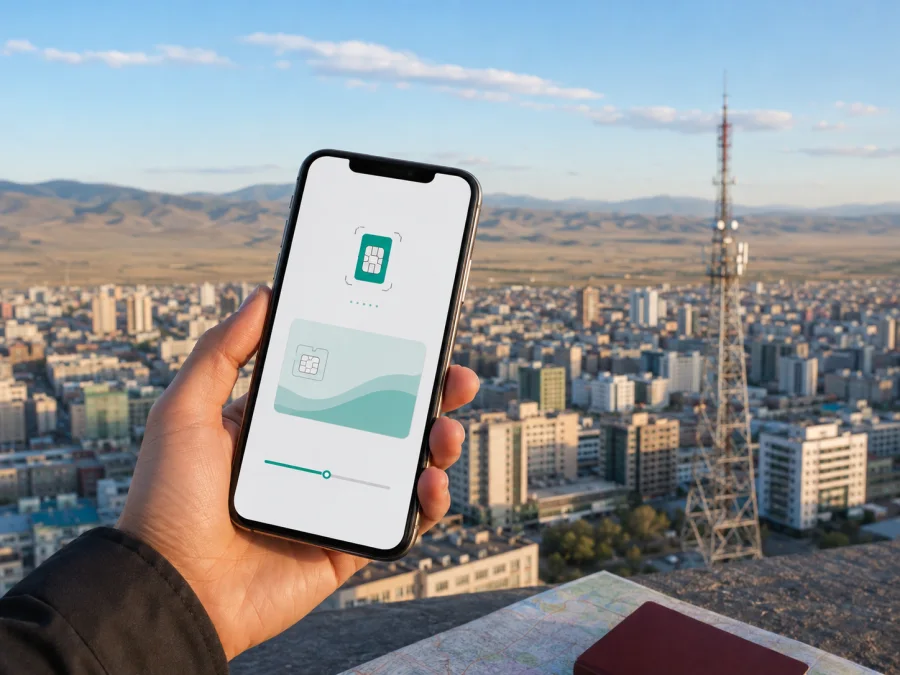
Skytel eSIM in Mongolia: connection, activation, and travel options
If you are searching for a Skytel eSIM in Mongolia, decide which connection you need and where it will be used. Skytel is a Mongolian mobile operator with local prepaid and postpaid services, data services, tourist SIM information, international services, and an international data eSIM. A local operator service and a travel eSIM are related but different options, so check the destination, device, account, and activation route before a trip.
This guide explains what Skytel’s public information confirms, how its international data eSIM differs from a local service, what visitors should check, and how a separate travel eSIM can help with mobile internet. It does not reproduce tariffs or compare specific offers. Conditions change; use support for a final decision.
Skytel in the Mongolian mobile market
Skytel is an established participant in Mongolia’s mobile communications market. Its public website presents everyday local connectivity alongside international and visitor-oriented services. The service menu includes prepaid, postpaid, data, international data eSIM, international services, tourist SIM, and other connectivity categories. For a traveler, this means the operator has separate routes for people who live in Mongolia, visitors who need local service, and existing customers who travel abroad.
The local route is relevant when you need a Mongolian number, ordinary calls or text messages, and local account support. A digital travel profile focuses on mobile data for maps, translation, reservations, messaging, and work; it does not automatically provide a local Skytel number.
These options are not interchangeable. Skytel’s international data eSIM is described for foreign countries, while a visitor arriving in Mongolia may need the local prepaid or tourist-SIM route. A traveler leaving Mongolia may instead need international eSIM or roaming information for an existing Skytel account.
What current public pages confirm
Skytel’s website and customer terms were checked on September 6, 2026. The site lists international data eSIM as a service category. Its current customer terms define an international data eSIM as a non-physical SIM installed by scanning a QR code, allowing data internet use in foreign countries. The same terms identify the Skytel website and application as digital channels for activation by eligible users.
This confirms that Skytel publicly documents an international data eSIM. It does not mean that every customer, visitor, phone, or destination qualifies in the same way; confirm eligibility and destination conditions directly with Skytel.
Is Skytel eSIM available in Mongolia?
Yes, Skytel’s current public website and customer terms document an international data eSIM with QR-based installation and digital activation routes. The documentation is about a data-oriented international service, not a universal promise of local service for every visitor. If you are traveling to Mongolia, ask Skytel whether your intended service is local data in Mongolia or international data outside Mongolia.
The public terms refer to activation for eligible users, so account status matters. Confirm the destination, phone, identity requirements, and recovery procedure with Skytel rather than relying on an old screenshot or search result.
Skytel eSIM or a local service for Mongolia?
The direction of travel determines the most useful starting point. If you are entering Mongolia for a short stay, Skytel’s public tourist-SIM information and local prepaid information may be more relevant than its international data eSIM. If you already use Skytel and are leaving Mongolia, the international data eSIM or roaming route may be appropriate. If you need a local number and ordinary calls, focus on local registration requirements rather than choosing a data-only profile.
| Travel question | Why it matters |
|---|---|
| Where will data be used? | Local Mongolian service and international travel service can have different destinations and rules. |
| Do you need a local number? | A data-only eSIM does not replace ordinary calls and texts. |
| Who can register? | New customer routes may involve identity verification and account conditions. |
| Is the phone unlocked? | An operator-locked device may reject a new eSIM profile. |
| When will you install it? | Setup needs a stable internet connection and may be easier before departure. |
Skytel’s tourist page presents a purchase route and separate activation and balance-check instructions. Because visitor rules can change, confirm accepted documents, where the service can be obtained, how activation works, and where support is available. A local service may require more arrival-day steps, but it can be the better fit when local calling or a Mongolian number matters.
Requirements for travelers
Check three areas: registration, device compatibility, and travel preparation.
Registration and documents
Skytel’s customer terms describe new-customer routes that include visiting a service branch with an identity document and using electronic authentication through the national DAN system. These are published routes for relevant services; they are not a guarantee that every foreign visitor can register in the same way. A tourist may face different document, payment, language, or in-person requirements.
If you want a local tourist SIM, keep the document used for registration available and use the exact personal details requested. Confirm whether the service is intended for a visitor’s stay and whether activation can be completed where you plan to obtain it. If you want the international data eSIM, ask whether an existing Skytel account is required and whether your account is eligible.
Do not assume that a tourist SIM, local prepaid service, international roaming, and international data eSIM have identical registration or activation conditions. They are separate service routes.
Device checks
Your phone must support eSIM and must not be locked to another operator. Models can differ by country or regional version even within the same product family. Check the exact model in the phone settings and manufacturer documentation, and follow Skytel’s compatibility guidance.
Install system updates before the trip, leave enough space for a new profile, and keep the primary SIM in the phone if you still need its number. You will also need stable internet for profile installation. If a QR code is displayed on the phone itself, use the guided in-app method or display the code on another screen when scanning is required.
Before leaving
Save support details, activation instructions, and important bookings offline. Decide which line will carry data and which will retain your usual number. Check whether roaming must be enabled for the eSIM and change that setting only for the intended line.
Supported technologies and coverage
Skytel’s current public service information references 4G LTE and 5G. Its customer terms also refer to 3G and 4G LTE devices in the context of international roaming conditions. The Communications Regulatory Commission of Mongolia publishes an interactive national mobile-coverage map with a Skytel layer and filters for 2G, 3G, 4G LTE, and 5G.
Technology and location must be checked separately. A phone can support a radio standard unavailable at a particular place or through a particular profile. Coverage can vary with terrain, buildings, distance from a site, device bands, maintenance, and local conditions.
Use the regulator’s map as a planning aid rather than a guarantee of service in every building, on every road, or in every remote area. An urban connection may differ from one on a rural route, near a border, or in a valley. Download maps and key documents before a long journey.
For an eSIM, the profile must also be provisioned for the destination and permitted to connect through a local network. An installed profile does not by itself prove that the phone has registered. After activation, check the selected data line, the eSIM status, and the roaming setting if the instructions require it. If there is no service, follow the provider’s troubleshooting steps before deleting the profile.
For planning, check airports, accommodation, roads, and remote excursions on an offline map; inspect the regulator’s Skytel layer; confirm device support; and prepare offline directions. Avoid claims such as “works everywhere,” “fastest,” or “guaranteed” without current, comparable evidence.
How to activate Skytel eSIM
The exact screens may change, but the current QR-based documentation supports this practical sequence.
1. Confirm the route
Check whether you need international data eSIM, international roaming, or a local service in Mongolia. Confirm account eligibility, destination, and current conditions with Skytel.
2. Check the phone
Open mobile-network settings and look for an option to add an eSIM or mobile plan. Confirm eSIM support, the regional model, and unlocked status.
3. Connect to stable internet
Use trusted Wi-Fi or another stable connection for installation. Avoid starting the process while the connection is repeatedly dropping.
4. Use the official digital channel
Open the Skytel website or application described in the current customer terms. Sign in if required, select the eSIM action available to your account, and check the destination and service information.
5. Scan or install the profile
Choose the phone’s option to add an eSIM and scan the QR code, or follow the guided installation flow. Do not reuse an old code unless Skytel confirms that it is valid.
6. Select the data line
Label the profile clearly, select it for mobile data, and keep calls and messages on the primary line if needed. Disable automatic data switching if the phone could move data to the wrong SIM.
7. Test the connection
Follow the current activation instructions and enable roaming for the eSIM only if required. Wait for registration, then test a simple webpage or messaging service. Activation can take a few minutes and depends on the device, account, and local network.
If the profile does not connect, check the selected data line, eSIM status, and required roaming setting. Restart only as directed by the instructions and record any error message before contacting support. Do not delete the profile immediately; reissue rules can make recovery more complicated.
A separate travel eSIM option
Kaspersky eSIM Store is an application and website that helps a traveler choose, arrange, and activate an eSIM with a data plan for a foreign trip. It is not a mobile operator, does not own Skytel’s network, and does not provide Skytel coverage. It is a possible alternative when the priority is mobile internet rather than a Mongolian phone number.
The public Kaspersky eSIM Store Mongolia page and official product information were checked on September 6, 2026. They describe a travel flow: check device compatibility, select a destination, complete an order, install or activate the digital SIM, and manage the profile through the website or application. The Mongolia page indicates that travel eSIM services are supplied through local telecommunications providers. Check the live destination page for the conditions shown when you are ready to travel.
The practical difference is the starting point. A local Skytel service begins with an operator relationship, local registration, and possibly a local number. A travel eSIM begins with a destination and a mobile-data need. A data-only eSIM does not automatically include ordinary calls or SMS, so internet messaging and calling applications may be needed.
When this route fits your trip, choose an eSIM plan for Mongolia in Kaspersky eSIM Store. Before ordering, check compatibility, destination, activation instructions, data-only limits, and current terms. This is a separate travel-data route, not an endorsement of Skytel and not evidence of affiliation with Skytel.
Frequently asked questions
Does Skytel have eSIM in Mongolia?
Skytel’s current website and customer terms document an international data eSIM, QR-based installation, and digital activation channels for eligible users. Availability is not automatically universal, so confirm the current account and destination conditions with Skytel.
Is Skytel eSIM the same as a travel eSIM?
No. Skytel’s international data eSIM is an operator-documented route. A travel eSIM from a separate app or website is arranged for a destination and is generally focused on mobile data. Check provider, destination, activation, and number limitations for each option.
Will eSIM provide a Mongolian phone number?
Not necessarily. A data-only travel eSIM does not automatically include a number, ordinary calls, or SMS. If a Mongolian number matters, review the local Skytel service and visitor requirements.
Can I use Kaspersky eSIM Store as a VPN?
No. Kaspersky eSIM Store is not a VPN or a tool for bypassing restrictions. It helps users choose and activate an eSIM data plan for mobile internet during a foreign trip.
Final takeaway
Skytel eSIM in Mongolia should be evaluated by travel direction and service type. Current public Skytel materials confirm an international data eSIM with QR installation and digital activation routes for eligible users. Skytel also publishes local prepaid and tourist-service information for visitors who need a Mongolian connection. Verify account eligibility, documents, device support, destination, activation timing, and coverage before relying on any route.
Kaspersky eSIM Store offers a separate way to prepare travel mobile data through an application or website. It is not Skytel, does not own the local network, and is not affiliated with Skytel. Skytel and related names belong to their respective rights holders.


