Travel connectivity guide
Sliema eSIM: Mobile Data in Malta
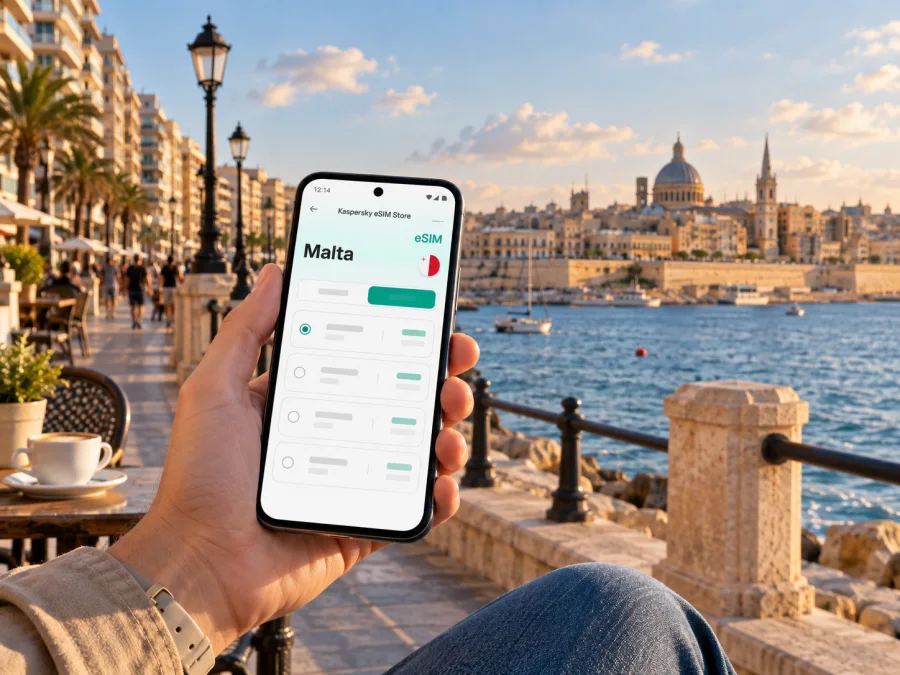
Sliema eSIM: mobile connection and internet for a Malta stay
Sliema is a useful base for a Malta visit when you want the sea close by, cafés and shops within walking distance, and straightforward links across the harbour. A mobile connection helps with the small decisions that shape each day: finding the right hotel entrance, checking a ferry departure, adjusting a walking route, or letting someone know that your meeting has moved.
An eSIM can make mobile data easier to prepare before you arrive. It is a digital SIM profile installed on a compatible, unlocked device, so you do not need to replace your physical SIM to use a travel data plan. In Sliema, that can be helpful from the first leg out of the airport through evenings along the waterfront and day trips elsewhere in Malta.
Getting from Malta International Airport to Sliema
Malta International Airport is outside Sliema, so plan the transfer before you land. Public buses and paid transfer options connect the airport with destinations around the island. Malta Public Transport lists an Airport Direct service that includes Sliema on its TD3 route; services and timetables can change, so check the current departure information for your travel date. A taxi or pre-arranged ride can be more convenient when you have bulky luggage, arrive late, or need a direct trip to a specific hotel entrance.
At the airport, a working data connection can help you compare the options you already know about, confirm your pickup point, and tell your accommodation when you expect to arrive. Do not assume that a route is running at the same frequency at every hour or season. Check the timetable close to departure and leave room for traffic, waiting time, and the final walk from the stop to your lodging.
A simple arrival checklist
- Save the hotel name, street address and booking details before your flight.
- Check whether the property has a preferred transfer or a late-arrival process.
- Compare the airport bus, a taxi and any pre-booked ride against your arrival time and luggage.
- Confirm the drop-off point. A vehicle may stop on a nearby street rather than at the hotel door.
- Keep your route visible until you have reached the correct entrance; nearby streets can look similar when you are tired.
If you use a bus, the stop shown in a route planner may not be the closest one to your accommodation. Check the final walking leg as well as the ride itself. A map connection is helpful here, but screenshots of the hotel address and route are a sensible backup if your battery is low.
Find your bearings: waterfront, ferries and neighbourhood streets
The waterfront is a natural point of reference in Sliema. The promenade gives you a clear line along the coast, while the ferry area is a practical landmark for journeys across Marsamxett Harbour. From there, inland streets lead toward hotels, shops, restaurants and residential blocks. A map is useful for the last few turns, but walking by the water can also help you reorient yourself after time spent in narrower streets.
The area around Sliema Ferries is convenient when your plans involve Valletta or a harbour crossing. Qui-Si-Sana and the seafront around Tigné Point are useful reference areas for accommodation and shopping, while the promenade continues toward the neighbouring St Julian’s side of the coast. Treat these as orientation points rather than strict boundaries: your actual route depends on the address, the slope and the street you choose.
| Starting point or area | What it is useful for | What to check on your phone |
|---|---|---|
| Sliema Ferries | Crossing the harbour toward Valletta | Current departure point and service times |
| The Strand and waterfront | A clear coastal route and places to pause | Walking time to your hotel or appointment |
| Tigné Point | Shopping, accommodation and the harbour edge | The entrance or exact pin for your destination |
| Qui-Si-Sana | A coastal neighbourhood and nearby stays | The final turn from the main road |
| Balluta Bay side | Continuing toward St Julian’s | Whether walking or a bus better fits your schedule |
The table is a navigation aid, not a promise about journey times. Luggage, crossings or accessibility needs can change the best route, so confirm entrances and surfaces with your venue when relevant.
Ferries, buses and getting around without a car
Sliema’s transport options make it possible to combine walking with trips by land and sea. The passenger ferry between Sliema and Valletta is a direct harbour crossing when the service is operating. It can be a convenient alternative to travelling around the harbour by road, but it is still a scheduled service: check the day’s timetable, operating hours and the departure location before setting out. Weather and operational changes can affect sea services.
Buses connect Sliema with other parts of Malta. The right route depends on the destination, time of day and current service pattern. A journey planner can help compare options, but allow extra time for traffic and transfers. If you have a timed museum entry, business appointment or airport connection, avoid planning around the shortest estimate alone.
Choosing a mode for the next leg
- Walk when the destination is nearby and the coastal route suits your plans. It is often the simplest way to explore the promenade and surrounding streets.
- Take the ferry when Valletta is your destination and a crossing is operating at a useful time. Confirm both ends of the route before leaving your hotel.
- Use a bus for a longer trip around the island or when the route connects more conveniently than a walk and ferry combination.
- Choose a taxi or pre-arranged ride when luggage, an early departure, mobility needs or a tight schedule make a door-to-door trip worthwhile.
Mobile data supports these choices by helping you check a route or contact a driver, but it does not make a timetable live or guarantee a seat. Download tickets or store booking details where the transport provider allows it, and keep any required travel card or payment method available separately.
Choosing an eSIM plan for a Sliema itinerary
The right data allowance depends on how you use your phone, not simply on how many days you are in Malta. Navigation, messaging and occasional searches use data differently from video calls, streaming or uploading large files. A traveller who mostly uses maps and chat may need a different allowance from someone working remotely and joining meetings from a hotel.
Before choosing, review the plan details shown for Malta: included data, validity period, price, activation conditions and any usage limits. Those terms belong to the selected plan and can vary. Check whether the validity period begins on installation, activation or first connection, and whether the destination coverage matches your full itinerary. If you will travel beyond Sliema, confirm that the plan is appropriate for the places you intend to visit across Malta.
Kaspersky eSIM Store is an app and website where you can choose, arrange and activate an eSIM with a suitable plan for mobile data while travelling abroad. To prepare for Sliema, view eSIM options for Malta and compare the displayed allowance and validity with your expected use. The service is intended for mobile internet; do not assume that a data plan includes a regular phone number, voice calls or SMS unless its terms explicitly say so. You can continue using your usual SIM for calls or messages if your device and mobile plan support that arrangement.
Estimate your data needs
Use your normal habits as a starting point and account for what will change on this trip:
| Travel pattern | Likely data habits | Planning note |
|---|---|---|
| Weekend by the sea | Maps, messages, restaurant searches and a few photos | A modest allowance may suit light use; check your own app settings |
| Sightseeing base in Sliema | Frequent navigation, transport checks, browsing and photo sharing | Leave room for maps and uploads across several days |
| Work trip | Email, document access, messaging and occasional calls over data | Estimate meeting use and confirm the venue’s Wi-Fi arrangements |
| Multi-stop Malta visit | Navigation between Sliema and other towns, bookings and trip updates | Review the route coverage and total validity for the whole stay |
This is a planning guide, not a fixed consumption estimate. App settings can change usage substantially: automatic photo backup, video autoplay and operating-system updates may use more data than expected. You can reduce surprises by turning off automatic updates over mobile data and choosing lower video quality when you are away from Wi-Fi.
Install before travel and activate with care
If you prefer to arrive with the setup ready, install the eSIM while you have stable internet access and enough time to follow the instructions. Installation and activation are not always the same step. The selected plan’s instructions explain when to add the profile and when it should connect; follow those details rather than switching settings at random after landing.
Before you begin, confirm that your device supports eSIM and is not restricted by a carrier lock. Device support can vary by model and region. Check whether your device is compatible before completing the purchase. Keep the confirmation details available, and do not delete an installed eSIM profile unless the instructions or support team tell you to do so.
Setup sequence
- Check the plan. Confirm Malta is included and note the data amount, validity and activation instructions.
- Prepare the phone. Connect to reliable Wi-Fi, charge the device and make sure you can access its SIM or mobile-data settings.
- Add the profile. Follow the in-app or on-screen steps for your device. Use the QR code or installation flow supplied with your eSIM.
- Label the lines. Give the travel eSIM a clear label, such as “Malta data,” so it is easy to identify beside your regular SIM.
- Set data deliberately. Select the travel eSIM for mobile data when the plan instructions say to use it. Keep your primary line settings aligned with whether you need calls or SMS on that number.
- Connect when appropriate. Some plans are designed to start at a particular point in the journey. Follow the plan’s activation guidance and check the connection after arrival.
For step-by-step help, use the Android eSIM installation instructions or the iPhone eSIM installation instructions. Menu names can differ between device versions, so use the instructions for your operating system and the details shown for your selected plan.
If the phone does not connect, check the eSIM line, the selected data line and any roaming setting required by the plan. Review the plan status before changing the profile; avoid deleting it as an initial troubleshooting step.
Sliema for hotels, work and short stopovers
For a hotel stay, mobile data is useful before check-in as well as after it. Keep the property’s address, confirmation number and arrival instructions available. If the hotel is in a large building or on a one-way street, use the map pin as a guide and confirm the entrance with the property rather than assuming the pin marks the reception door.
For business travel, save the meeting address in the calendar entry and check the route the evening before. If a meeting is near the waterfront, allow time to find the correct building entrance and reception desk. Messaging apps can help you update colleagues when traffic or a transport change affects your arrival, while a local data plan can keep work tools accessible when you are between the hotel and venue. Confirm any employer rules for work devices and data use before the trip.
A stopover calls for a smaller plan than a week of sightseeing only if your actual phone use is lighter. Even a short visit can involve airport transfer details, a hotel check-in, navigation and last-minute messages. Prioritise the essentials: route to your accommodation, return journey, booking details and enough battery for the whole layover. If you are leaving Sliema for another destination, check the return connection before you go so that a scenic detour does not jeopardise a fixed departure.
Questions travellers ask about eSIM in Sliema
Will an eSIM help me navigate Sliema?
Yes, if the plan includes mobile data for Malta and your device connects successfully. You can use maps, transport information, messaging and browser searches while moving around. Downloading a map in advance is still useful as a backup.
What if I am visiting other places in Malta too?
Check that the plan’s destination and terms fit every part of your itinerary, not only Sliema. Confirm coverage information and validity before purchase, then keep your route and return options available as you move around the island.
A calm connection plan for your stay
For Sliema, a useful setup is straightforward: save your accommodation and ferry details, decide how you will travel from the airport, choose a data allowance that matches your habits, and install the eSIM according to its instructions. Keep offline copies of essential information and leave flexibility in plans that depend on buses, traffic or sea services.
Kaspersky eSIM Store helps you prepare through its app and website, where you can choose and activate an eSIM with a plan for mobile data abroad. Before your trip, choose an eSIM plan for Malta that fits your stay in Sliema, review its conditions, and complete setup while you have time to check each step.


