Travel connectivity guide
Sligo eSIM: Mobile Internet for Your Trip
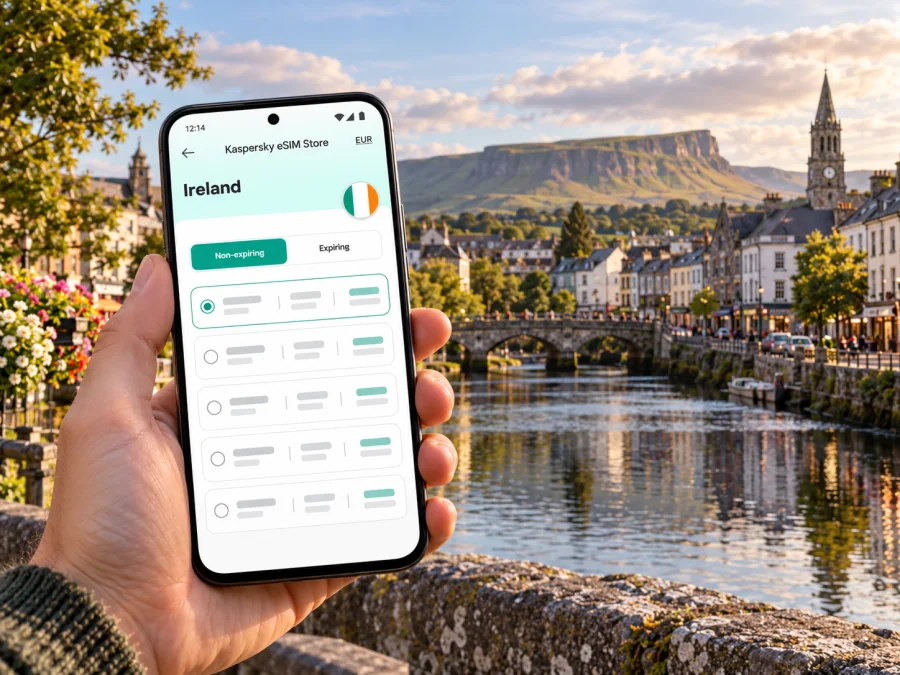
Sligo eSIM: mobile connection and internet for your trip
Sligo is a compact town in Ireland’s north-west, set around the Garavogue River and within reach of Atlantic beaches, green headlands and the outline of Benbulben. A visit can be a short town break, a base for coastal walks, a work trip, or one stop on a longer journey through the west. In each case, a mobile connection helps with the practical details: finding your accommodation, checking a bus or train, following a walking route and keeping plans flexible when the weather changes.
An eSIM can prepare mobile internet for an Irish trip without replacing your physical SIM. You can keep your usual number active for calls and texts while using a separate eSIM profile for data, subject to your phone’s settings and the terms of each plan. Kaspersky eSIM Store is an app and website where you can choose, arrange and activate an eSIM with a suitable plan for mobile internet abroad. The plan’s coverage, data allowance, validity and supported network depend on the option selected.
Why mobile internet is useful in Sligo
Sligo’s centre is easy to explore on foot, but many itineraries extend beyond the central streets. You might arrive at the rail or bus station, walk to a hotel, take a local bus towards Strandhill or Rosses Point, and return to town for dinner. A map, live journey information, booking details and messaging apps can all be useful on the same day.
A data connection is especially practical when your schedule includes several kinds of travel:
- Arriving by train: check your onward directions from Sligo Mac Diarmada station and find the most convenient route to your accommodation.
- Using town buses: confirm the direction and stop for your journey before boarding. The S2 links Sligo with Strandhill and Rosses Point; S1 and S3 serve other parts of the town.
- Walking by the river: keep a map available as you move between the centre, the Garavogue and nearby green spaces.
- Planning a coastal day: check the weather and transport information before heading to the coast, then keep your return details accessible.
- Working while away: use mobile data for messages, maps and essential online tasks when you are away from a trusted Wi-Fi connection.
Mobile coverage is not a promise of uninterrupted service at every point. Reception and speed can vary with the local network, device, buildings, terrain and weather-related conditions. A route through town, a hotel room and an exposed coastal path can produce different results. Treat offline maps and saved tickets as useful backups, especially when you have a timed connection or are walking outside the centre.
Getting to Sligo and finding your way after arrival
Sligo is a town in County Sligo in the Republic of Ireland. It is not in Northern Ireland, which is part of the United Kingdom. That distinction matters when choosing a travel data plan: a plan for Ireland may not include Northern Ireland, and a cross-border itinerary should be checked against the exact destinations listed in the plan.
Ireland also has its own mobile operator market. Domestic network operators and service brands such as Eir, Three, Vodafone, 48, GoMo and Tesco Mobile appear in Irish coverage information, but a travel eSIM connects through the network or networks specified for that selected plan. It should not be assumed to access every Irish network, or the same network as your home SIM. Check the plan’s Ireland coverage terms for the service arrangement that applies to your purchase.
Sligo Mac Diarmada is the terminal station on the Dublin Connolly–Sligo InterCity route. If you come by rail, the station is on Lord Edward Street, close to the town centre. Before travelling, check the current timetable and service updates; departure times and platform details can change. If you arrive by coach or local bus, use your ticket or operator information to confirm the stop and onward connection rather than assuming that every service uses the same terminal.
Sligo Airport is at Strandhill, but its published information describes corporate, passenger and general aviation and states that prior permission is required for flights. Do not assume that a scheduled commercial flight will bring you directly to Sligo. Check the itinerary you have actually booked and the onward transfer from its airport. Ireland West Airport at Knock is another airport serving the wider west and north-west; its current destination and flight information should be checked for your travel date. From either airport, the road leg is separate from getting around Sligo town, so download directions and retain your transfer details before leaving the terminal.
First hour in town: a practical sequence
- Confirm where you are. Open your saved accommodation address and compare it with your arrival point. Sligo town has more than one transport stop, so use the address rather than a vague place name.
- Choose the next leg. If walking, review the route before setting off. If taking a bus or taxi, check the current stop and any service updates.
- Save essentials. Keep your booking, return journey and important contact details available offline as well as in your inbox.
- Check mobile data settings. Select the correct data line on your phone after installing the eSIM. Follow the plan instructions for activation and roaming settings; these vary by device and tariff.
- Keep a fallback. Station Wi-Fi or accommodation Wi-Fi may help at particular locations, but do not rely on a public connection being available throughout the day.
Choosing an eSIM plan for a Sligo itinerary
Choose for the whole route, not just the first night in town. A weekend spent mostly in central Sligo has a different data pattern from a week combining navigation, photo sharing, video calls and day trips. The best fit depends on your habits and the plan’s stated terms, rather than a universal amount of data.
| Trip pattern | What to estimate | What to check in the plan |
|---|---|---|
| Short town break | Maps, messaging, transport checks and occasional browsing | The plan’s validity period, data allowance and activation conditions |
| Town plus coastal days | Navigation, weather checks, photos and return-trip coordination | Whether the destination and coverage terms match every part of your route |
| Work visit | Email, work chat, documents and occasional calls over data | Data allowance, tethering terms if needed, and whether the plan supports your intended use |
| Ireland with a Northern Ireland extension | Data use on both sides of the border | Explicit country or regional coverage; do not infer inclusion from the island’s geography |
A simple estimate is to list the activities you expect to use each day: directions, messaging, browsing, uploads, audio or video. Video and photo backups can consume more data than text and maps. If you are unsure, choose a plan with an allowance and validity period that leave room for your likely use, then review the terms for top-ups or additional data before purchase. Do not buy based only on the destination name or headline allowance; check the full conditions shown for the plan.
Kaspersky eSIM Store lets you review available options for the destination and choose a plan for your trip. To compare the available terms for Ireland, choose an eSIM plan for your Ireland trip. Review the country coverage, data amount, validity and activation details before confirming your selection.
The town centre, river and nearby coast
The central area is a practical base for a first visit: many errands, cafés, accommodation and cultural stops are close enough to combine on foot. O’Connell Street, the town’s main street, is a useful reference point when arranging a meeting or navigating between central locations. Sligo Abbey sits in the centre on Abbey Street; its opening dates and hours are seasonal, so check them before making it the fixed point of a tight itinerary.
The Garavogue runs through the town and gives a natural orientation line for a riverside walk. Doorly Park and the area around Lough Gill offer a greener change of pace. If you are using a navigation app, search for the precise park entrance or meeting point rather than relying on a broad label. Paths, access points and the time needed can differ from what a small map preview suggests.
For a coast day, Strandhill and Rosses Point are distinct seaside villages rather than neighbourhoods in the town centre. The S2 bus route connects them through Sligo and serves as a useful public-transport option, but check the latest timetable and stop information on the day. The journey can be part of the outing: save the return options before you leave, particularly if you plan to stay for a walk or meal. Bus frequency and operating hours may differ by time and day.
| Place or route | Why it may be useful | Digital detail to prepare |
|---|---|---|
| Sligo Mac Diarmada station | Rail arrival and departure point | Train details, accommodation address and onward directions |
| Town centre and Abbey Street | Shops, services and heritage stops | Saved map pins and current opening information |
| Garavogue and Doorly Park | Riverside and green-space walks | Offline map and a return route |
| S2 toward Strandhill or Rosses Point | Coastal excursion from town | Correct direction, stop and return journey |
| Finisklin or other outer-town destinations | Work, education or appointments away from the centre | Exact address and the relevant local bus route |
The Sligo landscape also invites longer excursions. Benbulben, Knocknarea, Carrowmore and Drumcliff are in the wider county area, not all within a casual town-centre stroll. Check the route, access information and conditions before setting out. A phone map is a planning aid; for rural or exposed walks, carry the appropriate offline details and do not assume mobile data will be available continuously.
Where you stay changes the connection routine
A central hotel or guesthouse can make walking between dinner, the station and town attractions straightforward. Accommodation farther from the centre may make local bus times or taxi details more important. Either way, save the exact address and the Eircode if your booking provides one. An address entered into a map is more reliable than searching for a hotel name that may have similar results.
In a room, connect to the property’s Wi-Fi for larger updates if it is available and appropriate for your use. Use mobile data when you need a connection away from the property or when Wi-Fi is unavailable. The two can complement each other: eSIM is useful for navigation and messages on the move, while a trusted fixed connection can be convenient for large downloads. Do not assume that Wi-Fi quality or mobile reception will be identical in every room or building.
For a work trip, download meeting documents and confirm the venue address before leaving. If you expect to use a laptop through your phone, check the selected plan’s tethering terms and test the setting before you need it. A mobile data eSIM is designed for data use; it does not automatically provide a conventional Irish phone number, voice service or SMS. Check the terms of the selected plan and keep your usual line available if you need calls or texts.
Device compatibility and installation
Before choosing a plan, check that your exact phone model supports eSIM and is not locked to a different carrier. Similar phones can have different hardware or eSIM support by model number, sales region or carrier configuration. Use the full model identifier in the manufacturer’s settings or documentation, and check your device’s eSIM compatibility before purchase.
Install the eSIM when you have a stable internet connection and time to follow the on-screen steps. Keep the confirmation details accessible, and do not delete an installed profile just to troubleshoot unless the instructions or support team tell you to do so. Depending on the device and plan, you may need to select the eSIM for mobile data or enable data roaming for that eSIM after arrival. The correct setting is plan-specific, so follow its setup guidance.
For device-specific steps, use the Android eSIM installation guide or the iOS eSIM installation guide. After installation, check that the eSIM line is enabled and that mobile data is assigned to it. If it does not connect, confirm the plan’s activation conditions, the selected data line and any required roaming setting before contacting support.
A calm setup checklist
- [ ] Confirm the phone supports eSIM and is not carrier-locked.
- [ ] Check that the selected plan includes Ireland and any other country on your route.
- [ ] Read the data allowance, validity and activation conditions.
- [ ] Install the eSIM over a stable connection and keep the setup instructions.
- [ ] Select the eSIM for data when you intend to use it.
- [ ] Save accommodation, transport and key map details for offline access.
- [ ] Keep your home SIM settings in line with your usual calling and roaming needs.
Short itineraries: adapt the setup to the day
One-night town stay. Save your arrival station, accommodation and return journey. Use maps and messaging while walking, then rely on accommodation Wi-Fi for large updates if available. A modest data requirement may be sufficient for light use, but choose based on your actual habits and the terms displayed for the plan.
Coast and town in one day. Check the S2 route toward Strandhill or Rosses Point before leaving. Keep a screenshot of the return times and save the destination pin. If you head out for a walk, check local conditions and have an offline map available. A strong connection in town does not guarantee the same reception along every coastal path.
Remote work with a free afternoon. Confirm the work location and any video-call needs in advance. Download files on Wi-Fi where appropriate, check tethering terms if using a laptop, and keep the eSIM data allowance in view. A café or hotel connection can be a backup, not a replacement for a plan you have checked.
Rail journey onward from Sligo. Keep your rail ticket and next connection details accessible offline. Before departure, check current station information. If your onward route crosses into Northern Ireland, confirm that your data plan explicitly covers that destination; the Ireland label alone does not establish cross-border coverage.
Common questions
Does an eSIM for Ireland automatically cover Northern Ireland?
No. Ireland and Northern Ireland are separate destinations for many travel plans. Check the exact country or regional coverage terms if your route crosses the border.
Will an eSIM give me an Irish phone number?
Not necessarily. Travel eSIM plans in this context are for mobile data and may not include a regular number, voice calls or SMS. Review the selected plan’s terms and use your usual line or internet-based messaging for other needs.
Can I rely on mobile internet everywhere around Sligo?
No mobile service can be assumed at every location. Signal depends on the local network, the exact place, the phone and surrounding conditions. Save key information offline and check operator coverage information for locations that matter to your plans.
Is Sligo Airport the usual arrival point for commercial flights?
Do not assume so. Sligo Airport’s published information describes several types of aviation and requires prior permission for flights. Check the airport and transfer stated on your own booking. The town’s rail connection and regional coach services may form part of the onward journey.
Can I keep my regular SIM active?
Often, a compatible dual-SIM phone can keep a physical SIM and an eSIM profile available, but settings and capabilities differ. Check your exact device and decide which line handles data, calls and messages. Your home operator’s roaming charges may still apply to activity on that line.
What should I do if the eSIM does not connect?
Check that the plan is active for the date and destination, the eSIM line is enabled, the correct data line is selected, and any plan-required roaming setting is on. Restarting the device may help. If the issue remains, use the product’s support channel with the device model and the steps you have tried.
Prepare once, then enjoy Sligo
A good Sligo connection plan starts with the actual route: where you land, how you reach town, whether you will use local buses, and if your trip includes places beyond County Sligo. Keep the distinction between the Republic of Ireland and Northern Ireland clear, check your phone’s exact regional model for eSIM support, and read the selected plan’s coverage and activation terms. Save a few essentials offline so your plans remain usable if service varies along the way.
Kaspersky eSIM Store helps you choose, arrange and activate an eSIM with a suitable plan for mobile internet abroad through its app and website. When you are ready, choose an eSIM plan for your Ireland trip, confirm that it fits your route and usage, and follow the installation steps for your device before setting out for Sligo.


