Travel connectivity guide
Slingshot Mobile eSIM in New Zealand: what to check
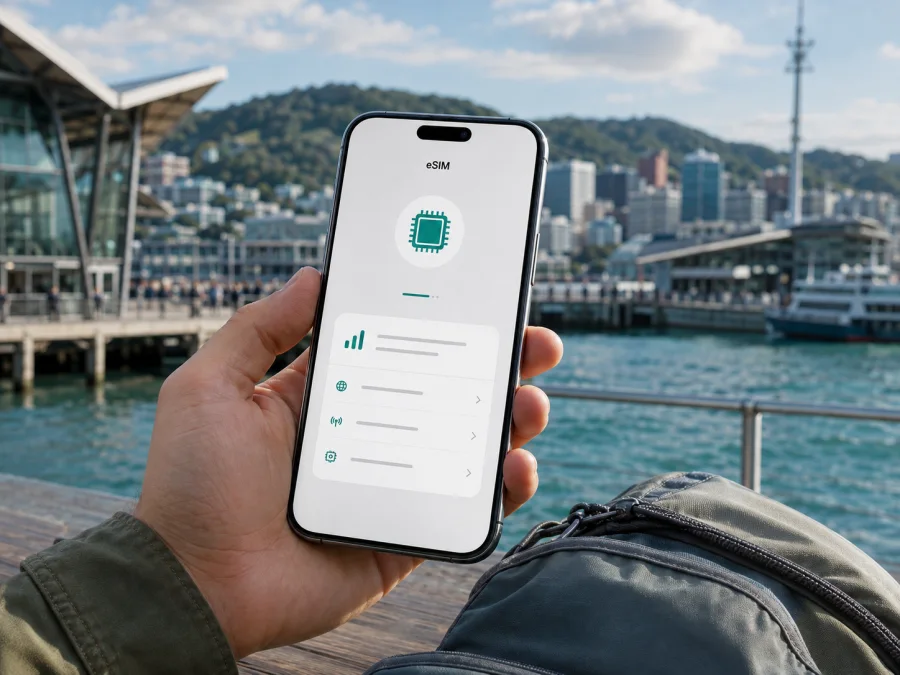
Slingshot Mobile eSIM in New Zealand: what travelers should check
If you are planning a trip to New Zealand and searching for Slingshot Mobile eSIM support, start with this distinction: current public pages confirm Slingshot Mobile as a New Zealand mobile service, but they do not confirm that Slingshot Mobile itself issues an eSIM to new or existing customers. This article records the position checked on 4 September 2026 and explains the practical checks and alternatives that matter before departure.
Quick answer
Slingshot Mobile is a local consumer mobile service associated with Slingshot’s wider connectivity offer. Slingshot’s current mobile page says that the service is provided via the 2degrees network and describes availability nationwide. It also describes the service generally as prepay mobile with postpay billing.
The eSIM question remains unconfirmed for Slingshot Mobile. Its joining help describes a physical SIM being sent to a new customer, and its activation help says to insert that SIM into a phone. The Slingshot Mobile Help index lists guidance for physical SIM activation, APN settings, roaming and coverage, but no dedicated Slingshot eSIM setup page was found during the live check. This is not proof that support can never be introduced; it means that support was not confirmed by the current public Slingshot Mobile material reviewed here.
In brief, the current pages support Slingshot Mobile as a 2degrees-wholesale New Zealand service with a general prepaid model, physical-SIM joining flow and 4G/5G/VoLTE checks. Slingshot Mobile’s conditions can change, so confirm the latest position with Slingshot before relying on it for a particular journey.
What is confirmed about Slingshot Mobile eSIM?
The responsible answer to “Does Slingshot Mobile support eSIM in New Zealand?” is: confirmation was not found on the verification date. Slingshot Mobile’s joining help says that a new customer receives a SIM by post, and its activation help says to put the new SIM card into the phone. The official Slingshot Mobile Help index open during the check contains mobile topics but does not list a Slingshot eSIM article.
The 2degrees website does have current eSIM pages. Its help content explains QR-code profile setup, selected iOS and Android compatibility, and eSIM options within 2degrees’s own signup and account flows. Those pages confirm an eSIM offering for 2degrees customers. They do not, by themselves, confirm that a Slingshot Mobile account uses the same eligibility rules or conversion process.
If you specifically want a Slingshot Mobile eSIM, ask Slingshot Mobile support to confirm:
- whether a new line can be issued as an eSIM;
- whether an existing physical SIM can be converted;
- whether the process is online or requires a store or support agent;
- which device models and regional variants are accepted;
- when the profile becomes active and which settings are required;
- whether a visitor or customer without a New Zealand billing relationship can join.
The Slingshot Mobile pages reviewed do not set out a dedicated tourist eSIM pathway or general visitor-document checklist. Do not infer a passport rule, residency rule or instant activation from that silence. Confirm eligibility, delivery, identification and activation directly with the operator. If current support cannot be confirmed, plan around a separate travel eSIM or another documented connection method.
Prepaid and tourist use
The current joining help says that a customer adds mobile through the online My Slingshot account, chooses the mobile service there and then receives a physical SIM by post. The activation help describes inserting the new SIM into the phone. No separate tourist-specific Slingshot Mobile offer was confirmed on the official pages opened for this article. A short-term option could be discussed with support or introduced later, but it should not be assumed.
If the trip begins soon, a posted SIM requires a delivery address and time for arrival. A travel eSIM can be prepared digitally, but it still requires an eSIM-capable unlocked phone, a stable internet connection during installation and careful line selection in the settings.
Network, technologies and coverage
Slingshot Mobile’s current customer information says the service is provided via the 2degrees network. The Slingshot Mobile Help page about its supplier publishes a 2degrees coverage statement referring to 98.5% of places where people in New Zealand live and work. This is not a guarantee of signal across every road, hiking route, building, island, valley or rural location. Slingshot’s coverage help notes that location, hills, valleys, buildings, rural gaps, device settings and outages can affect service. Its terms say that coverage, reliability, speed and quality are not guaranteed because the service depends on upstream providers.
Check the current coverage tool for the places on your itinerary and allow for indoor conditions, terrain and transport routes. If you are heading to a remote area, do not treat a population-based statement as a promise for the full route. Keep essential travel information available offline when appropriate.
Technology requirements also matter. Slingshot’s current mobile page says that its 3G service was being shut down by the end of 2025 and asks customers to check whether their phone is VoLTE capable. The page refers to 4G and 5G as the relevant direction for the network transition and marks the mobile service as 5G ready. Because handset support differs by model and region, use current VoLTE guidance and the manufacturer’s specifications. A phone that accepts a SIM is not automatically suitable for every voice configuration.
If you take a Slingshot Mobile line outside New Zealand, its roaming help says that mobile data and data roaming must be enabled abroad and that a suitable network may take a few minutes to be selected. Its VoLTE guidance adds that the destination must support the relevant arrangement and that the device must be capable and configured correctly. Destination availability and conditions change, so check current roaming information before departure.
Kaspersky eSIM Store as a travel-data alternative
Kaspersky eSIM Store is not a mobile operator, network owner or provider of its own radio coverage. It is an app and website that helps a traveler choose, arrange and activate an eSIM with a mobile-data option for an overseas trip. Here it is a separate planning route for New Zealand travel, not a Slingshot Mobile product and not a replacement for a local New Zealand number.
Kaspersky’s official blog article about the service, published 17 June 2025 and checked during this run, describes selecting a destination, preparing an eSIM, installing it on a compatible smartphone and enabling it when needed. The current Kaspersky eSIM Store listing on Google Play was updated 9 July 2026 and describes step-by-step installation. Travelers must still read current conditions for the selected destination and device.
For New Zealand, the country CTA below leads to the Kaspersky eSIM Store destination page. Use it to review current travel-data options and verify that the destination, device and activation instructions match your trip. This does not confirm Slingshot Mobile eSIM support and does not turn Kaspersky eSIM Store into a local operator.
Choose an eSIM plan for New Zealand
Kaspersky’s official product article explains that the travel eSIM described there is focused on mobile data rather than ordinary voice calls. The regular SIM can remain in the phone for existing functions. Do not assume that a travel-data eSIM supplies a local phone number or ordinary voice and SMS service unless current product conditions explicitly say so.
The arrangement can be useful when you want to keep a primary physical SIM installed while using a separate data line abroad. Select the correct line for mobile data, decide whether the home line should remain active and understand when roaming is enabled for each line. An incorrect data-line selection can make the phone appear offline even though the eSIM profile is installed.
Kaspersky eSIM Store is not affiliated with Slingshot Mobile and is not presented here as its official partner or distributor. Slingshot Mobile, 2degrees and other names mentioned in this article remain the property of their respective owners.
Prepare before leaving for New Zealand
- Decide whether you need mobile data, a local number, ordinary calls, texts or continuing account support.
- Check the exact device. Confirm eSIM capability if choosing a digital profile, confirm that the phone is not operator-locked and check the sales region.
- Ask Slingshot Mobile about eligibility, the current physical-SIM or eSIM process, delivery or collection and activation.
- Check New Zealand in the travel eSIM service, read its activation instructions and keep the QR code or in-app guidance available.
- Save support details before departure, since a visitor may not have convenient store or Wi-Fi access after landing.
Install a travel eSIM on Android or iPhone
Menu labels vary by manufacturer and operating-system version. Follow the current instructions supplied with the eSIM.
Android
- Connect to stable Wi-Fi or another working data connection.
- In Settings, open the mobile-network or SIM manager section and choose Add eSIM or Add mobile plan.
- Scan the supplied QR code or use the in-app flow, then label the line clearly.
- Select the travel eSIM for mobile data, enable data roaming for that line only if required, and allow several minutes for registration.
- Test a simple webpage.
iPhone
- Connect to stable Wi-Fi or working mobile data.
- Open Settings, choose Mobile or Cellular and tap Add eSIM.
- Scan the QR code or use the supplied activation method, then label the travel line.
- Select it for mobile data, follow the provider’s instruction about data roaming, wait for registration and test the connection.
Do not delete a working eSIM because the first connection takes time. First check installation status, the selected data line, airplane mode, mobile data and the provider’s instructions. If the profile is data-only, leave voice and text defaults on the intended line.
Connection troubleshooting
If a Slingshot Mobile physical SIM does not connect, the Slingshot Mobile Help troubleshooting page recommends separating a handset problem from a SIM problem and checking VoLTE when roaming. Restart the phone, check automatic network selection and contact Slingshot Mobile support if necessary. Avoid changing advanced APN values unless current operator instructions tell you to do so.
For a travel eSIM, check the profile, switch it on, assign it to mobile data and confirm whether data roaming is required. Toggle airplane mode once, review the destination and device conditions, and contact support before deleting the profile.
FAQ
Does Slingshot Mobile currently confirm eSIM for New Zealand?
No current Slingshot Mobile page reviewed on 4 September 2026 confirmed that Slingshot Mobile itself issues an eSIM. Its public joining and activation help describes a physical-SIM flow. Check with Slingshot Mobile support before deciding.
Can a tourist order Slingshot Mobile in New Zealand?
The pages checked do not confirm a dedicated tourist route or universal visitor eligibility. The joining help centers on a My Slingshot account and physical-SIM delivery. Ask Slingshot Mobile about your circumstances before relying on it.
Does Slingshot Mobile use 4G and 5G?
Current Slingshot Mobile information refers to 4G and 5G and asks customers to check VoLTE capability as 3G service is transitioned out. Verify the exact device model, regional variant and operator guidance.
Is coverage guaranteed everywhere in New Zealand?
No. Slingshot Mobile publishes a network coverage statement through its 2degrees wholesaler, but its terms and help pages explain that location, terrain, buildings, outages, device settings and network conditions affect service.
Can Kaspersky eSIM Store replace a Slingshot Mobile number?
No. Kaspersky eSIM Store helps arrange a travel eSIM for mobile internet. The travel eSIM described in Kaspersky’s public product article is data-focused and should not be treated as a replacement for a local number, voice service or SMS.
Final checklist
Before departure, confirm the exact status of Slingshot Mobile eSIM with Slingshot Mobile if that is your preferred route. Confirm whether you need a local number, whether the physical-SIM flow works for you and whether your device supports the relevant 4G, 5G and VoLTE requirements. If you choose a travel eSIM, confirm New Zealand support, device compatibility, activation instructions and the line that will carry mobile data.
After arrival, keep mobile data assigned to the intended line, enable data roaming only where instructions require it and allow a few minutes for registration. If service is unavailable, test settings before assuming that the profile or SIM is defective. For rural or remote travel, keep offline maps and essential details available because no coverage statement guarantees a signal at every location.
This article was checked on 4 September 2026 against current Slingshot Mobile pages, Slingshot Mobile Help articles, 2degrees eSIM guidance and Kaspersky’s public product materials. Operator support, device compatibility, network arrangements, roaming conditions, eSIM availability and travel products may change. Confirmation of Slingshot Mobile eSIM support was not found on that date; check the latest information with Slingshot Mobile before joining or travelling.


