Travel connectivity guide
Smart eSIM in Cambodia: traveler guide
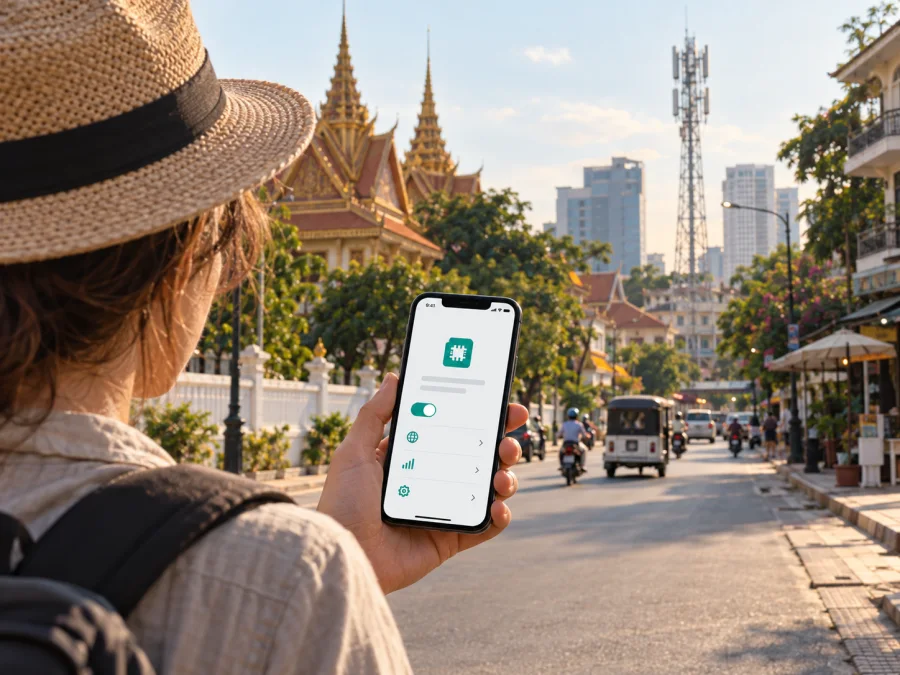
Smart eSIM in Cambodia: what travelers should know
Smart is a mobile operator in Cambodia, and its current website confirms that customers can obtain a Smart eSIM through SmartNas, the operator’s website, or a Smart Shop. This guide explains what a visitor should check before choosing that route, how activation works, and why device compatibility and local coverage matter. Smart Axiata’s eSIM page and coverage resources were checked on 25 September 2026; network availability and operator procedures can change, so confirm the details again before travel.
Smart and Smart Axiata are names and marks of their respective owner. Kaspersky eSIM Store is not affiliated with, endorsed by, or an official partner or distributor of Smart Axiata.
What Smart offers in Cambodia
Smart Axiata operates a mobile network in Cambodia and provides mobile services through physical SIM and eSIM options. Its public eSIM page is direct evidence that eSIM is currently offered: the operator describes buying a new eSIM as well as using the SmartNas app for eSIM actions. The same page directs a new customer to SmartNas and gives website and Smart Shop as other purchase channels. A visitor should check which channel is available to them and whether any identity or payment step must be completed in person.
Smart also maintains prepaid services and a visitor-oriented offer for people arriving in Cambodia. Smart Axiata’s public traveler page, checked on 25 September 2026, says visitors can obtain its tourist SIM at Smart booths at international airports in Cambodia. That offer is useful context when comparing a local connection with a travel eSIM, but the public page describes the tourist SIM separately from the eSIM purchase flow. Do not assume that every visitor offer is issued as an eSIM. Ask Smart directly whether the specific option you want can be provided digitally, and verify the current conditions before making plans.
Smart’s local eSIM may suit travelers who need a Cambodian mobile line and can complete local registration. A travel eSIM is a separate way to arrange mobile data for a trip, often before departure. Choose based on whether you need a local number, whether your device is compatible, and the current conditions for your destination.
Smart’s eSIM page lists a compatible phone, Wi-Fi access during purchase, and a national identity card or valid passport among the requirements for buying a new eSIM. Its illustrated process also includes scanning the identity document and a face-verification step. This is important for international visitors: bring the passport you used for travel, keep it available, and make sure that the document details can be read clearly if you complete verification in the app. Requirements may depend on the channel or customer status, so confirm them with Smart if your passport, visa status, or payment method raises a question.
Check coverage and phone compatibility before you go
Smart’s online coverage checker distinguishes between 4G mobile, 5G mobile, and 4G Wi-Fi availability and lists areas by province and district. The list includes Phnom Penh and other locations across Cambodia. Its 5G page also describes service availability across cities and provinces, while the Telecommunication Regulator of Cambodia reported in June 2026 that Smart had deployed 5G base stations in Phnom Penh and a number of provincial areas. Smart’s 5G coverage checker was opened on 25 September 2026, and the regulator’s update was published on 9 June 2026. These sources establish that 4G and 5G are present in parts of the country; they do not promise coverage at every address or along every journey.
Check the specific places on your itinerary instead of treating a country-level label as a guarantee. Coverage can vary by street, building, route, terrain, and device. Download maps and essential travel details before leaving Wi-Fi, especially if you expect to travel outside larger cities.
Smart’s current coverage tools list 4G mobile and 5G mobile service. A phone uses only the technologies supported by both its hardware and the network at its location. An eSIM does not change the phone’s radio capabilities, and 5G availability is not universal.
Check the exact phone model and regional variant in the manufacturer’s specifications. Confirm that the settings include an option to add an eSIM and that the device is not carrier-locked. Similar model names can have different capabilities by market. Check eSIM support and 5G compatibility separately using Smart’s compatibility information and the phone maker’s specifications.
If you plan to keep your home number active, check how your phone handles multiple SIM profiles and select the intended line for mobile data. Review roaming settings on your home line, and ask the carrier or administrator about any device restrictions before travel.
How to obtain and activate a Smart eSIM
Smart describes a self-service flow for new and existing customers. New customers begin in SmartNas, while existing customers can open the eSIM area; the operator also lists its website and Smart Shops as channels. Screen labels can change, so follow Smart’s current instructions.
Before you start
- Confirm that the phone supports eSIM and is not carrier-locked.
- Connect to stable Wi-Fi and keep the phone charged.
- Have your valid passport or other accepted identity document ready.
- Keep access to your email if the process requests it.
- Follow current Smart instructions and terms.
Typical self-service sequence
- Open SmartNas, the Smart website, or visit a Smart Shop.
- Select eSIM and complete the device eligibility check.
- Verify your identity with an accepted document. Smart’s new-customer instructions include document scanning and face verification.
- Review your details and complete the on-screen purchase steps.
- Keep the app open and Wi-Fi connected until processing is complete.
- Follow Smart’s activation and device-specific installation instructions.
- In phone settings, enable the Smart profile and select it for the services you intend to use.
- Allow the phone to register. If it does not connect, follow Smart’s troubleshooting steps before deleting the profile.
Smart describes activation after purchase and different app paths for new and existing customers. If you are converting an existing service, confirm whether you need a new line or an eSIM replacement before starting. Ask Smart for guidance before removing a profile, since restoring it may require operator help.
If you choose a travel eSIM instead
A compatible travel eSIM can be prepared before departure using a stable internet connection. Kaspersky’s official product announcement, published on 17 June 2025, describes Kaspersky eSIM Store as an app and website that helps travelers choose, order, and activate an eSIM for mobile internet abroad. It is not a mobile operator, does not own a Cambodian network, and does not itself provide the connection.
Check the destination coverage, activation instructions, and whether the travel eSIM is data-only. It may not include a Cambodian number, ordinary calls, or SMS. If you need those services, confirm what the chosen option supports. Review Kaspersky eSIM Store for Cambodia to see whether a travel-data setup fits your trip.
Smart’s eSIM is a local operator service subject to Smart’s registration and terms. A travel eSIM is arranged through its own app or website for travel connectivity. Both rely on a compatible, unlocked phone and local network availability. Ask Smart about local-number needs, or check destination coverage and conditions if arranging travel data in advance.
Traveler checks for Cambodia
Registration is part of Smart’s published new-customer process: the operator lists a national identity card or valid passport and shows document scanning and face verification. Allow time for the check and make sure your document details are legible and accurate. If the app cannot verify your document, contact Smart or ask at a Smart Shop about the current process.
Because setup uses an internet connection, arrange Wi-Fi if you plan to complete it after arrival. Keep your current SIM until the new profile is installed and connected. If you need your home line for verification messages, confirm that it can remain active and review data and roaming selections.
Smart’s traveler information says visitors can obtain its tourist SIM at booths at international airports in Cambodia. This is described separately from the eSIM flow. Booth hours, availability, and registration can change, so check current arrangements before relying on an airport counter after a late arrival.
For a short visit, consider the time needed for registration and setup. For a longer stay, a local line may be useful if you need a Cambodian number. On a multi-country itinerary, check coverage for each destination rather than inferring regional availability from a Cambodia-only option.
A coverage checker is a planning aid, not a live guarantee. Save bookings, maps, and important contacts for offline access, and check overnight stops on road trips. Mobile data, location services, and hotspot use can drain a phone battery, so plan for charging during long travel days.
Choose the intended line for mobile data, calls, and messages in your phone settings. If your home line remains enabled, review its roaming settings. Some phones can switch data between SIMs automatically, so check that setting if you want to control which line is used.
Some services require an account or local number in addition to mobile data. If you need a Cambodian number for calls or verification, confirm that the selected service supports it. A data-focused travel eSIM may suit maps, email, and messaging, but check whether voice or SMS is included.
Troubleshooting after installation
If the eSIM does not appear after purchase, review the confirmation and SmartNas instructions and check that you are using the right account and phone. Do not delete the profile as a first step; reinstallation may require operator help. Keep the purchase details and contact Smart if setup is incomplete.
If the installed profile has no connection, check that it is enabled and selected for mobile data and that airplane mode is off. Restart the phone and check coverage for your location. If service remains unavailable, use Smart’s troubleshooting guidance before changing or removing the profile.
If 5G does not appear, check device compatibility, the phone’s network setting, and Smart’s current coverage information. A 4G connection where 5G is unavailable does not by itself indicate an eSIM problem.
If identity verification fails, check that the document image is clear and the details match. Make sure the app can access the camera and return to stable Wi-Fi before trying again. Contact Smart if verification continues to fail.
Frequently asked questions
Is Smart eSIM available in Cambodia?
Yes. Smart Axiata’s current Smart eSIM page describes the purchase and activation process and lists SmartNas, the operator’s website, and Smart Shops as channels. The page was checked on 25 September 2026. Availability for a particular visitor still depends on device compatibility, registration, and the current purchase process.
Does an eSIM guarantee 5G throughout Cambodia?
No. Smart lists 4G and 5G coverage by area, and the available technology depends on the location and the phone. Check the operator’s current coverage information for the places you plan to visit, and confirm that your exact device variant supports eSIM and the relevant network technology.
Is Smart’s visitor offer automatically an eSIM?
The operator’s traveler page describes a visitor SIM available at airport booths, while its eSIM page separately describes eSIM purchase. The public pages do not establish that every visitor offer is digital. Ask Smart whether an eSIM version is currently available and what registration applies before you rely on it.
Does a travel eSIM replace a local Smart number?
Not necessarily. A travel eSIM may provide mobile data without a Cambodian telephone number, voice calls, or SMS. Check the specific service details if you need local calls, text messages, or a number for account verification. Keep your existing line available if you need it, and review the phone’s line settings.
A practical decision
Choose Smart eSIM if you want a local operator connection and can meet Smart’s current identity, device, and activation requirements. Check the coverage for your itinerary and ask Smart about any local-number or service needs before purchase. A visitor-oriented offer exists, but its public description is distinct from the eSIM flow, so verify the format directly if you specifically want an eSIM.
Consider a travel eSIM if preparing mobile data in advance is more important than getting a Cambodian number. Check its destination coverage, supported device, activation timing, and whether it includes data only. Kaspersky eSIM Store is an app and website that helps travelers choose, order, and activate an eSIM for mobile internet abroad; it does not operate Smart’s network or provide the underlying mobile service. It can be one option to review alongside Smart’s local service, depending on the needs of your trip.
This article is independent editorial information. Smart and Smart Axiata retain their respective trademarks; Kaspersky eSIM Store has no affiliation with or official relationship to Smart Axiata. For the latest eligibility, registration, activation, and coverage information, use Smart Axiata’s current public support resources or contact the operator before travel.


