Travel connectivity guide
Sochi eSIM: Mobile Internet and Travel Connection
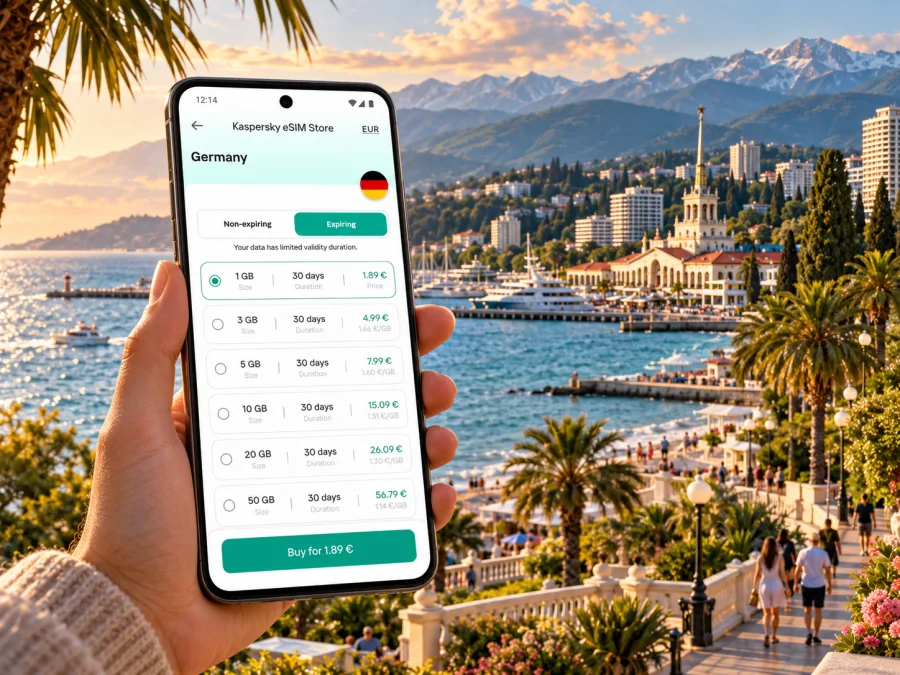
Sochi eSIM for mobile connection and internet on the Black Sea coast
Sochi combines a long Black Sea shoreline with foothill and mountain routes, so a trip can move between the airport, a hotel, the city centre, the coast and Krasnaya Polyana. A travel eSIM can be useful for maps, messages, bookings and ride coordination, but mobile data in the Russian Federation needs a little more planning than simply scanning a QR code. The exact eSIM plan, its roaming partner and current local restrictions determine when data will work. Check the live terms before departure and prepare an offline fallback for arrival.
Why mobile data planning matters in Sochi
The name Sochi covers a broad resort area rather than a compact centre. Visitors may stay in Adler near the airport, spend an afternoon in Central Sochi, continue north along the coast, or travel inland toward the mountains. These are different journeys with different distances and terrain. A connection that is convenient for checking a hotel address in town is also useful for confirming a train platform, sharing a pickup point or reopening a saved route after plans change.
A phone with mobile data can help you:
- check directions from the airport or railway station to your accommodation;
- message a host if arrival time changes;
- compare a route along the coast with a transfer inland;
- access booking details, tickets and translation tools while away from Wi-Fi;
- share your location with a travel companion;
- look up opening hours or make a reservation while walking around.
An eSIM is a digital SIM profile installed on a compatible device. It can provide a separate data line while your usual SIM remains available for its normal functions, subject to your device and plan settings. Travel eSIMs are commonly data-focused: do not assume the plan includes a Russian phone number, ordinary voice calls or SMS unless its terms explicitly say so. Keep your usual number available for account verification if needed, and check its roaming charges separately.
A useful rule for Sochi: plan connectivity around the first hours after landing, the route between districts and any time spent outside the central coastal area. Do not base an itinerary on a promise of uninterrupted data in every location.
Arrival at Sochi International Airport
Sochi International Airport serves the resort area and is located in Adler. After landing, you may need to contact a driver, find your accommodation’s transfer point or choose onward transport. Save the exact address in both Latin and Cyrillic characters if your host has supplied it. A screenshot of the booking, arrival instructions and a map pin will remain available if mobile data is delayed or unavailable.
The airport’s transport options and schedules can change. Before travelling, check the current airport and carrier information for buses, taxis and rail connections rather than relying on an old timetable copied into a travel blog. At the airport, use the name of your destination district when asking for directions: “Central Sochi” and “Adler” are not interchangeable pickup points. If you have arranged a driver, agree on the meeting location in advance and keep their message accessible offline.
First-hour checklist
Before leaving the terminal, confirm that you can access:
- Your accommodation address and reservation number.
- A map with the airport and destination pinned or saved offline.
- The phone number or message thread for your host or driver.
- A payment method that you have already confirmed will work for the trip.
- A route to the next stop, including a backup if the first option is delayed.
Airport Wi-Fi may be available, but treat it as a temporary aid rather than your only connection plan. A network login can require a text message, and a public network may not be convenient for every task. Avoid postponing essential travel details until you are standing at the curb.
Understand the city before choosing a data plan
Sochi’s coastline runs through several districts, and the resort area also reaches toward the Caucasus foothills. A beach stay near Adler, a conference in Central Sochi and a mountain excursion are not the same coverage scenario. When you compare eSIM options, first confirm that the plan explicitly includes the Russian Federation and check whether its service is provided through roaming. A plan labelled for a broad region may have different country inclusions or network conditions from a country-specific option.
| Trip pattern | What you may need online | Planning detail |
|---|---|---|
| Airport to hotel | Map, driver messages, booking | Save the address and pickup instructions before boarding |
| Central Sochi stay | Walking routes, restaurant details, ride coordination | Download the city area in your map app where possible |
| Adler or Imeretinsky stay | Local directions and onward transport | Confirm whether the stop is in Adler or in the separate Sirius federal territory |
| Coast-to-coast rail or road trip | Timetables, tickets, changes to plans | Keep screenshots of tickets and station names |
| Krasnaya Polyana excursion | Route details and meeting point | Download maps in advance; mountain terrain can affect signal |
| Work trip | Email, calendar, calls through data apps | Test critical services before relying on them for a meeting |
Sirius is a separate federal territory beside the resort area. If your itinerary includes an event or hotel there, enter the exact destination in your navigation app rather than assuming that every “Sochi” address is inside the same administrative area. This distinction matters for directions and pickup arrangements, not because your eSIM automatically changes when you cross a boundary.
Before choosing, note the spelling and district of every address in your itinerary. Sochi’s extended coastal layout means that a hotel, meeting venue and airport transfer can be many kilometres apart even when all are described casually as “Sochi.” Put each stop into your map app separately, then consider whether you will need live route updates or can rely on saved directions. This helps you estimate data use and avoids confusing a regional plan label with a promise of uninterrupted coverage.
If you want to compare currently listed options, use the Russian Federation page to check available eSIM plans for your trip. The page is a place to review what is currently shown; availability, network arrangements and conditions can change, so confirm that the particular option suits your dates and route before purchasing.
Check Russian Federation roaming conditions before you travel
A travel eSIM may connect through an international roaming arrangement. That is different from obtaining a domestic Russian SIM or eSIM from a local operator. The difference matters in the Russian Federation: published guidance from roaming providers has described a temporary restriction on mobile data and SMS after a roaming SIM first registers on a Russian network. The timing, verification process and service behavior can depend on the provider and current rules. Do not assume every plan is affected in the same way, or that a data connection will be available immediately on arrival.
Local operator registration is a separate process. Current operator guidance says that foreign citizens may need Russian identity and account steps, biometric registration and device information to obtain a domestic SIM or eSIM. These requirements are not completed by installing an international travel profile. If you need a Russian number for a longer stay, check the operator’s current official requirements before you travel and allow time for in-person steps.
For a short visit, make your first-day plan resilient:
- download offline maps and essential translation packs before departure;
- keep your hotel’s address, transfer details and ticket information available offline;
- ask your eSIM provider whether Russia is included and whether roaming restrictions or an activation delay apply;
- leave time for a connection to register and follow any provider instructions;
- keep another way to contact your accommodation, such as a saved phone number or a prearranged meeting point;
- do not rely on a travel eSIM for emergency calls unless its service terms specifically confirm voice service.
This is a practical uncertainty to plan for, not a reason to assume that mobile service will fail. The eSIM’s country inclusion, network partner, device configuration and conditions in effect on your travel date all matter. If uninterrupted connectivity is essential for a work or safety plan, arrange a backup channel before departure.
Estimate your data needs from the way you travel
The right plan depends less on the city name than on how you will use your phone. A visitor who mainly checks messages and directions can use much less data than someone who streams video, uploads large files or works remotely. Use your phone’s data-use history as a starting point, then add a buffer for unexpected route changes. Check whether the plan’s validity begins at installation, first network connection or another event; do not infer the start date from the word “activation” alone.
| Use | Typical data impact | Practical choice |
|---|---|---|
| Messaging and text-only updates | Low | Turn off automatic media downloads when data is limited |
| Maps and route checks | Low to moderate | Download offline areas; use mobile data for live changes |
| Photo sharing and social feeds | Moderate to high | Upload on trusted Wi-Fi when convenient |
| Video calls and streaming | High | Use Wi-Fi where appropriate and monitor data use |
| Remote work with cloud files | Variable, sometimes high | Test the exact apps and estimate file transfers before travel |
These are relative categories, not promised consumption figures. Map settings, media quality, background sync and app updates can change data use significantly. On arrival, disable automatic app updates over mobile data if you want to control consumption. Keep an eye on the eSIM line’s usage display and the provider’s account page, if available.
A simple selection sequence
- Write down the route. Include the airport, accommodation, planned districts and any trip inland.
- Check country coverage. Confirm that the plan includes the Russian Federation, not only a nearby region or a list that looks similar.
- Read the network and roaming notes. Look for country-specific limitations, required settings, activation conditions and support instructions.
- Match the validity period to your trip. Verify when the validity clock begins and what happens if you install the profile early.
- Estimate usage. Separate everyday navigation and messaging from video, hotspot use and work uploads.
- Compare the final terms. Review data amount, validity, device limits, top-up rules and refund conditions as displayed at the time of purchase.
Kaspersky eSIM Store is an app and website where travellers can choose, arrange and activate an eSIM plan for mobile data abroad. The products and related services are provided by a technology partner. A listing is not a guarantee of coverage at every point in Sochi, and it does not replace the plan’s own terms.
Device and line checks before purchase
Confirm that your phone or tablet supports eSIM and is not locked to a different carrier. Support varies by device model, country version and hardware variant; a familiar model name alone is not enough to establish compatibility. Check the exact variant shown in your device settings or packaging and use the device compatibility check before purchasing. If you have two SIM lines, also confirm that your device can keep the intended combination active at the same time.
A short pre-purchase checklist:
- eSIM support is confirmed for your exact device variant;
- the phone is carrier-unlocked;
- the operating system is up to date and you can open the installation instructions;
- you have reliable Wi-Fi for downloading the profile;
- you know which line will provide mobile data after installation;
- you understand whether data roaming must be enabled for that eSIM;
- your usual SIM’s roaming and call costs are clear;
- the plan includes the Russian Federation for your dates and has no conflicting restrictions.
Do not delete an eSIM profile to troubleshoot unless the provider tells you to do so. Some profiles cannot be installed again after removal. Save the purchase confirmation and any support instructions somewhere accessible without mobile data.
Install and prepare the eSIM
Complete setup while you have a stable internet connection and enough time to read each screen. The exact steps vary between manufacturers and operating system versions, so use the current guide for your device: eSIM installation instructions for Android or eSIM installation instructions for iOS.
A cautious setup flow looks like this:
- Check that the device is compatible and unlocked.
- Review the plan’s coverage, validity start, data allowance and restrictions.
- Install the eSIM profile using the provider’s instructions. Keep the QR code or activation details private.
- Label the new line clearly, for example “Travel data,” so it is easy to select later.
- Set your usual SIM as the line for your normal calls and messages if you need it for those services.
- Select the travel eSIM for mobile data when appropriate. Enable data roaming for that line only if the plan instructions require it.
- Keep mobile data switching between SIMs turned off unless you understand how your phone will choose a line and how charges may apply.
- Check the provider’s activation instructions before departure; installing a profile and starting its validity period may be separate events.
If the plan is intended to start only after arrival, follow the provider’s directions on when to enable the line. If it activates on installation, installing at home may use part of the validity period. The displayed terms, rather than a general rule about eSIMs, determine the right timing.
Moving around the coast and toward the mountains
For a day centred on Central Sochi, save the route between the station, accommodation and planned stops. For an Adler stay, pin the hotel and any meeting point separately from the airport. For a trip north along the coast, keep the names of the departure and arrival stations with your tickets. Do not assume that a short straight-line distance on a map means a quick road journey: the coastline and foothills shape the route, and traffic or service changes can alter travel time.
The mountain excursion to Krasnaya Polyana requires a different preparation from a walk along the seafront. Download the route and meeting-point details in advance, check transport information on the day and avoid depending on a live map in a remote or steep area. A phone may show a location through satellite positioning even when mobile data is unavailable, but map tiles, live traffic, messages and ride booking may still need an internet connection. Offline maps help with navigation; they do not provide current service alerts.
Frequently asked questions
Will an eSIM connect as soon as I land in Sochi?
Not necessarily. It depends on the plan, roaming partner, device settings and current conditions in the Russian Federation. Some roaming providers have published notices about temporary data and SMS restrictions after first connection to a Russian network. Verify the current terms and prepare offline arrival details.
Does a travel eSIM give me a Russian phone number?
Do not assume so. Many travel eSIMs are data-focused; ordinary calls, SMS and a local number must be expressly included in the plan terms. Keep your regular number available if needed and check home-network roaming costs.
Can I use an eSIM throughout Sochi and Krasnaya Polyana?
A country-level listing does not guarantee signal at every address or mountain location. Check the stated coverage and download maps before leaving the coast.
Does installing the profile start its validity?
It depends on the plan. Read its activation and validity wording; the start may be tied to installation, first connection or another stated event.
Can I get a local Russian SIM instead?
That has separate registration requirements. Current operator guidance describes additional steps for foreign citizens, potentially including in-person identity verification and local prerequisites. Check the chosen operator’s latest official process before relying on this option.
What if I need data for a transfer immediately?
Save the address, route and driver details before departure. Agree on a meeting point and use airport Wi-Fi if available. Ask your eSIM provider whether a first-connection restriction or verification step applies to your plan.
Should I delete the profile after the trip?
Follow the provider’s instructions. Do not remove a profile unless you know it can be reinstalled or support recommends doing so.
A practical connection plan for Sochi
For Sochi, check your exact device, the Russian Federation plan terms, roaming and validity rules, and offline access for arrival. A country listing does not guarantee signal at every stop.
When you are ready, review the eSIM options currently shown for the Russian Federation, compare their terms with your itinerary and choose only if the stated conditions fit your trip. Kaspersky eSIM Store helps you select, arrange and activate an eSIM plan for mobile data abroad; check the plan details and current local conditions before relying on it in Sochi.


