Travel connectivity guide
Sokcho eSIM: Mobile Internet for Your City Trip
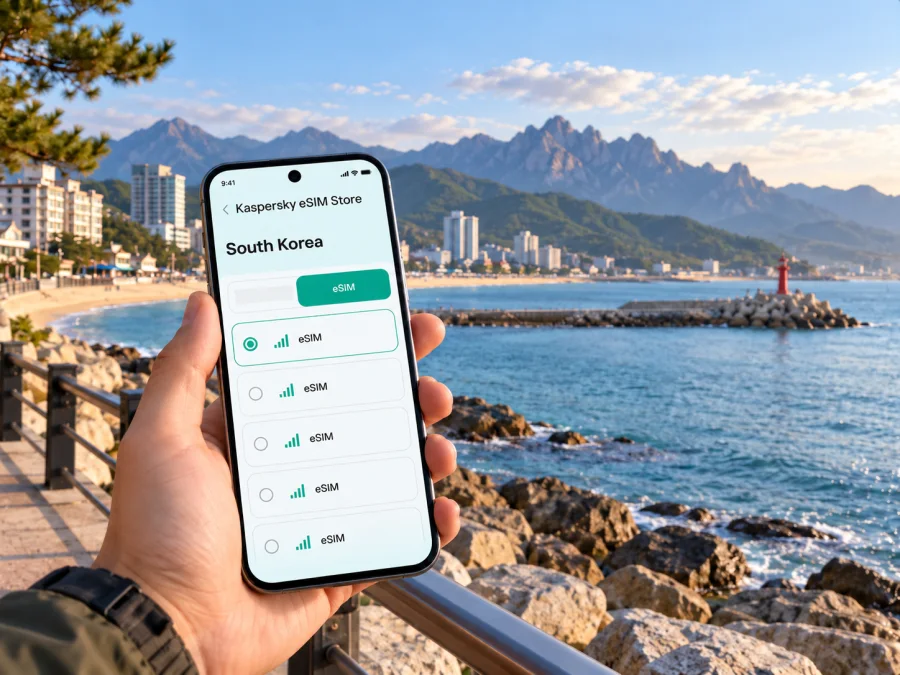
Sokcho eSIM: Plan Your Mobile Connection and Internet for the City
Sokcho combines an East Sea waterfront, a compact urban center and the Seoraksan mountain area, so a day can move from a bus terminal to a beach, market or trailhead. A travel eSIM can help you use mobile internet for maps, bookings and messages without swapping out your usual physical SIM. The useful preparation is city-specific: know how you will reach Sokcho, which parts of town you plan to visit, and whether your chosen South Korea plan and device fit the whole route.
Why mobile internet helps in Sokcho
Sokcho is a coastal city in South Korea’s Gangwon State, on the country’s east coast. The city sits between the East Sea and the Seoraksan range. That geography shapes a visit: the beach and central neighborhoods are one kind of outing; Seoraksan’s entrances and mountain scenery are another. You may switch between them over the course of a stay, and mobile data is useful for checking directions and the next leg as plans change.
A connection can be useful for:
- checking your arrival terminal, lodging address and pickup point;
- finding a route between Sokcho Beach, the central market area, Cheongchoho Lake and your hotel;
- checking local bus or taxi options before leaving a stop;
- confirming a restaurant reservation or translating a short message;
- downloading a map, checking trail access information and sharing your location with a travel companion;
- handling a work call or updating a booking while away from hotel Wi-Fi.
A connection is a tool, not a substitute for planning. Save your accommodation address in Korean and English, keep a screenshot of bus tickets and reservations, and download an offline map for any mountain or coastal walk where you may not want to rely on continuous data. In Seoraksan, stay on marked routes and follow park notices; a mobile signal should never be treated as guaranteed in every terrain or weather condition.
Getting to Sokcho and staying oriented
Many visitors travel to Sokcho from Seoul by express or intercity bus. The Korea Tourism Organization lists Sokcho services from both Seoul Express Bus Terminal and Dong Seoul Terminal; the correct departure point depends on the service. Check the terminal and arrival point on your ticket for the travel date.
If you land at Incheon, plan the airport-to-Seoul leg separately from the onward bus. Check the airport’s intercity bus search for current options; if none fits, allow time to reach the Seoul terminal on your ticket. Save the ticket details offline.
Sokcho has more than one bus terminal. Match your hotel’s address to your arrival point, and save the address in Korean as well as English. For a late arrival, confirm check-in arrangements before departure.
A practical arrival checklist
- Check which Seoul terminal your bus departs from and which terminal it reaches in Sokcho.
- Save the ticket, QR code or booking reference as a screenshot.
- Copy your lodging address in Korean and English into your notes.
- Confirm how to travel from the Sokcho arrival terminal to the accommodation.
- Keep your primary SIM settings unchanged until you know which line you want to use for mobile data.
- If you are using an eSIM, install it while you have a stable internet connection and follow the plan’s own activation instructions.
Choosing a base and planning city days
Sokcho’s attractions are spread across several areas rather than arranged around one central pedestrian district. A hotel near Sokcho Beach can make a coastal walk convenient; a stay nearer the downtown market or Cheongchoho can simplify food stops and trips around the center. Accommodation closer to Seoraksan may suit a hiking-focused itinerary but can add travel time to the beach and city center. Compare the actual address with your daily plan, not only the hotel’s neighborhood label.
| Trip style | What to keep easy to reach | Why a data connection is handy |
|---|---|---|
| Short coastal break | Sokcho Beach, the promenade and nearby places to eat | Check directions, opening updates and return transport as you walk |
| Market and city-center visit | Sokcho Tourist & Fishery Market, nearby streets and Cheongchoho | Find the right entrance, save a meeting point and navigate back to your lodging |
| Mountain-focused stay | Seoraksan National Park access and your chosen trail or attraction | Review route details and notices before departure; download information in advance |
| Work trip | Hotel, meeting venue and bus terminal | Recheck addresses, send updates and use maps between appointments |
| One-night stopover | Arrival terminal, lodging and one main attraction | Keep the itinerary simple and avoid losing time on an unplanned cross-town transfer |
The Korea Tourism Organization’s coastal itinerary links Sokcho Beach, Sokcho Eye, Oeongchi Beach and the Badahyanggi coastal trail in a listed course of about 790 metres. Treat that as the route between those points, not the full distance from your hotel; check access conditions before setting out.
For a city-center day, use Sokcho Tourist & Fishery Market for a meal or browse, then walk near Cheongchoho Lake. Abai Village and its hand-pulled ferry are another distinctive stop; confirm current service details before timing a connection around them.
Plan Seoraksan as a separate excursion. The park has multiple access points and courses, so check the specific trail, current notices, weather and transport before leaving town. Carry water, a charged phone and offline directions. Service can vary by location, terrain, device and plan.
Pick an eSIM plan for the route, not just the city name
A mobile plan needs to match its stated destination. For Sokcho, confirm that it covers South Korea, then review data allowance, validity, activation rules and other conditions. If the trip continues across a border, check that destination separately.
Estimate your use: maps, messages and bus checks differ from frequent video calls, streaming, photo uploads or hotspot use. Compare your expected use and trip length with the plan details. Consider these questions:
- How many days will you need data, including arrival and departure?
- Will you use maps and messages, or also stream, upload files or use hotspot?
- When does the offer’s validity begin, and does it cover the full route?
- Which functions should remain on your usual SIM?
You can review available South Korea eSIM options for your trip and compare the conditions currently shown for each option. Kaspersky eSIM Store is an app and website where you can choose, arrange and activate an eSIM with a suitable plan for mobile internet while travelling abroad. The plan’s service and network conditions are determined by the selected offer; read those details before completing your choice.
Device compatibility and regional versions
Check your phone before purchasing an eSIM. Support can differ between device generations, exact model numbers and regional versions, even when the marketing name looks the same. A handset purchased in one market may not have the same eSIM capability as a similarly named version sold elsewhere. Also check whether the phone is carrier-locked, whether its operating system supports eSIM setup, and whether it can keep your normal SIM active alongside an eSIM if that matters to you.
Use the phone’s settings to look for an option to add an eSIM or mobile plan, and check the manufacturer’s support information for the exact model or regional variant. If the option is missing or the device’s status is unclear, confirm with the seller or original carrier before buying. Check your device’s eSIM compatibility before you select a plan.
Before purchase, confirm the exact model and sales region, verify eSIM support, check carrier-lock status, and review the plan’s destination and validity. Also make sure you have an internet connection for setup and decide which line should handle data, calls and texts.
Installing and using an eSIM in Sokcho
Install the profile before departure if the plan instructions allow it and you have a stable connection. Some plans begin validity at a particular activation or first-connection point, so read the offer’s terms first and choose the timing accordingly. Do not delete a profile to troubleshoot unless the instructions or support team tell you to; an eSIM profile may not be reusable after removal.
- Check the device and plan. Confirm compatibility, carrier-unlocked status, destination coverage and activation conditions.
- Open your eSIM details. Use the Kaspersky eSIM Store app or website to access the setup information for the selected plan.
- Add the profile. Follow the device prompts, using the provided installation method. Keep a second screen or printed QR code available if your phone cannot scan a code displayed on itself.
- Label the line. Give the new profile a clear name such as “South Korea travel” so you can identify it in mobile settings.
- Choose mobile data. Select the travel eSIM for data when you want to use it. Keep your usual line configured according to your needs for calls and messages.
- Check the plan instructions. If the plan requires data roaming for the eSIM, turn it on for that line only and follow the supplied guidance. Settings can differ by phone.
- Confirm connection. Once the plan is ready to use, check that mobile data works before relying on it for a transfer or meeting.
For device-specific steps, see the Android eSIM installation instructions or the iOS eSIM installation instructions. Menu names vary by operating-system version and manufacturer. If you are uncertain about when validity begins, use the plan details or contact support before activating it.
Moving around the city without losing your plan
Use mobile data to check the next leg, but verify the location on the ground. Bus stops can be on opposite sides of a road, and a route that looks short on a map may involve a transfer or a steep walk. Before setting out, check the stop name, direction of travel and final return option. When taking a taxi, show the saved Korean destination instead of relying only on the map pin; pins can point to a complex entrance, a large park or the wrong side of a building.
For a coastal day, save Sokcho Beach and your next stop before leaving the hotel. The local coastal route can be combined with a meal or market visit, but allow time for rest, photos and detours. On a mountain day, check travel time to the park entrance and confirm the return journey before you begin. Do not assume a city-center bus frequency or late-evening service without checking the current timetable.
If you are travelling with others, agree on a meeting point that has a recognizable name and save it in each person’s map. Share accommodation details and the plan for getting back. For a split itinerary, send a short message before leaving a busy area or trailhead. These small preparations are useful even when every phone has data: they reduce the chance that a low battery, poor signal or dead zone turns into a navigation problem.
If mobile data does not connect
Start with the least disruptive checks. Confirm that the eSIM profile is installed and enabled, that the travel eSIM is selected for mobile data, and that airplane mode is off. Check that the plan is active under its own terms and that you are in its covered destination. If the plan instructions call for data roaming, make sure it is enabled on the travel eSIM rather than indiscriminately changing settings on every line. A restart can help after checking these items, but avoid deleting the eSIM profile without guidance.
If there is still no connection, connect to trusted Wi-Fi when available and review the plan’s setup details. Check whether your exact device variant and carrier status support eSIM use. Note the time, location, device model and any error message before contacting support; those details make it easier to troubleshoot. A local Wi-Fi connection or your normal SIM’s roaming option can be a temporary fallback, subject to its own terms and charges.
A simple preparation plan
- Before travel: verify compatibility and carrier lock, review the South Korea plan’s terms, and save tickets, lodging details and offline maps.
- On arrival: confirm the selected data line, check your eSIM instructions and test navigation before leaving Wi-Fi.
- During the stay: check transport and park notices on the day, monitor usage if limited, and keep your phone charged.
- Before departure: confirm your next transfer and check whether the plan covers the next destination.
Frequently asked questions
Is Sokcho in South Korea?
Yes. Sokcho is a city on South Korea’s east coast in Gangwon State. It is known for its coastal setting and access to the Seoraksan area.
Can I use an eSIM for a trip specifically to Sokcho?
You can use a South Korea eSIM plan in Sokcho if the plan’s terms include South Korea and your device is compatible. Coverage and performance depend on the plan, local network conditions, location and device. Review the exact plan details before purchase.
Is an eSIM a local phone number?
Usually, a travel data eSIM is intended for mobile internet and does not include a regular local phone number, voice calls or SMS unless the selected plan explicitly says otherwise. Internet-based messaging and calling apps can work over data, subject to their own requirements.
Should I install the eSIM before arriving?
Often it is convenient to prepare it before travel, while you have reliable Wi-Fi. First check the plan’s activation rules: validity may begin at installation, activation or first connection, depending on the offer. Follow the specific instructions rather than assuming all plans start in the same way.
Will my phone support eSIM in South Korea?
That depends on its exact model, regional version, carrier status and software. Verify the variant using the manufacturer’s information or device settings before you buy; the model name alone may not be enough.
Do I need mobile data in Seoraksan?
Data can help with directions, notices and coordinating transport, but it should not be your only source of route information. Check official park updates before leaving, download maps or route details, and be prepared for areas where service may be limited.
Which Seoul terminal should I use for Sokcho?
It depends on the bus service on your date. The Korea Tourism Organization lists Sokcho among destinations served from Seoul Express Bus Terminal and Dong Seoul Terminal. Check your actual ticket and the current departure board, since the same destination can be served from different terminals.
What if the plan does not work after installation?
Check that the profile is enabled, the travel eSIM is selected for data, the plan is active and the device is in a covered destination. Follow any plan-specific roaming instructions. If the issue remains, contact support with the device model, location and error details; do not delete the profile unless instructed.
Choose your South Korea eSIM plan
A little preparation makes Sokcho easier to navigate: save the Korean address of your accommodation, check the bus terminal on your ticket, plan separately for the coast and Seoraksan, and keep offline directions for places where you may not want to rely on a live connection. Before you travel, choose a South Korea eSIM option that fits your route in Kaspersky eSIM Store, review its current data and validity terms, and install it on a compatible device following the supplied instructions.


