Travel connectivity guide
Sola eSIM Guide: Mobile Internet in Vanuatu
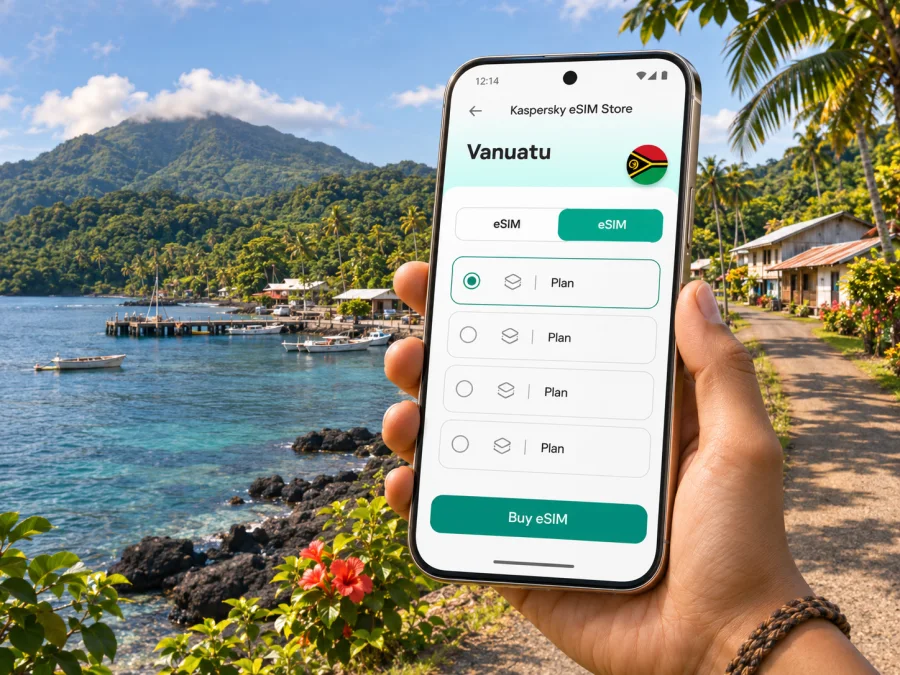
Sola eSIM: mobile connection and internet for a Vanua Lava trip
Sola is a quiet settlement on Vanua Lava, in Vanuatu’s northern Torba Province. It is the province’s administrative centre, with public services and the Torba Provincial Tourism Office, rather than a large resort city with dense transport and retail infrastructure. For visitors, that difference shapes how to plan mobile internet: prepare the essentials before leaving a larger island, save important information offline, and treat signal as something to confirm locally rather than assume everywhere.
An eSIM can be useful for maps, messages, weather updates, flight changes and contacting a host while travelling. It is a digital SIM profile installed on a compatible, unlocked device. The actual network experience in Sola depends on the provider and its local roaming arrangements, the device, terrain and conditions at the time. A country listing by itself does not promise service at every point on Vanua Lava or across the Banks and Torres islands.
Where Sola is and what to expect
Sola stands on Vanua Lava, one of the Banks Islands in northern Vanuatu. It is the headquarters of Torba Province, which includes the Banks and Torres island groups. Vanuatu’s government identifies Sola on Vanua Lava as Torba’s provincial headquarters, while the Department of Urban Affairs and Planning describes Sola as a provincial urban centre and administrative base. That status is useful context: Sola is an important local service centre, but the scale and facilities are different from Port Vila or Luganville.
The settlement faces Port Patteson, and the island’s volcanic landscape, coastal setting and communities are central to the experience. Do not plan around a conventional city grid, frequent public transit, or a choice of many late-opening shops. Ask your accommodation or local host about airport pickup, transport, meal arrangements, available charging and the best way to contact them before arrival. Keep key details written down as well as stored on your phone.
Vanuatu’s weather service maintains an observation station in Sola. Check the forecast and relevant warnings shortly before travelling, since weather can affect island plans and flights. Save essential contacts and bookings offline; do not rely on a live app as your only travel record.
Sola at a glance
| Travel question | Practical answer |
|---|---|
| Which island? | Vanua Lava, in the Banks Islands of northern Vanuatu. |
| Which province? | Torba Province; Sola is its administrative headquarters. |
| What kind of destination? | A small provincial centre and base for services in a remote island region. |
| What is mobile data useful for? | Offline map updates, messages, weather checks, flight coordination and contacting a host when service is available. |
| What should not be assumed? | Continuous coverage, a particular network at every location, plentiful transport, or a last-minute place to buy a SIM. |
Plan the connection before flying north
Depending on your itinerary, you may arrive in Port Vila and continue via Santo (Luganville) toward Sola. Routes and operating days can change. Check current schedules directly with the airline and confirm every connection with your accommodation or local contact. Leave room for disruption rather than planning an important meeting, ferry, tour or onward international flight around a tight connection.
Air Vanuatu’s published domestic schedule has included routes between Santo and Sola, but the schedule itself warns that timings can change. Treat any timetable saved from an old search, screenshot or forwarded message as a starting point only. Reconfirm the specific travel date and airport details before departure. If a flight changes, the ability to receive a message may help, but it cannot replace a confirmed itinerary and a working contact method.
Make a simple arrival pack while you have reliable internet:
- Save the name and phone or messaging contact of your host, driver and accommodation.
- Store your booking confirmation, flight details and any pickup instructions for offline viewing.
- Download an offline map of Sola and the wider part of Vanua Lava you expect to visit; check that the downloaded area opens with mobile data switched off.
- Save the location pin and a written description of the meeting point. A pin alone may not be enough if roads or tracks are not clearly mapped.
- Keep a small amount of local currency available for incidental expenses and ask your host what payment methods are practical. Do not rely on finding an ATM in Sola.
- Charge your phone and a power bank before leaving a larger centre, and carry the cable and adapter you use.
The local mobile market and a travel eSIM are not the same thing. The Telecommunications, Radiocommunications and Broadcasting Regulator lists Telecom Vanuatu Ltd (TVL, trading as Vodafone), Digicel Vanuatu and Wantok Network as mobile service licensees. That does not mean a particular travel eSIM can access all three: check the selected tariff’s network arrangements. The regulator also cautions that its public coverage map aggregates operators, so an area shown as covered does not prove that a particular operator has service there. Terrain, foliage, buildings, distance from a tower, device type and network load can affect reception. Ask your accommodation which local network has recently worked best around your stops and compare that with the plan terms.
Choosing a Vanuatu eSIM for a Sola itinerary
A useful plan starts with your route, not just the country name. If you will stay in Sola, make trips around Vanua Lava and then continue to another island, compare the tariff’s supported destination, validity period, data allowance and activation rules with that whole itinerary. A country page helps you review available options for Vanuatu, but the details shown for each plan determine where it may connect and how long it remains active.
| Your travel pattern | What to compare | Sensible preparation |
|---|---|---|
| A short stay centred on Sola | Validity length, total data and the plan’s Vanuatu coverage terms | Use downloaded maps and keep large downloads for Wi‑Fi where available. |
| Sola plus several days elsewhere on Vanua Lava | Whether the same supported network is useful at each stop; local coverage can differ | Ask hosts about recent reception at each location and save directions offline. |
| Sola followed by Gaua, Mota Lava or another island | Whether the plan supports the full route and its validity covers the entire trip | Check each onward leg and do not assume service transfers seamlessly between islands. |
| Work calls or time-sensitive coordination | Whether mobile data is dependable enough for the specific location and task | Arrange a backup contact method and share your schedule with a colleague or host. |
| Light use for maps and messages | The amount of data needed for navigation, chat and occasional updates | Turn off automatic media downloads and app updates over mobile data. |
Kaspersky eSIM Store is an app and website where you can choose, purchase and activate an eSIM with a suitable tariff for mobile internet while travelling abroad. Review the plan terms before checkout, including destination, validity, data allowance, compatible devices and any restrictions on tethering or top-ups. These terms, rather than a general description of eSIM, determine what you can use on your trip.
Compatibility and regional device variants
Do not rely on a phone’s family name alone. eSIM support can vary by exact model number, sales region, carrier configuration and software version. Some devices sold in one market may have a different SIM configuration from devices with a similar name sold elsewhere. Your phone also needs to be unlocked if it is restricted to a home carrier. Check the exact model in the manufacturer’s settings or documentation and check your device’s eSIM compatibility before selecting a plan.
Review eSIM options for a trip to Vanuatu before travel and read the conditions displayed for the plan you choose. Availability, supported local networks, data allowance, validity, price and activation requirements can vary by tariff and may change. Do not infer that one plan includes every island or that two different plans use the same local network. If Sola or Vanua Lava coverage is essential to your plans, verify the exact local-network arrangement with the plan information and your host before paying.
A compatible phone still needs the correct setup. Make sure the operating system is current, the device can access Wi‑Fi during installation if required, and you can sign in to the account used to download the eSIM. If you have two SIMs, decide which line will handle calls and texts and which will use mobile data. Keep your regular SIM enabled if you need its number for calls or one-time passcodes, but confirm roaming charges with your home carrier. An eSIM data plan does not automatically provide a conventional phone number, voice service or SMS unless the tariff explicitly says so.
Before you buy, check these points:
- The exact handset variant supports eSIM, and the device is not carrier-locked.
- The plan covers Vanuatu and the places on your route, with a validity period that fits your dates.
- You understand when validity starts: at purchase, installation, first connection or another point in the terms.
- You know whether a QR code, app installation or manual activation details are required.
- You have a safe way to keep the activation instructions available while setting up the phone.
- Your usual number remains available for the calls and messages you need, with roaming settings understood.
Install carefully and activate at the right time
Installation is easier before you leave a reliable internet connection, but activation timing depends on the selected tariff. Read the plan’s instructions first: some profiles may be installed in advance, while the validity countdown or data session may begin under a specific condition. Avoid deleting an eSIM profile if setup is confusing; some profiles cannot be installed again after removal. Contact support using a stable connection and keep the order details available.
- Prepare the phone. Connect to Wi‑Fi, update the operating system if convenient, check that the device is unlocked, and review the plan’s start and validity rules.
- Add the eSIM. Follow the supplied QR-code or in-app process. Keep the installation screen and instructions accessible until the profile appears in the phone’s cellular settings.
- Label the lines. Give the travel eSIM a clear label such as “Vanuatu data.” Keep your regular line identified so you do not select it by mistake for mobile data.
- Set mobile data deliberately. Choose the travel eSIM for data when you are ready to use it. Enable data roaming for that eSIM only if the plan’s setup instructions require it; check the terms instead of changing every line indiscriminately.
- Test before relying on it. When the plan is due to start and you have arrived in a supported area, check that the eSIM is selected for data and try a simple page or message. If it does not connect, review the plan instructions and contact support over Wi‑Fi if possible.
Use the Android eSIM installation instructions or the iPhone eSIM installation instructions for the relevant device steps. Menu names differ between models and operating-system versions, so follow the current on-screen instructions on your own phone.
If data does not connect in Sola
Check the basics one at a time: confirm the eSIM is present and enabled, select it for mobile data, switch off airplane mode, and restart the phone. Check whether the plan requires roaming on the travel line and whether its destination and validity are correct. Try an open location, since terrain and foliage can affect reception. If it still does not connect, contact support over Wi‑Fi and ask your host about current local reception. A coverage gap cannot be fixed by repeatedly changing settings, so keep maps and essential details offline.
Getting around and using mobile data well
Sola is a small settlement, so arrange airport transport with your host or accommodation before flying. Confirm who will meet you, where to wait and what to do if the flight is delayed. A post-landing message is useful only if service is available; agree on a fallback meeting point and wait time.
Download maps before leaving a reliable connection. Online routes can help with orientation, but map detail and road routing may be incomplete in remote areas. Ask a local guide about access and conditions; do not treat a digital route as proof that a track is passable or that you have permission to cross land.
Keep mobile data for maps, messaging and essential updates. Defer video streaming, cloud photo backups and large app downloads. If your accommodation offers Wi‑Fi, ask whether it is available where you will stay and suitable for calls or uploads.
| Need | Prepare offline | Use data when available |
|---|---|---|
| Reach lodging | Save the address, host contact and directions | Confirm the pickup and send an arrival update. |
| Navigate | Download the map and mark key places | Check route details, then follow local advice. |
| Check a flight | Save booking and airline details | Reconfirm changes directly with the airline. |
| Keep in touch | Agree on a fallback meeting plan | Message or call through an app if reception permits. |
A city stop, a longer stay and an island-hopping trip
Short stop in Sola. Prioritise the transfer, host contact, flight details and an offline map. Compare the plan validity with the whole trip, and keep onward arrangements offline.
Several days on Vanua Lava. Ask your host where reception has recently been reliable, including around excursion stops. Share your route with a local contact and agree on a check-in plan that does not depend on mobile service.
Connecting through Santo. Check that the plan destination and validity fit the full itinerary. Save boarding details before leaving a stable connection and reconfirm schedule changes with the airline.
Remote work or family travel. Do not schedule a critical video call on the assumption that mobile data will be stable. Test the connection where you will stay and arrange a backup. For families, save the accommodation address and a second adult’s contact on more than one device.
Respectful, low-friction travel
Sola is a community as well as a provincial centre. Ask permission before photographing people or community activities, and follow local guidance around customary land and access. A map pin does not establish permission to cross land or visit a site; arrange excursions with a local host or guide. Keep devices secure and protected from rain, heat and saltwater, and carry a paper note of essential contacts as a backup.
Frequently asked questions
Is Sola a city?
Government and planning sources describe Sola as a provincial urban centre and the administrative headquarters of Torba Province. For travel planning, think of a small settlement and service centre on Vanua Lava, not a large metropolitan city.
Is there mobile coverage throughout Sola and Vanua Lava?
Do not assume uninterrupted service. The regulator’s public coverage information aggregates operators and notes that reception depends on the network, device, terrain, foliage, structures and network load. Confirm local reach for your route with your host and plan details.
Will any Vanuatu eSIM definitely work on Vanua Lava?
No general country label guarantees service at a specific location. Check the tariff’s supported destination and local network terms, verify your exact handset variant is compatible and unlocked, and allow for signal differences around the island.
Can I use a travel eSIM for normal calls and texts?
Expect mobile internet only unless the tariff explicitly includes a phone number, voice service or SMS. Internet calls and messaging apps may work when data is available, but they do not guarantee local coverage.
What if data does not connect?
Check that the profile is enabled and selected for data, review any required roaming setting, restart the device and try an open location. If needed, use Wi‑Fi to contact support and ask your host about reception.
A practical Sola connectivity checklist
Before you leave, confirm that you have:
- Reconfirmed the flight, transfer and accommodation contacts.
- Saved booking details, pickup instructions and an offline map.
- Checked eSIM support for your exact device variant and confirmed it is unlocked.
- Reviewed the tariff’s destination, validity, data allowance and activation conditions.
- Set the travel eSIM as the data line only when appropriate, and know what roaming setting its instructions require.
- Charged your phone and backup power, with a fallback plan for delayed travel or no reception.
For Sola, keep essential information offline, verify local reception with your host and match plan terms to your handset and route.
Prepare your eSIM for Vanuatu
Choose a suitable eSIM tariff for your trip to Vanuatu through Kaspersky eSIM Store after checking destination coverage, validity, data allowance, device compatibility and activation details. Install it using a stable connection, keep your essential Sola travel information available offline, and confirm local reception with your host when you arrive.


