Travel connectivity guide
Sony Xperia 1 IV 128GB eSIM: Check Compatibility
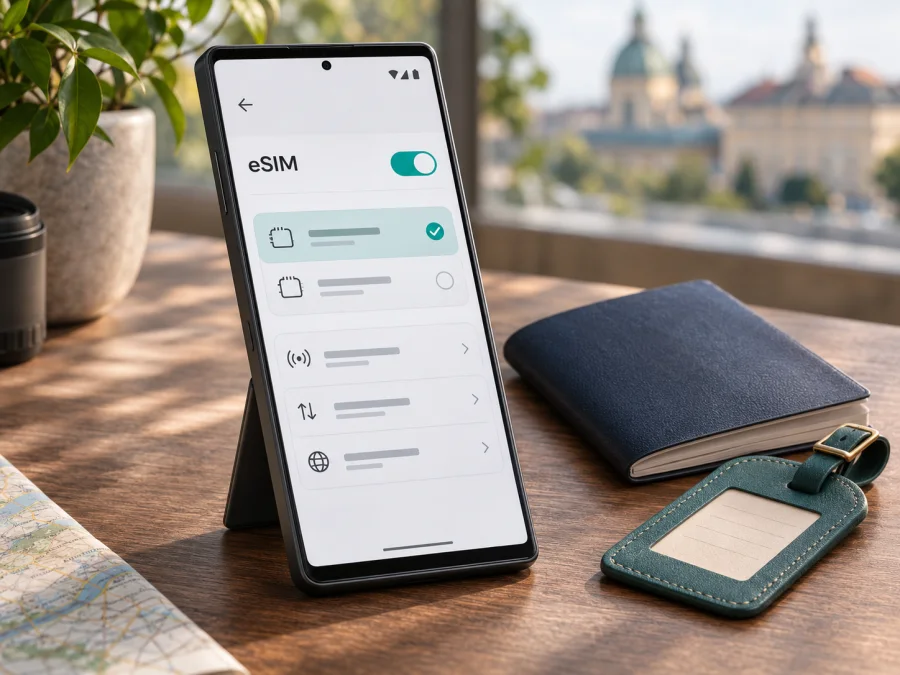
Sony Xperia 1 IV 128GB eSIM: compatibility and setup guide
Short answer: Sony Xperia 1 IV 128GB can support eSIM when it is the compatible regional model, such as the European XQ-CT54. The storage description “128GB” does not identify the phone’s regional model code, and the same Xperia name can be used for devices with different SIM configurations. Check the model number and the eSIM option on your own phone before choosing a travel plan. Sony’s UK support information lists eSIM for the European Xperia 1 IV model and warns that some non-European Xperia phones have different SIM configurations or may not support eSIM. Sony’s US support information also states that US Xperia phone models do not support eSIM.
This guide explains how to confirm your exact version, add a travel eSIM, select it for mobile data, and troubleshoot common setup issues. Menu labels can vary with Android version, carrier software and region, so treat the on-screen options on your device as the final check.
At a glance
| Item | What to know about Sony Xperia 1 IV 128GB |
|---|---|
| eSIM support | Supported on the European XQ-CT54; not safe to assume for every regional version sold under the Xperia 1 IV name. |
| Storage label | “128GB” alone does not confirm the model code or eSIM capability. |
| Confirm the version | Open Settings → About phone and find the model number; also check for an eSIM/EID and an option to add a SIM. |
| Installation menu | On supported versions, Sony’s general path is Settings → Network & internet → SIMs → Add SIM (or the + icon). |
| Travel use | Select the travel eSIM as the mobile-data SIM when you are ready to use it; data roaming may need to be enabled for that eSIM. |
| Before purchase | Confirm eSIM support, carrier unlock status, destination coverage and the plan’s data, validity and activation conditions. |
Does Sony Xperia 1 IV 128GB support eSIM?
It depends on the regional model. Sony’s UK support information lists eSIM for the European Xperia 1 IV XQ-CT54 and distinguishes it from the Asian XQ-CT72. Sony warns that non-EU Xperia phones can have different SIM configurations or lack eSIM. Sony’s US support guidance says Xperia phones sold for the US market do not support eSIM. These market-specific facts do not establish support for every phone sold under the Xperia 1 IV name.
The “128GB” label describes storage; it does not identify the region or model code. Shops may omit the code, especially for imported or refurbished phones. Ask for the full model number from About phone or verify it on the handset. Even a model with eSIM hardware can be restricted by carrier lock, software configuration or the particular plan, so confirm that it is unlocked and can install the profile you intend to use.
For this listing, compatibility is conditional: Sony Xperia 1 IV 128GB supports eSIM if the actual unit is an eSIM-enabled regional version, such as XQ-CT54. Storage capacity alone is not enough to confirm it. Check the model number and eSIM controls before ordering.
How to check your exact Xperia version before buying
Use both the model number and the eSIM settings. A seller description can be incomplete, and one check alone may not resolve every carrier or software restriction.
Check the model number
- Open Settings on the Xperia.
- Scroll to About phone. If the item is nested differently on your software version, look under System → About phone.
- Find Model or Model number. Sony’s support pages describe XQ-CT54 as the European Xperia 1 IV version and XQ-CT72 as an Asian version.
- Compare the complete code, including the suffix. Do not treat “Xperia 1 IV” or “128GB” as a substitute for that code.
- If you are shopping online, ask for a photo of About phone or have the seller confirm the code and whether the device is carrier-unlocked. Do not rely on an unverified marketplace compatibility badge.
Look for an EID and an add-eSIM option
An EID is the identifier associated with an eSIM-capable device. Depending on the Android build, it may appear in Settings → About phone → SIM status, in a status or device-information screen, or when you open the SIM management page. Some Android phones also display it when you enter *#06# in the phone dialler, but this shortcut is not available on every software version. Do not share an EID publicly; it is device information intended for setup or support.
Then check the SIM menu. On supported Xperia software, Sony describes the path as Settings → Network & internet → SIMs. Look for Add SIM, Set up an eSIM, or a plus sign. The exact wording can differ. You do not need to scan a QR code just to check whether the menu exists; exit without adding anything if you are only checking compatibility.
A visible EID or add-eSIM control is a strong practical sign that the phone has eSIM capability, but it is not a guarantee that every profile will activate. If both are missing, update the phone using its normal system-update screen, restart it, and check again. If the option remains absent, contact Sony support or the seller with the complete model code before paying for a plan. Do not try to force-install an eSIM using a QR code on a device that does not show eSIM support.
Compatibility checklist
Before you buy a travel eSIM for Sony Xperia 1 IV 128GB, confirm each item:
- [ ] The full model code in About phone is known, not just the marketing name or storage size.
- [ ] The phone displays an EID or has an Add SIM / Set up an eSIM option.
- [ ] The device is not locked to a carrier that blocks third-party eSIM profiles.
- [ ] Android is up to date for the device and the SIM menu is available after a restart.
- [ ] The plan supports your destination or route and is intended for mobile data use.
- [ ] You have a stable Wi-Fi or other internet connection for the download and installation.
- [ ] You have read when the plan activates, when data use begins, how long it remains valid and whether reinstallation or transfer is restricted.
Check your device compatibility before choosing a plan. If the exact variant cannot be confirmed, postpone the purchase until the seller, Sony or your original carrier verifies it. A supported regional model is not a substitute for checking the actual handset in front of you.
What to prepare before installing an eSIM
Have the plan’s activation details available and connect the Xperia to reliable Wi-Fi. If you receive a QR code, display it on another device; the Xperia cannot scan a code shown on its own screen. Keep the phone charged and do not share the code publicly. Check the plan’s destination, activation timing, data allowance, validity and rules for reinstalling a profile before you start.
Kaspersky eSIM Store is an app and website where you can choose, arrange and activate an eSIM with a mobile-data plan for an overseas trip. After confirming compatibility, you can browse the Kaspersky eSIM Store for current destinations and conditions. This is a general destination page, not a country-specific tariff.
How to install an eSIM on Sony Xperia 1 IV 128GB
Use these steps only if your exact version shows eSIM support. On Sony’s general Android path, menu wording can vary by software version.
- Confirm support. Check the model code, EID or add-eSIM option, and carrier-unlock status.
- Connect to Wi-Fi. Keep the Xperia online and charged during installation.
- Open SIM settings. Go to Settings → Network & internet → SIMs. If needed, search Settings for “SIM”.
- Add the profile. Tap Add SIM, Set up an eSIM or +, then choose the download option.
- Scan the code. Scan the provider’s QR code from another screen or follow its in-app activation flow. Confirm the prompts.
- Wait for confirmation. Keep Wi-Fi on until Android shows the profile. Check the profile list before retrying a slow QR setup.
- Name and select it. Label it “Travel data”. Select it for mobile data only when you are ready and the plan’s terms allow it.
See the Android eSIM installation instructions for general guidance and the iOS instructions if helping someone with an iPhone. The iOS steps do not apply to Xperia. The Android page illustrates Samsung screens and notes that menus vary; use Sony’s Xperia path above. If an error persists, do not delete profiles or reset the phone. Keep the error message and order reference for support, without sharing the QR code.
How to use the travel eSIM for mobile data
An eSIM can often be installed before departure, but check the plan’s terms to learn when its validity begins. When ready to connect, open Settings → Network & internet → SIMs, switch on the travel profile and select it for mobile data. Keep your regular SIM enabled for your usual number only if needed, and review its roaming terms to avoid unexpected charges.
After arrival, turn off Airplane mode and allow the Xperia to register on a supported local network. If data does not start, enable Data roaming for the travel profile if the plan instructions require it. This is a device setting and does not expand the plan’s destinations or change its conditions. Confirm once more that the travel eSIM—not your home SIM—is selected for data.
Kaspersky eSIM Store travel eSIMs are for mobile data; do not assume they include a regular number, calls or SMS unless the specific plan says so. Internet messaging and calling apps can use the data connection. For a short city trip, consider navigation, bookings and messages; for a longer or multi-country route, check all destinations and estimate data use, especially if you stream video or use hotspot sharing. Download essentials such as maps before travelling in case connection is delayed.
Common problems and what to check
There is no “Add eSIM” option
Check the complete model code under Settings → About phone; the storage size and Xperia name do not prove eSIM support. Restart, install any available system update and search Settings for “SIM” or “eSIM”. If EID and the add-eSIM control are still missing, ask Sony or the seller whether that exact regional version supports eSIM. Do not buy a profile expecting a workaround to enable unsupported hardware.
The QR code will not scan or the profile fails to download
Show the QR code on another device, increase its brightness, remove glare and keep the whole code visible. Use stable Wi-Fi and check whether the profile has already appeared in the SIM list. A code may be single-use; if Android reports that it is invalid or already used, do not keep retrying or share it publicly. Contact the plan support team with the order reference and error message. Never expose the QR code or activation token.
The eSIM is installed but has no signal or data
Make sure the profile is switched on and selected for mobile data. Turn Airplane mode off, restart the phone and check the plan covers your current destination and has valid data remaining. Enable Data roaming for the travel profile if its instructions require it. Wait a few minutes and try a location with better signal. If the plan specifies an APN, enter those exact values in the selected SIM’s access-point settings; do not guess an APN. Review network selection only after these checks.
The phone uses the home SIM or the plan seems inactive
In Settings → Network & internet → SIMs, check the mobile-data selection; enabling an eSIM is not the same as selecting it for data. Disable automatic data switching if available and appropriate, and review your home carrier’s roaming settings. Installation, activation and the start of validity can be different events. Check the plan’s terms for whether validity starts at purchase, installation, a scheduled time or first connection.
The connection is slow or keeps dropping
Signal varies with location, buildings, congestion and available local networks. Move outdoors or near a window, confirm Airplane mode is off and leave network selection on automatic unless the provider instructs otherwise. Restart if needed. If the problem persists where the plan should work, record the location, time and error for support; the handset alone cannot guarantee a particular speed or coverage.
Frequently asked questions
Can every Sony Xperia 1 IV 128GB install an eSIM?
No universal answer is safe. Sony lists the European XQ-CT54 as eSIM-capable, but “128GB” does not identify the regional model. Sony warns that non-European SIM configurations can differ and says US Xperia phones do not support eSIM. Check the model code and eSIM settings on your own device.
Where can I find the EID?
Look in Settings → About phone or a SIM-status screen; the location varies by software. Some Android versions display an EID after entering *#06# in the dialler, but this shortcut is not universal. Also look for Add SIM or Set up an eSIM. Keep EID and activation details private.
Can I keep my physical SIM and add a travel eSIM?
Sony describes the European XQ-CT54 as supporting one nano-SIM with an eSIM. This lets the profiles coexist, but select the correct line for mobile data and check your home carrier’s roaming terms. Other regional versions may differ.
Does the travel eSIM include calls and SMS?
Do not assume it does. Kaspersky eSIM Store’s travel eSIMs are described as data-only unless the selected plan states otherwise. Internet messaging and calling apps can use the data connection.
Should data roaming be on?
Some travel eSIMs require Data roaming to connect. Follow the plan instructions and apply the setting to the travel profile. Confirm that this profile is selected for mobile data to avoid unintentionally using your home plan.
Can I install before travelling or move the profile later?
Installation may be possible before departure, but first check when the plan’s validity starts. Do not assume an activated profile can be transferred or installed again: check the plan’s rules before deleting or resetting it.
What if I cannot identify the regional version?
Read the complete model code in About phone, confirm EID or the add-eSIM option, and ask Sony or the seller about carrier restrictions. If support remains uncertain, use a compatible device or get the handset verified before purchase.
Before your trip: confirm the device, then choose the plan
For Sony Xperia 1 IV 128GB, the decisive check is the exact regional model and its eSIM controls. Sony identifies the European XQ-CT54 as supporting eSIM, but the retail name and “128GB” storage detail do not establish that a particular handset is this version. Check About phone, look for an EID or Add SIM, and confirm that the phone is unlocked for the profile you plan to install. If an eSIM option is missing or the regional code is unclear, verify it with Sony or the seller before buying.
Once compatibility is confirmed, compare travel plans for the destination and dates on your itinerary. Review the data allowance, validity, coverage area, activation timing and any roaming or APN instructions. Kaspersky eSIM Store’s app and website help you choose, arrange and activate an eSIM with a mobile-data plan for an overseas trip; the available plans and their terms depend on the destination and selected option. Use the general Kaspersky eSIM Store site to check current travel destinations, then check the specific plan conditions before you proceed.
Install the profile over a reliable internet connection, keep the QR code private, and select the travel eSIM as your mobile-data line when you are ready to use it. A few minutes spent confirming the variant and setup terms can prevent an avoidable problem after arrival.


