Travel connectivity guide
Sony Xperia 1 IV eSIM: Compatibility & Setup
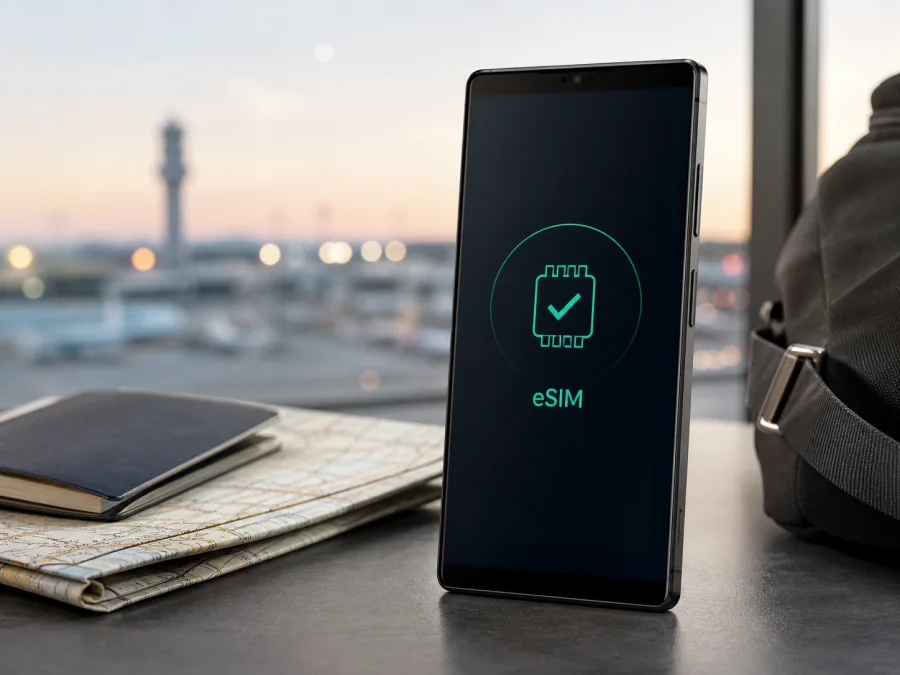
Sony Xperia 1 IV eSIM: compatibility and setup guide
If you are preparing a trip and want mobile data without replacing your physical SIM card, the Sony Xperia 1 IV may work with an eSIM travel plan. There is an important qualification: Sony uses this commercial name for several regional variants, and their SIM configurations are not identical. The name on a shop page is not enough to make a final purchase decision.
Quick answer
The Sony Xperia 1 IV supports eSIM on the documented XQ-CT54 variant. Sony’s official Xperia 1 IV help guide lists eSIM setup for XQ-CT54 only and shows Settings > Network & internet > SIMs > Add. Sony also notes that the setup procedure can depend on the network operator. Other regional versions should not be assumed to support eSIM. Sony’s U.S. support guidance says U.S. Xperia models may not support eSIM, so a U.S.-market Xperia 1 IV needs particular care.
For your phone, the practical answer is: yes when the exact handset has the eSIM hardware and an Add eSIM or Download a SIM option; unconfirmed for other regional versions until you check it. Verify compatibility before choosing or paying for a travel plan. If there is no EID and no way to add an eSIM, a QR code cannot turn that particular phone into an eSIM-compatible model.
Sony Xperia 1 IV eSIM compatibility at a glance
| Item | What to know |
|---|---|
| Device name | Sony Xperia 1 IV |
| eSIM status | Documented for XQ-CT54; not universal across every regional version |
| Physical SIM | A nano-SIM may be supported; tray and dual-SIM behavior vary by market |
| Menu to check | Settings > Network & internet > SIMs |
| Positive sign | An EID and an Add eSIM, Download a SIM, or similar option |
| Regional caution | U.S. and other non-matching configurations may not support eSIM |
| Travel use | Mobile data through a compatible eSIM travel plan |
| Before purchase | Confirm model code, EID/menu, unlocked status, destination, allowance, and validity |
Why the regional model matters
“Sony Xperia 1 IV” identifies a commercial family, not one single SIM configuration. Sony’s help guide covers the XQ-CT54, XQ-CT62, and XQ-CT72 family, but its eSIM page is explicitly for XQ-CT54 only. That limitation means you should not transfer the XQ-CT54 result automatically to XQ-CT62, XQ-CT72, an imported handset, or a carrier-specific unit.
Two phones can have the same name, screen, cameras, processor, storage, and 5G branding while using different SIM hardware or software. A carrier version can also show different menus or be network-locked. Resetting the phone, changing its language, or scanning a generic QR code will not add missing eSIM hardware.
Read the model code from the phone rather than relying only on the box or listing. Open Settings and look in About phone. The code may also appear on the packaging or purchase record. Keep the exact commercial name Sony Xperia 1 IV in your search, but use the code and menus to make the compatibility decision.
The strongest documented positive case is XQ-CT54 with the eSIM option present. If your code is different, the phone is imported or carrier-branded, or it was sold in the United States, treat support as unconfirmed until the EID and eSIM control are visible. When a retailer says “dual SIM,” also check whether that means two physical SIMs or one physical SIM plus one downloadable eSIM; those descriptions are not interchangeable.
How to check eSIM support yourself
Do this on Wi-Fi or another working connection. You do not need to buy a plan just to see whether your hardware and Android build expose the necessary controls.
- Open Settings.
- Tap Network & internet.
- Open SIMs or SIM cards.
- Look for Add, Add eSIM, Download a SIM, or an equivalent control.
- Open device information and look for an EID.
An EID plus a way to add a mobile plan is a strong indication that your specific Sony Xperia 1 IV can download an eSIM profile. It does not guarantee that every travel plan will work: the phone must be unlocked, the destination must be covered by the selected plan, and the network must be compatible. If the page shows only physical slots and no EID, pause before purchasing and confirm the variant with Sony or the seller.
If the path is not visible, search Settings for “eSIM” or “SIM.” Do not confuse an option to rename, disable, or switch an existing line with an option to download a new profile. The relevant control starts a new profile or opens a QR-code scanner.
Compatibility checklist before you buy
- [ ] The phone is the exact Sony Xperia 1 IV variant you intend to use, and you recorded its model code.
- [ ] SIM settings show EID or an unmistakable Add eSIM/Download a SIM option.
- [ ] The handset is not locked to a carrier that rejects another eSIM profile.
- [ ] The phone can connect to Wi-Fi during installation and has current software.
- [ ] The plan covers every country, region, or route on your itinerary.
- [ ] Its allowance, validity, activation timing, and hotspot terms fit your trip.
- [ ] You understand whether it is mobile-data-only and which physical line handles calls or SMS.
For a repeatable final check, Check your device before selecting a plan.
Kaspersky eSIM Store is an app and website that helps you choose a destination, review available plan conditions, complete an order, and activate an eSIM for mobile internet during an international trip. It is not a mobile operator, network owner, or mobile-internet provider. Network access, coverage, and exact terms depend on the selected plan and the local operator or partner described in those conditions.
How to install an eSIM on Sony Xperia 1 IV
The Sony help guide describes the following Android flow for XQ-CT54; your plan may use slightly different confirmation screens. See the Android installation instructions for a broader walkthrough. The iOS installation instructions apply to iPhone and iPad if you are managing the same order from an Apple device, not to installation on the Sony phone.
1. Confirm compatibility
Open Settings > Network & internet > SIMs and make sure Add eSIM or Download a SIM is available. If it is missing, pause and confirm the regional version before using the activation code.
2. Connect to Wi-Fi
Connect the Sony Xperia 1 IV to reliable Wi-Fi. The phone needs internet access to download the profile, even though the profile will later provide mobile data.
3. Open SIM controls
Tap Settings, Network & internet, and SIMs. If a physical SIM is inserted or another eSIM is present, tap the Add icon.
4. Start the download
Choose the option to add or download an eSIM and follow the on-screen instructions.
5. Scan the QR code
Scan the code supplied with the selected plan. If it is displayed on the Xperia 1 IV, use manual entry or display it on another device when self-scanning is not available.
6. Confirm the profile
Review the line name and destination, then confirm the download. Do not repeatedly scan a code that the plan describes as single-use.
7. Enable the eSIM
Turn on Use SIM for the new profile. Leave the physical SIM enabled if you still need its number for calls or SMS.
8. Select the data line
In SIM settings, select the new eSIM under Data preference or the mobile-data setting. This makes the Xperia 1 IV use that profile for internet traffic.
9. Set roaming as instructed
If the plan requires roaming for the travel eSIM, enable Data roaming for that eSIM only. Check the plan wording and your home operator’s conditions before enabling roaming on the everyday line.
10. Wait for registration
Allow a few minutes for the profile to register on a supported network. Keep the order details until the trip is over; if the phone says the code was used, stop retrying and follow the support route.
Activate and use the eSIM for travel data
Installing a profile does not always mean that the plan is already consuming data. Activation rules vary: some plans start when the eSIM first connects in the destination, while others start at installation or within a stated period. Read the conditions shown during selection and order completion, especially when installing before departure.
Before leaving home, keep your regular SIM as the everyday data line if you want to avoid starting the travel allowance early. You can install the profile on Wi-Fi, label it clearly, and leave it switched off until the recommended moment. If installation starts validity, account for that timing.
On arrival, open Settings > Network & internet > SIMs and select the travel eSIM for mobile data. Confirm that it is enabled, mobile data is on, and data roaming is on for that profile only when required. If the home SIM stays active, disable its data roaming or set it as the non-data line to reduce the risk of an unexpected charge.
The Sony Xperia 1 IV can support a dual-line travel arrangement when the regional hardware and network allow it: the physical SIM remains available for its number while the eSIM carries data. The travel eSIM is not automatically a replacement phone number. Voice calls and SMS are not included unless the selected plan expressly says so; internet messaging and calling apps can work over data.
Scenario: short city break
Estimate data for maps, tickets, translation, messages, and browsing. Install on Wi-Fi if the plan permits it. After arrival, select the travel eSIM for data, confirm a signal, and test a small page before relying on it for navigation.
Scenario: longer work trip
Compare the allowance and validity with video calls, cloud files, navigation, and hotspot use. Check whether tethering is allowed and watch Android’s data counter. A laptop connected to the Xperia 1 IV hotspot can use the allowance quickly.
Common problems and practical checks
There is no Add eSIM option
Check the model code, EID, and SIM page again. A U.S.-market or other regional configuration may lack eSIM hardware, and an update may not add it. If both EID and the add/download control are absent, do not buy a plan until Sony, the seller, or the operator confirms compatibility.
The QR code will not scan
Increase the brightness of the screen showing the code, remove glare, clean the camera lens, and show the entire code. Use manual entry only with the supplied details. Before retrying, check whether the profile was actually added.
The profile will not download
Reconnect to Wi-Fi, complete any captive-portal sign-in, and retry from Settings > Network & internet > SIMs. Check automatic date and time and available storage. If the message mentions an activation server or used code, follow the plan issuer’s instructions rather than repeatedly deleting the profile.
The eSIM is installed but there is no data
Select it as the data-preference line, confirm that it is enabled, and turn on data roaming for it when required. Toggle airplane mode briefly and restart if needed. If signal is present but pages do not load, check destination, validity, allowance, and any required APN instructions. Change an APN only when the plan documentation gives the values.
Frequently asked questions
Does Sony Xperia 1 IV support eSIM?
Yes, the documented XQ-CT54 variant supports eSIM. Support is not universal for every regional Sony Xperia 1 IV. Check the model code, EID, and Add eSIM or Download a SIM option before buying.
Does every Xperia 1 IV have the same support?
No. Sony identifies the XQ-CT54 eSIM setup separately, and regional versions can have different SIM configurations. A U.S.-market phone may not support eSIM, so imported and carrier-branded devices must be checked individually.
Can the travel eSIM make ordinary calls?
Not necessarily. An eSIM used through Kaspersky eSIM Store is generally intended for mobile internet and does not automatically provide a regular number, voice calls, or SMS. Check the selected plan. Messaging and calling apps may work over data.
What if there is no EID?
Treat the phone as unconfirmed until the exact variant is checked. Search Settings for eSIM, ask the seller or Sony about the model code, and do not pay for a plan based only on the Xperia 1 IV commercial name.
Final device check and eSIM for your trip
Before choosing a travel eSIM, complete this sequence for your exact Sony Xperia 1 IV:
- Record the model code in About phone and compare it with the seller’s regional information.
- Open Settings > Network & internet > SIMs and confirm Add eSIM or Download a SIM.
- Look for an EID. If neither indicator exists, pause and confirm compatibility.
- Check that the phone is unlocked and can connect to Wi-Fi for installation.
- Choose a plan for every country or region on your itinerary and compare allowance, validity, activation timing, and hotspot conditions.
- Install at the appropriate time, control roaming on the regular line, and select the travel eSIM for mobile data after arrival.
Kaspersky eSIM Store is the app and website flow for choosing a destination, reviewing eSIM plan conditions, completing an order, and activating a travel eSIM for mobile internet. It does not replace the compatibility check or operate the network. Once your Sony Xperia 1 IV shows the correct eSIM controls and the plan matches your route, you can prepare the profile in advance and manage the plan during the trip.
The safest answer is specific: Sony Xperia 1 IV eSIM support is documented for XQ-CT54, while other regional and carrier versions require their own check. Verify the EID and eSIM menu before purchase, confirm destination and plan conditions, and keep the installation details until the connection works.


