Travel connectivity guide
Sony Xperia 10 IV 512GB eSIM Compatibility
Sony Xperia 10 IV 512GB eSIM: compatibility, setup and travel guide
The short answer is conditional: the Sony Xperia 10 IV supports eSIM on model XQ-CC54, but not on XQ-CC72. The name “Sony Xperia 10 IV 512GB” does not identify the regional model. Sony lists 128GB internal storage plus microSDXC expansion; “512GB” may refer to a bundled card or listing detail, and does not confirm eSIM support or factory storage.
Before buying a travel data plan, check the phone’s model code. Sony documents eSIM on XQ-CC54, while XQ-CC72 uses physical SIMs. If the code differs or eSIM is absent in settings, verify that unit before purchase; regional names and storage descriptions can conceal SIM hardware differences.
At a glance
| Item | What is established for Sony Xperia 10 IV |
|---|---|
| eSIM answer | Supported on XQ-CC54; Sony’s guide labels eSIM setup “XQ-CC54 only” |
| XQ-CC72 | No eSIM setup is documented for this variant; it is described with two nano-SIM options or nano-SIM plus memory card |
| “512GB” | Sony lists 128GB internal storage and microSDXC support up to 1TB; the 512GB wording needs clarification from the seller or device settings |
| Network setup | Sony’s documented menu is Settings → Network & internet → SIMs; menu labels may differ slightly by software version or language |
| Travel eSIM | Use only after confirming the model, EID/eSIM menu, carrier unlock status, destination support and plan conditions |
| Typical role | A data eSIM can provide mobile data abroad while your usual line remains available if the phone and plan allow dual SIM use |
This guide focuses on the exact requested name, Sony Xperia 10 IV 512GB, while separating it from other Xperia 10 IV versions. The 512GB modifier is preserved because it may match the device or listing you are checking, but it should not be taken as proof of a particular hardware variant.
What “512GB” can and cannot tell you
Storage capacity and SIM capability are separate. Sony lists 128GB of internal memory and microSDXC support up to 1TB. A shop may therefore describe a 128GB phone bundled with a 512GB card as “512GB”; the listing alone does not show what is included or which model is inside.
Check the retailer’s exact wording and invoice. Look for phrases such as “512GB microSD included,” “128GB + 512GB card,” or “512GB internal storage.” These statements mean different things. If a listing claims 512GB internal memory, ask the seller to confirm the exact model and provide a screenshot from Settings → About phone → Storage. Do not infer eSIM support from a storage capacity, color, country name in the listing, or the shared Xperia 10 IV branding.
Check Settings → About phone or Storage and compare internal capacity with any removable card. A microSD card can add space for supported files, but it cannot add eSIM hardware or turn XQ-CC72 into XQ-CC54.
Regional versions: the model code matters
Sony’s documentation for Xperia 10 IV explicitly names two model codes in its help guide: XQ-CC54 and XQ-CC72. The eSIM setup page applies to XQ-CC54 only. Sony’s support explanation for the SIM tray says XQ-CC54 can use one nano-SIM and a memory card, and can operate as a dual-SIM device by configuring an eSIM. For XQ-CC72, Sony describes a choice between two nano-SIM cards or a nano-SIM card and a memory card.
A commercial name on a box or listing is not enough. Sony notes that Xperia phones outside the EU can share a name yet have a different device code and SIM configuration. Market and carrier distribution matter. Updates can change menus, but cannot add eSIM hardware to an unsupported variant.
Check the exact phone before choosing a plan
Use this checklist before buying an eSIM plan:
- [ ] Open Settings → About phone and write down the model number, such as XQ-CC54 or XQ-CC72.
- [ ] In Settings, open Network & internet → SIMs and look for an option such as Add SIM, Download a SIM, or Add eSIM.
- [ ] Dial *#06# in the phone app and check whether an EID is listed alongside the IMEI. An EID is a strong sign that the device contains eSIM hardware; a missing EID or missing menu means you should pause and verify the exact variant.
- [ ] Confirm the phone is not carrier-locked. A lock imposed by the original carrier can prevent adding or using a plan from another provider even when eSIM hardware is present.
- [ ] Check Android updates, restart the phone and repeat the menu check if the eSIM option is absent. An update can affect how the option appears, but cannot change the hardware variant.
- [ ] Confirm the eSIM plan covers the country or region you will visit and supports the networks and device bands used there.
Installing and activating an eSIM
Complete the compatibility checks before purchase, and make sure you have a reliable internet connection while downloading the profile. If possible, install the eSIM while connected to Wi-Fi before departure, then follow the plan’s activation instructions. Some plans start their validity when installed, while others start on first connection to a supported network; check the stated terms rather than assuming a start time.
- Prepare the phone. Confirm that Settings identifies the device as XQ-CC54, the eSIM menu is present, the phone is updated and it is not restricted to a different carrier. Keep your usual SIM active if you need it for account verification or calls.
- Open the SIM settings. Tap Settings → Network & internet → SIMs, then choose the plus sign, Add SIM, or equivalent option. If the menu differs, search Settings for “eSIM” or “SIM.”
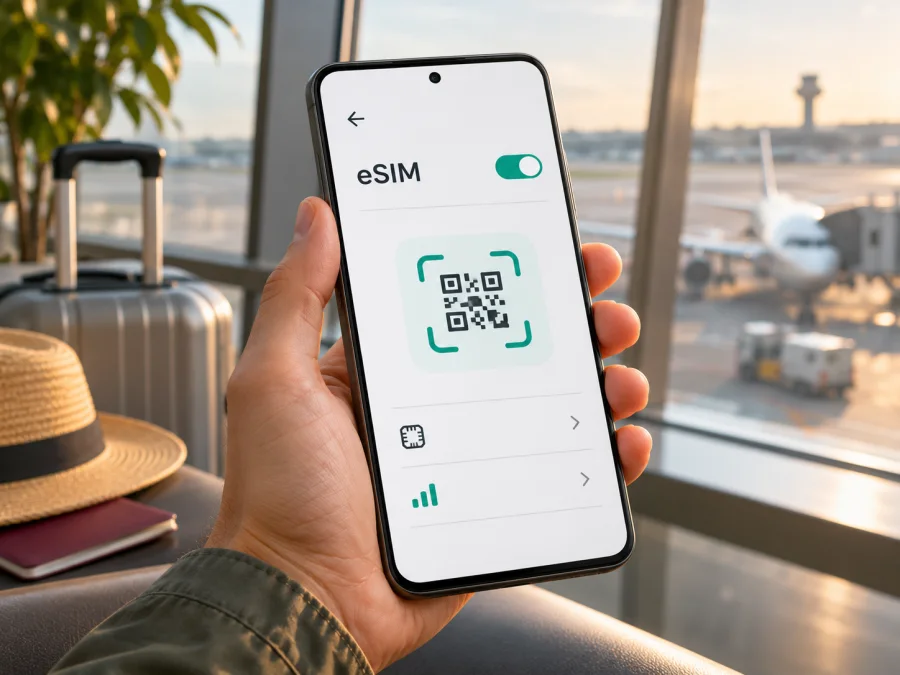
- Choose the provider’s installation method. Scan the QR code shown in your account or follow the provider’s manual activation steps. The QR code is usually single-use. If the phone cannot scan a code displayed on the same screen, show it on another device or use the provider’s manual details if supplied.
- Confirm the download. Follow the on-screen prompts to download and add the profile. Keep the phone online and do not close the setup midway. A successful download may take a few minutes and depends on the device, internet connection and provider system.
- Name the line. Give it a clear label such as “Travel data” so it is easy to distinguish from your home SIM. Keep the QR code and activation information private; do not post a screenshot publicly.
- Set the data SIM. When you are ready to use it, select the travel eSIM for mobile data in SIM settings. Decide whether calls and SMS should stay on your home SIM. Check the plan’s instructions for whether data roaming must be enabled on the travel eSIM.
- Test carefully. At the destination, turn off Wi-Fi briefly, check that the travel line is enabled, and load a simple webpage. If it does not connect, restore Wi-Fi while you troubleshoot and avoid repeatedly deleting or reinstalling the profile.
For a visual walkthrough, see the Android eSIM installation instructions. The iOS eSIM installation instructions are for iPhone and are included as a reference for people arranging plans for more than one device; the Sony Xperia 10 IV uses Android steps.
Do not delete a downloaded eSIM profile simply to troubleshoot unless the plan provider confirms that it can be reinstalled. Some QR codes can only be used once, and transferring a profile to another phone may not be allowed. If installation reports that the code has already been used, contact the plan provider for the next step rather than scanning it repeatedly.
Check whether your device is compatible before choosing a plan. For Sony Xperia 10 IV, the model code and eSIM menu matter more than a retailer’s generic “512GB” label. If the result is unclear, contact Sony or the seller with the full model code.
Using the phone for mobile data on a trip
A travel eSIM can provide mobile data without replacing a physical SIM. On XQ-CC54, you can configure a nano-SIM and eSIM combination. Keep your usual number available if needed, but check your carrier’s roaming charges before travel.
For a multi-country itinerary, confirm that every destination is included. Compare the data allowance, validity, hotspot rules, supported networks and activation timing; a regional plan’s coverage varies.
Kaspersky eSIM Store is an app and website where you can choose, arrange and activate an eSIM with a mobile-data plan for an international trip. Service, coverage and plan rules depend on the selected plan and destination networks. Unless its terms say otherwise, a travel data eSIM does not include an ordinary phone number, calls or SMS; internet calling and messaging apps may work over data.
At your destination, enable the travel line and select it for mobile data. Enable data roaming only if the plan requires it; check your home carrier’s charges before leaving its line active. If service does not appear, confirm coverage and plan status, then retry automatic network selection or choose a supported network manually.
Common issues and practical checks
There is no “Add eSIM” option. Check the model: Sony documents eSIM on XQ-CC54 only. If that is your code, update official software, restart and check Settings → Network & internet → SIMs again. Ask Sony or the seller if the option remains absent.
The EID does not appear. Re-enter *#06# and compare the result with the model code and SIM settings. If they conflict, ask the seller or Sony for help. Keep the EID and IMEI private.
The QR code is rejected. Check that it is for this device and has not already been used. Use stable Wi-Fi and follow the plan’s manual setup steps if provided. For an invalid or used code, contact the provider before deleting the profile.
The eSIM installs but has no service. Confirm the profile is enabled and selected for data, the destination is covered and validity has started. Check whether data roaming is required, then restart or retry network selection. Service depends on available local coverage.
Data works but calls or messages do not. Many travel eSIMs are data-only. Keep your regular line for calls and SMS if needed, and check that the travel line is selected for data.
The internet stops after changing settings. Recheck which SIM is selected for mobile data, whether mobile data is enabled, and whether the travel profile is toggled on. If you have a second physical SIM, confirm that you did not accidentally select it for data. Check the plan’s remaining allowance and expiry time where that information is available.
The phone connects to a slower network than expected. Sony lists 5G, but service depends on local coverage, supported bands and plan arrangements. LTE/4G may be available instead.
The eSIM seems to have disappeared after a reset. Check SIM settings and ask the provider whether the profile can be restored; do not assume the QR code can be reused.
FAQ
Does Sony Xperia 10 IV 512GB support eSIM?
The storage wording cannot answer that. Sony documents eSIM support for XQ-CC54 only. Check the model number, EID and eSIM menu before purchase; Sony describes XQ-CC72 with physical SIM options.
Is there an official Sony Xperia 10 IV with 512GB internal storage?
Sony lists 128GB internal memory and microSDXC expansion up to 1TB, not 512GB internal storage. Ask whether the listing includes a card and check the handset’s storage screen.
Can a microSD card add eSIM support?
No. A memory card expands storage for supported files; it does not add eSIM hardware or change the phone’s model variant. An XQ-CC72 remains an XQ-CC72 even if it has a 512GB microSD card.
Can I use the physical SIM and eSIM together?
Sony says XQ-CC54 can use one nano-SIM and eSIM as dual SIM; its tray also accepts a memory card. Sony does not document eSIM setup for XQ-CC72.
Does an EID guarantee that my travel plan will work?
No. Also confirm the phone is unlocked, the plan supports it and a supported network is available at your destination.
When should I install the eSIM?
Follow the plan’s activation terms. Validity may begin at installation or first network connection. Stay online during setup and keep your regular SIM until the travel profile works.
Can a travel eSIM replace my regular number?
Usually not. A travel data plan generally provides mobile data, not an ordinary number, calls or SMS unless its terms say otherwise. Review home-line roaming charges.
Final check before your trip
For Sony Xperia 10 IV 512GB, resolve two separate questions: what the 512GB label refers to, and which SIM variant is in your phone. Sony lists 128GB internal storage with microSDXC expansion, while its eSIM setup instructions identify XQ-CC54 as the supported model and exclude XQ-CC72 from that procedure. Confirm the model code in Settings, check for an EID and an add-eSIM option, and verify that the device is unlocked before choosing a travel plan.
Then select a plan for the countries on your route and compare coverage information, data allowance, validity, supported networks and activation instructions. Kaspersky eSIM Store’s app and website let you choose, arrange and activate an eSIM with a mobile-data plan for an international trip; the plan’s service and terms depend on the specific offer and destination network. Complete the device check first, install the profile using the Android steps, and keep the plan details available offline. That small check can prevent a storage label or regional variant from becoming an avoidable connection problem abroad.


