Travel connectivity guide
Sony Xperia 5 V 128GB eSIM Compatibility
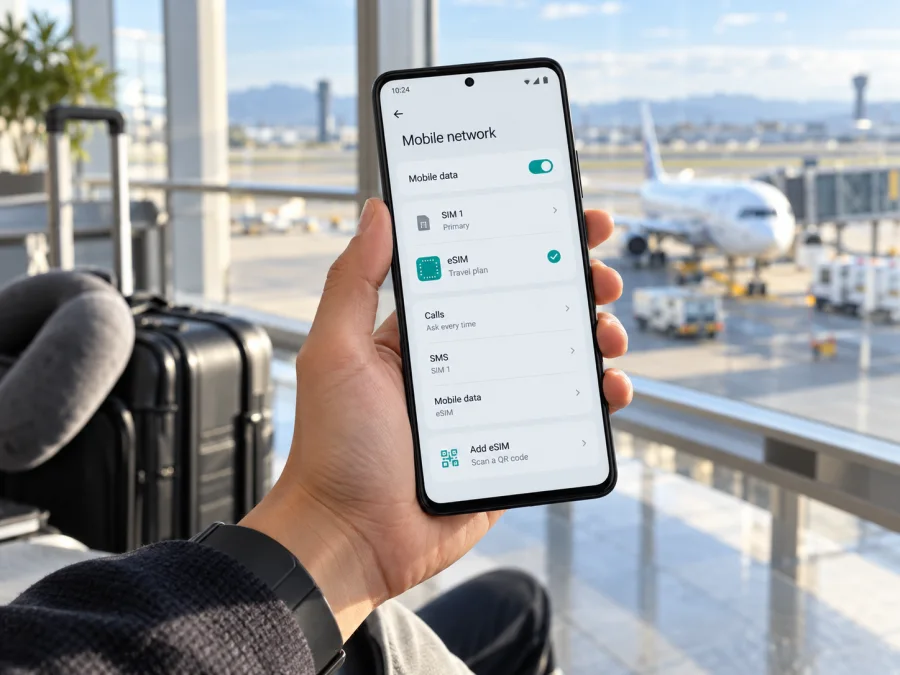
Sony Xperia 5 V 128GB eSIM: compatibility and setup guide
The short answer is yes for the European version identified by Sony as XQ-DE54: Sony lists that model as supporting eSIM, and its Sony UK specifications for the 128GB configuration show nanoSIM/eSIM. The storage size does not itself determine eSIM support. The important detail is the device model code and market version. Phones sold under the same Xperia name in other regions can have a different SIM configuration, so do not treat every Sony Xperia 5 V 128GB unit as identical without checking it.
If you have the phone in hand, confirm its model name in Settings and look for an eSIM or add-SIM option before choosing a travel plan. If the model code is not XQ-DE54, or you cannot find those controls, treat support as unconfirmed until Sony or the seller verifies the exact regional model. A product listing that says only “Sony Xperia 5 V 128GB” is not enough to establish the SIM configuration of an imported device.
Quick compatibility summary
| Item | What to know about Sony Xperia 5 V 128GB |
|---|---|
| eSIM support | Yes on Sony’s listed European model XQ-DE54; confirm the code on your own phone |
| Physical SIM | Sony lists nanoSIM alongside eSIM for the UK 128GB configuration |
| Storage variant | 128GB is the requested configuration; storage capacity does not confirm the region or SIM hardware |
| Regional differences | Sony warns that non-EU models may use different SIM configurations; the same commercial name is not a guarantee |
| Carrier restrictions | A carrier-locked phone or carrier-specific firmware can affect activation; confirm it is unlocked and the plan is supported |
| Best check | Find the model code, inspect the mobile-network settings for an eSIM add option, and check for an EID if available |
| Travel use | A compatible, unlocked phone can use a travel data eSIM where the selected plan has service |
Does the Sony Xperia 5 V 128GB support eSIM?
Sony’s UK product specification for the 128GB Xperia 5 V lists its SIM type as nanoSIM/eSIM and describes it as dual SIM. Sony’s device-specific compatibility table identifies XQ-DE54 as a model with eSIM support. On that documented configuration, the answer is yes: you can add a supported eSIM profile in addition to the physical nanoSIM option, subject to the carrier or eSIM provider, software and any device lock.
That answer is tied to the model code, rather than to the memory size alone. “Sony Xperia 5 V 128GB” is a retail name and capacity description; it does not tell you where that particular phone was intended to be sold. Sony explains that some non-EU Xperia phones with the same commercial name have different device names and may not support eSIM. Sony’s US support information also says US Xperia phone models do not currently support eSIM. These regional statements should not be collapsed into a single global claim about every 128GB handset.
The practical rule is simple: XQ-DE54 is the Sony-listed eSIM-capable model; another code needs its own confirmation. If you are shopping, ask the seller for the complete model code printed on the box or shown in the phone settings. If you already own it, check the code directly on the phone rather than relying only on an invoice, an online listing, or the words “dual SIM.” Dual SIM can mean two physical SIMs on some phones; it does not by itself prove eSIM capability.
The model code is not a guarantee that every eSIM plan will work in every situation. The handset must be unlocked for the profile you plan to use, have compatible software, and be allowed to register with the plan’s supported network in the destination. A provider may also require a working internet connection during installation, a QR code or an in-app install flow, and specific settings after arrival. Device compatibility and destination coverage are separate checks.
Why region and seller matter
Phones can share a commercial name while differing in model code, tray design, firmware or SIM features. Sony says some non-EU Xperia models use different SIM configurations and may not support eSIM. Its US support information says US Xperia phone models do not currently support eSIM. These statements do not establish the configuration of every imported unit; they show why the market-specific model code matters.
XQ-DE54 is the eSIM-capable Xperia 5 V code listed by Sony UK. A seller’s location, the phone’s colour, 128GB capacity or a “global version” label cannot replace that code. If shopping, ask for the complete model identifier on the box and verify it in Settings after delivery. “Dual SIM” alone is also insufficient because some dual-SIM phones use two physical cards.
A network lock is a separate concern. Ask the original carrier or seller whether the handset is unlocked for another provider. The phone, its firmware and the eSIM provider or carrier must all support the profile and destination you plan to use.
How to check your own phone
Menu names vary by Android version, language and carrier software. Search Settings if a label is not where expected.
- Open Settings → About phone and record the complete model code.
- Compare it with Sony’s model-specific information. XQ-DE54 is the Xperia 5 V code Sony lists with eSIM.
- Open Settings → Network & internet → SIMs. Look for +, Add SIM, Download a SIM or Add eSIM. Wording can differ.
- Look for an EID under About phone, SIM status or device information. An EID is a useful indicator of eSIM hardware. If it is not visible, check the model code and settings as well; one missing field is not conclusive.
- Install official system updates, restart, and check the SIM menu again. If the code and controls do not agree, ask Sony or the seller to verify that exact regional version.
A SIM tray or a generic “dual SIM” label cannot settle the question. Do not share your full EID or IMEI in public. Use this device compatibility check before choosing a travel plan. Confirm the phone is unlocked too; an activation code cannot add eSIM to an incompatible device.
What to prepare before installing an eSIM
An eSIM is a digital SIM profile. The profile installation and the plan’s start of service may be separate events, so read the plan conditions for destination, data allowance, validity and activation. Do not assume it includes a phone number, standard calls or SMS; check the individual plan.
Before starting, have these ready:
- A confirmed eSIM-capable, unlocked phone; check the regional code.
- Stable Wi-Fi or mobile data. For QR setup, display the code on another screen or print it.
- Provider instructions and any APN values. Never guess an APN.
- Plan details for each destination and when validity begins.
- Access to the order or confirmation email. Keep the QR code private; it may be single-use.
Keep the primary SIM for calls or verification if useful, but select the travel eSIM for data when you intend to use it. Follow the plan’s activation instructions rather than switching on every roaming setting in advance.
Install and activate the eSIM on Xperia
The Xperia 5 V uses Android. Sony’s Xperia path is Settings → Network & internet → SIMs. The Kaspersky eSIM Store Android guide gives a general QR flow but its menu examples are for Samsung, so Xperia wording will differ. The iOS installation guide is for Apple devices and does not apply to this Android phone.
- Confirm support and unlock status. Verify the model code and add-eSIM option before purchase.
- Choose a plan. Check all destinations on your route, data amount, validity and activation conditions.
- Open the order or app. Use its install option or retrieve the QR code. Stay on a stable internet connection.
- Open SIM settings. Go to Settings → Network & internet → SIMs, tap + or Add SIM, then choose the eSIM download option if shown.
- Scan the QR code or enter details. Follow the system and provider prompts. The QR code usually needs to be on another screen. Check your profile list before retrying a slow install; do not repeatedly consume a single-use code.
- Name the line (for example, “Travel data — Spain”) so it is easy to recognize.
- Select the travel eSIM for mobile data when ready to use it. Keep calls and texts on your primary line if desired.
- Set data roaming or APN only as instructed. Enable roaming for the travel profile if required. Use an APN only when the provider supplies its exact value.
- Allow time to register, then check the signal and load a simple web page. Make sure the travel profile is the selected data line.
If installation is offered directly in the provider app, use that flow rather than importing the same profile again. For support, give the model code, Android version, destination and error wording. Never send a QR code or EID in a public post.
Using the phone for mobile data while travelling
If the plan permits it, install the profile over reliable Wi-Fi before departure. Check when its validity starts: installation may happen before data use, but the plan’s terms determine whether activation is scheduled, immediate or triggered by first network connection. Save instructions offline and note any required APN.
After arrival, switch on the travel eSIM and select it for mobile data. Enable data roaming for that profile only if required. Keep roaming off on your home SIM unless you deliberately want your home carrier’s service. Review automatic data switching as well; some settings may fall back to another line when the selected one has no service.
For a multi-country route, verify every country and territory in the plan’s current destination list. Coverage depends on the plan, its network partners and local conditions; a regional label does not guarantee every nearby territory. A data-only plan may support internet messaging and app calls, but it does not automatically provide a local number, ordinary voice service or SMS.
Kaspersky eSIM Store is an app and website where travelers can choose, arrange and activate an eSIM plan for mobile data abroad. Use the Kaspersky eSIM Store website to review current options and the conditions shown for your destination. Data allowances, validity, prices and supported locations are plan-specific and can change.
Common problems and what to check
- No “Add eSIM” option: confirm the full model code first, then update and restart the phone. Imported regional hardware or firmware can differ. Contact Sony or the seller if XQ-DE54 is shown but the option remains missing.
- QR code will not scan: increase the other screen’s brightness, steady it, and confirm the code belongs to your order and has not been used. Use manual entry only if the provider supports it.
- Download stalls: keep a stable connection and check whether the profile is already listed before retrying. Ask the provider before deleting a partial profile; some codes cannot be reused.
- Profile installed, no service: check the plan’s country and activation condition, switch on the eSIM, select it for data and allow time to register. A profile may install successfully outside its service area.
- Signal but no internet: verify mobile data uses the travel eSIM. Enable roaming for that profile if required and compare the APN with the provider’s exact instructions. Toggle airplane mode briefly or restart, changing one setting at a time.
- Profile rejected: check model support, carrier unlock, software, code validity and whether it was already consumed. Record the error and contact the provider or seller; repeated resets will not fix unsupported hardware or a lock.
- Wrong SIM is using data: recheck the selected data line and automatic switching. The home SIM has separate roaming settings, so selecting a travel eSIM does not itself prevent home-carrier charges.
- Profile disappears after reset or phone change: do not assume it can be transferred like a physical SIM. Check the provider’s reissue rules before deleting or resetting an installed profile.
Avoid sharing screenshots that expose phone numbers, EID, IMEI, QR codes or account details. Preserve a working profile while troubleshooting unless support instructs otherwise.
Practical travel scenarios
One destination: Verify the model and unlock status at home, compare the plan’s allowance and validity with your expected use, and install over Wi-Fi if allowed. Select the travel eSIM for data when ready to connect.
Several countries: Check each destination and territory, not just the first stop. Save setup instructions offline and confirm the network after crossing a border before assuming the profile has failed.
Keep your usual number reachable: Leave the primary SIM available if needed, set mobile data to the travel profile, and check home-carrier charges for calls, SMS and roaming. Internet calling apps use data; they are not a substitute for a phone number.
Imported or second-hand phone: Read the model code in About phone, verify unlock status and ask Sony or the seller to confirm that exact market version. If uncertain, use another confirmed compatible device, a physical SIM or a hotspot.
Frequently asked questions
Can I use eSIM and a physical SIM together?
Sony lists XQ-DE54 as dual SIM with nanoSIM/eSIM. Manage the lines in the phone settings and select the data line explicitly; behavior can depend on software and carrier.
Does 128GB mean my phone supports eSIM?
No. Capacity identifies storage, not market version. Sony’s UK 128GB specifications list nanoSIM/eSIM, and its support table identifies XQ-DE54. Check the code on your handset.
Is every Xperia 5 V eSIM-capable?
Do not assume so. Sony says some non-EU models can have different SIM configurations; its US support says US Xperia models do not currently support eSIM. Confirm the regional code.
Where can I find the EID?
Look in About phone, SIM status or device information. Menu wording varies. Also check for an add-eSIM control. Do not post the EID publicly.
Does a travel eSIM include calls and texts?
That depends on the plan. Many travel eSIMs are data-only. Check the plan description; internet messaging and app calls may work over data.
What if Sony lists my model but eSIM is missing?
Update, restart and inspect SIM settings again. If still absent, contact Sony or the seller with the full model code before buying or installing a plan.
Final check before your trip
Sony’s UK information lists eSIM for the European XQ-DE54 version of the Sony Xperia 5 V 128GB. The capacity alone does not confirm that an imported or carrier-sold phone has the same configuration. Check Settings → About phone, look for an eSIM add control or EID, update the phone and confirm it is unlocked. If the code differs or the controls are absent, verify that exact regional version with Sony or the seller.
Then confirm your plan includes every destination, has suitable data and validity, and clearly states when activation begins. Install with the current Android instructions, select the travel profile for data and enable roaming only if required. Complete the device compatibility check before choosing a plan in the Kaspersky eSIM Store app or website.


