Travel connectivity guide
Sony Xperia 5 V eSIM: Compatibility & Setup
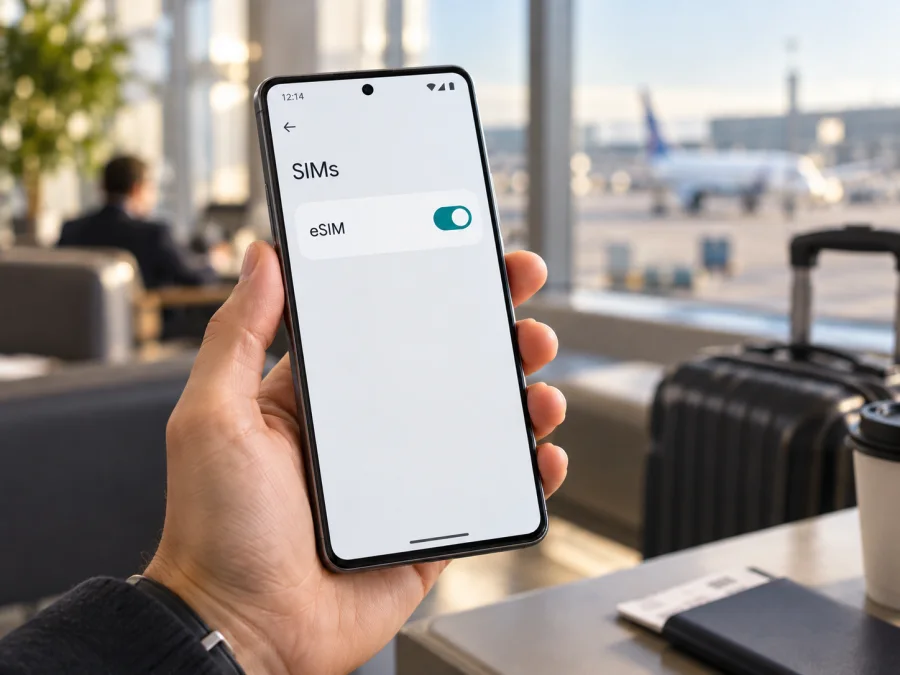
Sony Xperia 5 V eSIM compatibility and setup guide
The Sony Xperia 5 V can use an eSIM, but support depends on the regional model. Sony’s official Help Guide identifies XQ-DE54 as the eSIM-compatible version. The guide describes XQ-DE72 as a physical-SIM model that accepts either two nano-SIM cards or one nano-SIM and a memory card; it does not list eSIM setup for XQ-DE72. Check the full model code before choosing a travel eSIM.
A listing that says only “Xperia 5 V” may not identify the SIM configuration. Confirm the code, EID or eSIM option, and carrier restrictions before relying on a travel profile.
Sony Xperia 5 V at a glance
| Item | Details |
|---|---|
| Device | Sony Xperia 5 V; model code matters |
| eSIM listed by Sony | XQ-DE54 |
| Physical SIM configuration documented by Sony | XQ-DE72: two nano-SIMs, or one nano-SIM plus a memory card |
| Settings path on supported version | Settings → Network & internet → SIMs |
| Before buying a plan | Verify model, EID or eSIM menu, unlock status and destination support |
| Travel use | Select the travel profile for mobile data; retain your regular line if needed |
If your code differs from XQ-DE54 or XQ-DE72, check Sony’s official information for that full code. Android, 5G or dual-SIM wording does not prove eSIM support.
Does the Sony Xperia 5 V support eSIM?
Yes, Sony documents eSIM support for the Sony Xperia 5 V model XQ-DE54. Its instructions say to add an eSIM from Settings and scan the QR code supplied for the plan. The same Sony Help Guide marks the eSIM setup instructions “XQ-DE54 only.” For XQ-DE72, Sony documents physical SIM arrangements and does not list eSIM. If your phone has another regional code, support remains unconfirmed until that code and the phone’s settings are checked.
An eSIM is a downloadable SIM profile. Use also depends on software, unlock status, plan rules and destination networks. A compatible phone is not guaranteed to work with every plan. For a used or imported handset, confirm the full code in Settings → About phone or on its packaging.
Regional versions and carrier restrictions
Sony’s model-specific guidance separates XQ-DE54 and XQ-DE72. XQ-DE54 supports a nano-SIM with a memory card and can add eSIM; XQ-DE72 supports two physical nano-SIMs or a nano-SIM with a memory card. A second SIM tray position is not evidence that eSIM is present. The appropriate answer for the Xperia 5 V is conditional: XQ-DE54 is eSIM-capable; XQ-DE72 is not listed as eSIM-capable in Sony’s guide.
Verify other regional or carrier versions by full code with Sony; menus can vary by market and software version.
Carrier locking is separate from eSIM hardware. A phone may show an EID but refuse a profile from another provider if it is locked or if the service has additional device restrictions. Ask the original carrier to confirm the phone is unlocked. Also check whether the plan accepts your exact model and destination; device compatibility does not guarantee coverage or service on every network.
Check the model, EID and eSIM controls
On the supported XQ-DE54, Sony gives the settings path Settings → Network & internet → SIMs. Android wording may vary slightly by software version.
- Find the model code. Open Settings → About phone and record the full Model or Model number. XQ-DE54 is Sony’s documented eSIM version. XQ-DE72 is listed with physical SIM combinations.
- Look for an EID. Check About phone or SIM status for an EID (Embedded Identity Document number). Its presence is a useful sign of eSIM hardware, but it does not prove the phone is unlocked or that a plan will work.
- Check the SIM menu. Open Settings → Network & internet → SIMs. Look for “Add SIM,” “Download a SIM” or “Add eSIM.” Sony describes an add icon on XQ-DE54 when a SIM is already present.
- Resolve conflicting results. If the code says XQ-DE54 but no EID or add option appears, restart, install available official updates and check again. Then confirm the full code and configuration with Sony or the seller. Do not assume an app can enable eSIM on a model without the feature.
- Confirm unlock status. Contact the original carrier if you are unsure. The EID and settings menu alone cannot establish whether another provider’s profile will be accepted.
If buying remotely, request the model code and unlock status. Keep the EID private. Compare the model code with the software menu before spending money on a plan.
For another device check, use Check whether your device supports eSIM. Verify your exact Xperia 5 V code before choosing an eSIM plan.
Prepare before installation
Use stable Wi-Fi and keep the QR code on another screen or printed page. Before starting, confirm the model and unlock status, update Android, and check when plan validity begins. Downloading the profile and activating the package may be separate events. Some QR codes are single-use; do not delete the profile unless the provider confirms it can be restored.
Install and activate an eSIM on Sony Xperia 5 V
Sony documents the following process for XQ-DE54. The plan provider may give additional steps; follow its instructions if labels or activation requirements differ.
- Connect to Wi-Fi and open Settings.
- Tap Network & internet, then SIMs.
- Choose Add SIM, Download a SIM or the add icon. The label depends on Android version and whether another SIM is configured.
- Select the eSIM download option and scan the plan’s QR code. If QR setup is unavailable, enter manual details only if the provider supplied them.
- Review the displayed plan and confirm the download. Keep the phone online until Android reports that the profile has been added.
- Open the new profile’s settings and switch on Use SIM. Label it “Travel” or another name that distinguishes it from your usual line.
- When ready to use the plan, select the travel profile for mobile data. Keep your regular SIM available for calls or messages if needed and allowed by its terms.
- At your destination, enable the travel profile and mobile data. Turn on data roaming for that profile only if the plan requires it. Check your home carrier’s roaming conditions before enabling data roaming on the regular SIM.
- Wait for network registration, then test a website or app. If there is no connection, use the checks below before removing the profile.
For illustrated platform steps, see Android eSIM installation instructions and iOS eSIM installation instructions. Xperia 5 V is an Android phone, so use the Android instructions; the iOS page is the companion guide for Apple devices.
Use the Xperia 5 V eSIM on a trip
A travel eSIM can provide mobile data abroad without replacing a physical SIM. Install before departure or after arrival when you have internet access, following the plan’s activation rules.
Before departure: verify that your phone is XQ-DE54, unlocked and eligible for the plan. Check that the destination or every country on your route is included, and compare data allowance, duration and activation rules with your itinerary. Data-only plans may not include a number, voice calls or SMS; keep another option for essential calls or account verification.
At arrival: open SIM settings, enable the travel profile and select it for mobile data. Keep your home SIM enabled for calls or texts if you need it, while checking possible roaming charges. Turn on roaming for the travel profile only when required by its instructions. If it does not register, confirm the right profile is active and allow time for it to connect.
During the trip: monitor data use and validity. Coverage and speed vary by location and plan. Although the Xperia 5 V supports 5G, service abroad depends on local coverage, bands and roaming arrangements; LTE may be used. Keep maps or tickets available offline.
When you return: switch mobile data back to your usual line and turn off the travel profile if you no longer need it. Deleting the profile may not cancel a plan and may prevent reinstallation with the same QR code. Check the provider’s rules before removing it.
Kaspersky eSIM Store is an app and website where travelers can choose, arrange and activate an eSIM with a mobile-data plan for an international trip. Check the destination and plan terms, and confirm your particular Xperia 5 V supports eSIM before using the setup guidance. Cellular service depends on the networks and plan conditions associated with the selected service.
Troubleshooting: when an eSIM will not install or connect
“Add eSIM” is missing
Check the model code first. Sony lists eSIM for XQ-DE54 only; XQ-DE72 is described with physical SIM configurations. If yours is XQ-DE54, restart, install available official updates and recheck Settings → Network & internet → SIMs. Look for an EID as well. If the results conflict, ask Sony or the seller about the full model code before buying a plan. Software cannot add missing eSIM hardware.
The QR code will not scan or the download fails
Use a clear, bright QR image that fits in the scanner frame, and keep Wi-Fi connected. If the code is expired or already used, contact the plan provider to ask whether it can be replaced. Do not post the code publicly. For a download that remains pending, confirm internet access, automatic date and time, and current system software. Avoid deleting profiles or resetting network settings until you understand what will be removed.
The profile installs, but data does not work
Confirm that the travel profile is enabled and selected for mobile data, airplane mode is off, and the plan is valid in your location. Turn on data roaming for the travel profile if its instructions require it. Try automatic network selection first; use manual selection or APN details only when the provider specifies them. Restart or wait briefly after arrival so the phone can register.
Apps, calls or texts do not work
Test more than one app and check data allowance, validity and data-saver restrictions. A problem limited to one app may not be an eSIM issue. Many travel eSIMs provide data only, so ordinary calls or SMS may remain on the home SIM or be unavailable. Use internet calling over working data and review home-carrier roaming terms.
The phone is locked or service is unavailable
An EID does not confirm unlock status or plan eligibility. Ask the original carrier about unlocking and the plan provider whether the exact model and destination are supported. Signal and speeds also depend on local network coverage and the plan. Avoid changing advanced settings unless the official provider instructions call for it.
Quick compatibility checklist
Before you buy or install, confirm each item:
- [ ] The full model code is recorded; for the Xperia 5 V, Sony documents eSIM on XQ-DE54.
- [ ] An EID or eSIM add/download control is present, or Sony has confirmed support for your regional code.
- [ ] The phone is unlocked for the profile you intend to use.
- [ ] The plan covers your destination and dates and accepts the device.
- [ ] You understand when validity begins and whether data roaming is needed.
- [ ] You have Wi-Fi and access to the activation instructions.
- [ ] You know whether the plan is data-only and how to retain your regular line if needed.
Frequently asked questions
Can every Sony Xperia 5 V use eSIM?
No. Sony’s Help Guide identifies XQ-DE54 for eSIM setup. It lists physical-SIM arrangements for XQ-DE72 and does not document eSIM for that model. Verify the code on your phone.
Can an eSIM and physical SIM work together?
Yes. Sony says XQ-DE54 can use a nano-SIM and eSIM together. Choose the data profile in SIM settings; calls and texts depend on the line settings and carrier terms.
Does an EID guarantee that a travel eSIM will work?
No. It indicates eSIM capability but does not establish that the device is unlocked, the plan accepts it, or the destination is covered. Check those conditions as well.
Should I install the eSIM before travelling?
You can if the plan permits it and you have Wi-Fi. Check when validity begins before downloading or enabling the profile; follow the plan’s activation terms.
Can I reuse the QR code after deleting the profile?
Do not assume so. Activation codes may be single-use. Ask the provider before deleting a profile or resetting the phone.
Does the phone’s 5G support ensure 5G abroad?
No. Access depends on local coverage, compatible bands, roaming arrangements and the plan. A 5G-capable phone may connect using LTE in some places.
Final check before your trip
For the Sony Xperia 5 V, use the model code: Sony documents XQ-DE54 as eSIM-capable, while its guide describes XQ-DE72 with physical SIMs. Confirm the EID or eSIM control in Settings, verify unlock status, and check plan eligibility, destination and activation timing before purchase. If a detail is uncertain, resolve it before installing or deleting a profile.
After compatibility is confirmed, choose a plan for your country or route and keep its setup instructions available. Kaspersky eSIM Store’s app and website help you choose, arrange and activate an eSIM plan for mobile data during an international trip. Checking both the device and plan in advance makes the setup easier to manage when you arrive.


