Travel connectivity guide
Sopron eSIM: Mobile Internet for Your Trip
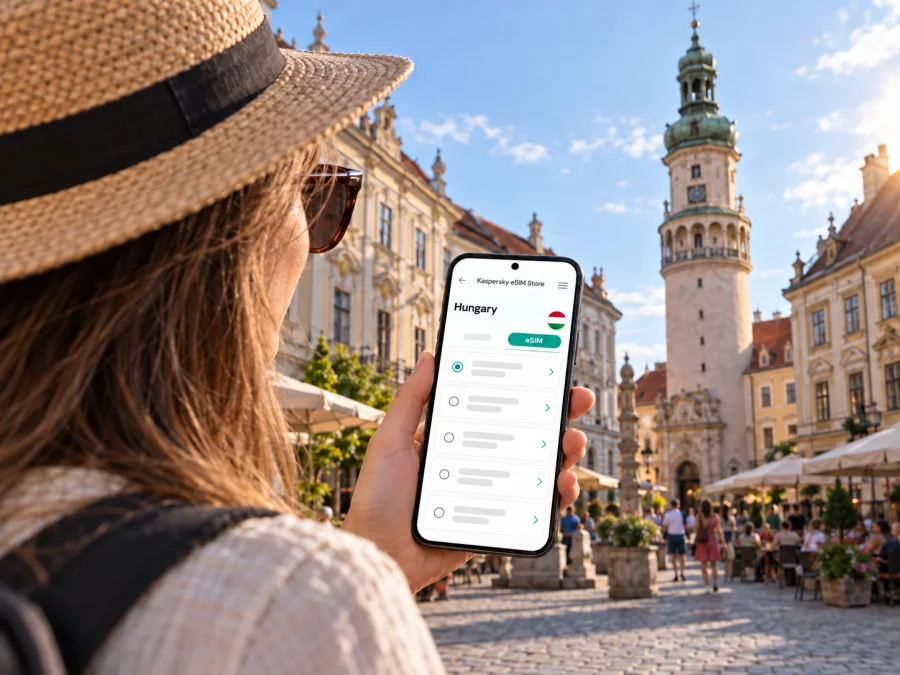
Sopron eSIM: mobile connection and internet for your trip
Sopron is a compact western Hungarian city where a short walk can take you from a railway arrival to medieval streets, Baroque façades and the Fire Tower above Main Square. A dependable mobile data plan can make those transitions easier: check the route to your accommodation, confirm a meeting point, translate a sign or find the next stop without relying on a café connection.
An eSIM is a digital SIM profile installed on a compatible phone. For a visit to Sopron, it can be a practical way to prepare mobile internet for maps, transport information, messages and work apps. It does not replace every function of your usual mobile line: the travel plan is generally for data, while voice calls and SMS depend on the terms of the selected plan. Keep your regular SIM active if you need its number for calls, messages or verification codes.
Arriving in Sopron: plan the first connection
Sopron lies in western Hungary near the Austrian border and is reached as part of a wider rail or road journey. Check the current itinerary for your departure date. If you begin at Budapest Ferenc Liszt International Airport, plan the onward journey across Hungary separately.
Before leaving home, save your accommodation name and address in a format you can show offline. Download an offline map area if your map app supports it, and keep a screenshot of the final route. These small preparations help if a train is delayed, your phone battery is low or you need to ask for directions before mobile data is ready.
At the station or road arrival point, use your map to orient yourself before setting off. Sopron’s historic centre is a useful reference point for a first visit, but your hotel may be outside it. Check the walking route and whether it includes cobbled or pedestrian streets; if you have luggage, a taxi or local bus may be more convenient for the last part of the journey. Confirm local transport schedules for your date, as routes and departure times can change.
A simple arrival checklist
- Keep your booking confirmation and accommodation address available offline.
- Check the onward route to Sopron before boarding, including any transfer points.
- Decide whether the final leg is best on foot, by local bus or by taxi.
- Keep a charger or power bank accessible for maps and tickets.
- Wait until you are ready to use the travel profile before turning on its data line, and follow the plan’s activation instructions.
Find your bearings in the historic centre
The Fire Tower is Sopron’s best-known landmark and stands by Main Square, also called Fő tér. The tower rises above the old centre and offers a useful visual reference when navigating nearby streets. The square and surrounding historic buildings make a natural starting point for a walking route. Streets in this area can be narrow, and their layout is easier to understand when you treat the square as a hub rather than expecting a simple grid.
A practical first walk is to pin your accommodation, the railway station and Main Square in your map app. Then add the places you actually plan to visit: a restaurant reservation, a museum, a meeting venue or a bus stop. Use walking directions for the old centre and switch to public transport directions for longer distances. If GPS accuracy drifts among closely spaced buildings, step into a more open street or square and compare the map with visible landmarks.
The Fire Tower, Loyalty Gate, Main Square and nearby streets can be combined in one walk; Széchenyi Square extends the route. Group nearby stops to avoid crossing the same lanes repeatedly. Check opening hours and access arrangements for towers or museums on the day, as details can vary by season or event.
What mobile data helps with around town
| Situation | Useful phone task | A practical backup |
|---|---|---|
| Finding your hotel | Follow a walking route from the station or a drop-off point | Keep the address and a map screenshot saved |
| Exploring Main Square | Identify nearby streets and save places for later | Use the Fire Tower as a visible orientation point |
| Meeting someone | Share a pin and confirm the entrance | Agree on a specific landmark, not just “the centre” |
| Choosing a café or restaurant | Check opening details and message your group | Save the venue name and address before setting out |
| Returning after dark | Compare the route with street signs and landmarks | Ask your accommodation about the best local option |
Choose a plan around your Sopron itinerary
The right amount of data depends on how you travel, not simply on how many days you stay. A visitor who downloads maps and uses messaging occasionally may need less data than someone who joins video meetings, uploads large files or streams media over mobile data. Review the plan’s destination, data allowance, validity period and activation conditions before confirming it. A city-focused trip can still include nearby destinations, so check whether the selected plan applies to every country on your route.
Kaspersky eSIM Store is an app and website where you can choose, purchase and activate an eSIM with a suitable plan for mobile internet on an international trip. Before choosing, compare the stated data amount and validity with your expected use. For a visit centered on Sopron, review the available plan options for Hungary and confirm that the selected conditions fit your itinerary.
Estimate your data needs
| Your pattern | Likely data pressure | Before you travel |
|---|---|---|
| Maps, messages and occasional searches | Light to moderate | Download offline maps and disable automatic media downloads |
| Frequent photo sharing and restaurant research | Moderate | Check which apps upload in the background |
| Remote work with cloud files or video calls | Higher and less predictable | Use reliable Wi‑Fi for large transfers when appropriate and check your plan allowance |
| Streaming or hotspot use | Can rise quickly | Review data limits and tethering conditions before relying on it |
For travel that crosses the nearby border into Austria, check coverage and validity for both countries before purchase. A plan for Hungary may not include another destination. If the itinerary includes a cross-border train, a wine-region visit or a longer trip onward, review each leg rather than assuming the same terms apply everywhere. Coverage, network performance and activation behavior depend on the selected plan and local network conditions.
Getting around: walks, buses and onward trips
The old centre is best explored on foot at a relaxed pace. For destinations farther from the central streets, check Sopron’s current local bus timetable and stop information before leaving. Search by stop name as well as destination, since a useful stop may be described differently from a landmark. If your phone is your main navigation tool, keep the route open before boarding and note the direction of travel; mobile data can help with updates, but a saved screenshot remains useful if coverage or battery becomes an issue.
For train journeys, verify connections and departure details close to travel time because schedules and platforms can change. Leave time to reach the station, and save the station name and ticket details offline for reference.
Sopron also works as a base for excursions around the Fertő/Neusiedler See region. Nearby destinations and routes vary by transport mode and season. If you are considering places such as Fertőrákos or lakeside stops, check current bus, cycling, boat or road options for the date you intend to go. Do not assume a regional connection runs frequently throughout the day. Download the area map and confirm the return leg before setting out, particularly if you plan to spend the afternoon away from the city.
Pick a navigation approach by trip type
- Short city break: Save the old-town sights and accommodation, then walk between nearby places.
- Business visit: Pin the venue entrance, station and hotel separately; allow a buffer for the last mile.
- Regional day trip: Confirm both outbound and return options before leaving Sopron and keep the timetable offline.
- Cross-border itinerary: Check the plan’s country coverage and the transport operator’s current travel information.
- Late arrival: Arrange the final transfer in advance if services may be limited at your arrival time.
Where to stay and how to stay connected
Staying in or near the historic centre makes it easier to walk to Main Square and many central addresses. Accommodation closer to the station can suit an early departure or a short stopover. A quieter stay toward the green edge of town may work better if your plans include walking or time outdoors. Compare the location with your actual schedule: a lower room rate farther away can mean extra time arranging the last leg, while a central address may make evenings simpler.
Set up your eSIM before you need directions
Confirm that your phone supports eSIM and is not carrier-locked. Support can vary by model and market, so check your device’s eSIM compatibility before choosing a plan. Use Wi‑Fi during installation and read the activation terms: installing a profile and starting its validity may be separate events.
A careful setup sequence helps avoid confusion when you arrive:
- Review the plan. Confirm Hungary is included, then check the data amount, validity and activation terms.
- Install the profile. Follow the instructions shown after purchase and keep the QR code or installation details accessible on another screen if needed.
- Label the lines. Use clear names such as “Home” and “Travel” so you can identify each SIM in your phone settings.
- Choose the data line. Select the travel eSIM for mobile data when you are ready to use it; retain your usual line for calls or messages if desired.
- Check data roaming settings. Follow the plan instructions for the travel line. Some plans require data roaming to be enabled on that eSIM.
- Test thoughtfully. Once the plan should be active, open a simple page or map. If it does not connect, check the selected data line, plan status and instructions before changing other settings.
For device-specific steps, use the Android eSIM installation guide or the iOS eSIM installation guide. Menu names can differ between phone models and operating system versions. Keep your usual SIM settings in mind so you do not accidentally change which line handles calls, texts or data.
A travel eSIM is generally intended for mobile data rather than a separate local phone number. Check the plan terms if you need calls or SMS, and consider keeping your primary line available; your home operator may charge roaming fees. Messaging and voice apps use data and require a compatible service at the other end.
Make a short stay easier
For a short stopover, keep the lodging address, onward departure and transfer details together before arrival. On a weekend, combine the Fire Tower, Main Square and nearby streets on one day, leaving another flexible for a regional excursion. Check current opening information before adding a venue to a tight schedule. Travelling with others? Agree on meeting points and keep key booking details accessible beyond a single phone.
Before you leave your accommodation
- Check the next destination and the return route.
- Charge your phone and carry a power bank for a long day.
- Save tickets, reservations and addresses for offline access.
- Review the travel eSIM’s selected data line and remaining allowance.
- Carry a payment option that does not depend on mobile service.
Common questions about eSIM and Sopron
Is an eSIM useful for a city break in Sopron?
It can help with maps, messages and transport checks without changing a physical SIM. Suitability depends on device compatibility, plan terms and expected data use.
Can I use one plan for Sopron and Austria?
Only if the selected plan’s destination list and terms include both Hungary and Austria. Check this before purchase, especially for cross-border excursions or onward travel.
Do I need mobile data to explore the old town?
No. Main Square and the Fire Tower help with orientation on foot; data is useful for checking details or adjusting a route. Keep an offline map as backup.
Will the travel eSIM give me a Hungarian phone number?
Do not assume so. Travel eSIM plans are generally for data; check the selected terms for calls or SMS and ask your home provider about roaming charges on your regular line.
When should I install the eSIM?
Install it before travel if the instructions allow, and check when validity begins; installation and activation may be separate. Use a stable internet connection during setup.
What if my map stops updating?
Check that the travel eSIM is selected for data and the plan is active. Use a saved map or address while you follow troubleshooting instructions; do not delete the profile unless instructed.
Prepare your connection for the route you actually plan to take
For Sopron, plan your arrival, the route between your accommodation and the old centre, and whether you will continue beyond Hungary. Save essential addresses, check current transport information and choose a plan whose coverage, data and validity fit your itinerary.
Kaspersky eSIM Store lets you review and activate an eSIM plan for an international trip through its app or website. When your device is compatible and the conditions match your route, choose a plan for your trip to Hungary, install it according to the instructions, and keep your maps and key travel details ready before you set out.


