Travel connectivity guide
Soroca eSIM: Mobile Internet for Your Trip
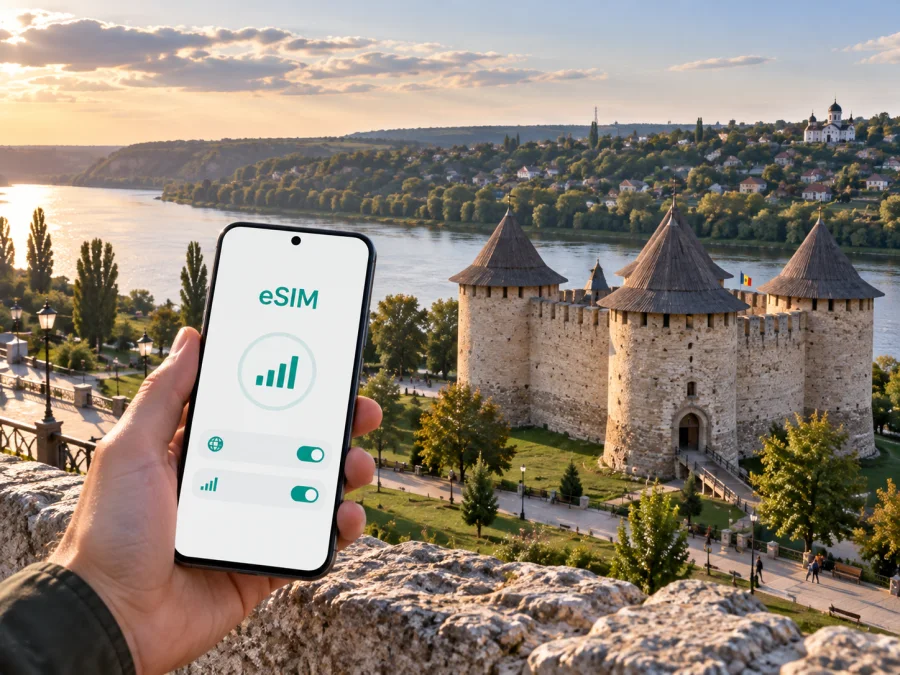
Soroca eSIM: mobile connection and internet for your trip
Soroca suits a short break, cultural visit, business appointment or longer route through northern Moldova. The city lies on the Dniester, and useful travel moments are spread across town: arrival, finding a hotel, walking to the fortress, climbing towards the Candle of Gratitude and arranging the next road journey. Mobile internet helps you handle those transitions without carrying a physical SIM card.
An eSIM is a digital SIM profile that can be installed on a compatible phone. For a trip to Soroca, it can be used for maps, messages, online bookings, translation, ride coordination and work services. Kaspersky eSIM Store is an app and website where you can choose, arrange and activate an eSIM with a suitable plan for mobile internet during a trip abroad. The useful question is not whether you need every feature at once, but how much data, time and flexibility your own Soroca itinerary requires.
When an eSIM can help in Soroca
The first hours after arrival
The first task is usually practical: confirm the accommodation address, message a host, check a transfer and open a map. If you reach Soroca by road from another Moldovan city, mobile data can help before you have settled in or found reliable Wi-Fi. Keep the full address and a plain-text copy ready so you can compare the map pin with the entrance.
Maps, walking and the Dniester riverfront
Soroca is strongly connected to the Dniester landscape. A walk near the river and a visit to Soroca Fortress are different navigation tasks from reaching a viewpoint above the city. A map can help you save the next point before leaving your accommodation, see the direction of a road, and avoid spending time searching for the same address again.
For a relaxed walking day, save the essential route details before leaving strong Wi-Fi. Keep mobile data available for changes: a meeting may move, a path may be less convenient with luggage, or a venue may have a different opening arrangement than expected.
Soroca Fortress and the upper part of the city
Soroca Fortress stands by the Dniester and is one of the city’s defining historic places. The Candle of Gratitude is on a high hill above the river and offers a different perspective. For both stops, check current visitor information, allow time for walking and photographs, and keep mobile data available for the return route or a change of plan.
Hotels, guesthouses and short stays
For a one-night stopover, prioritize continuity: save the full address, check-in instructions and arrival contact offline. For several nights, consider the distance to the river, fortress, meeting place or road out of the city. Hotel Wi-Fi may be enough for an evening, but an eSIM can complement it during the walk to the property, a meeting or the onward transfer.
Mobile internet scenarios for a Soroca itinerary
The right setup depends on what you will do in the city. A traveller who spends one afternoon by the fortress uses data differently from someone who works between meetings or continues to another town the next morning.
| Soroca scenario | Typical data tasks | What to plan before departure |
|---|---|---|
| Short stopover | Map, messages, booking details, occasional search | Keep the profile and key addresses ready |
| Sightseeing day | Navigation, photos, translation, reservations | Save the walking route and charge the phone |
| Business visit | Email, documents, video calls, taxi or transfer coordination | Estimate work data separately from leisure data |
| Several-day stay | Maps, messaging, browsing, media and updates | Choose duration and traffic with a margin |
| Soroca plus another route | Navigation between stops, accommodation changes | Check that the chosen country or regional plan matches the whole route |
This is a planning framework, not a promise of a fixed amount of data. Your usage can change when you upload photographs, join a video call, use cloud documents or watch video away from Wi-Fi. It is better to think in activities than in an attractive-looking number alone.
How to choose an eSIM plan for Soroca
Start with the destination. Soroca is in Moldova, so the relevant country option is Moldova rather than a city-specific product page. If your itinerary includes another country, check whether a regional option is more appropriate; do not assume that a country plan automatically covers every border crossing.
Next, estimate the duration from the moment you expect to use mobile data until the end of the trip. A short Soroca visit, an overnight stop and a week-long route are different use cases. Check when validity begins, whether unused traffic expires, and what the plan says about activation.
Then divide your expected use into essential and optional traffic:
- Essential: maps, messages, accommodation details and transport coordination.
- Useful: translation, email, browsing and occasional photo uploads.
- Heavy: video meetings, cloud synchronisation, streaming and large files.
If you have a work appointment in Soroca, plan the work scenario first. A single video call can affect your estimate more than a full day of map checks. If you are travelling with someone, decide whether each person needs a separate eSIM or whether one phone will occasionally use hotspot mode. Hotspot availability and conditions depend on the device and the selected plan, so verify them rather than treating them as automatic.
You can choose an eSIM plan for Moldova after checking the duration, traffic amount, destination and activation terms that fit your Soroca route. The page is for the country because the city is the place you are visiting; the plan’s exact conditions remain the deciding factor.
Prepare before leaving for Soroca
Preparation is easier when it is split into short checks instead of left for the moment you arrive.
Device and account check
Before selecting a plan, check whether your device supports eSIM and confirm that it is not locked to another operator. Device support can differ by model and region of sale. Keep the phone updated, make sure you can access the email or profile where the eSIM details will appear, and charge the device before travel.
If you use a physical SIM for your regular number, decide which line should handle calls and messages and which line should handle mobile data. Keep the primary line available if you need it, but review data-roaming settings carefully so the wrong line does not consume data while abroad. The exact menu names vary between Android and iOS.
Choose when to install
Installing before departure can reduce the number of tasks at arrival, but activation and validity rules differ by plan. Read the instructions associated with the selected eSIM and decide whether the profile should be installed before the journey or after you reach Moldova. Do not remove a working profile just to make room for a new one unless you understand the consequences.
How to install and activate an eSIM for Soroca
The exact screens depend on your device. The general sequence is straightforward, but one action should be completed at a time.
1. Confirm the conditions
Make sure the phone supports eSIM, is not operator-locked and has access to the order details or QR code. If you need device-specific help, use the Android installation guide or the iOS installation guide.
2. Open mobile-network settings
Go to the mobile-network or cellular settings and select the option for adding an eSIM or mobile plan. Keep the physical SIM in place if you still need your regular number.
3. Scan the QR code or use the profile
Follow the on-screen instructions and use the QR code from your order or the profile flow in Kaspersky eSIM Store. Avoid scanning a code from an unverified screen or a forwarded message whose destination you cannot confirm.
4. Label the lines clearly
Give the new line a label that makes sense to you, such as “Moldova trip”. Clear labels are useful when you arrive tired and need to choose the correct line for mobile data.
5. Select the eSIM for data
In mobile-data settings, choose the travel eSIM when you are ready to use it. If you want to keep your regular number for calls or messages, review the settings so mobile data and default voice line are assigned intentionally.
6. Check roaming and wait if needed
Some devices or plans may require data roaming to be enabled for the travel eSIM. Follow the selected plan’s instructions. Connection can take a few minutes and may depend on the device and local network. If the phone does not connect, do not repeatedly delete and reinstall the profile; move through the troubleshooting steps below first.
Moving around Soroca with a connected phone
Arrival and transfer planning
Your arrival point, accommodation, fortress visit and next departure can be in different directions. Save each point before setting out and check the route in stages. For road travel, check departure times close to the journey, allow time to reach the stop, and keep the next address ready to show a driver or use in a map. Schedules can change, so do not rely on an old screenshot for an important connection.
Walking between city areas
The riverside, central streets and hill around the Candle of Gratitude offer different walking conditions. A route that looks short on a map may feel longer when it includes a climb, a pause for a view or a detour around an entrance. Use the map as a live planning tool, keep enough battery for the return journey, and postpone large photo uploads when traffic is limited.
Business and remote-work visits
For a work trip, connectivity is part of the schedule rather than an afterthought. Before the meeting, download the files you may need, identify a quiet place with a backup option and test the eSIM while you still have time to change settings. Keep a small data reserve for a message, a route change or a follow-up call after the appointment.
Do not assume that a café or hotel connection will suit every work task. Mobile data can help between locations and reduce dependence on public Wi-Fi, while your organisation’s security and access rules still apply.
If the connection does not work
Use this order so that you change one variable at a time:
- Check that the travel eSIM is switched on.
- Confirm that the travel eSIM is selected for mobile data.
- Check whether data roaming is required by the plan or device.
- Move to a location with a clearer signal and wait a few minutes.
- Restart the phone if the profile is active but the connection has not appeared.
- Review the plan’s validity, traffic balance and destination conditions.
- Contact support through the service if the issue remains.
Avoid deleting the eSIM profile during the first troubleshooting attempt. Some profiles cannot be installed again under the same conditions after removal. If you changed the data line, switch back only after recording which settings were active so you can explain the situation clearly if support is needed.
Frequently asked questions
Is an eSIM useful for a short visit to Soroca?
Yes. It can be useful for the arrival address, maps, messages and transport coordination even when you stay in Soroca for only part of a day. Choose validity and traffic for the actual itinerary rather than assuming that a longer plan is necessary.
Does the eSIM replace my normal phone number?
No. An eSIM plan for mobile internet does not automatically include a separate telephone number, ordinary calls or SMS. Unless the selected plan says otherwise, keep your regular line for those functions and use internet messengers for communication over data.
Do I need to check device compatibility?
Yes. Before purchase, check your device compatibility and confirm that the phone is not operator-locked. Regional versions of the same model may differ, so the model name alone is not always enough.
Can I install the eSIM after arriving in Soroca?
Yes, if you have access to the order details or QR code and the plan’s activation conditions allow that timing. Installing before departure may make arrival easier, but the correct choice depends on validity rules and your itinerary. Read the plan instructions first.
Will the eSIM work in every building and on every road?
No connection can be promised in every indoor location or along every route. The experience depends on the selected plan, the local network, the device and the surroundings. Keep essential addresses offline and allow time for the phone to register after activation.
A compact Soroca travel checklist
Before departure, confirm compatibility and operator-unlock status, choose a Moldova plan by validity and traffic, save accommodation and transport details, read the installation guide, and decide which line will handle data. On arrival, select the travel eSIM, verify roaming settings, message your contact and open the route. During the stay, watch the balance, check transport information before an important departure, keep the next address offline, and contact support if activation does not behave as expected.
Plan your Soroca connection before the journey
Soroca rewards a flexible schedule, and an eSIM helps you handle changes between the fortress, riverfront, hilltop and business appointments without a physical SIM-card search after arrival. Check the device, read plan conditions, install the profile carefully and keep essential details offline.
Choose an eSIM plan for your trip to Moldova and prepare the mobile internet settings you will need for Soroca.


