Travel connectivity guide
Sousse eSIM: Mobile Internet for Your Tunisia Trip
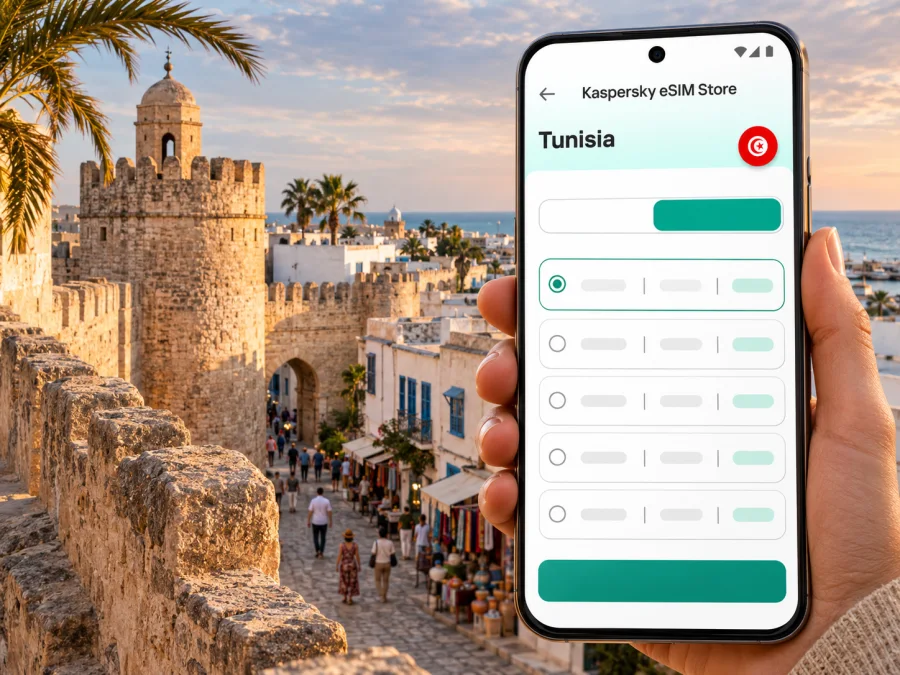
Sousse eSIM: mobile connection and internet for your trip
Sousse brings together a historic walled medina, a busy modern centre, a long Mediterranean seafront and resort areas stretching toward Port El Kantaoui. That variety makes mobile data useful from the first hour: you may need to find your hotel after landing, follow a route through narrow old-town streets, check a train departure or message your host after moving from the beach to the centre.
An eSIM can provide mobile internet on a compatible, unlocked device without replacing your physical SIM. Before choosing one, check the destination and terms shown for the specific plan. A city name does not guarantee coverage at every address, inside every building or along every route; service depends on the plan’s underlying network and local conditions.
What to plan for in Sousse
Sousse is in Tunisia’s central-eastern Sahel region. Its most recognizable visitor areas are the medina and old harbour, the newer town centre, the seafront and hotel districts, and Port El Kantaoui to the north. These places create different data needs: a walking map is useful in the medina, while a transfer booking or hotel message matters more at the airport and a train timetable can help when travelling along the coast.
The medina faces the sea and rises along a hillside. Its lanes and souks are easier to navigate with an offline map downloaded in advance and a live map available when data works. The Ribat, Great Mosque, Kasbah and Khalef Tower are among the landmarks described by Tunisia’s national tourism board. In the newer centre and along the promenade, you are more likely to use restaurant searches, ride arrangements, translation and messaging.
Port El Kantaoui is a separate marina and resort area a short distance north of Sousse. If your accommodation is there, check its exact pin before departure: “Sousse” in a booking result can refer to a wide coastal area, and a hotel name alone may not tell a driver which entrance you need. Keep the address and a map screenshot available offline as a backup.
Arriving: keep the first connection simple
Visitors commonly reach the Sousse area through Monastir Habib Bourguiba International Airport or Enfidha-Hammamet International Airport. Which one is practical depends on the flight, season, accommodation and transfer arrangement. The national tourism board describes both as serving the area and gives approximate distances, but actual journey time varies with traffic, pickup location and transport choice. Confirm your arrival airport and transfer with the airline or accommodation rather than planning from a generic map estimate.
At the airport, data can help you contact a driver, share your arrival status, confirm the hotel entrance and check a route. Prepare these details before travelling:
- Save the accommodation name, full address and phone number in your notes.
- Download an offline map of Sousse and the route from your arrival airport.
- Agree with your driver on a meeting point and a backup contact method.
- Keep your booking confirmation and transport details available offline.
- If your eSIM is not active yet, use airport Wi-Fi only for essential setup and avoid relying on it for the whole journey.
If you arrive late or your flight is delayed, a working data connection can make it easier to update the person waiting for you. Still, do not assume the connection will be available as soon as the aircraft lands. eSIM installation may require Wi-Fi, and the plan’s validity may begin at a particular event such as installation, network registration or first use. Read the plan’s activation terms before you install it.
Choose a plan around your itinerary
A useful plan is the one that fits your expected data use and dates. A short weekend built around the medina and seafront has a different pattern from a week with video calls, repeated map use and day trips. The amount of data required cannot be determined by destination alone: video, photo backup, hotspot use and app updates can consume much more than text messaging and occasional directions.
| Travel pattern | Likely data use | What to check before selecting a plan |
|---|---|---|
| Short city break | Maps, messages, booking details and searches | Validity dates, included data, and when the validity period starts |
| Beach or resort stay | Messaging, browsing, maps and occasional media | Whether the plan lasts for the full stay and whether data can be topped up |
| Work trip | Email, cloud documents, calls through apps and maps | Video-call use, hotspot rules, fair-use terms and backup Wi-Fi |
| Coastal itinerary | Maps, timetables, messages and tickets between towns | Country coverage, plan validity across the route and transport schedule changes |
| Heavy media use | Uploads, streaming, frequent hotspot sessions | Data allowance, speed or use restrictions, and whether Wi-Fi is available at your stay |
Think through the apps you will use rather than choosing only by trip length. Navigation and messaging are usually modest compared with high-resolution video, automatic cloud photo uploads or tethering a laptop. Before leaving, turn off automatic updates over mobile data, set photo backup to Wi-Fi only if that suits you, and check which apps are allowed to use cellular data in the background.
eSIM readiness: device, region and plan
Check device compatibility before payment. eSIM support depends on the exact device model, its regional variant, software version and sometimes the mobile operator lock status. Two phones sold under the same product family name may differ by market, and a manufacturer’s general page may not confirm a particular variant. Look up the model identifier in the device settings or packaging, then confirm eSIM support for that exact version and make sure the phone is unlocked for another mobile plan. Check whether your device supports eSIM.
Features can differ between regional variants, even within one product family. Check the full model code with the manufacturer or seller; a similar model name is not enough. Keep your physical SIM active if you need its number for calls or verification messages.
An eSIM data plan is not necessarily a replacement for conventional voice and SMS service. Unless the selected plan explicitly says otherwise, plan on using it for mobile data; keep your usual number available for calls and texts, and use internet-based calling or messaging apps when appropriate. Check roaming charges for your home SIM and decide whether to disable its data roaming while in Tunisia.
For a stay in Sousse and nearby destinations, you can review eSIM plan options for Tunisia and compare the current terms shown there with your travel dates and expected usage. This is a country-level destination page; it should not be read as a separate Sousse tariff or a promise of service in a particular building. Confirm that the selected plan covers the places on your itinerary.
Install before you travel, activate with care
If your phone and plan are ready, installation before departure can reduce arrival friction. Follow the plan instructions exactly. Some eSIMs are installed by scanning a QR code; others use an app-based process. Do not scan or install the same activation code on multiple devices unless the plan explicitly permits it. Keep the installation details accessible on a second screen or printed copy if the phone you are configuring is also the only device showing the QR code.
A practical sequence is:
- Connect to Wi-Fi and confirm the phone is compatible and unlocked.
- Read the plan’s coverage, data, validity and activation terms.
- Install the profile and label it “Tunisia data”. Keep activation details private.
- Select the eSIM for mobile data when needed; enable its data roaming only if instructed.
- Note when validity begins and test the setup if the plan allows.
For detailed device steps, see the Android eSIM installation guide or the iOS eSIM installation guide. Menu names can vary by operating system version and manufacturer. If the eSIM appears in settings but does not connect, check the plan’s instructions, the selected data line, roaming setting and any manual network-selection guidance before changing other settings.
Do not delete an installed eSIM as a troubleshooting shortcut: a QR code may not be reusable. Check support guidance first, and never share activation codes or credentials publicly.
Getting around: maps, trains and nearby towns
Sousse works as both a destination and a base for coastal day trips. The SNCFT rail network lists Sousse on the main line connecting Tunis with cities farther south, and its Sahel Metro service links Sousse with Monastir, Moknine, Teboulba and Mahdia. The official railway site publishes route and schedule information; check current departure times close to travel because timetables and availability can change.
Mobile data can help you find the right station, check a departure, message your accommodation about your return and retrieve booking details. It cannot replace a valid ticket or guarantee that a train will operate at a particular time. Save the station name and departure information offline, especially if you are travelling early or returning after an evening out.
For local movement, decide on the destination before starting a ride. The old medina’s lanes are not the same as the broad seafront roads or the resort streets near Port El Kantaoui. Drop a pin at the entrance or meeting place rather than relying on a broad neighbourhood label. When walking, use a live map at junctions and then put the phone away in crowded areas; a downloaded offline map is helpful if the signal is weak or you want to conserve battery.
For a day trip to Monastir, the Sahel Metro may be useful. Check the departure and return times before setting out, and save a fallback plan.
Where you stay changes how you use data
In the medina or central Sousse, your days may involve walking between historic sites, shops, cafés and the seafront. Maps, translation, opening-time searches and messages are likely to matter most. Narrow streets and thick walls can affect reception differently from open areas, so download directions and keep the hotel address offline.
In a seafront hotel, you may use the property’s Wi-Fi for larger downloads and reserve mobile data for directions, messages and bookings outside. Ask the property about Wi-Fi availability and any access steps before relying on it. If you are staying at Port El Kantaoui, plan for trips into central Sousse as well as movement around the marina. Mark both your lodging and the exact pickup point; a resort area can cover several roads and entrances.
For a business stay, check tethering terms, estimate video-call use and identify a backup such as hotel Wi-Fi. Keep essential documents offline; mobile data is useful while moving around but is not a guaranteed office connection.
Short stopover or one-night stay
If you have only a few hours in Sousse, focus on one area and save the station or pickup point, medina entrance and return route. Leave time for traffic or schedule changes. For a one-night stay, set up the eSIM in advance if its terms allow, save check-in instructions and check both airport transfers if you arrive and depart from different airports. A map screenshot and written address remain useful backups.
Data-saving and privacy checklist
You can reduce avoidable data use without making navigation difficult:
- Download the map area over Wi-Fi before leaving your accommodation.
- Disable automatic app and operating-system updates over cellular data.
- Review cloud photo backup and video autoplay settings.
- Use hotel Wi-Fi for large files when its security and quality meet your needs.
- Keep a charging cable or power bank available for long days of navigation.
- Lock your phone and avoid displaying eSIM activation details to others.
- Use a screen lock and keep your device with you in busy transport areas.
A map can work offline after its area is downloaded, but live traffic, updated business details and real-time sharing may still need a connection. Keep the distinction clear: offline preparation provides a fallback, while mobile data supports live information when the eSIM is connected and the local network is available.
If the eSIM does not connect
First confirm that the eSIM line is enabled and selected for data, and check the plan’s validity and remaining allowance. Enable data roaming for that eSIM only if its instructions require it; restart the phone if the profile is active but not connecting.
If needed, move to an open area and wait for network registration. Follow the plan’s manual network-selection guidance only if provided. Contact support privately with the order details if it remains inactive; never post an activation QR code or password. Keep hotel Wi-Fi, a saved address and offline maps as fallbacks.
Frequently asked questions
Which airport should I choose for Sousse?
The flight options and accommodation location determine the best arrival point. Monastir Habib Bourguiba and Enfidha-Hammamet are the nearby international airports commonly associated with the area. Confirm the airport on your ticket and arrange the transfer based on your hotel’s exact address.
Will one eSIM work throughout Sousse and on day trips?
That depends on the plan’s destination coverage, its partner network and conditions along the route. Check the current plan information for Tunisia and review its limitations. No citywide or countrywide plan description guarantees a signal in every building or at every point on a journey.
Can I keep my regular number?
Many compatible phones can keep a physical SIM active with an eSIM. Choose the data line and check home-network roaming charges. A travel data plan does not automatically include a standard number, calls or SMS.
A practical preparation plan
Before departure, confirm your airport transfer and accommodation address, save key map pins, check device compatibility and compare the plan’s data, validity and activation terms with your itinerary. Install it using the official instructions, note which line handles data, and keep offline arrival details and a day-trip return option.
For a city break concentrated on Sousse, focus on the airport transfer, your accommodation location and the medina-to-seafront route. If you plan to continue toward Monastir or Mahdia, include the rail connection and its schedule in your preparation. The right amount of data is the amount that supports your actual use, with a fallback for the moments when a signal or Wi-Fi connection is unavailable.
Prepare your eSIM for Sousse
Before you travel, use Kaspersky eSIM Store on the website or in the app to select, arrange and activate an eSIM with a suitable plan for your trip abroad. Review the current Tunisia plan details, confirm the phone’s exact eSIM compatibility, and install the profile in line with its activation terms. Choose an eSIM plan for your Tunisia trip and keep your maps and arrival details available offline as a practical backup.


