Travel connectivity guide
South Caicos eSIM: Mobile Data and Travel Tips
South Caicos eSIM: Mobile Connection and Internet for Your Visit
South Caicos is a small, quiet island in the Turks and Caicos Islands, where a phone is useful less for navigating a dense urban grid than for coordinating an arrival, finding your lodging, checking a boat or flight plan, and staying in touch while you explore. The island’s main settlement, Cockburn Harbour, sits on the southwest coast. Around it, the landscape opens into salt ponds, low scrub, beaches, cays and long stretches where you will want to know your route before setting out.
An eSIM can give your compatible phone mobile data for maps, messages, booking details and online calls during an overseas trip. On South Caicos, plan for a destination where transportation, accommodation and activities are spread out. Download essential information before leaving reliable Wi-Fi, save your host’s contact details, and agree on transfers in advance. Mobile data is a practical backup and planning tool, but it does not replace local arrangements or guarantee a signal at every beach and road.
What to expect when you arrive
Most international visitors reach the Turks and Caicos Islands through Providenciales, then continue to South Caicos by domestic air or passenger ferry. There are also limited direct international flight options at South Caicos Airport, so check the current itinerary for your dates rather than assuming your route. The island airport is north of Cockburn Harbour; it is not next door to the settlement’s hotels, and the distance is not a useful walk with luggage. Arrange a pickup with your accommodation or a local driver before departure.
Ferry passengers arrive at Cockburn Harbour, close to the island’s principal settlement. If you are coming by air, have your onward transfer arranged separately. Keep your accommodation’s name, directions and phone number available offline. When a flight or ferry arrival time changes, messaging your host early can prevent a long wait or confusion about where to meet.
A useful arrival checklist:
- Save your lodging address and contact number in your phone and, if possible, on paper.
- Confirm whether the property will meet you at the airport or ferry port and where the pickup point is.
- Keep your first-day route and booking confirmations available offline.
- Check the local time and transport details against your current arrival itinerary.
- Save maps for Cockburn Harbour and the places you expect to visit before leaving Wi-Fi.
- Carry a power bank if you will rely on your phone for directions, messages and photos throughout the day.
South Caicos does not have the same continuous stream of taxis and transit options visitors may expect in a large city. Advance coordination is more useful than searching for a ride after landing. Your host can advise what transport is available for your specific arrival and whether a driver, rental vehicle, bicycle or resort transfer best fits your stay.
Getting oriented around Cockburn Harbour
Cockburn Harbour is the island’s main settlement and practical center. Its small blocks and paved, named streets make it the easiest place to get oriented on foot. The working waterfront, local services and everyday activity are concentrated here, while several places to stay lie farther south along the coast or outside the settlement. Ask your accommodation to share a pin or precise directions; a property name alone may not be enough to identify a turn on an unfamiliar road.
For the first walk, keep the plan simple. Note a recognizable starting point, such as your lodging or the harbour, and save the route back. In bright sun, a short walk can feel longer than expected, especially when you are carrying bags or moving between exposed areas. Use your phone map to check direction before you start, then pay attention to the road and local guidance instead of watching the screen continuously.
| Area or stop | Why it matters to a visitor | Useful preparation |
|---|---|---|
| Cockburn Harbour | Main settlement, ferry arrival area and a base for local errands | Save your lodging pin and ferry meeting point |
| South Caicos Airport (XSC) | Air gateway north of the settlement | Arrange a pickup; confirm the driver knows your flight time |
| Government Hill | Viewpoint above the settlement, with views toward nearby cays and the salt landscape | Check access and transport locally; download an offline map first |
| Salinas and salt-industry remains | A visible part of the island’s working and historical landscape | Ask locally which routes are appropriate and passable |
| Southern coast resorts | Accommodation outside the main settlement | Confirm whether meals, transfers and activity transport need advance booking |
Government Hill provides a sense of the island’s geography: Cockburn Harbour and the water lie below, while the former salt-working landscape spreads inland. The old salinas and industrial remnants are not simply decorative landmarks; they are part of South Caicos’s history. Explore respectfully, stay on appropriate routes, and follow advice from your host about access. Conditions can change, and a route shown on a map does not establish that a track is open or suitable for a vehicle.
Moving between the settlement, airport and coast
Choose transport according to your lodging and plans. For a stay in Cockburn Harbour, walking may cover some local errands. For a resort or villa away from the settlement, a prearranged transfer or vehicle can make daily plans more manageable. Some resorts may have their own arrangements; ask directly what is included instead of assuming transport is available on demand.
Bicycles can suit short, unhurried rides where your accommodation offers them and the route is appropriate. A bicycle is not a substitute for a confirmed airport transfer with luggage, nor is every coastal road equally convenient for every traveler. If you are considering a rental vehicle, clarify pickup, drop-off, fuel arrangements and the exact destination before you commit. Ask your host about road conditions and directions, particularly if you plan to visit a remote beach or nature area.
Mobile internet is most useful here as a coordination layer: message a driver, check a saved map, confirm a meeting time, or let someone know when your plans change. It cannot tell you whether a boat is running, whether a private access road is open or whether a vehicle can reach a particular beach. Those details should come from the provider of the transfer or activity.
Before heading away from Cockburn Harbour, use this quick route check:
- Confirm the destination and meeting point with the person hosting or guiding you.
- Save the route and any relevant contact information while you have a dependable connection.
- Ask whether you will be collected at a set time or should arrange a return trip separately.
- Carry water, sun protection and enough battery for the full outing.
- Tell your host your approximate return time if you are exploring independently.
Choosing mobile data for a South Caicos itinerary
The right amount of data depends on what you do with your phone, not simply the number of days you spend on the island. A traveler who mainly checks messages and directions may use less than someone who uploads video, joins frequent video calls or streams entertainment. Accommodation Wi-Fi may be available, but its performance and availability depend on the property. Do not build a work-critical plan around a connection you have not confirmed.
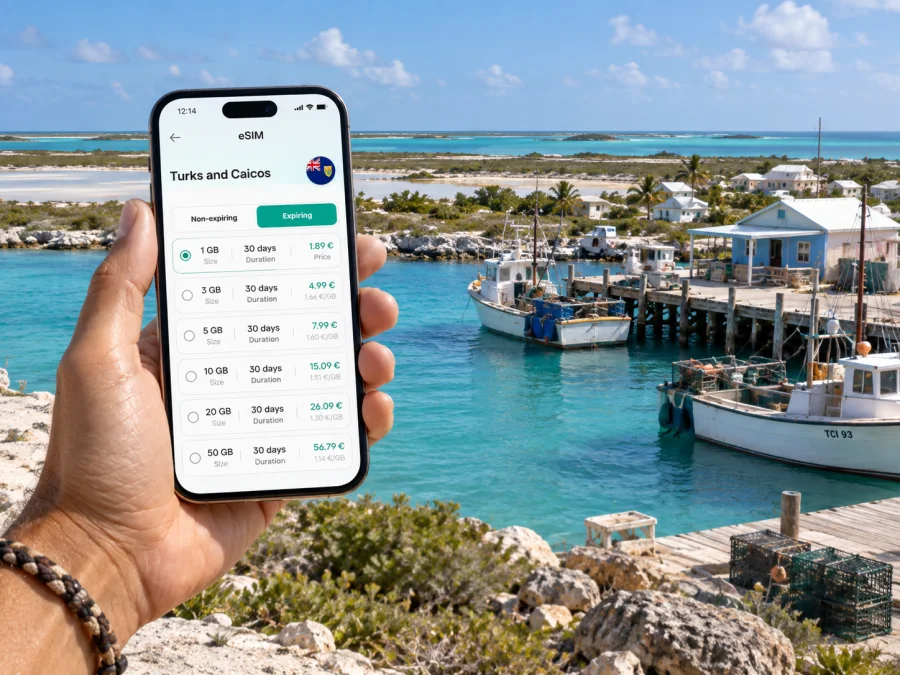
Kaspersky eSIM Store is an app and website where you can select, purchase and activate an eSIM with a suitable plan for mobile internet on an international trip. Compare the destination, data allowance, validity period and price shown for the selected plan. Check that the plan covers the Turks and Caicos Islands, rather than relying on a nearby island or a broad Caribbean label without reading the included destinations. You can review eSIM options for the Turks and Caicos Islands as part of preparing your trip.
Think through a typical day before choosing a plan:
- Navigation and coordination: map checks, messages to a driver or host, and occasional updates use a different pattern from continuous video.
- Photos and social posts: automatic cloud backup can use data in the background. Set uploads to Wi-Fi if you want to manage usage.
- Remote work: email and documents may be manageable, while video meetings can consume more data and depend on signal and network conditions. Ask your accommodation what connection it offers and keep an alternate plan.
- Island outings: download maps, reservations and activity details in advance. A saved route remains useful even when data is unavailable.
- Calls and messages: an eSIM plan is for mobile data unless its specific terms say otherwise. It does not automatically provide a regular phone number, voice minutes or SMS. Internet-based calling and messaging apps can work over data where their services and connection allow.
| Your travel pattern | What to estimate before choosing |
|---|---|
| Short stay with light use | Messages, maps, booking updates and occasional browsing |
| Several days of island activities | Daily navigation, photos, transport coordination and updates to family |
| Work trip or working holiday | Email, cloud documents, calls, backup options and the lodging’s Wi-Fi conditions |
| Resort-focused stay | How much you will use mobile data away from the property and during transfers |
This is a planning framework, not a promise about coverage or a fixed data recommendation. Actual use varies with phone settings, app behavior and how often you are online. Turn off automatic app updates and large photo backups over mobile data if you want more control. When you return to your accommodation, connect to Wi-Fi for updates and backups where appropriate.
Prepare the phone before you leave
First confirm that your phone supports eSIM and is not locked to a carrier in a way that prevents activation. Device support may differ between models and regional variants. Check whether your device is compatible with eSIM before choosing a plan. Also check the plan’s destination and validity details, and make sure you can access the email account or app profile used for your purchase.
Set up the eSIM while you have stable Wi-Fi and enough time to follow the steps carefully. Follow the instructions for your device: installation instructions for Android or installation instructions for iOS. Keep your existing line available if you need it for calls or text messages, and review which line is selected for mobile data. The eSIM’s activation and data-use rules depend on the plan, so read the displayed terms rather than assuming that installation and first use are the same event.
A simple preparation sequence:
- Check eSIM support and any carrier lock on your phone.
- Select the Turks and Caicos Islands as the destination and review the plan’s data, validity and conditions.
- Install the eSIM using the device-specific instructions while connected to Wi-Fi.
- Label the travel line clearly so you can identify it in the phone’s settings.
- Before departure, save offline maps, hotel details, tickets and transfer contacts.
- On arrival, enable the travel line for mobile data as instructed by the plan. Change data roaming settings only when the plan instructions call for it.
- Monitor usage and keep Wi-Fi for large downloads when practical.
Do not delete an installed eSIM profile to troubleshoot unless the plan’s instructions or support team tells you to do so. Some profiles cannot simply be installed again after removal. If activation does not proceed as expected, check that you followed the correct device steps, confirm the plan conditions, and use the support route available in the app or site.
Where a phone helps most on the island
At the airport: use your saved booking and message the person meeting you. Confirm the vehicle and meeting point rather than relying on an assumed taxi queue. Once you are in the car, keep your phone put away unless you need to verify the route.
At the ferry port: Cockburn Harbour is the ferry arrival point. If your lodging is beyond the settlement, arrange the next leg before travel. A saved contact and a short message can help coordinate a pickup if timing changes.
On a beach or nature outing: download directions and activity details beforehand, and ask whether there is mobile coverage at the destination. Keep enough battery to contact your host or driver later. Maps and online search are helpful references, but they do not replace local advice about access, weather or water conditions.
During a short stopover: focus on one confirmed plan close to your arrival or departure point. Leave enough time to return for the next flight or ferry, and do not assume that transport will be immediately available. Store return details offline in case you have no connection during the outing.
For work: agree on meeting times and the expected connection method before you travel. If a call matters, arrange a quiet space and an alternative way to join. Mobile data can be a useful backup, but service depends on local network availability, device settings and the surroundings.
Responsible navigation and practical limits
South Caicos rewards a slower itinerary. The island’s appeal is its harbor, marine environment, quiet roads and open landscape, rather than a sequence of densely packed attractions. Avoid filling each hour with remote stops. Group nearby plans, check transport in advance and leave room for weather or schedule changes.
Remember three practical limits:
- Mobile coverage can vary by location and conditions; no plan can guarantee service in every spot.
- A map app may not show private access rules, current road conditions or a locally arranged transfer.
- An eSIM for data does not replace a regular voice line for every situation. Keep important accommodation and emergency contacts accessible, and learn the local procedures from your host.
If a route or pickup is unclear, pause somewhere safe and contact your host or driver. Avoid trying to solve navigation while driving. For a trip to a cay, marine reserve or remote shore, follow the guide’s instructions and confirm how you will return before setting out.
Frequently asked questions
Is South Caicos a good place to rely on online maps?
Maps can help you orient yourself around Cockburn Harbour and keep a saved route to your accommodation. For less-traveled roads and remote coastal areas, confirm the route and access with your host or guide. Download what you need before leaving Wi-Fi and do not assume that every track shown is passable.
Do I need a car to stay on South Caicos?
Not necessarily for every itinerary. A guest staying in Cockburn Harbour and planning local walks has different needs from someone staying on the coast or visiting several places each day. Ask the accommodation what transport it arranges, then decide whether a rental or other local option is necessary.
Does an eSIM provide ordinary calls and text messages?
An eSIM plan selected for mobile data does not automatically include a regular phone number, voice calls or SMS. Check the plan terms. You may be able to use calling and messaging apps through an internet connection, while keeping your usual line available for other needs.
Can I install the eSIM after reaching South Caicos?
You can follow the applicable plan instructions at the time of setup, but installing before departure while on reliable Wi-Fi gives you more time to resolve questions. Review when the plan starts and what triggers data use, because those details can differ.
Will mobile internet work everywhere on the island?
No mobile service should be treated as guaranteed at every location. Signal may vary with the area, device and network conditions. Save important details offline and ask your accommodation about the places you plan to visit.
What should I do if my phone does not connect?
Check that the eSIM line is enabled for data and that your phone settings match the plan instructions. Verify that the plan is active and covers the destination. If the issue continues, contact the support channel listed in the app or site and avoid deleting the eSIM profile unless instructed.
A calmer way to stay connected
For South Caicos, useful preparation is straightforward: arrange the airport or ferry transfer, keep lodging directions offline, plan transport beyond Cockburn Harbour, and choose mobile data based on the way you expect to use your phone. An eSIM can simplify the data part of that plan, while local hosts and activity providers remain the best source for pickup details, access and changing schedules.
Before departure, choose an eSIM plan for your Turks and Caicos Islands trip, check the conditions, and complete setup using the instructions for your device. With key details saved and an arrival pickup agreed in advance, you can spend less time sorting out logistics and more time taking in the harbour, salt landscape and coast.


