Travel connectivity guide
Spanish Town eSIM: Mobile Internet Guide
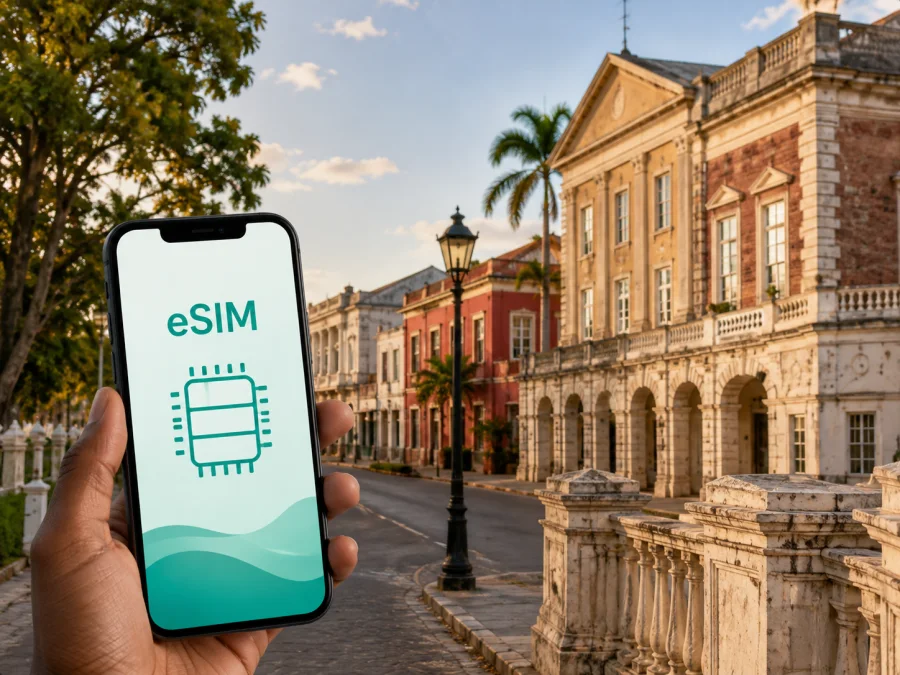
Spanish Town eSIM: mobile connection and internet for your trip
Spanish Town is a practical Jamaican base for travellers who want history, everyday city life and access to wider St. Catherine routes. The former capital combines a busy urban centre with a concentrated historic district, roads towards Kingston and Portmore, and onward journeys across the island. Mobile internet is useful from the moment you leave the airport: you may need to find a room, confirm a transfer, message a host, check a map or share your location.
An eSIM can keep these tasks separate from your physical SIM card. You choose an eSIM tariff for Jamaica, install it on an unlocked device and use it for mobile data. Kaspersky eSIM Store is an app and website that helps you choose, arrange and activate an eSIM with a suitable travel tariff. Check the selected tariff’s destination, allowance and validity.
Why mobile internet matters when you arrive in Spanish Town
The first hours are usually about coordination rather than sightseeing. A driver may ask you to confirm a meeting point, a hotel may send a check-in instruction, or you may need to compare a route before deciding whether to walk, take a taxi or continue by bus. Data lets you handle those decisions without waiting for a café or hotel network.
Useful arrival tasks include:
- opening a map while travelling from the Kingston area towards Spanish Town;
- checking a guesthouse name and location before leaving a vehicle;
- messaging a host or companion when the arrival time changes;
- saving a route to the historic centre, a meeting venue or a nearby town;
- sharing your location when a group has split up;
- checking the weather before a walk or a longer drive.
These actions often happen at the least convenient time to search for a local SIM card. An eSIM prepared before departure can reduce errands after landing. If you install it later, keep the order details available offline.
The same approach works for a short stopover, an afternoon in the old civic quarter or a work appointment between Kingston and another Jamaican destination.
Exploring Spanish Town’s historic centre
Spanish Town rewards a slower, location-aware visit. Its history is visible around old civic buildings, churches, public squares and surviving Georgian architecture. The town served as Jamaica’s capital until 1872, when the capital moved to Kingston. The historic core is not one attraction with a single entrance; it is a group of places reached along ordinary streets and fitted around the rest of the day.
That changes how you use a phone. You may alternate between a heritage stop, a café, a market and a meeting point rather than follow one fixed route. Save pins for your accommodation, the start of a guided walk and the next transport connection. Check local access and opening arrangements when you arrive: a map pin does not guarantee that a building is open for entry.
Places associated with the town’s heritage include the Spanish Town Cathedral, Rodney Memorial, Old King’s House and the old iron bridge over the Rio Cobre. Save the next destination or an offline map area, then look up at the buildings instead of repeatedly searching for directions.
Moving around Spanish Town
Spanish Town is both a destination and a transport point in St. Catherine. You may stay in town and visit Kingston, begin in Kingston and stop in Spanish Town, or continue towards Portmore, Old Harbour or the interior. The best transport choice depends on your accommodation, luggage and weather.
For a first visit, divide movement into three stages:
| Stage | What to organise | How data helps |
|---|---|---|
| Arrival | Transfer, accommodation and the first stopping point | Confirm details before leaving the vehicle |
| Town visit | Walking segment, short rides and heritage stops | Adjust the route without returning to the same street |
| Wider journey | Departure time, meeting point and next destination | Keep messages and navigation available between towns |
Walking can suit a compact group of heritage stops, but do not assume that a longer town-to-town journey is walkable. For a taxi or other local transport, confirm the destination and keep the correct location visible. With luggage, allow extra time for the pickup point.
Road conditions, rain and congestion can change the time needed for a trip. A route that looks short on a map may take longer during a busy period, so build a buffer before a flight, tour, presentation or meeting. If you are driving, review the route before starting and keep your attention on the road.
Keep these details easy to reach:
- accommodation name, address and contact details;
- transfer or meeting point;
- booking confirmations and check-in instructions;
- charging cable or compact power bank.
An eSIM for data does not automatically replace a normal phone number. Unless the selected tariff explicitly says otherwise, it is intended for mobile internet rather than ordinary calls and SMS. Internet messaging and calling apps can work over data when the people you need to reach use them too.
Choosing an eSIM tariff for Spanish Town
Spanish Town is in Jamaica, so start with a tariff whose destination includes Jamaica. If the itinerary includes Kingston, Portmore, the north coast or another country, read the destination description carefully. A Jamaica tariff may suit a Jamaica-only trip, while a regional option may be more appropriate for a multi-country route. Choose by the country and conditions, not by the city name alone.
Estimate how you will use data. Someone who checks directions and sends messages needs a different allowance from someone who joins video calls, uploads photographs or works from a hotel. Also consider the whole journey: a two-day Spanish Town stop followed by a week elsewhere needs a plan that remains useful after leaving town.
| Travel pattern | Likely data use | Planning question |
|---|---|---|
| Short heritage visit | Maps, messages and occasional searches | Will the visit last one day or become an onward route? |
| Weekend or stopover | Navigation, bookings, photos and messaging | Which larger uploads can wait for Wi-Fi? |
| Business trip | Email, documents, app calls and maps | Do you need data during transfers as well as at the venue? |
| Island itinerary | Frequent navigation, reservations and route changes | Does the tariff cover every Jamaican stop? |
Video, automatic photo backup and app updates can consume data quietly. Before departure, set large downloads to Wi-Fi, pause unnecessary cloud synchronisation and review which apps may use mobile data in the background. If you plan to use a hotspot, check the selected tariff’s conditions first.
Validity matters as much as volume. Note the date you expect to install or activate the eSIM and the date it needs to remain available. Check whether the displayed conditions refer to installation, activation or first use. If the wording is unclear, resolve it before travelling.
At this stage, you can choose an eSIM tariff for a trip to Jamaica and compare the destination, data allowance and validity shown for the available options. Select details that match your actual route through Spanish Town instead of choosing a larger package without considering how you will use it.
Practical scenarios in and around Spanish Town
A heritage-focused day
Start with one meeting point and group nearby sites together. Save the next location before leaving the current one, and keep the organiser’s message easy to find. Data is useful when you need to tell your group that you are delayed or choose a new place to reunite.
A business visit
You may receive a room change, send a document, join an app call or look up a contact while moving between Spanish Town and Kingston. Download important files in advance and keep mobile data available for time-sensitive messages.
A route beyond the town
Before leaving Spanish Town, check the next accommodation and meeting point. If the route changes, update the person expecting you and save the new destination while you still have time to adjust.
How to install and activate an eSIM
Complete the setup when you have a stable internet connection. If you prepare at home, install the profile before flying but keep your usual line available until you need the travel profile. If you install after arrival, allow time for the profile and instructions to load.
For exact menus, follow the Android installation instructions or the iOS installation instructions. The names of settings can differ between manufacturers and operating-system versions.
1. Check the device and account details
Make sure the phone supports eSIM, is unlocked, and that you can access the profile or QR code connected with your order. Check your device compatibility before you begin.
2. Open mobile-network settings
Go to mobile-network or cellular settings and choose the option to add an eSIM or mobile plan.
3. Add the profile
Scan the QR code or use the installation details in your Kaspersky eSIM Store profile. Keep the code private and follow the on-screen prompts.
4. Select the travel line for data
Label the profile clearly, then choose it as the line for mobile data when you are ready to use it. If you keep your primary line active for calls or messages, check its data-roaming setting so it does not use roaming data unexpectedly.
5. Turn on data roaming if required
Some eSIM profiles require data roaming to be enabled on that profile. Follow the displayed guidance and confirm that the primary line is not selected for data.
6. Test a simple task
Open a map or send a message through an internet app. If the connection does not start immediately, give the device a few minutes, recheck the selected data line and review the instructions before changing several settings at once.
Before you leave for Spanish Town
Use this checklist on the day before departure:
- confirm that the tariff destination includes Jamaica;
- check the allowance and validity against the whole itinerary;
- make sure the eSIM setup is ready and the phone is not operator-locked;
- save profile details where you can reach them offline;
- install system and map updates over Wi-Fi;
- decide which line will handle data after landing;
- pack a charging cable or power bank.
Avoid making the first setup attempt while rushing through an airport. A few minutes at home can prevent confusion between the main line and the travel profile.
Signal quality can vary by location, building, weather and the local network used by a tariff. A travel eSIM helps with mobile data during the journey, but it cannot make every indoor space or remote road a strong-signal area. Keep offline directions and a written accommodation address.
Frequently asked questions
Is Spanish Town a good base for a Jamaica trip?
It can suit travellers whose plans include St. Catherine, Kingston and nearby routes, especially when history and everyday city life matter as much as resort facilities. The best base depends on your accommodation and itinerary.
Do I need a separate eSIM for Spanish Town and Kingston?
Usually, the relevant question is the tariff’s destination, not the city name. Spanish Town and Kingston are both in Jamaica, so a Jamaica tariff may suit an itinerary that includes both, subject to its stated conditions. Check the destination and validity before purchase.
Can I use an eSIM for calls from Spanish Town?
Not necessarily. The travel eSIM described here is for mobile data unless the selected tariff explicitly includes other services. Internet messaging and calling apps can work over data, while ordinary calls and SMS remain connected to the line that supports them.
Should I install the eSIM before flying?
Installing before departure can make arrival easier if the device and instructions allow it. Keep the eSIM unselected for data until you want to use it, and follow the activation conditions shown with the order. If you install after landing, plan for a stable connection and enough time to troubleshoot calmly.
What if the phone shows no data after installation?
First check that the travel eSIM is enabled and selected for mobile data. Review whether data roaming is required, make sure the primary line is not using data, and give the device a few minutes to register. If the issue remains, return to the instructions for your operating system.
How much data should I plan for a short stop?
There is no single correct amount. Maps, messages and occasional searches use less data than video calls, streaming and automatic photo uploads. List the tasks you expect to perform in Spanish Town, include onward travel, and choose an allowance that matches those tasks and the displayed validity.
A simple connection plan for Spanish Town
Think of the eSIM as one part of a wider arrival plan. Choose a Jamaica tariff that matches the duration and data needs of your route. Install it carefully on an unlocked phone. After landing, use it for the practical sequence that matters most: reach the accommodation, confirm the next meeting point, navigate Spanish Town’s historic centre and keep the rest of the itinerary organised.
Spanish Town is most rewarding when the phone supports the visit without becoming the visit. Save the essential places, keep a backup of key details, and give your attention to the town’s streets, buildings and local rhythm. When your next stop is ready, the same connection can help you move on with fewer avoidable interruptions.
Prepare your arrival and choose an eSIM tariff for Jamaica that fits your Spanish Town itinerary, data needs and onward travel.


