Travel connectivity guide
St Brelade eSIM: Mobile Internet for Jersey
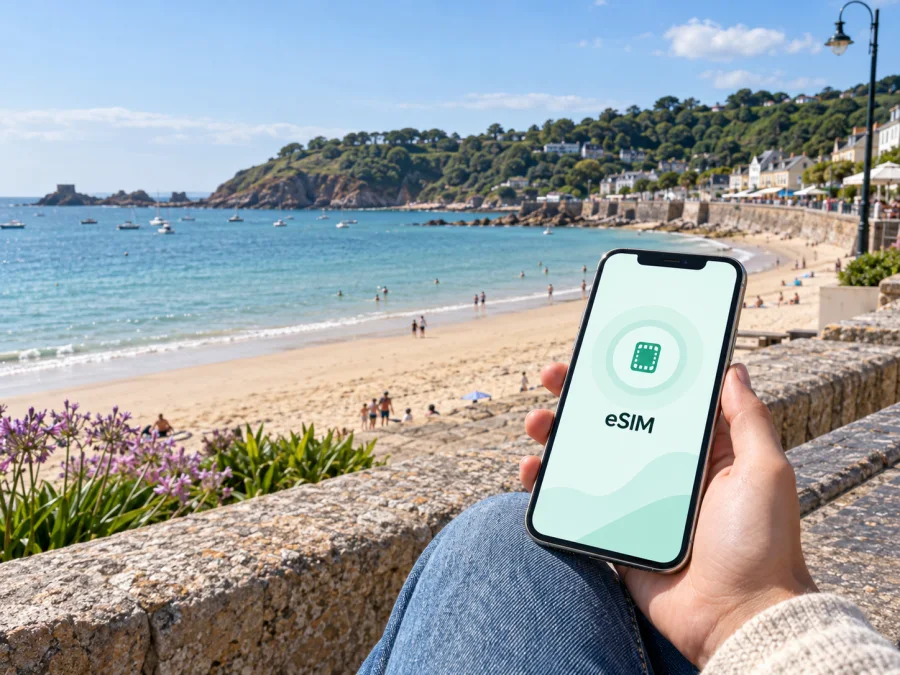
eSIM for St Brelade: Mobile Connection and Internet for Your Jersey Trip
St Brelade is a useful base for a Jersey trip if you want beaches, coastal walks, cafés, and practical access to the rest of the island. The destination brings together St Brelade’s Bay, the village of St Aubin, quieter coves around Ouaisné and Portelet, and routes towards Beauport and La Corbière. A dependable mobile connection helps you turn that varied coastline into a manageable plan: check a bus departure, open a map at a junction, confirm a hotel message, or find your way back after an evening by the sea.
An eSIM is a digital SIM profile that can provide mobile internet without replacing the physical SIM already in your phone. Prepare it before departure, keep your usual number available, and use the travel eSIM for data in Jersey. Kaspersky eSIM Store is an app and website that helps you choose, arrange, and activate an eSIM with a suitable tariff for a foreign trip. Conditions depend on the selected destination and tariff.
Why mobile internet matters in St Brelade
St Brelade is not a single compact town with every stop on one street. The bay, parish roads, coastal paths, residential areas, hotel clusters, bus stops, and nearby villages form a destination that rewards some planning. Even a relaxed day may involve:
- checking the route from Jersey Airport to your accommodation;
- locating a bus stop near St Brelade’s Bay or St Aubin;
- opening a walking map before a path leaves the main road;
- confirming a table, check-in time, or meeting point;
- checking tide information before a coastal walk;
- finding an alternative route when a steep section is unsuitable.
Public Wi-Fi can help in a hotel or café, but it is not always available when you need directions. Mobile internet gives you a practical fallback between the airport, the bus, a beach car park, a promenade, and a hotel room. It also means you do not have to stop at every café simply to load a map or send a message.
Keep the home SIM available for calls and messages, then select the eSIM as the line for mobile data in Jersey.
St Brelade areas and travel scenarios
It is easier to plan the destination as connected areas rather than as one point on a map: St Brelade’s Bay and the church for beach and coastal access; Ouaisné and Portelet for coves and paths; St Aubin for harbour walks and onward buses; Les Quennevais for inland errands; and Beauport and La Corbière for longer coastal routes.
A short beach break with occasional messages uses less data than an active itinerary with frequent maps, photo uploads, video calls, and work meetings.
Arriving in Jersey and reaching St Brelade
Your first connectivity test may happen before you reach the bay. At Jersey Airport, you may need to find the arrivals-area bus stop, check a route, contact a host, or confirm a taxi pickup. An eSIM prepared in advance can make this sequence less dependent on finding Wi-Fi in the terminal.
Bus information for Jersey includes services connecting the airport with St Aubin and St Brelade’s Bay, while other routes cross the island and connect with St Brelade. From St Helier, Liberation Station is the main reference point for many journeys. Routes serving the south and south-west include services numbered 12, 12A, 14, and 15, with exact operation depending on the timetable and season. Check current departure information on the day instead of relying on an old screenshot.
Before leaving the airport, prepare these three locations in your map app:
- Jersey Airport arrivals.
- Your accommodation, including its exact entrance or reception point.
- The nearest practical bus stop or landmark for the first part of your stay.
The final walk may include a slope or a turn away from the main road, so check the last section separately rather than assuming the destination pin covers the whole journey.
Arrival checklist
- Turn on the eSIM according to the tariff conditions.
- Select the travel eSIM for mobile data and label your usual line clearly.
- Confirm whether data roaming must be enabled for the eSIM.
- Send one test message through an internet messenger.
- Open the accommodation pin and the route to the nearest stop.
- Save the first connection details in case your battery is low.
Choosing an eSIM tariff for a St Brelade itinerary
The right tariff depends on the rhythm of your trip. Someone who spends most of the day at one hotel has different needs from someone walking between bays, checking transport information, uploading photos, and taking work calls.
| Trip pattern | Main data tasks | What to prioritise |
|---|---|---|
| Two- or three-night coastal break | Maps, messages, bookings, occasional photos | Short validity and enough data for navigation |
| Week near St Brelade’s Bay | Daily directions, transport, searches, photo sharing | A duration covering the complete stay |
| Active island itinerary | Repeated maps, bus planning, uploads, messaging | More data and a useful reserve |
| Business stay | Email, calendars, documents, internet calls | Allowance matched to work traffic |
| Short stopover | Map, transport details, bookings, messages | A simple option matching the stopover |
Compare destination, data allowance, validity period, and price together. A larger allowance is not automatically better if you mostly use hotel Wi-Fi, while too little data can be inconvenient during coastal walks or remote work. The selected tariff determines when validity begins, how traffic is measured, and whether extra data is available.
For the country-level selection relevant to this trip, you can choose an eSIM tariff for travel to Jersey after estimating your stay and route. Review the current allowance, duration, price, and activation conditions before completing the purchase.
Kaspersky eSIM Store helps you compare available travel options and complete eSIM setup through its app or website. It is not a mobile network operator and does not own the network used by the selected eSIM. The mobile service is subject to the conditions and coverage of the underlying tariff.
Staying in St Brelade and moving around
Accommodation near St Brelade’s Bay puts the beach and seafront close at hand; St Aubin offers a harbour setting; inland accommodation makes the final coast connection more important. Save the exact front door, nearest stop, and return route.
Jersey’s south-west coast suits a combination of buses and walking. St Brelade’s Bay can be approached by bus, while St Helier connects the south-coast villages and beaches. Routes towards Portelet and the bay are attractive, but slopes, steps, and paths can take longer than a straight-line map suggests.
Use mobile internet efficiently:
- Check the whole route before leaving the hotel.
- Note the destination stop, not just the route number.
- Lock the screen on familiar stretches to save battery.
- Screenshot the bus direction and return stop.
- Carry a small power bank on a long coastal day.
- Recheck the route after a weather change or detour.
At St Brelade’s Bay, the promenade, beach facilities, cafés, and bus access suit a slower day. Ouaisné and Portelet need more attention to steps and the uphill return, while Beauport and La Corbière call for time, suitable footwear, weather awareness, and battery.
If a route includes a causeway or low-lying coastal access, check tide information before leaving and do not continue if the return looks uncertain. A charged phone and a data connection are useful, but neither replaces local judgement.
Installing an eSIM before the trip
Installation is often easiest while you still have a stable internet connection. Before purchasing, check whether your device supports eSIM and confirm that it is not restricted by an operator lock. Some regional versions differ, so the exact model and the settings on your phone matter.
Installation steps
- Check compatibility and available space for a new mobile plan.
- Choose the Jersey destination and review allowance, validity, price, and activation conditions.
- Complete the purchase through the Kaspersky eSIM Store app or website.
- Open the profile details and follow the on-screen installation flow.
- If asked for a QR code, use the code supplied with your eSIM profile.
- Label the line “Jersey travel data” so it is easy to identify.
- Keep your normal line available if you need its number for calls or messages.
- If device instructions require data roaming for the travel eSIM, enable it for that line only.
For device-specific help, follow the Android installation instructions or the iOS installation instructions. Menu names can change with the operating-system version, so follow the screen on your own phone.
Five-minute test before departure
- Can you see the new eSIM under mobile plans or SIM settings?
- Is it labelled so you will not confuse it with your home line?
- Is mobile data assigned to the intended line?
- Is automatic data switching disabled if you do not want the other line used unexpectedly?
- Do you know how to switch back to your usual line after returning home?
The eSIM is for mobile internet unless the selected tariff specifically states otherwise. It should not be treated as a replacement for your regular number, ordinary calls, or SMS. Internet messaging and calling apps can use the data connection, subject to their own requirements.
Practical St Brelade scenarios
The first afternoon at the bay
After checking in, find the promenade, save the accommodation pin, and confirm the return route before walking away from the main beach. You can then spend time by the water without repeatedly searching for Wi-Fi.
A south-coast day from St Aubin
Start in St Aubin, check the next westbound service, and decide whether to stop at Portelet or continue towards St Brelade’s Bay. Keep the route, stop names, and return option available, and plan the way back before taking the steps down to Portelet.
A coastal walking day
For a longer route towards Beauport or La Corbière, tell someone your plan, charge your phone, and keep a data reserve. Use maps at junctions, then shorten the route if weather or energy changes.
A work trip with a weekend extension
Business travellers may need email, calendars, documents, and internet calls during the day, followed by navigation in the evening. Choose a validity period covering work and personal time, test the eSIM early, carry a charger, and use hotel Wi-Fi for large downloads when appropriate.
A short stopover
If St Brelade is one part of a compact Jersey itinerary, you may only need data for an airport transfer, map, booking, and messages. A short-stay tariff can fit if its validity and activation conditions match; save key routes before leaving the terminal.
What to check before buying or activating
- Destination and duration: the tariff must apply to Jersey and cover the full stay.
- Data allowance: include maps, messages, photo uploads, work tools, and calls.
- Device: the exact phone model must support eSIM and should not be operator-locked.
- Installation: have a stable connection when adding the profile.
- Activation: read when the tariff starts and what begins data use.
- Dual-SIM settings: know which line handles data, calls, and messages.
- Roaming: enable data roaming for the eSIM only if required.
- Battery and support: carry a charger and keep purchase details accessible.
Cost and conditions can change, so review the current offer rather than relying on a saved price.
FAQ about eSIM and St Brelade
Is an eSIM useful if I am staying only around St Brelade’s Bay?
It can be. You may still need directions from the airport, bus information, restaurant bookings, messages, and a return route after walking along the coast. Choose the duration and allowance for your actual stay.
Can I keep my usual phone number active?
Often you can keep the physical SIM or primary eSIM profile active while assigning mobile data to the travel eSIM. Exact behaviour depends on your phone and operator. Check which line is selected for data and whether calls or messages on the home line could create charges.
Will the eSIM provide a local Jersey phone number?
Not necessarily. Travel eSIM tariffs are generally intended for mobile internet, and a phone number, ordinary voice calls, and SMS are not included unless the selected conditions say so. Internet calling and messaging apps can use the data connection.
What if my phone shows no data after I arrive?
Check that the eSIM is enabled, selected for mobile data, and permitted to use data roaming if required. Confirm that your home line has not been selected for data, then restart the phone if the instructions recommend it. If the problem remains, review the tariff details and contact support with your order information.
Prepare for a connected St Brelade trip
The most useful eSIM setup quietly supports your plans. Choose the destination and validity period carefully, check your device, install the profile while you have dependable internet, and decide in advance which line will handle data. Then use mobile internet selectively: for the airport transfer, a bus stop, a coastal junction, a hotel message, or the return route when the day changes.
St Brelade is at its best when you can move between the bay, St Aubin, the coves, and the coastal paths without turning every practical question into a search for Wi-Fi. Review the current options and prepare an eSIM tariff for your trip to Jersey through Kaspersky eSIM Store, then arrive with the connection plan ready for the first bus, the first walk, and the journey home.


