Travel connectivity guide
St George's eSIM: Mobile Internet in Grenada
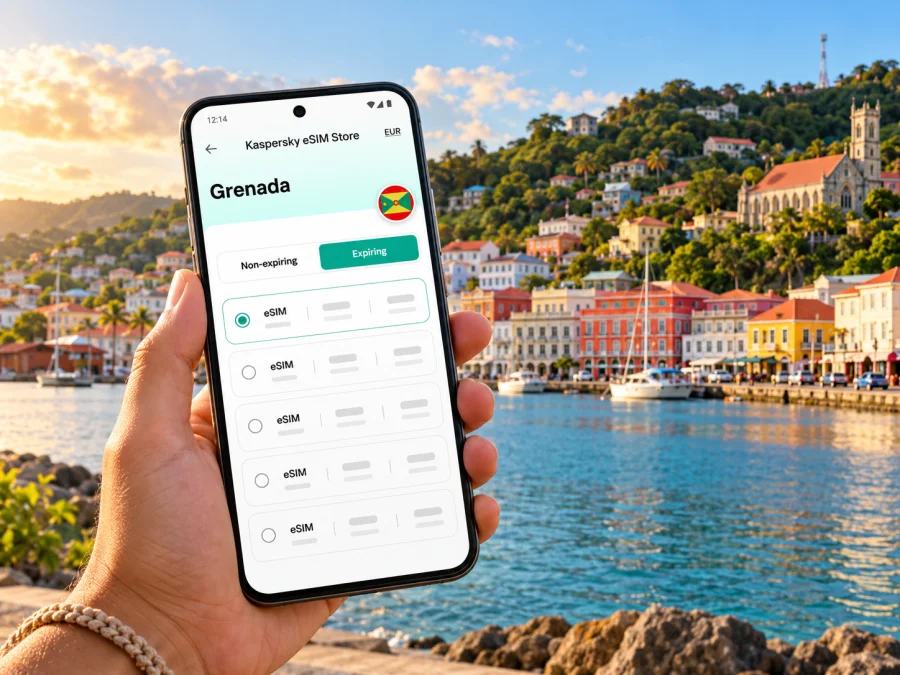
St George's eSIM: mobile connection and internet for your Grenada trip
St George's is a compact capital wrapped around a deep, horseshoe-shaped harbour, with colourful streets climbing the hills above the waterfront. A phone with working mobile data can make the practical parts of a visit easier: finding your guesthouse, checking a pickup point, navigating the harbourfront lanes, or messaging someone when plans change. An eSIM can be a useful way to prepare that connection before you arrive, provided your device and chosen plan are compatible.
What to expect in St George's
St George's is Grenada's capital and its principal harbour city. The Carenage curves around the inner harbour, with shops, offices, boats and narrow streets close together. From there, the town rises steeply toward viewpoints and historic sites. Grand Anse, the main hotel and beach area, lies south of the centre; the airport is farther southwest at Point Salines. Those places are close enough to combine in one itinerary, but the island's hills, bends and changing road conditions mean that a straight line on a map is not the same as a quick journey.
The harbour lanes and steep hillside streets make saved maps useful. Download routes and accommodation details before heading beyond town, and keep destination names in writing in case a driver knows a local landmark better than a map pin.
| Part of the visit | Where mobile data can help | A practical backup |
|---|---|---|
| Airport arrival | Reaching a driver, checking hotel directions, messaging your arrival time | Save the address and transfer details offline |
| Carenage and town centre | Walking directions, meeting points, opening-hour checks | Keep a map screenshot and note a recognizable landmark |
| Fort George and hillside streets | Choosing a route and sharing your location with a companion | Carry water and allow time for steep sections |
| Grand Anse | Coordinating a return trip or a change of beach plans | Agree on a pickup point before separating |
| A day trip outside town | Checking a route or contacting your host | Download maps and key information in advance |
Arriving at Maurice Bishop International Airport
Maurice Bishop International Airport (GND) is at Point Salines. The Grenada Airports Authority places it about 7 km by road from St George's and notes its proximity to the Grand Anse hotel area. The airport is therefore useful for both city stays and beach-area accommodation, but your actual transfer time depends on traffic, pickup arrangements and the exact address. Confirm the route and fare with your driver or transport provider rather than relying on an estimate in a map app.
Before landing, save your accommodation name, full address, booking contact and transfer instructions somewhere you can open without data. If someone is collecting you, agree in advance on the meeting point and what to do if your flight is delayed. Having mobile internet can make it easier to exchange a message after arrival, but it should complement those saved details, not replace them.
A travel eSIM is most useful when the setup is already understood before you reach the arrivals area. If you plan to install it at the airport, keep access to Wi-Fi or another internet connection for the setup process, and do not remove your home SIM if you still need it for calls or verification texts. Check the specific plan's activation instructions: some profiles are installed in advance and used later, while activation rules vary by plan.
Moving between the waterfront, hills and beach belt
The Carenage is a useful point of orientation. Sendall Tunnel passes through the ridge into the central streets, while Fort George rises above town with views over the harbour and coast. The climb and old streets can be steep; allow time and use a route that suits your mobility. Downloaded maps are a fallback if signal or battery becomes an issue.
Grand Anse is a beach-and-hotel area south of the historic centre, while the Carenage is convenient for harbour visits and town errands. Check your return option before going between them. Water taxis and road transport may be available, but confirm current hours, departure points and pickup arrangements locally.
Grenada Tourism Authority guidance describes public buses with route zones displayed on the vehicles and conductors available to help. Its published hours and fares can change, so verify current service before relying on a bus, especially on Sundays, holidays or for a late return. Ask locally about stops rather than expecting an app to show every detail.
For a short stay, think of St George's as several connected anchors rather than one continuous tourist zone:
- The Carenage and inner harbour: useful for waterfront walks, town services and orientation.
- The central streets and Sendall Tunnel: a compact historic area where steep lanes and one-way turns make a saved walking map valuable.
- The ridge and Fort George: a viewpoint visit that requires time on foot and a plan for the climb back down.
- Grand Anse: a beach-and-hotel area where it helps to save your accommodation pin and a return meeting point.
- Point Salines: the airport area, best treated as a separate transfer leg when scheduling an early flight.
Plan an eSIM around your itinerary
Choose a plan for the country or region it covers rather than expecting a city-only network. Kaspersky eSIM Store is an app and website where you can choose, arrange and activate an eSIM with a suitable mobile-data plan for an international trip. The plan terms determine coverage, data allowance, validity, supported network and activation rules. Review them if you will travel beyond the capital or continue to another island.
A city break and an island itinerary use data differently. A day around the Carenage may involve maps and a few messages. A longer stay with video calls, photo uploads, ride coordination and day trips can use much more. Estimate your habits rather than choosing by destination name alone.
| Your likely use | What to consider when selecting data |
|---|---|
| Short stop, mostly offline maps and messaging | A smaller allowance may be enough if you limit media uploads |
| Several days with navigation and regular browsing | Check the total allowance against your trip length and typical daily use |
| Remote work or frequent video calls | Review whether the plan's data allowance suits calls; use Wi-Fi where appropriate |
| Island touring with regular route checks | Keep a buffer for maps, coordination and unexpected changes |
| Multiple destinations | Confirm that every country on your route is included in the plan terms |
These are planning categories, not fixed estimates. Video, photo backup, app updates and hotspot use can change consumption quickly. Use Wi-Fi for large downloads where practical, and check hotspot conditions before relying on it.
You can review eSIM options for Grenada and compare the current plan details with your dates and itinerary. This country page is a starting point for checking the available options; it does not mean a particular plan is a city tariff or guarantee reception at every location.
Device support and Grenada's operator market
First check that your exact phone model and regional variant support eSIM, then make sure the device is not locked to a home carrier. Manufacturer compatibility lists can differ by model number and sales market: two phones with the same family name may not have identical SIM hardware. Use your device settings or manufacturer documentation to verify your exact variant, and check that the eSIM profile can be added before you buy. Check whether your device supports eSIM.
The local operator market and a travel eSIM's network arrangement are related but not interchangeable. Apple's current carrier guidance lists Digicel and Flow in Grenada among providers supporting eSIM activation methods on iPhone, and lists Digicel for prepaid plans for international travelers. These entries concern those operators and supported iPhones; they do not confirm that a particular travel plan uses either network or that your own regional device variant will work. Check the plan's stated network and compatibility conditions.
For dependable trip planning, verify four items before checkout:
- Exact device variant: Find the full model number, not only the family name.
- eSIM support: Confirm that the model and its sales region allow eSIM installation.
- Carrier lock: Ask your home provider if the phone is restricted to its network.
- Plan details: Check Grenada is included, along with data, validity, network and activation terms.
If a local number, ordinary voice calls or SMS are important, read the plan terms carefully. Travel eSIM plans are commonly data-focused; do not assume the selected option includes a Grenadian number or voice service unless the listing explicitly says so. You can usually keep a home SIM active for calls or verification messages, but roaming charges may apply according to your home carrier's terms. Choose which line handles mobile data in your phone settings and review data-switching options so you understand which SIM is being used.
Installation and activation before the trip
Install the eSIM only after checking device support, network lock status, internet access for setup and the plan's instructions. Keep the QR code or installation details available on a second screen or in a secure place if your phone cannot scan its own display. The exact menu names vary by operating system and version. For device-specific steps, see the Android eSIM installation guide or the iPhone eSIM installation guide.
- Read the plan conditions. Note when validity starts, whether installation and first connection are separate events, and whether data roaming must be enabled for the travel profile.
- Connect to reliable internet. Use Wi-Fi or another dependable connection while adding the profile.
- Add the eSIM profile. Follow the instructions for your device and scan or enter the supplied details.
- Label the line. Choose a clear name such as “Grenada data” so it is easy to identify beside your home SIM.
- Set the data line. Select the travel eSIM for mobile data when you are ready to use it; keep calls and SMS assigned as you prefer.
- Wait for registration. Connection can take several minutes. Follow the plan's activation directions and check the selected network only after the plan should be active.
- Keep the profile installed. If you want to use the eSIM later, leave it on the device and follow its stated activation window; deleting a profile can make it difficult or impossible to reinstall.
If you prefer to wait until you are in Grenada to switch on the travel profile, confirm that the plan permits this and understand when its validity period begins. Some plans begin on installation or first connection, so timing matters. Do not delete an eSIM that appears inactive while you are waiting unless the provider's instructions tell you to do so.
A practical arrival checklist
Use this short checklist the day before departure:
- [ ] Confirm the exact phone variant supports eSIM and is unlocked.
- [ ] Read the Grenada plan's coverage, allowance, validity and activation terms.
- [ ] Install the profile while you still have reliable internet if the terms allow it.
- [ ] Save your accommodation address, host number and transfer instructions offline.
- [ ] Download a St George's map and mark the Carenage, accommodation and return point.
- [ ] Decide which SIM will handle calls, messages and mobile data.
- [ ] Check roaming and automatic data switching settings for both lines.
- [ ] Bring a charger or power bank for long days of navigation and photos.
At the airport, test the connection in a simple way: confirm that the travel line is selected for data, open a lightweight page or map, and check the plan's activation instructions if it does not connect. If the phone remains offline, toggle airplane mode once, wait briefly, and review the eSIM's data and roaming settings. Avoid repeatedly deleting and reinstalling the profile. Keep the airport Wi-Fi or your home SIM as a fallback while you troubleshoot.
Three St George's travel scenarios
A first evening near the Carenage
Save your hotel pin before boarding and keep the address available offline. After landing, use your agreed transfer plan, then open the saved map for the final walk. If your driver messages from a different pickup area, mobile data can help coordinate; a street name and nearby landmark remain useful when lanes look alike.
A beach day from a city hotel
Check the return transport before leaving the harbour area and agree where to meet. Save the Grand Anse location and your accommodation address. If you plan to use a water taxi, confirm its service and final departure locally rather than assuming a timetable.
A walk through town and up to a viewpoint
Download the city map, carry water and allow time for the climb to Fort George. Use live navigation to check turns, then rely on saved directions or a screenshot while walking. Share your intended route with a companion and keep enough battery to arrange your return.
A business visit with an onward trip
Keep the meeting address and contact details in your calendar and an offline note. If you will travel beyond St George's, confirm that the plan covers every destination. Use Wi-Fi for large files where available and reserve mobile data for navigation and time-sensitive communication.
Common connection problems and sensible fixes
- The profile is missing: Check whether installation completed and whether your exact regional device variant supports eSIM. Do not delete a partially installed profile before checking whether it can be restored.
- The profile is present but data does not work: Confirm the travel eSIM is selected for data, the plan is within its validity window and any required roaming setting is enabled. Check plan-specific network instructions; availability can vary by location.
- The phone uses the wrong SIM: Review the default data line and automatic switching setting. Your home SIM may incur roaming charges if the phone switches back to it.
- Maps or messages are slow: Pause background uploads, try again from a different location and use saved destinations offline. For normal calls or SMS, check whether your selected plan includes them; data-only service does not replace a phone number.
Frequently asked questions
Is St George's the capital of Grenada?
Yes. St George's is Grenada's capital and principal harbour city, with Grand Anse and onward island routes within reach.
Is there a separate eSIM for St George's?
Travel plans are generally selected for a country or region, not a city. Check Grenada in the coverage list and read the network, data and validity terms. A country page is not a city-specific tariff.
Can I use an eSIM as soon as I land?
Possibly, if your device is compatible, the profile is installed, the plan is active and its network is available where you are. Activation rules differ, so read the instructions and allow a few minutes for registration.
Does an iPhone listing for Digicel or Flow guarantee my travel eSIM will work?
No. Apple's operator guidance concerns eSIM activation methods on supported iPhones. A travel plan may have different network arrangements, and device support can vary by regional variant. Check the exact phone and plan.
Will I receive a Grenadian number, and how much data should I choose?
Only if the plan explicitly includes a number; many travel eSIMs are data-focused. Estimate use for maps, messaging, browsing, photos, video and hotspot sharing, then choose an allowance suited to your trip length. Keep your home number available if needed and review roaming costs with your operator.
Should I install the eSIM before leaving home?
Often it is convenient to use reliable internet and follow the instructions before travelling. Check activation conditions first because some plans start validity on installation or first connection.
Prepare your connection for Grenada
A little preparation makes St George's easier to navigate: save your address and transfer details, download a city map, check the exact eSIM support of your phone variant, and read the coverage and activation conditions of your chosen plan. Kaspersky eSIM Store helps you choose, arrange and activate an eSIM for mobile data during an international trip; the specific plan terms determine how it works.
When you are ready, check the current eSIM options for Grenada, choose a plan that matches your itinerary and data use, and follow its installation instructions before you travel or after arrival as permitted by its terms.


