Travel connectivity guide
St John eSIM: Mobile Internet for Jersey Travel
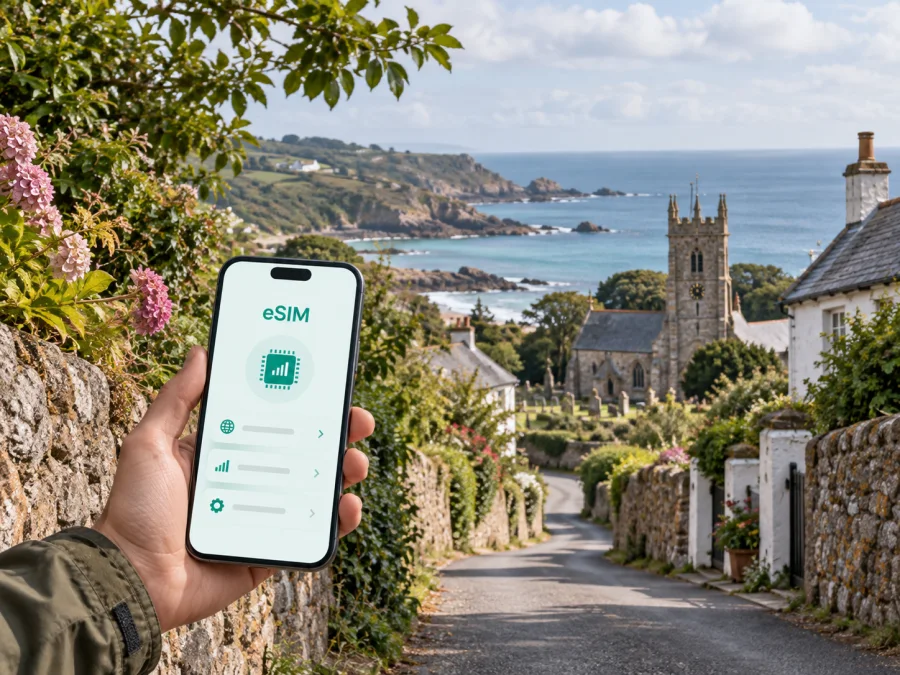
St John eSIM: mobile connection and internet for your Jersey trip
St John is a practical base for a quieter Jersey itinerary: the parish sits in the north of the island, with rural lanes, open fields, parish roads and access to the north coast. A trip here may begin at Jersey Airport or in St Helier and continue by bus, rental car, taxi, bicycle or on foot. In each case, mobile internet is useful from the first transfer onwards: you may need to find an accommodation address, check a route, message a host, read a booking detail or adjust plans when the weather changes.
An eSIM, or digital SIM card, can help you prepare mobile data without taking out your everyday physical SIM card. Kaspersky eSIM Store is an app and website where you can choose, arrange and activate an eSIM with a suitable plan for mobile internet during an overseas trip. The plan itself is subject to its stated destination, data allowance, validity period and other conditions, so the sensible approach is to check those details before travelling to Jersey.
This guide focuses on St John: how to arrive, move around the parish, navigate between rural and coastal places, organise a short business visit and prepare a reliable data routine for a stay in Jersey.
Why mobile internet is useful in St John
St John feels different from a compact city centre. Distances may look short on a map, but a route can include narrow lanes, bends, changing gradients and stretches where you will want to follow directions rather than improvise. A connection can make small travel tasks easier:
- opening a saved map while walking between the village and a coastal viewpoint;
- checking a bus departure or the next stop before leaving an accommodation;
- sending a message when an arrival time changes;
- confirming a table, activity or check-in instruction;
- sharing a location with a travelling companion;
- joining a work call from a guesthouse or rural accommodation.
The value is not limited to sightseeing. If you are staying in St John for several nights, the phone becomes a compact travel desk: it holds your itinerary, transport notes, reservation messages, maps and payment confirmations. Using mobile data through a travel eSIM can reduce your dependence on public Wi‑Fi in cafés, transport areas and shared accommodation spaces. Wi‑Fi can still be useful, but it is better treated as an additional option than as the only way to get online.
Arrival in Jersey and the first trip to St John
Most visitors plan the first part of the journey around Jersey Airport, the harbour area or St Helier. St John is not the island’s main arrival district, so the last part of the trip matters: you may need to leave the arrival point, collect luggage, meet a host and then travel north. That is exactly when a prepared connection is useful.
Before departure, save the address and postcode of your accommodation in an offline note. Take a screenshot of check-in instructions, keep the booking reference at hand and mark the location on your map. These steps help if the phone needs a moment to select a network after landing.
Arrival checklist
- Charge the phone before the journey and carry a power bank if you have one.
- Store your accommodation address in both the map app and a note.
- Save the booking confirmation and the host’s contact details.
- Decide which line will be used for mobile data after landing.
- Keep your usual SIM available for important calls if required.
- Check that data roaming is enabled only for the line you intend to use.
- Keep the eSIM QR code or activation details accessible if installation is planned after arrival.
Moving around St John: roads, buses and walking routes
St John is best approached as a rural parish rather than a dense urban grid. The parish village and parish roads provide a useful reference point, but an itinerary can quickly extend toward coast paths, country lanes, viewpoints, farms, heritage sites or neighbouring parishes. Navigation therefore needs to work at two levels: a broad route between areas and a precise final approach to a house, hotel, guest accommodation or meeting point.
Public transport, cars and walking
If you are using buses, check the next departure before walking to the stop and allow time for the final walk at the other end. A route that appears direct may require a change or a walk along a quieter road, so keep a screenshot of the planned journey as a backup while using current information when possible.
A car can make a rural itinerary flexible, especially when your accommodation is away from the village or you want to combine St John with other parts of Jersey. Navigation should support attention, not replace it: narrow lanes, bends and unfamiliar junctions require a slower pace. For a taxi, send the exact pickup point and a recognisable landmark rather than only saying “outside the hotel”.
Walking in St John can combine roads, lanes and footpaths. Save the return route, keep the phone charged and carry the accommodation address offline. A map is useful, but it does not replace suitable footwear, a weather check or a clear meeting plan.
St John areas and what to plan for
The name St John may refer to the parish, the village and addresses across the surrounding countryside. When booking accommodation or meeting someone, confirm the exact parish address rather than relying on the broad destination label.
Parish centre, rural stays and coastal approaches
Use the parish centre as a first orientation point, then build the day’s route outward. Rural guesthouses and self-catering properties may be separated from the nearest stop or shop, so save the exact entrance rather than only the property name. Ask the host whether a particular road or landmark makes the address easier to find.
St John’s northern position makes coastal scenery a natural part of many itineraries. Weather, wind and daylight can change the practical length of a walk, so keep the return route in your map and avoid starting a long route with a nearly empty battery. If you continue to St Mary, Trinity, St Lawrence, St Helier or another coastal area, choose a plan for the full Jersey itinerary and check its stated destination and validity.
Choosing an eSIM plan for a St John itinerary
There is no single correct data allowance for every visitor. A short stop with Wi‑Fi and mostly offline maps uses less data than a work trip with video calls, cloud files and hotspot use. Choose by how you will use your phone, not just by the number of days.
Consider these questions:
- How long will you stay in Jersey, including arrival and departure days?
- Will you travel only around St John, or also move through St Helier and other parishes?
- Will you use maps occasionally, or keep navigation and live location active for much of the day?
- Do you need data for email, work systems, document sharing or video meetings?
- Will a second traveller connect through your phone’s hotspot, if the plan permits it?
- Do you already have accommodation Wi‑Fi, and can it be relied on outside the room?
- What validity period, data allowance, destination and activation conditions are stated for the plan?
For a light itinerary, messaging, maps and occasional browsing are the main considerations. A business visitor should leave room for attachments and work calls. A family may need more data if several people share a connection, but hotspot use should be checked against the plan terms and battery capacity.
When you are ready to compare the available option for the mapped destination, you can choose an eSIM plan for your Jersey trip. Kaspersky eSIM Store helps you review the destination, allowance, duration and price shown for a plan, then complete the preparation in the app or on the website. The conditions displayed for the selected plan are the source of truth; do not assume that a plan includes voice calls, SMS, hotspot use or the same activation timing as another plan.
Installation before departure or after arrival
Installing the eSIM before leaving can make the first hours in St John easier, but activation timing depends on the plan and device. Install at home over reliable Wi‑Fi or after landing; in either case, keep your main number available for services that still depend on it.
Step-by-step setup
- Check device compatibility. Make sure your phone supports eSIM and is not locked by a mobile operator. Regional versions of the same model can differ, so check your device compatibility before completing the purchase.
- Open mobile network settings. Find the option for adding a mobile plan or eSIM. The wording varies between Android and iOS versions.
- Scan the QR code. Use the QR code supplied in your Kaspersky eSIM Store profile or email. If the phone asks whether to use the new line for data, keep the choice consistent with your travel plan.
- Choose the eSIM for mobile data. Select the travel eSIM as the data line when you want to use it, and keep your everyday line available for calls or messages if needed.
- Review data roaming settings. Some eSIM plans may require data roaming to be enabled for that eSIM. Turn it on only for the intended line and follow the plan instructions.
- Wait for registration. Connection can take a few minutes. If it does not appear, check the plan status, restart the phone if appropriate and use the support route provided with your purchase.
For more detail, use the Android eSIM installation instructions or the iOS eSIM installation instructions. Keep the QR code private and do not send it into a public chat. If you install before travel, avoid deleting the eSIM after a test unless the plan instructions specifically tell you to do so; an eSIM profile may not be reusable after removal.
Practical St John scenarios
For a weekend walking trip, save the accommodation address, route to the chosen start point and a return option. Use mobile data for navigation, messages and a weather check, while keeping a downloaded map and a charged battery as backup.
For a work visit, check the desk, power supply and Wi‑Fi arrangements before the first meeting. Use the eSIM for data while travelling between the airport, St John and a meeting location, and choose an allowance that leaves room for documents, authentication pages and work calls rather than directions alone.
For a family base or short stopover, prioritise the first and last transfers, accommodation instructions and messages to the host. If hotspot use is allowed, decide when it is needed so the phone does not run down unexpectedly. Read when validity begins before installing or activating the eSIM.
Managing data and avoiding surprises
Save maps, music and documents on Wi‑Fi before travelling, and turn off automatic updates or large photo backups over mobile data unless you need them. Each morning, confirm the travel eSIM is selected for data, check the remaining allowance and validity, save the day’s addresses and charge the phone before a long walk.
If data stops working, check that the plan is active, the correct line is selected and any required data-roaming setting is enabled. Then check signal conditions and restart the device if needed. If the issue remains, contact support with the device model, location and plan details.
What an eSIM does and does not replace
An eSIM is a convenient way to use a compatible device for mobile data, but unless the selected plan states otherwise it does not provide a separate phone number, ordinary voice calls or SMS. Use messaging and calling apps over data, or keep your usual line available where your home operator permits it. Keep your itinerary and accommodation details accessible offline as well: a map and connection are useful aids, not substitutes for local signs, sensible walking decisions or a charged phone.
Frequently asked questions
Is St John a good base for a Jersey trip?
It can suit travellers who want a rural setting and plan to combine parish walks, coastal scenery and trips to other parts of the island. Check the exact accommodation location and transport options before booking, because “St John” covers more than one compact town-centre block.
Should I install the eSIM before flying?
Often, installing before departure is convenient because you can use reliable Wi‑Fi and read the instructions calmly. Check the activation conditions first: some plans begin on installation, registration or first use. If you prefer to install after landing, keep the QR code and account details accessible.
Will one plan cover a trip beyond St John?
That depends on the destination and regional conditions shown for the plan. If you will travel through St Helier, other Jersey parishes or continue elsewhere, check the stated destination and validity instead of relying on the city name.
Final preparation for St John
The most useful setup is the one you can understand before the journey: a compatible, unlocked phone; a plan whose destination, data allowance and validity match your itinerary; an accommodation address saved offline; and a clear choice of which line handles mobile data. With those points settled, you can use your phone for arrival instructions, routes, messages, work tasks and day trips without making the connection question the centre of the holiday.
When you are ready to prepare mobile internet for the island, review the eSIM plan options for your Jersey journey, install the selected profile according to the device instructions and activate it at the appropriate time. Kaspersky eSIM Store helps you choose, arrange and activate an eSIM for an overseas trip; the plan’s own terms determine the available data, validity and usage conditions.


