Travel connectivity guide
St Martin Guernsey eSIM: Travel Internet Guide
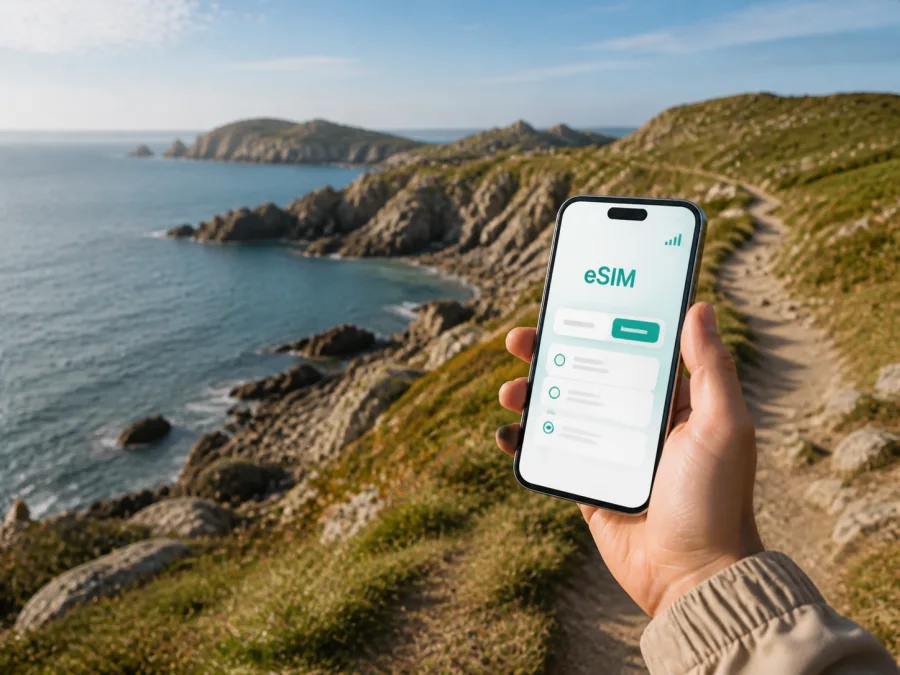
eSIM for St Martin, Guernsey: mobile connection and internet for your trip
If you are travelling to St Martin in Guernsey, a reliable mobile connection is useful from the first stage of the journey. You may need to open a map after landing, check a transfer to your accommodation, confirm a booking, follow a coastal route, or let someone know that you have arrived. An eSIM can help you prepare mobile internet for these everyday moments without replacing the physical SIM card in your phone.
St Martin is a parish rather than a dense city centre. Its roads, villages, cliff paths, bays and countryside are spread across the south-east of Guernsey. That geography changes the way you use data: a short stay may involve the airport, St Martin’s Village, Jerbourg, the south-coast viewpoints and a trip into St Peter Port. The most useful eSIM plan is therefore the one whose destination, data allowance and validity match your whole itinerary, not just the name of the place where you sleep.
Why mobile internet matters in St Martin
The first hours of a trip are often the least convenient time to look for a physical SIM card. With an eSIM prepared in advance, you can keep your regular number available for calls and messages while using a separate profile for mobile data, subject to your device and the selected plan.
In St Martin, mobile data can support several practical tasks:
- checking the route from Guernsey Airport or St Peter Port to your accommodation;
- looking up a bus departure or the location of a stop;
- using navigation while walking between the parish village, viewpoints and coastal paths;
- confirming check-in details with your accommodation;
- booking or adjusting a taxi, meal or activity;
- sending messages and sharing photos;
- accessing work email, two-factor authentication and cloud documents during a business stay.
The point is to get online when a map, message or booking matters. A stopover may need little data; walking and work need more. Your use is the best guide.
Arriving in Guernsey and continuing to St Martin
The arrival route affects when you need your connection. Air passengers normally begin at Guernsey Airport and then continue across the island by bus, taxi, hire car or arranged transfer. Ferry passengers arrive at St Peter Port harbour, where they may need to navigate through town before heading south. In either case, mobile data can be helpful before you have reached your accommodation and connected to its Wi-Fi.
Before departure, save the accommodation address, check-in instructions and nearest recognisable stop or landmark. “St Martin” can refer to the wider parish, while a property may be described by a road, village, bay or nearby point.
For a late arrival, save the accommodation address, likely route and booking confirmation, then decide which line will handle mobile data. You still need to check transport hours and accommodation arrangements.
Getting around St Martin without losing your way
St Martin is a network of small places and roads rather than a single walkable centre. St Martin’s Village is a useful reference point, while Jerbourg and the south-eastern coast bring open views, steep sections and longer stretches between facilities. Allow for slopes and crossings when judging a route on the map.
Bus travel
Guernsey’s island-wide bus network connects St Martin with St Peter Port and other parts of the island. Route 81 is associated with the St Martin’s Village–Jerbourg corridor, but routes and timetables can change by season, day and service update. Check the current journey information before setting out, especially if you are trying to catch a return bus after a walk.
Mobile data is useful before departure, during the journey and on the return, when weather, daylight or a timetable change makes the original plan less suitable.
Check current payment rules before travel and keep the route, stop name and direction offline as a backup.
Walking and coastal routes
Walking is one of the reasons to stay in St Martin. Jerbourg Peninsula, Moulin Huet, Saints Bay and Icart are useful reference points for a day among viewpoints, cliffs and bays.
Do not treat a mobile map as a substitute for preparation. Save the sections you expect to use, charge your phone, take water and wear suitable footwear. Terrain and buildings can affect a signal, while screen, GPS and camera use drain a battery. Use live navigation when it helps, then lock the screen between decisions.
Taxi, hire car and short transfers
A taxi or hire car can suit luggage, a tight arrival window or accommodation away from a bus route. A live connection helps you share the correct address and confirm a pickup.
Choosing an eSIM plan for a St Martin itinerary
Kaspersky eSIM Store is an app and website that helps you choose, arrange and activate an eSIM with a suitable plan for mobile internet during an overseas trip. Before you start, think about what you will do in St Martin and whether your route also includes St Peter Port, Guernsey Airport or other parts of Guernsey.
The main questions are simple:
| Question | Why it matters in St Martin |
|---|---|
| Where will the plan apply? | Check the stated destination or region for your Guernsey itinerary. |
| How long will you stay? | Match validity to the days when you expect to use data. |
| How much data will you use? | Navigation, work, video, photos and hotspot use differ. |
| When will you activate it? | Read when validity or data usage begins. |
| What will your main line do? | Decide whether your regular SIM handles calls and texts. |
For a weekend, typical use may be maps, messages, bookings, searches and photos. A longer stay can add remote work, video calls and uploads. If you plan to use your phone as a hotspot, check that the plan and device support it.
The most practical approach is to choose by scenario, not by a generic promise of speed or savings:
- Short stopover: allow for arrival, navigation and messages.
- Coastal walking break: allow for maps, weather, transport searches and photos.
- Business trip: reserve data for email, calendars and internet-based calls.
- Island itinerary: check the wider destination if you will move beyond St Martin.
Once you have reviewed the destination, duration and data allowance, you can prepare an eSIM plan for a Guernsey trip. Review the conditions before payment.
Set up the eSIM before departure
Installing the profile at home can make arrival calmer, but installation and activation are separate steps. The exact screens vary by phone model and operating system.
Before installation, check that your phone supports eSIM and is not restricted by an operator. Some models and regional versions differ, so use the device settings and the compatibility check rather than relying on the model name alone. Check your device compatibility before committing to the plan.
Use this sequence:
1. Prepare a stable internet connection
Install the profile while you have dependable Wi-Fi or mobile data. Keep the confirmation message, profile details or QR code available while completing setup.
2. Add the eSIM profile
Open the mobile-network settings on your phone and select the option for adding an eSIM or mobile plan. Follow the prompts and scan the QR code if that is the method provided. Use the official steps for your operating system: Android installation instructions or iOS installation instructions.
3. Label the lines clearly
Give the travel eSIM a label such as “Guernsey trip” and keep your regular line recognisable.
4. Choose the mobile-data line
In the mobile settings, select the travel eSIM for cellular data when you are ready to use it. Keep the regular line for calls and messages if that matches your plan. Turn off automatic switching of mobile data if your phone offers that control and you want to reduce the chance of using the home line unexpectedly.
5. Activate at the right time
Some plans begin their validity or data use according to their specific conditions. Read those conditions and decide whether to activate before departure or after arriving in Guernsey. When you switch, allow the phone a little time to register with the local network; the exact process depends on the device and the local connection.
6. Test essential functions
Once the eSIM is selected for data, open a web page, check a map and confirm that your messaging app can connect before leaving the airport or harbour if possible.
Hotels, guesthouses and working remotely
Accommodation in and around St Martin can be a base for coastal walks, a stop between the airport and St Peter Port, or a place to work between meetings. Before booking, compare the location with transport, food, your walking route and arrival time. A viewpoint is not always the easiest base with heavy luggage or an early departure.
Keep mobile data as a backup for arrival instructions, messages and a changed plan. It can help you move between a room and a meeting without losing access to calendars or authentication, but it should not be treated as a guaranteed substitute for a fixed connection during an important video meeting.
For business travellers, confirm the eSIM is installed and labelled, keep the regular line available if needed, download essential documents, test meeting settings and save the meeting address with a return route.
For leisure travellers, the priorities may be lighter: booking messages, maps, transport, family chats and occasional uploads. For a short stopover, choose one compact St Martin area, keep the return buffer generous, save the last transport connection and reserve data for getting back to the airport or harbour. If the stopover continues to St Peter Port, treat that transfer as a separate part of the plan.
What eSIM can and cannot do
An eSIM is a digital SIM profile for a compatible device. In this travel context, the selected plan is intended for mobile internet and is not automatically a replacement for your regular number, calls or SMS. Check the plan conditions, device settings and any required data-roaming option; validity, traffic, activation, top-up and refund rules depend on the selected plan.
Kaspersky eSIM Store helps with the selection, arrangement and activation workflow. If an issue appears, check the selected data line, eSIM settings and device compatibility, then check the plan conditions or contact support with your order details.
Common questions about eSIM in St Martin
Is St Martin a separate country from Guernsey?
No. St Martin is a parish in Guernsey. Choose a plan according to the destination conditions shown for your Guernsey itinerary, not a similarly named place elsewhere.
Do I need a separate city plan for St Martin?
The relevant question is the plan’s stated country or region of validity. St Martin is part of Guernsey, and an itinerary may also include St Peter Port, the airport or other parishes. Check the destination wording before selecting a plan.
Can I keep my normal number active?
Yes, a compatible dual-line device can usually keep the regular SIM installed while the eSIM handles mobile data. Review line settings and your home operator’s roaming conditions so you know which line is used for calls, messages and data.
Can I use the eSIM for calls?
The travel eSIM is primarily for mobile internet and may not include a separate number, calls or SMS. Check the specific plan. Internet-based apps can work over data.
Should I install the eSIM before flying or after arriving?
Either can be suitable. Installing before departure lets you use a dependable connection; activating later may make sense if validity starts at activation. Read the plan details and decide which line will handle data.
What if the eSIM does not connect?
Check that the profile is enabled, the eSIM is selected for data, the device is not operator-locked and any required data-roaming setting is enabled. Move to an open area, restart if appropriate and allow a few minutes for registration. If the issue remains, contact support with the device model and order details.
Final checklist before leaving for St Martin
- [ ] The destination and validity of the selected eSIM plan match your Guernsey itinerary.
- [ ] Your phone supports eSIM and is not restricted by an operator.
- [ ] The eSIM profile is installed, labelled and visible in mobile settings.
- [ ] You know which line will be used for mobile data.
- [ ] The accommodation address, arrival instructions and return route are saved.
- [ ] You have checked the current bus or transfer information for the day.
- [ ] Key bookings and essential documents are available.
- [ ] You understand the plan’s data allowance, validity and activation conditions.
- [ ] Your phone is charged for the first transfer and navigation session.
Prepare your connection for the trip
St Martin rewards a flexible plan: one day may be centred on a cliff path and the next on a meeting in St Peter Port or a departure from the harbour. Preparing mobile data in advance helps you handle the practical transitions between those places, from the first map check to the final message before leaving Guernsey.
Review your device, choose an eSIM plan whose destination and conditions fit the journey, and keep the installation details accessible. When you are ready, choose an eSIM plan for your St Martin trip through Kaspersky eSIM Store, then install and activate it on a compatible device according to the plan instructions.


