Travel connectivity guide
St Martin, Jersey eSIM: Mobile Internet Guide
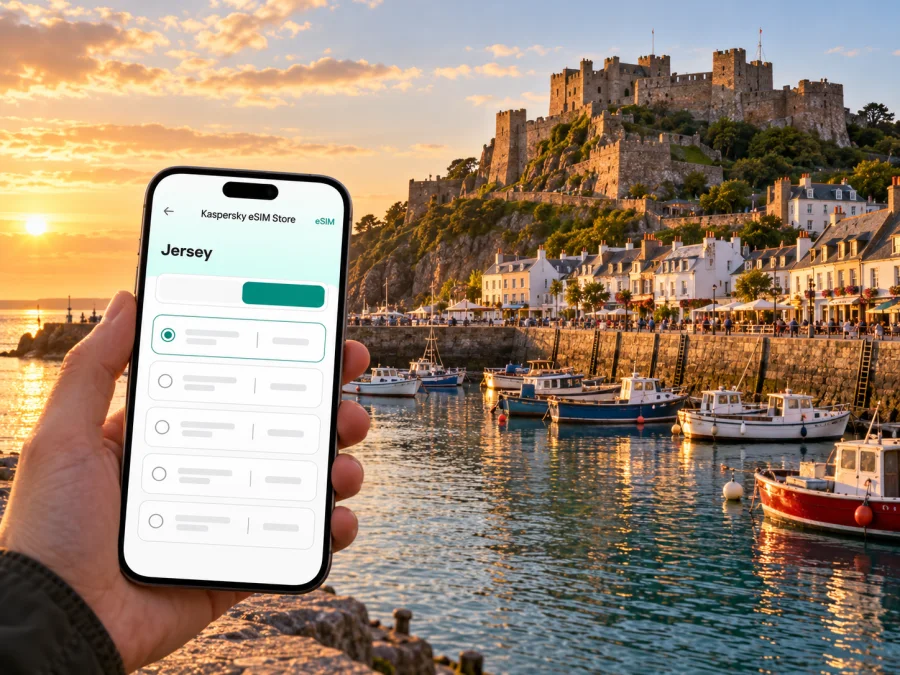
St Martin eSIM: mobile connection and internet for your Jersey visit
St Martin is one of Jersey’s parishes, not a separate city. For a visitor, the name is closely tied to the island’s northeast: Gorey Harbour and Mont Orgueil Castle, the quieter lanes inland, and the small coastal setting around Rozel. The best mobile data plan for this area depends on your whole itinerary, the exact terms for Jersey, and the eSIM support of your particular phone—not on the word “UK” appearing in a plan description.
Jersey is a self-governing Crown Dependency and is not part of the United Kingdom. It also has its own telecommunications services. Do not assume that a UK or European roaming allowance includes Jersey; check the destination list and conditions before you travel. A travel eSIM can be useful for maps, messages, transport checks and booking details, while your existing SIM can remain available for calls or texts if your home operator’s terms suit you.
What to expect in St Martin
St Martin is a parish on the eastern side of Jersey. Its best-known visitor area is Gorey, where the harbour sits below Mont Orgueil Castle. The castle is also called Gorey Castle. Further north, Rozel offers a smaller harbour setting, while inland the parish is made up of lanes and rural stretches.
In Gorey, data can help you find a bus stop, check visitor information, navigate and message your accommodation. On a coastal walk or a drive between villages, downloaded maps are useful because signal can vary with terrain, buildings and the network your plan uses.
| Part of the visit | Useful phone tasks | Preparation that helps |
|---|---|---|
| Gorey Harbour and the castle | Walking directions, opening details, meeting messages | Save the address and route before setting out; keep a charged battery for photos and navigation. |
| Rozel and the northeast coast | Route planning, checking transport times, messaging | Download the map area and check return options before leaving the harbour. |
| Village lanes and rural accommodation | Finding a property entrance, contacting a host | Save the full address, booking confirmation and arrival instructions offline. |
| A day across Jersey | Timetable checks, map changes, reservations | Confirm whether the plan includes Jersey specifically and estimate data for the full island itinerary. |
Plan the arrival before you land
Jersey Airport is in St Peter, on the other side of the island from St Martin. The airport’s public bus stop is outside the Arrivals terminal, with services to Liberation Station in St Helier. Routes and timetables change, so check the current operator information on the day of travel. From St Helier, routes 1 and 1A serve Gorey Pier; route 2 continues towards St Catherine. These are useful links for the eastern side, but do not assume that a bus from the airport will take you directly to your accommodation in St Martin.
Before departure, save the accommodation address and the name of the nearest stop. If you arrive late, travel with children, or have luggage, compare the current bus timetable with a taxi or a pre-arranged transfer. Jersey Airport notes that public taxis wait by Arrivals but can be limited at busy times, so pre-booking may be useful. Keep your booking details accessible without a data connection.
A practical arrival sequence is:
- At home or on reliable Wi-Fi, download an offline map of Jersey and mark the airport, Liberation Station, Gorey Pier and your accommodation.
- Save your flight, lodging and transfer details locally on the phone. Keep the exact postal address, not only a map pin.
- Check that the eSIM plan explicitly covers Jersey and review where its coverage applies, how long it remains valid and when its validity begins.
- Install the eSIM while connected to stable Wi-Fi, following the instructions for your phone. Leave your home SIM available if you need its number for calls or verification messages.
- At arrival, select the travel eSIM for mobile data only when you are ready to use it, and check the displayed network and data settings.
Keep a screenshot of the journey plan and check-in instructions. If your phone does not connect, offline details still help you continue the trip.
Getting around from Gorey and Rozel
Gorey is a useful base for exploring the eastern coast. The harbour, seafront and castle are close together, but the approach to Mont Orgueil rises from the waterfront. Walking directions can help you choose the correct approach and find the entrance; check access information and opening hours before setting out because visitor arrangements can change. The castle is a historic site with substantial steps, so consider mobility and footwear as well as connectivity.
LibertyBus route 1 and 1A connect Liberation Station with Gorey Pier. Route 2 serves St Catherine, while route 13 runs between Liberation Station and Jersey Zoo and may be relevant when building a wider island day. Treat route names as planning clues, not a timetable: services and departure times can change. Confirm your return journey before setting out.
For a quieter outing, Rozel is a small harbour area rather than a transport hub. Check how you will get back before beginning a walk, especially if you plan to travel outside the busiest part of the day. Do not rely on live data for every leg. Download directions, note the nearest named road or stop, and keep enough battery for the return route.
Three useful St Martin itineraries
Short stop in Gorey. Save a map from Gorey Pier to the harbour and castle. Use mobile data for a last-minute check of visitor information, then keep the route stored offline. If your time is tight, plan the return bus before walking uphill.
Overnight near the coast. Save the accommodation’s full address and contact details before travel. Ask the host about the best arrival point if the property is on a narrow lane. A pin can land on the wrong side of a private entrance, so a written description is useful.
A day split between east and north. Check the connections between Gorey, Rozel and your next stop before you set out. The island’s compact size does not make each trip instantaneous: waits, walking sections and limited services can matter more than distance. Keep an offline map available if your route leaves the main village areas.
Choose an eSIM for Jersey, not just for a nearby label
A plan’s destination list is more important than its marketing name. Jersey is a separate travel market from the United Kingdom, and a plan for the UK, Europe or “the Channel Islands” may have specific conditions or exclusions. Read the supported destination list in the plan details and check whether Jersey is named. If it is not clear, ask the seller or provider before purchase. Do not infer inclusion from a map graphic, a regional name or the fact that the trip also includes the UK.
Kaspersky eSIM Store is an app and website where travellers can select, purchase and activate an eSIM with a suitable plan for mobile internet abroad. A dedicated Jersey plan page could not be verified, so the store’s English homepage is a starting point for browsing current destinations and plan terms. The homepage does not confirm that a specific plan covers Jersey: browse the Kaspersky eSIM Store and check current destination availability.
Before choosing a plan, compare the following details rather than choosing only by the advertised data amount:
- Destination: Jersey must be included by name, or the provider must clearly confirm that the plan covers it.
- Validity: Check the duration and the event that starts the validity period. It may begin at purchase, installation or first connection, depending on the plan.
- Data allowance: Estimate how often you will use maps, photo uploads, video calls and cloud backups. Navigation and messaging usually need less data than high-resolution streaming or uploading lots of media.
- Network selection: Review whether the plan connects automatically or requires a manual network choice. Availability and service can vary by location.
- Tethering: If you need a laptop or another device online, verify hotspot use in the plan terms instead of assuming it is permitted.
- Top-ups and expiry: Check whether additional data can be added and whether unused data expires. Do not assume a top-up extends the original validity.
- Calls and texts: A data-focused travel eSIM may not provide an ordinary phone number, voice calls or SMS. Keep your existing number for those functions if your home plan permits it, or use internet-based messaging when connected.
To review available options for the trip, use the store homepage and confirm the destination and conditions shown at checkout. Service depends on the selected plan and underlying local network. Check coverage, performance, price and terms for your destination and dates.
Check your device and its regional variant
An eSIM-compatible product name does not prove that every version of that device supports eSIM. Manufacturers can sell regional variants with different radio or SIM configurations, and carrier-locked phones may restrict activation. Check the exact model number printed in your device settings or documentation, the country where it was sold, and the manufacturer’s support information. Also confirm that your phone is unlocked for another provider’s eSIM.
If you use a dual-SIM phone, decide which line will handle mobile data and which one should remain available for calls or messages. Disable data roaming on the home line if you do not want it to use roaming data, and confirm the settings for the travel line. Some plans require data roaming to be enabled on the eSIM profile; follow the plan’s setup instructions and monitor the selected line after activation.
Before paying, check whether your device supports eSIM. If you have an uncommon regional model or a variant suffix, look up that exact version rather than relying on a list for a similarly named phone. A tablet or wearable may also have different activation requirements from a smartphone.
Install and activate with a clear fallback
Install the eSIM before travel if the plan allows it and you have a reliable internet connection. Keep the QR code or manual activation details available on another screen or printed securely, because a phone generally cannot scan its own displayed QR code. Follow the plan’s instructions about when to switch the line on and when validity starts. Installing a profile and beginning to use data are not always the same event.
For device-specific steps, use the Android eSIM installation guide or the iOS eSIM installation guide. Menus differ by device, operating system version and manufacturer, so follow the directions shown for your exact model. Do not delete an installed eSIM as a first troubleshooting step: some profiles cannot be reinstalled after removal.
After installation, check that the eSIM appears in the phone’s SIM or mobile-network settings. Give the profile a clear label such as “Travel” so you can distinguish it from your home line. If activation is intended to happen only at the destination, leave it inactive until then. Once in Jersey, select the correct line for mobile data, check the network name and allow a short time for registration. If it does not connect, use Wi-Fi where available, review the plan’s instructions, restart the phone if appropriate, and contact the seller or provider with the plan details.
A quick data check before a day out
- Download the island map or the route area you expect to visit.
- Turn off automatic photo and video uploads over mobile data if you do not need them.
- Confirm which SIM is selected for data and whether roaming is enabled only where required.
- Save bus information, reservations and accommodation details for offline access.
- Carry a power bank or start the day with a charged phone.
- Check your balance or remaining allowance using the method named in the plan terms.
These steps are useful in Gorey, Rozel and the lanes between villages. They also reduce the chance that an unexpected background sync uses data you intended to keep for navigation and essential messages.
Common travel situations
You are arriving with a UK SIM
Do not assume that your existing UK allowance includes Jersey. Check your home operator’s current roaming table and any fair-use conditions. If Jersey is excluded or the costs are unclear, keep mobile data off on that line until you understand the terms. A travel eSIM is another option only if its plan explicitly includes Jersey and your exact phone variant supports eSIM.
You are visiting Jersey and the UK on one trip
A plan that covers one destination may not cover the other, or it may apply different data allowances in each. Check both destinations before buying and review any regional plan’s full list. If you use separate plans, label the profiles clearly and choose the intended data line when crossing between destinations. Never assume that a plan described as “Europe” includes every island or dependency.
Your phone shows a network but data does not load
Check that the travel eSIM is selected for data, mobile data is enabled, and any required roaming setting is on. Confirm that the plan has started and has data remaining, then follow its troubleshooting steps. A network name alone does not prove that data access is included.
You need a call or a text message
A travel data eSIM may not include a standard number, voice service or SMS. Keep your home SIM for calls or verification texts only if roaming terms are acceptable. Internet messaging apps need a connection, so arrange a backup for important bookings.
You will be using a laptop
Check the plan’s tethering conditions and make sure the data allowance is sufficient for the tasks you need. Video meetings, system updates and cloud storage can use data quickly. If the plan does not permit tethering or the connection is inconsistent, use a trusted Wi-Fi connection for large downloads and updates.
Frequently asked questions
Is St Martin a city?
No. St Martin is a parish of Jersey. This guide keeps the requested place name while focusing on the Gorey, Rozel and parish travel context that a visitor is likely to need.
Is Jersey part of the United Kingdom?
No. Jersey is a self-governing Crown Dependency and is not part of the UK. Its relationship with UK roaming offers can vary by provider and plan, so confirm Jersey by name in the applicable terms.
Does a UK eSIM automatically work in St Martin?
No automatic assumption is safe. Check whether Jersey is listed as a supported destination for the exact plan. If its terms mention only the UK, ask the provider whether Jersey is included before you buy or switch on data.
Is there a dedicated Kaspersky eSIM Store plan link for Jersey?
The English store homepage is a place to browse current destination options, but it does not confirm Jersey coverage by itself. Do not treat a page for Saint Martin, the UK or another region as a Jersey plan.
Can I use my eSIM for normal calls and SMS?
That depends on the plan, but travel eSIMs focused on data may not include a standard number, calls or SMS. Read the plan details and keep another calling option for time-sensitive needs.
Will mobile data work throughout the parish?
No provider can be assumed to deliver the same service at every location. Buildings, terrain, distance from a transmitter, network selection and the plan’s roaming arrangements can affect a connection. Keep offline maps and essential details available.
What if my phone has a regional model number?
Check that exact model number with the manufacturer and verify that the phone is not locked to another operator. Similar retail names can refer to device versions with different eSIM capability. Confirm support before purchase.
Final checklist for St Martin
Before leaving for Jersey, make sure that you have:
- Confirmed that the selected plan includes Jersey specifically and checked its data, validity and network conditions.
- Checked eSIM support for the exact regional version of your phone and confirmed that it is unlocked.
- Saved directions to Gorey, Rozel and your accommodation, plus a current return-transport option.
- Installed the profile over a reliable connection and understood when the plan begins.
- Kept the QR or activation details, booking information and essential routes available offline.
- Set your home and travel SIMs deliberately to avoid unintended roaming charges.
A little preparation is especially useful when your day includes coastal walks, rural accommodation or a return journey with limited departures. Use mobile data for live checks when it is available, and keep offline details ready when it is not.
Prepare your eSIM for Jersey
Check the current destination list, compare the plan conditions with your travel dates and data needs, and confirm compatibility before purchase. Then choose, purchase and activate an eSIM through Kaspersky eSIM Store using the instructions for your device. Browse the store and check current eSIM options for your Jersey trip.


