Travel connectivity guide
St Ouen eSIM: Mobile Internet for Jersey
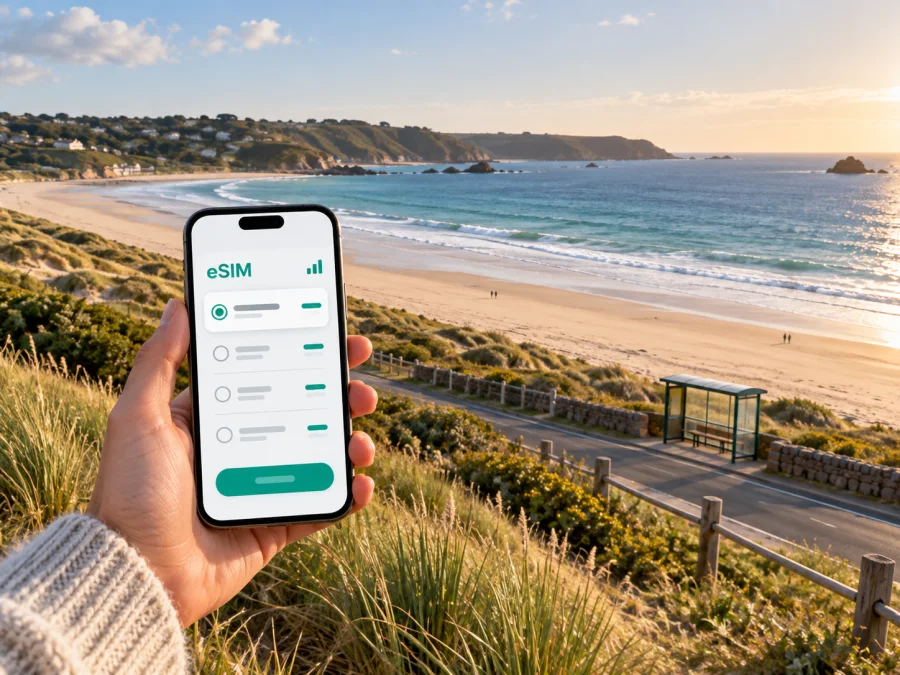
St Ouen eSIM: Mobile Connection and Internet for Your Coastal Stay
St Ouen is a quiet, open corner of Jersey where a day can revolve around the weather, the tide, a bus along the west coast, or a walk beside the dunes. It is a parish rather than a compact city centre, so getting around often means joining a few places together: your accommodation, a stop on the island bus network, the long sweep of St Ouen’s Bay, and perhaps St Helier or the airport. A reliable mobile connection helps with those small transitions: checking a departure, following a route, messaging your host, or looking up a change of plan while you are away from your room.
What to plan before travelling to St Ouen
St Ouen’s most recognisable landmark is the bay: a long Atlantic-facing shoreline with sand dunes and open views. The parish also includes inland lanes and smaller settlements, so an address described as “St Ouen” may not be right beside the beach. Check the exact location of your accommodation on a map before you travel and save its address, a nearby bus stop and the route back. A pin alone may not be enough if a lane has a similar name or your phone battery is low.
The area rewards a flexible itinerary. You might spend the morning on the shore, take a bus toward another part of Jersey for lunch, then return for the evening light. On another day, you may barely need data once you have reached your walking route. Think about the kinds of use that actually matter to you:
- Getting around: map directions, bus information and the location of a stop or meeting point.
- Staying in touch: messages with a hotel, guesthouse, host, colleagues or family.
- Day planning: checking opening details, weather updates and the next part of your route.
- Work on the move: email, calendar changes, document access or a short call through an internet app.
- Sharing the trip: uploading photos or sending a location when you return to coverage or Wi-Fi.
These needs can be light or data-intensive. Navigation and messages usually call for less data than repeated video calls, large file transfers or cloud photo backups. If you are unsure, estimate from your normal daily phone use and leave room for the tasks you cannot easily postpone. A travel eSIM is a data option; it does not replace the offline preparation that makes a coastal day simpler.
Arriving and continuing west
Most air arrivals use Jersey Airport, in the neighbouring parish of St Peter. From the airport, St Ouen is a short onward journey across the island, but the most convenient connection depends on your arrival time, the exact address and the day’s bus service. The airport bus stop is outside the arrivals terminal. Public routes connect the airport with St Helier and other parts of Jersey; route 22 serves the west-coast corridor toward L’Etacq, while the precise stops and timetable should be checked for your travel date. A taxi or pre-arranged transfer can be easier when you have luggage, a late arrival or accommodation away from the main road.
Before setting out for St Ouen:
- Save your accommodation address and host details.
- Mark the nearest bus stop and check the current timetable.
- Save a map for the final walk and agree on a backup transfer if needed.
- Charge your phone before travelling.
Moving around a spread-out parish
St Ouen is best approached as a set of coastal and inland places rather than one walkable centre. St Ouen’s Bay stretches along the western side of the island, while the parish’s accommodation, cafés and points of interest are not all concentrated on one promenade. The map may make two places look close, but a coastal road, a lane without a pavement, a change in elevation or the route of a bus can alter the practical journey. Use walking directions for the exact start and finish, and check whether the suggested path suits your footwear and mobility.
Jersey’s public buses connect visitor destinations with Liberation Station in St Helier. Visit Jersey lists routes 22 and X22 between Liberation Station and L’Etacq for St Ouen’s Bay. Route numbers and timetables can change, and some services may be seasonal or have different patterns on weekends and public holidays. Confirm the current journey before setting out, particularly if you are planning to return after dinner or sunset. Live travel information can be useful, but keep a second option in mind for the last leg to your accommodation.
| Situation | Mobile data helps with | Keep offline |
|---|---|---|
| Arrival | Next connection, host messages | Address and transfer details |
| Beach visit | Access point and meeting place | Return stop and map area |
| Evening return | Checking a route or contacting a driver | Backup pickup plan |
The bus network joins the west coast to St Helier and other island stops, but service times and stop locations matter. Compare the whole journey, including waits and the final walk with luggage. A taxi can simplify the last stretch; a rental car or bicycle may suit some stays, with care on unfamiliar roads and lanes.
For a beach day, save the access point, return stop, meeting place and booking details before leaving. A screenshot is quick to open if reception is weak. Check the route and service times as well as keeping the map app available.
Where to stay and how to stay connected
Choosing accommodation in St Ouen is partly a transport decision. A property near a bus stop can make a car-free stay easier, while a more secluded address may offer a quieter setting but require more planning for meals and evening returns. Look at the route to the nearest stop and the walk from that stop to the door. A listing’s parish name or a broad “near the bay” description is not a precise transfer plan.
Before booking, consider these questions:
- Is the property beside the bay, inland, or in a small settlement elsewhere in the parish?
- What is the nearest bus stop, and how does the service run on the dates you are visiting?
- Can you walk the last part with luggage, in low light or in wet weather?
- Does the accommodation provide Wi-Fi, and are there areas where you may need mobile data instead?
- Is there a clear check-in contact if your arrival time changes?
On a short break, you may move between the coast and St Helier several times in one day; during a longer stay, saved stops and landmarks make familiar journeys easier. Use mobile internet for maps, bus updates, reservations and messages. Download large files over Wi-Fi and pause automatic media uploads if your allowance is limited.
Choosing an eSIM for Jersey
An eSIM can be a convenient way to prepare mobile data for a trip, especially if you would rather keep your regular SIM in the phone. Before choosing, consider the length of your stay, how often you will use maps and messaging, whether you expect to work online, and whether you will upload photos or stream video. A plan that looks ample for a beach-focused weekend may feel different if you are tethering another device or taking frequent video calls.
Kaspersky eSIM Store is an app and website where you can choose, order and activate an eSIM with a suitable data plan for an international trip. Review the destination, data amount, validity and activation details shown for the option you select. These details are specific to the plan and can change, so check them in the app or website before purchase. To compare the current options for your stay, choose a data plan for Jersey.
An eSIM can help with online maps and messages where mobile data is available, but reception can vary by location, terrain, network conditions and device. Save essentials offline and use Wi-Fi for large downloads when convenient.
Set up before you leave
If your phone supports eSIM, setting it up before the journey can leave you more time to focus on the arrival. First check the device’s eSIM support and whether it is available for your specific model and market. Check whether your device supports eSIM. Then review the plan’s installation and activation instructions, and follow the steps for your device: Android eSIM instructions or iOS eSIM instructions.
Follow the selected plan’s instructions; activation steps and start time can differ. Confirm when validity begins, whether data roaming must be enabled for that eSIM, and which SIM is selected for mobile data. Keep the confirmation until the eSIM is working.
A sensible setup sequence is:
- Check compatibility for your exact phone model and market.
- Choose a plan that fits the trip and read its conditions.
- Install over stable Wi-Fi by following the current device instructions.
- Label the profile so you can identify it in SIM settings.
- Set data preferences and note any roaming setting specified for the eSIM.
- Check the basics before departure; do not delete a profile unless its instructions tell you to.
Keep your usual number available if you need standard calls, SMS or text-based passcodes. A data eSIM is for mobile internet; calls through apps use data. Check your home operator’s roaming settings and any charges separately.
Use your phone thoughtfully on the coast
St Ouen’s Bay is an outdoor destination known for surfing and other water sports. Wind, sea spray, sand and long walks make phone care important. Keep your phone in a secure pocket or dry pouch, and check it away from the water’s edge.
Start with a charged battery, lower screen brightness when practical and carry a power bank for a long day. Save the route and return stop so you can turn the screen off between checks.
Use a simple “before you walk” routine:
- check directions while stopped and note a nearby road as well as the map pin;
- tell a companion or host if your plan changes;
- check the return bus before leaving the beach, especially late in the day.
Do not approach a cliff edge or unfamiliar route to find a signal. If a map stops updating, pause somewhere safe and use saved information to return to a known road or public place.
A working day or a short stopover
For a working stay, plan travel to meetings in St Helier around the current bus schedule and allow time for the final walk. Download addresses and files in advance. Mobile data can help with calendar changes and messages; accommodation Wi-Fi may suit larger uploads or long video calls better.
For a stopover, choose one coastal walk or nearby visit, then confirm the return to the airport or ferry terminal. Keep luggage in mind and leave a generous buffer instead of relying on a last-minute bus connection.
| Trip | Prepare | Remember |
|---|---|---|
| Weekend by the bay | Save access and return stop | Weather changes time outdoors |
| Car-free stay | Check stops and route times | Address may be away from the main road |
| Remote work | Download files and confirm Wi-Fi | Video calls use more data |
| Stopover | Confirm return transfer | Leave a time buffer |
If something does not work
If data is unavailable, confirm that the travel eSIM is enabled, selected for mobile data and configured as its instructions specify. Check airplane mode, restart the phone if needed, and move to a safe place. If the issue continues, use Wi-Fi to review the plan or contact the support channel in your purchase information.
Do not delete the profile as a first step; reinstalling may depend on plan conditions. Keep your confirmation and note the phone’s message. If a bus or driver is waiting, use a saved address or ask for help before changing more settings.
Frequently asked questions
Is St Ouen a good base without a car?
It can work if your accommodation is near a useful stop and your plans fit the timetable. Check the final walk and evening connections: a St Ouen address may be away from the beach or a frequent route.
Can I travel from Jersey Airport to St Ouen by bus?
Yes. Buses leave from outside the terminal and connect with the island network. Route 22 serves the west toward L’Etacq. Check the date-specific timetable and stop closest to your address.
Will mobile internet work everywhere along the bay?
Reception can vary by location, surroundings, network conditions and device. Download maps and keep return details available offline.
How much data do I need for a visit?
It depends on your habits. Navigation and messages use less than streaming, video calls, hotspot use or automatic photo backups. Estimate heavier use separately.
Can I keep my regular number while using an eSIM?
Many phones support both, but capabilities depend on the model. Check which line handles data and whether home-line roaming charges apply.
Should I install the eSIM before travelling?
If the plan allows, install over stable Wi-Fi before travel. Read when the plan starts, follow device instructions and keep the confirmation until connected.
Make St Ouen easier to navigate
The best mobile setup for St Ouen is the one that fits the way you will move through the parish: from the airport or St Helier to your accommodation, from a bus stop to the coast, and back again when the weather or timetable changes. Save the places that matter, check current bus information, and prepare your phone before setting off. That simple preparation lets you spend less time solving small logistics and more time enjoying the west coast at your own pace.
Before you travel, compare the available data options for Jersey and select one that suits your expected use. In Kaspersky eSIM Store, you can choose, order and activate an eSIM for mobile data on an international trip. Prepare an eSIM plan for your Jersey visit and complete installation using the instructions for your device.


