Travel connectivity guide
St Pierre du Bois eSIM: Mobile Internet in Guernsey
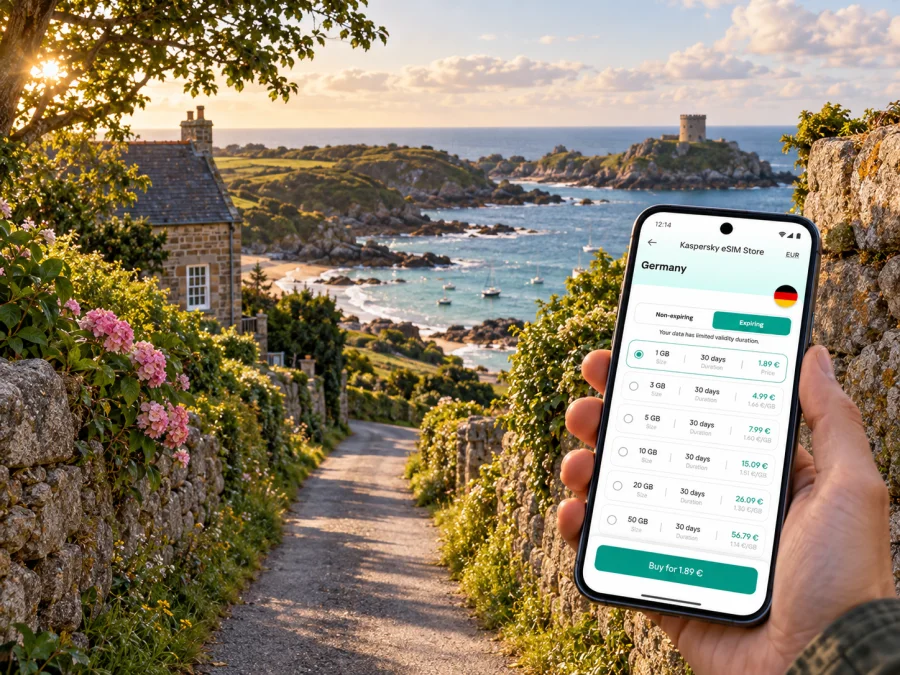
St Pierre du Bois eSIM: mobile connection and internet for your visit
St Pierre du Bois is a parish in the southwest of Guernsey, not a large city with a dense centre or a single transport hub. The name is also commonly shortened to St Peter’s. Visitors come for the coast, country lanes and small local landmarks: Rocquaine Bay, Fort Grey, the parish church and the quieter roads between the shore and the island’s interior. That rural setting changes what a useful mobile connection looks like. You may need a map for the last stretch to a guesthouse, a bus timetable before leaving the beach, or data to check a tide or weather update while plans are still flexible.
The most useful approach is to prepare for the whole island journey and treat St Pierre du Bois as one of its rural bases. Guernsey is small, but routes, accommodation and coast walks are spread out. Signal strength can vary with terrain, buildings and the network in use, so no single eSIM can promise a connection at every bay, lane or indoor location. Download essential directions for offline use, keep your accommodation details available without data, and check the coverage and activation conditions of any plan before relying on it.
First, understand the place you are visiting
St Pierre du Bois is one of Guernsey’s parishes. Its name literally points to “Saint Peter of the wood,” and the area retains a countryside feel rather than a conventional city layout. Rocquaine Bay sits on the parish’s coast; Fort Grey, often called the Cup and Saucer, is a familiar landmark beside the bay. The coast combines shingle and patches of sand, while inland roads pass fields, houses and parish facilities.
Guernsey itself is a self-governing Crown Dependency. It is not part of the United Kingdom, even though it has close connections with the UK and shares some arrangements with it. That distinction matters when you choose mobile data: mobile operators set market-specific plans and roaming rules. A plan labelled “United Kingdom” does not automatically include Guernsey, and an eSIM that works in London or Manchester is not proof of service on this island.
| What you may see | What it means for a visitor |
|---|---|
| St Pierre du Bois / St Peter’s | Two names used for the same parish; keep the exact accommodation or meeting-point address in your map. |
| Guernsey / Bailiwick of Guernsey | The island and its wider jurisdiction; it has a distinct local mobile market. |
| “United Kingdom” on a plan | A destination label that needs checking against the plan’s actual country list; do not assume it includes Guernsey. |
| Fort Grey / Cup and Saucer | A coastal landmark at Rocquaine Bay that can help orient you on the west side of the island. |
That distinction is useful before you travel, while comparing plans and after arrival if your phone displays a network name you do not recognise. The device’s regional hardware variant also matters: two phones sold under the same model family can differ by region, and not every regional version supports eSIM. Check the exact model and variant in the device maker’s settings or product details, then use the device compatibility checker before you pay for an eSIM.
Where mobile data helps around the parish
Mobile internet is useful for locating a rural address, checking a bus before leaving the coast, messaging a host about a late arrival, or checking weather before a walk. Around Rocquaine Bay, save a return route before setting out. A typical day may involve:
- Arrival: find your accommodation and keep its address available offline.
- Coast visit: navigate to Rocquaine Bay or Fort Grey and save the nearest stop.
- Parish lanes: check directions while stopped safely; avoid walking or cycling while looking at a screen.
- Trip to St Peter Port: confirm both the outward and return journeys before leaving.
Coverage depends on the local network and physical conditions. A stone building, slope or sheltered coast may affect reception. GPS and mobile data are separate: an offline map can still locate you, but it cannot load new map tiles or messages without data.
Arrival and getting to St Pierre du Bois
Visitors usually arrive at Guernsey Airport or by ferry at St Peter Port. Airport guidance lists route 71 via the hospital to town, routes 93, 94 and 95 to St Peter Port bus terminus, and island-circling routes 91 and 92. Route 71 also serves the western side, including Longfrie and some journeys past Fort Grey. Check the live timetable: stop calls and frequency vary by day and service.
Use this sequence to plan the last leg:
- Save your accommodation’s full address, postcode and host contact before departure.
- Check whether it is near a stop, taxi drop-off or car-hire point; a parish name is not a precise destination.
- Check the arrival route and last practical departure, with a backup if your flight or ferry is delayed.
- Confirm the walking leg on a map and save the return journey as well.
Some timetable journeys skip selected stops or vary from the standard route. Read the stop details instead of relying on a route number alone. If you have luggage, arrive late or are staying far from a main stop, arrange a transfer in advance.
A data eSIM can help during this sequence only if its plan is valid in Guernsey. Travel data plans usually do not provide a local number for ordinary calls and SMS. Keep your usual SIM available if needed and check its roaming charges.
Choosing a mobile data option for Guernsey
Two details must be kept separate: the destination market and the mobile network that a service can use. Guernsey is a distinct mobile market, not part of the UK. The English Kaspersky eSIM Store destination list has a United Kingdom page; that page names UK operators for those plans, which does not establish coverage in Guernsey.
Before buying, check the plan’s exact territory list, data allowance, validity, activation trigger, supported network and tethering terms. Look for “Guernsey” or the Bailiwick explicitly. If a plan only names the United Kingdom, ask the provider to confirm Guernsey coverage before purchase or choose a local option. Do not infer inclusion from proximity, travel route or a phone’s automatic network selection.
The local market is different. Sure Guernsey currently offers a Pay As You Go eSIM request option for access to its own network. This local service and a travel data plan are not the same product. Kaspersky eSIM Store is an app and website for selecting, purchasing and activating travel eSIM plans; it is not the local operator. Check each service’s current sign-up steps, prices, eligibility and usage terms.
You can review the United Kingdom destination page as one listing, but proceed only if the chosen plan explicitly includes Guernsey. Plan coverage and network arrangements can change; checkout details matter more than a general destination label.
| Option | Useful for | Confirm first |
|---|---|---|
| Travel data eSIM | Preparing data through an app or website | Guernsey is listed; allowance, validity and activation suit your stay. |
| Local Guernsey eSIM | Local network service | Current sign-up steps, local voice/SMS and data terms. |
| Home SIM roaming | Keeping your regular number active | Guernsey roaming zone, bundle and out-of-bundle charges. |
| Venue Wi-Fi | Browsing at a hotel or café | Availability, sign-in steps and suitability for sensitive tasks. |
“eSIM” describes digital SIM technology, not guaranteed coverage, voice service or included destinations. Many travel plans are data-only; read the plan details and keep your regular SIM for calls and texts if its roaming terms are acceptable.
Estimate data for the way you travel
Estimate data from your actual habits. Messaging and map searches are lighter than video calls, streaming or repeated photo uploads. Note what you use each day and leave a small reserve for a route change or delay.
| Likely use | Practical approach |
|---|---|
| Maps, bus checks and email | Download an island map and use data for updates. |
| Photos and social posts | Upload on trusted Wi-Fi; limit automatic backups. |
| Remote work | Check accommodation Wi-Fi and tethering terms before relying on mobile data. |
| Video or streaming | Prefer Wi-Fi or confirm the plan allowance first. |
Disable unnecessary background updates and media downloads if your allowance is limited. Set the phone’s data counter to the eSIM line where possible; this is more useful than choosing a large allowance without knowing your usage.
Install and activate with a clear plan
Install the eSIM over a stable internet connection, ideally before departure. Follow your device’s on-screen steps and the instructions for the plan. Use the Android installation guide or the iOS installation guide. Keep the QR code or activation details accessible on another screen if you need to scan them.
Read when validity begins. Some plans start on purchase or installation; others start when the profile connects to a supported network. “Install” and “activate” are not always the same step. If scheduled activation is offered, align it with your travel date and allow for delays. Save plan details where you can find them offline.
In SIM settings, select the line for mobile data and decide which line handles calls and texts. Enable data roaming for the travel eSIM only if its instructions require it. Your regular SIM may incur charges abroad depending on its operator terms.
Before departure:
- [ ] Confirm the exact phone variant supports eSIM and is unlocked.
- [ ] Confirm Guernsey is explicitly included in the selected plan.
- [ ] Check data, validity, activation and network conditions.
- [ ] Install the profile over Wi-Fi and store its details safely.
- [ ] Save an offline map, address and arrival directions.
- [ ] Set the lines for data, calls and messages; check roaming charges.
Support can differ by regional phone variant or carrier lock. Confirm the precise handset configuration in the manufacturer’s specifications and use the device compatibility checker before purchase.
Navigation, buses and rural roads
Save stop names and directions before a trip. A live route planner helps compare options, but the operator’s current timetable is the reference for departures and variations. Check that a particular route 71 journey serves your stop.
- Search for the stop, not only the parish name.
- Check the direction and bus destination.
- Match the timetable to the day: weekday, Saturday, Sunday or public holiday.
- Confirm the return service and any stop restrictions.
- Keep a backup route if the walk or connection takes longer than expected.
A short rural walk can involve narrow lanes or no continuous pavement. Use navigation while stopped safely. For coast walks, download the route and check conditions before leaving; mobile reception is not a safety plan.
Explore the coast without losing your bearings
Rocquaine Bay is a defining parish landmark. Fort Grey, known locally as the Cup and Saucer, stands beside the bay. The shore is mostly shingle with sandy areas, and nearby refreshment stops can help when planning a longer visit. L’Eree and the west coast are also within reach. Save a map and return route before you set out in case reception becomes intermittent.
The parish church and inland lanes offer a quieter alternative. Search with a full address or pin: “St Peter’s” may return unrelated places elsewhere. If cycling, use an appropriate route and verify access. Check walking conditions, weather and tides before leaving rather than depending on reception at the shore.
| Part of the day | Plan | Phone task |
|---|---|---|
| Morning | Travel west from your accommodation | Confirm the service and save the stop. |
| Midday | Visit Rocquaine Bay and Fort Grey | Keep the return route; use data for updates. |
| Afternoon | Continue toward L’Eree or inland | Check the next transport option before leaving. |
| Evening | Return to your lodging | Message your host if delayed; save battery for directions. |
A little advance planning leaves room to change plans without discovering at the end of a walk that the next bus is much later than expected.
Accommodation, work and longer stays
Mobile data helps with check-in, reservations and messages, but should not be your only connection for important work. Ask about Wi-Fi in the room, especially if you need video calls or large file transfers. Indoor reception depends on the building and network. Download files in advance and keep another way to contact colleagues if a call drops.
Before booking, check whether there is usable Wi-Fi and power, whether tethering is allowed by your eSIM plan, and whether the data allowance suits your work. For longer stays, compare local service with travel data: a local plan may suit a need for a local number or regular calls, while a data-only travel eSIM may suit navigation and messaging if Guernsey is included. Verify current terms; neither option is universally better.
If the eSIM does not connect
Check the plan before deleting anything: confirm it is active, its start date has arrived and Guernsey is included. Then check that the eSIM line is on, it is selected for mobile data, and network selection follows the provider’s instructions. Enable roaming for that eSIM only if required.
If it still will not connect, move to an open area, restart once and wait for registration. Do not remove the profile unless support recommends it; some cannot be reinstalled after deletion. Contact the provider over Wi-Fi with the plan name and phone model. If the plan lists only the UK, resolve coverage eligibility before changing device settings.
When testing, check which SIM is using data so your home line does not incur unexpected roaming charges. Keep the plan details and activation information available for support.
Frequently asked questions
Is St Pierre du Bois a city?
No. It is a parish in southwest Guernsey, also commonly called St Peter’s. Use the exact address, stop or landmark for navigation.
Does a United Kingdom eSIM automatically work in Guernsey?
Do not assume so. Guernsey has a distinct mobile market. Check that the specific plan explicitly lists Guernsey.
Which local operator should I check?
Sure Guernsey currently offers a Pay As You Go eSIM request option for its local network. Confirm its current terms and any other service before travelling.
Does a travel eSIM include a phone number?
Not necessarily. Many are data-only and do not support ordinary calls or SMS. Keep your regular SIM if you need it and understand its roaming charges.
Can maps work without mobile data?
Offline maps can show your location if downloaded in advance and location services are on. They cannot fetch live traffic or new map information.
Should I install before arrival?
Installing on stable Wi-Fi is practical. When to activate depends on the plan’s validity rules; check them first.
Does every version of a phone model support eSIM?
No. Support can vary by exact model, regional variant and carrier lock. Check the handset before purchase.
Prepare once, then enjoy the parish
For St Pierre du Bois, a useful mobile setup helps you find your accommodation, check island buses, reach the coast and keep the return route in view. Save key details offline, confirm your exact phone variant and choose mobile data only after checking that Guernsey is explicitly covered. Keep roaming settings for your regular number under control, and do not rely on a signal in every lane or indoors.
Kaspersky eSIM Store is an app and website for selecting, purchasing and activating a travel eSIM plan. A United Kingdom label alone does not confirm Guernsey coverage. Before you choose an eSIM for this trip, check the destination details and verify whether Guernsey is included. If the specific plan lists Guernsey and its terms fit your stay, select it for your journey; otherwise, compare a local Guernsey service or your home operator’s roaming terms.


