Travel connectivity guide
St Sampson eSIM for Mobile Internet | Guernsey
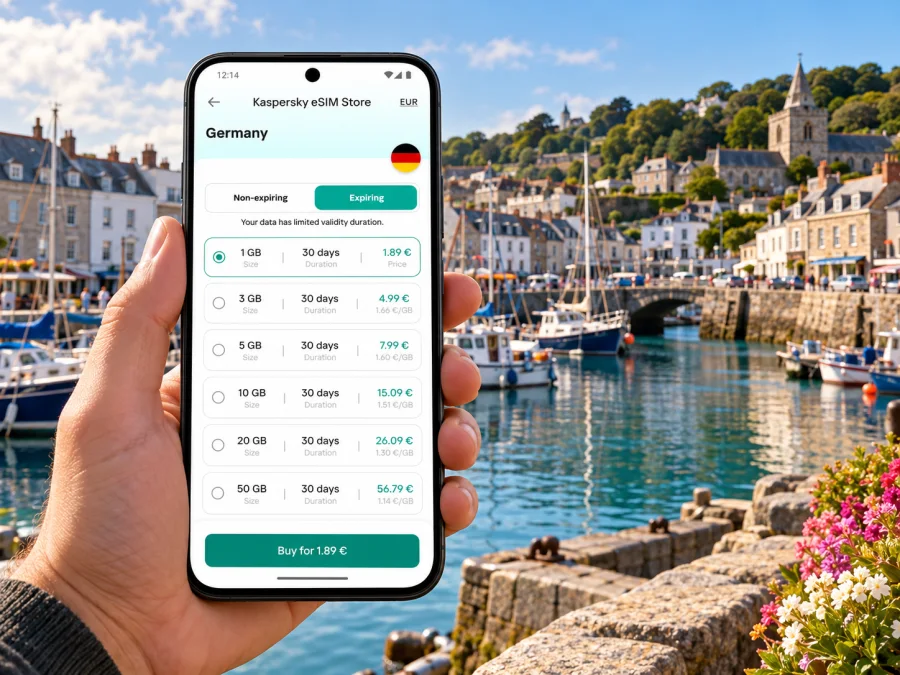
St Sampson eSIM: mobile connection and internet for a Guernsey visit
St Sampson is a parish and harbour-side settlement on Guernsey, in the Channel Islands. It is a compact destination, but a visit can involve a flight into Guernsey Airport, a bus or taxi transfer, time around The Bridge and the harbour, and walks or onward journeys elsewhere on the island. An eSIM can help you prepare mobile internet for those practical moments without changing the physical SIM in your phone.
The key detail is the destination: Guernsey has its own mobile market and is a Crown Dependency, not part of the United Kingdom. Check that a plan explicitly covers Guernsey rather than assuming that a United Kingdom allowance or a general Europe plan includes it. Kaspersky eSIM Store is an app and website where you can choose, purchase and activate an eSIM with a suitable data plan for an international trip. The destination page currently lists Guernsey options; availability and terms can change, so read the live plan details before purchasing.
Why mobile internet is useful around St Sampson
A connection is most useful when it supports a specific task. Around St Sampson, that may mean checking a bus departure, locating your accommodation, sharing an arrival update, or finding the right road from the harbour. A small-screen map can also help you follow the local lanes between The Bridge, the waterfront and other north-eastern points without repeatedly stopping to ask for directions.
The village and harbour area are not a large city grid. A route that looks short on a map may include narrow roads, junctions or a walk beside the coast. Save your accommodation address and any meeting point before setting out. If you are using turn-by-turn navigation, keep the phone charged and use a walking route for a walk rather than assuming the fastest driving route is safe or pleasant on foot.
Mobile data is handy for:
- checking the latest bus route and timetable before leaving the airport or changing buses in St Peter Port;
- confirming a taxi pickup point, especially if you have arranged a car in advance;
- messaging a host if your arrival time changes;
- checking maps while walking between The Bridge, St Sampson Harbour and the surrounding parish;
- looking up opening times, booking details or weather and tide information before a coastal outing;
- using email, work chat, cloud documents and video calls during a business stay, subject to the signal and your plan’s data allowance.
A data eSIM is not automatically a replacement for your regular mobile number. Unless the selected plan says otherwise, it provides mobile data rather than a local number for ordinary calls and SMS. Keep your usual SIM active if you need calls or verification texts, and check its roaming charges. Internet calls and messages can work through compatible apps when you have data, but they still depend on the service, account and recipient being available.
Getting from Guernsey Airport to St Sampson
Guernsey Airport is in the parish of Forest, away from St Sampson. The airport’s published bus information lists routes 71, 93, 94 and 95 to the St Peter Port bus terminus, as well as routes 91 and 92 that travel around the island in opposite directions. These details can change by season and timetable, so check the current journey planner on the day you travel. Do not assume there is a direct airport-to-St-Sampson bus at the time you land.
A simple arrival plan is:
- Before departure, save the address and postcode of your accommodation, plus a map pin if your host has sent one.
- Check whether a bus journey or a pre-booked taxi best fits your arrival time and luggage. The airport’s own guidance recommends booking taxis ahead where possible; there is also a taxi rank at The Bridge in St Sampson.
- If travelling by bus, confirm the route, stop, connection and payment method from current information. The airport says buses do not accept cash or coins; contactless payment or eligible concession and student cards are accepted.
- Keep the first part of the route available offline in case your data connection takes time to start or you have limited battery.
- Once you have reached your accommodation, download any maps or documents you will need for an area with weaker signal.
An eSIM can reduce the need to find a public Wi-Fi connection just to message your host or check a route. It does not remove the need to verify transport times, nor does it guarantee reception at every stop or indoors. Treat the timetable and your accommodation’s instructions as the primary plan, with mobile data as a convenient way to check for updates.
If you arrive at St Peter Port first, use it as a transfer point rather than planning around a guessed connection. The airport’s bus page identifies the town terminus as the destination for several airport services. From there, confirm which current service reaches The Bridge or the stop closest to your address. If you take a taxi, provide the exact accommodation address; “St Sampson” alone may not identify a particular lane or entrance.
The Bridge, the harbour and short local trips
The Bridge is a useful reference point when planning time in St Sampson. It is the local shopping and service area by the harbour, and it has a taxi rank. The harbour edge gives the area its distinct character: boats, marina water, stone-built surroundings and working island roads are more relevant landmarks here than city-centre blocks or metro stations.
For a short visit, keep your route simple. Pin The Bridge or your accommodation, then add the exact place you intend to reach. If you are meeting someone, agree on a named public meeting point rather than relying on a vague map pin near the water. A phone with data helps you message if one person is delayed, but a saved address and a clear fallback time are still useful if either device loses signal.
A walk may be a better way to explore than a short drive, depending on the weather and route. Guernsey’s visitor information describes an east-coast walk beginning at Bordeaux Harbour, continuing past Vale Castle and St Sampson Harbour, and following the coast towards St Peter Port. The published route is about 6 km from Bordeaux Harbour and takes roughly an hour for that section at the stated walking pace. That is a route description, not a promise about your own timing: stops, terrain, tide, wind and mobility needs can all change the duration.
For this kind of outing, plan for a moving route rather than a single destination. Download the map before leaving, check the return bus option before you start, and keep a power bank if you rely on your phone for navigation and photographs. Coastal paths and harbour areas are working environments; follow signs, stay clear of boats and restricted areas, and use local guidance on conditions. Do not assume that a data signal will be equally strong along every section of the coast.
| Trip situation | Useful preparation | How mobile data can help |
|---|---|---|
| Airport arrival | Save your address, route and host contact details | Check changes and message about delays |
| The Bridge errands | Pin the exact shop or meeting point | Navigate nearby streets and coordinate a pickup |
| Harbour or coastal walk | Download a map and check the return journey | Recheck directions and contact someone if plans change |
| Work visit | Save meeting details and documents for offline use | Use email, messaging and cloud tools when the connection allows |
| Island-wide day trip | Check the route and last return service first | Look up connections and adjust plans during the day |
Choosing a plan for Guernsey, not just for a nearby destination
A city name is helpful for planning, but mobile plans are generally organised by country, territory or region. For St Sampson, use Guernsey as the coverage destination. Guernsey is geographically close to France and has strong historical and transport connections across the Channel, but proximity does not establish that a French, UK or Europe plan will work there. Look for Guernsey in the plan’s included destinations or ask support to clarify the precise coverage before you pay.
Kaspersky eSIM Store’s live Guernsey destination page is the relevant place to review current options. The currently published Guernsey listing identifies Sure as the local telecommunications provider for its listed plans; it shows the applicable plan conditions on that page. That page is an offer for the Guernsey destination, not a promise about coverage inside a particular building or at every point in St Sampson. Read the data amount, validity, activation conditions, supported device requirements and any fair-use or speed limits displayed for the specific plan you select.
Review current eSIM options for Guernsey before choosing. A short stay with light use may call for a different data allowance from a trip involving video calls, frequent photo uploads or tethering. Think about how you actually use your phone:
- Light use: maps, messaging, email and occasional browsing. Check how much data navigation and automatic photo backup use on your device.
- Regular use: maps throughout the day, browsing, social apps and routine work messages. Estimate usage across the whole trip rather than one busy day.
- High use: video meetings, large file transfers, cloud backups or hotspot sharing. Confirm that tethering is permitted and that the data allowance and speed terms suit those activities.
These are usage profiles, not fixed gigabyte recommendations. Video quality, app settings, background updates and the number of connected devices can change consumption substantially. Turn off automatic media backups over mobile data if you want to conserve a small allowance. Download music, maps and work files while connected to a trusted Wi-Fi network, and check your remaining balance in the app or account during the trip.
If your itinerary continues to Jersey, mainland France or the United Kingdom, treat each as a separate coverage check. A Guernsey plan may be limited to Guernsey; a regional option may cover more than one destination but its included territories and terms must be checked individually. Do not infer that a plan works across borders just because the places are close together. If you need one plan for several stops, confirm every destination appears in the plan description before purchase.
Before buying: compatibility and setup checks
Confirm that your phone supports eSIM and is not locked to a network that prevents adding another profile. Device support can vary by model, market or regional variant, and the manufacturer’s general product name may not tell you whether the exact handset sold in your market is compatible. Use your device settings and the manufacturer’s information for the exact model number, and check whether your device supports eSIM before you pay.
Also check that you can get online during installation. The eSIM profile is downloaded to the device, so you may need a working Wi-Fi or mobile connection to install it. If possible, complete setup before leaving home, while keeping the line disabled until you are ready to use it if the plan’s terms allow that. Read the plan details to understand when validity begins and when data use starts; these may be different events.
A practical checklist:
- [ ] The selected plan explicitly includes Guernsey.
- [ ] Your exact phone model and regional version support eSIM.
- [ ] The phone is unlocked and can add a second mobile profile.
- [ ] The data amount and validity fit your dates and likely use.
- [ ] You know whether installation, activation or arrival starts the plan’s validity.
- [ ] You have access to the QR code or in-app installation flow and a stable internet connection.
- [ ] Your regular SIM’s roaming, calls and SMS settings are understood.
- [ ] You have saved your accommodation address and essential route information offline.
Installing the eSIM and using it on the island
Follow the installation screen and the instructions for your operating system: Android eSIM installation instructions or iPhone eSIM installation instructions. Keep the QR code available on another screen or device if your phone cannot scan its own display. Do not delete an installed profile just to try the QR code again; activation codes can be single-use, depending on the plan.
After installation, open your mobile settings and choose which line should handle mobile data. Keep your home number selected for calls and messages if you still need it, and select the travel eSIM for mobile data when you want to use that plan. Some devices or plans require data roaming to be enabled for the travel eSIM. Follow the plan’s instructions and check the chosen data line carefully so that your home SIM does not use roaming data by accident.
When you arrive in Guernsey, give the eSIM time to register. If it does not connect, try these steps in order:
- Check that the eSIM profile is switched on and selected for mobile data.
- Confirm that the plan includes Guernsey and has become active under its stated rules.
- Turn airplane mode on briefly and then off, or restart the phone.
- Check the data-roaming setting for the travel profile if the installation instructions require it.
- Move to a place with a clearer signal and wait a few minutes before changing additional settings.
- If the issue remains, use Wi-Fi to review the plan instructions or contact support with the phone model and the message shown on screen.
A connection problem does not automatically mean your device is incompatible; it may relate to activation timing, the selected data line, a temporary network issue or plan conditions. Avoid deleting and reinstalling the profile unless support or the instructions tell you to do so.
Planning for a work trip, weekend or island connection
For a business visit: save meeting addresses, calendar details and key documents offline. Use mobile data for messages and navigation, and confirm that hotspot use is allowed before connecting a laptop.
For a weekend break: install the profile before travel if the plan permits, and check the return bus or taxi before a coastal walk. Keep your accommodation’s number and directions available offline. A data-only eSIM will not receive ordinary SMS verification texts.
For a brief stopover: save a compact itinerary and check Guernsey coverage before departure. If you only need a short transfer, compare your home operator’s roaming terms with the eSIM option.
For a longer island itinerary: estimate usage across every destination, not only St Sampson. Verify coverage terms for each stop and download walking maps and booking details before setting off. A coverage statement does not guarantee indoor reception, uninterrupted service or a particular speed.
Common questions about eSIM in St Sampson
Is St Sampson a city?
St Sampson is the name of a parish and the harbour-side settlement commonly used for the area. In travel searches it may be described as a town or destination, but for mobile-plan selection the relevant territory is Guernsey. Choose the destination based on the plan’s coverage list rather than on the urban label.
Does a United Kingdom eSIM automatically include Guernsey?
No such assumption is safe. Guernsey is a Crown Dependency and not part of the United Kingdom. Check the exact included destinations in the plan details, even when a nearby territory or regional bundle appears relevant.
Will an eSIM give me a local phone number?
Usually a travel data plan is for mobile internet and does not include an ordinary local number, voice calls or SMS unless those features are explicitly listed. You can keep your regular SIM for your number, but check your home provider’s roaming charges and settings.
Can I use the eSIM from the airport?
You can install a travel eSIM before your trip if the plan’s instructions and activation rules allow it. You will need an internet connection to download the profile. Keep your airport route saved offline as a backup, and do not rely on the eSIM as your only way to retrieve the accommodation address.
Do I need to enable data roaming?
It depends on the device and plan. Some travel eSIMs require data roaming for that profile to connect; others may not. Check the supplied instructions and make sure the travel eSIM, rather than your home SIM, is selected for mobile data.
What if I travel from St Sampson to another island or country?
Check the coverage list again for every destination. A plan for Guernsey should not be presumed to cover Jersey, France, the UK or another island. If using a regional plan, confirm that each stop is explicitly included.
Get ready for your St Sampson trip
Before you leave, check compatibility, review the Guernsey coverage terms, choose data for your own usage pattern and install the eSIM while you have a reliable connection. Save your route from the airport, the exact address in St Sampson and any bus or taxi details you may need. Kaspersky eSIM Store lets you review and activate an eSIM for an international trip through its app or website; the selected plan’s conditions determine where and how it can be used.
Choose an eSIM plan for your Guernsey visit and check the current destination, allowance and validity before completing your purchase. That gives you a clear starting point for mobile internet around St Sampson and the rest of your island itinerary.


