Travel connectivity guide
St Saviour eSIM: Mobile Internet for Guernsey
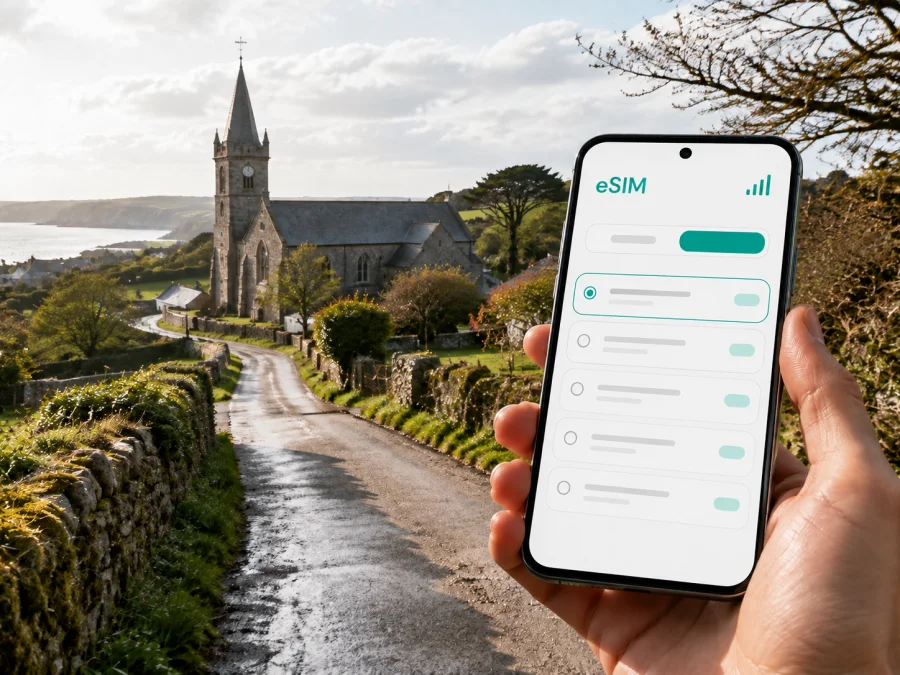
St Saviour eSIM: mobile connection and internet for a Guernsey trip
St Saviour is a good base for a quieter Guernsey stay: you can move between country lanes, the west coast, small bays, the parish church and the reservoir while keeping St Peter Port within reach for meetings, shopping and onward travel. A reliable mobile connection makes this kind of visit easier. You can check a route before leaving a guesthouse, message your host, look up a bus connection or call a taxi without stopping to search for public Wi‑Fi.
An eSIM, or digital SIM card, is a practical way to arrange mobile internet for a trip to St Saviour. It does not require you to remove the physical SIM in your phone, and you can prepare the profile before departure or activate it after arrival, depending on the tariff conditions and your travel plan. Kaspersky eSIM Store is an app and website that helps you choose, arrange and activate an eSIM with a suitable tariff for mobile internet during an overseas trip.
Why mobile internet is useful in St Saviour
St Saviour combines inland roads, coastal paths, scattered accommodation and places of interest. Your day may begin near the parish church, continue to the west coast, and finish with dinner or a meeting in St Peter Port. Mobile data is most useful for the decisions between those places.
On arrival
Most visitors arrive through Guernsey Airport or by sea. The airport is in the parish of Forest, while the main harbour and St Peter Port are on the east side of the island. From either arrival point, you may still need to find the best way to the part of St Saviour where you are staying. With an active eSIM, you can:
- send your accommodation details to a driver or host;
- open a digital booking confirmation without relying on a printed copy;
- check the route from the airport or harbour to a lane in St Saviour;
- compare a bus, taxi, hired car or bicycle option;
- tell your travel companion that you have arrived safely.
The first hours are often when a connection is most useful: you may be carrying luggage, arriving outside reception hours or changing plans because of weather. Save the key address and route on Wi‑Fi, but keep mobile internet available when a booking message changes.
For local movement
The right transport choice depends on where you are staying and what you want to see. A bus can be convenient for a planned journey, while a taxi or hire car may be more practical for luggage, an early departure or a sequence of coastal stops. Cycling and walking work well for visitors who are comfortable with narrow lanes, slopes and changing weather. Before setting out, use mobile internet to confirm the next stop, opening time or meeting point rather than assuming that two nearby-looking places are connected by a direct route.
St Saviour’s roads can feel different from the streets around St Peter Port. A map pin may lead to a lane or rural entrance, so save the accommodation name, full address and a nearby landmark.
For a day outdoors
The parish suits an itinerary built around short stops rather than a single central attraction. The St Saviour’s Reservoir area has woodland and a walking route around the water; the circuit is described locally as taking about an hour. Coastal places such as Perelle and the west-side bays bring a different setting, with paths, sea views and weather exposure. St Saviour’s Church is another useful orientation point, and the surrounding country roads can be incorporated into a walking or cycling day.
For an outdoor day, data helps with the details that are easy to overlook:
- Check the forecast before leaving your accommodation.
- Confirm the starting point and whether the route begins beside a road, car park or bus stop.
- Save the return route before entering a quiet area.
- Keep enough battery for navigation and messages.
- If conditions change, use a current map to choose the safest practical way back.
Use the screen briefly for those checks, then put it away and enjoy the landscape.
St Saviour locations and connection needs
Different parts of a St Saviour itinerary create different demands on your data allowance. The table below is a planning guide, not a promise about any individual tariff or local signal condition.
| Travel situation | What you may use mobile data for | Useful preparation |
|---|---|---|
| Airport arrival | Address, transfer messages, route checks | Keep eSIM details and the address accessible |
| Rural accommodation | Host messages, map pins, online check-in | Save the full address and a landmark |
| Reservoir walk | Route review, weather, return planning | Save key map areas and carry a power bank |
| West-coast outing | Transport changes, reservations | Check the way back before leaving main roads |
| Visit to St Peter Port | Bus information, navigation, bookings | Plan outbound and return legs separately |
| Business trip | Email, documents, messaging calls | Reserve data for tethering and files |
The important distinction is between an urban day and an island day. St Peter Port may involve concentrated map and transport checks; a St Saviour itinerary spreads data across several journeys. A smaller package can suit a short, light-use visit, while remote work, photo uploads or hotspot use call for more allowance. Let the tariff conditions, validity and data amount decide.
How to choose an eSIM tariff for St Saviour
Begin with the itinerary rather than a generic data estimate. Note the number of days, places and online tasks so that essential navigation is separated from optional streaming.
1. Confirm the destination and route
Look for a tariff whose stated coverage includes Guernsey or the relevant travel destination. If St Saviour is one stop on a broader Channel Islands or UK route, check whether the selected plan applies to every part of the itinerary. Do not assume that a plan for a nearby country automatically covers an island destination. Read the destination and regional terms shown at the time of selection.
2. Estimate the data you will actually use
Maps, text messages, email and occasional searches usually consume less data than video calls, photo backups, social video and hotspot use:
| Use during the trip | Data planning question |
|---|---|
| Navigation | Will you download maps in advance or search routes repeatedly? |
| Messaging | Will you mostly send text, or also share photos and video? |
| Work | Do you need email and documents, or regular video meetings? |
| Media | Can you download entertainment before departure? |
| Hotspot | Will a laptop or tablet use the eSIM connection? |
For a weekend of directions, messages and reservations, prioritise validity and enough data for those tasks. If you will work from St Saviour, allow for files and video meetings. Do not choose by the largest number alone if validity or destination conditions do not fit.
3. Check duration and start conditions
Some tariffs have a defined validity period. Read whether it starts on installation, activation or first use; for a short trip, this can matter as much as the data allowance.
4. Leave room for the unexpected
An extra route search, delayed ferry or message to a host can alter your estimate. Turn off automatic updates and cloud photo synchronisation over mobile data if you want to preserve the package, and use Wi‑Fi for large downloads when convenient.
After checking the destination, duration and data allowance, you can review the available eSIM option for travel to Guernsey and compare the conditions shown for your trip. Kaspersky eSIM Store helps you move through the selection and activation process; the actual service conditions are the ones displayed for the chosen tariff.
Prepare before leaving for St Saviour
Complete the basic setup with a charged phone and an internet connection. Use this pre-departure checklist:
- Check that the phone supports eSIM and is not locked to an operator. Check your device compatibility before choosing a tariff.
- Confirm enough storage and battery for installation.
- Save the accommodation address in a note that is available offline.
- Decide which line will be used for mobile data after arrival.
- Keep your primary SIM active if you need its number, and check its roaming settings.
- Pack a charging cable or power bank for the first travel day.
Compatibility can vary by model, region of sale and operator lock. Confirm the device before purchase, and do not remove your physical SIM until you know you no longer need its number.
How to install and activate an eSIM
Screen names vary by manufacturer and operating-system version. Follow the instructions for your device and tariff; use the Android installation instructions or the iOS installation instructions with the steps below.
1. Check the conditions
Confirm compatibility, operator-unlock status, destination, validity and data allowance. Have internet access and keep the QR code or profile information within reach.
2. Open mobile-network settings
Open mobile or cellular settings and choose the option to add a mobile plan or eSIM. Wording differs by system and device.
3. Scan the QR code or follow the profile flow
Use the QR code from the relevant email or profile in Kaspersky eSIM Store. Keep it private and check that you are adding the intended plan. If asked to label the line, choose a clear name such as “Travel data”.
4. Set the data line
Select the travel eSIM for mobile data when you want to use it. Review automatic switching between lines before turning on data abroad.
5. Activate at the right time
Install before departure and enable after landing, or complete setup after arrival, according to the tariff conditions. Activation may take a few minutes and depends on the device and available local service.
6. Check the result
Open a webpage or send a message and confirm the travel line is carrying data. If it does not work, recheck the selected line, any required data-roaming setting and the installation instructions. Do not delete the eSIM while troubleshooting unless support advises it.
Practical scenarios for a St Saviour visit
A quiet weekend near the reservoir
Save the accommodation address, check the weather and load the return route before a reservoir walk. Use data for direction checks and messages, then keep the eSIM allowance for the next day’s transport and reservations.
A west-coast or business day
For a coastal outing, check the route in stages and note the return bus or taxi before leaving the main roads. For meetings in St Peter Port, reserve data for route changes, messages and documents; check the tariff before using hotspot mode. For a short stopover, install only after checking when validity begins.
What eSIM can and cannot replace
An eSIM tariff for travel is primarily a mobile-data solution. Unless the individual tariff says otherwise, it does not add a separate local phone number or include standard voice calls and SMS. You can use internet-based messaging and calling services for communication, subject to the relevant app and account requirements. Keep your usual SIM if you need access to your existing number, and check how your phone handles calls, SMS and data when two lines are active.
The eSIM does not replace physical-trip planning; it gives you a data option for checking details while travelling.
FAQ about eSIM in St Saviour
Is St Saviour a good place to use an eSIM?
Yes, if your plans include rural accommodation, coastal walks, bus journeys, navigation or travel between St Saviour and St Peter Port. Its value is data between stops, not a dense urban-centre experience.
Should I install the eSIM before travelling?
You can install it before departure with a compatible device and stable internet. Check whether validity starts at installation, activation or first use; alternatively, set it up after arrival on suitable Wi‑Fi.
Do I need Wi‑Fi in St Saviour if I have an eSIM?
No. Use mobile data for navigation, messages and searches, and Wi‑Fi for large downloads, updates and media when convenient.
Will the eSIM work on every phone?
No. Check eSIM support, the exact model and operator lock before purchase because regional versions can differ.
What should I do if there is no connection after activation?
Confirm that the travel eSIM is enabled and selected for data. Check any required data-roaming setting, restart if appropriate and review the instructions. If the issue remains, contact support with the device model and tariff information; do not delete the profile first.
A simple final check
Before leaving for St Saviour, make sure you can answer “yes” to these questions:
- Is Guernsey included in the destination conditions of the selected tariff?
- Does the tariff last for the full trip, based on its stated start rule?
- Is there enough data for maps, messages and planned work or hotspot use?
- Is the phone eSIM-compatible and unlocked?
- Do you know which line will carry mobile data after arrival?
- Are the address, return route and important confirmations available offline?
- Do you have the Android or iOS installation instructions available?
St Saviour rewards flexible planning: one day may centre on the reservoir and country lanes, while the next connects an accommodation stay with St Peter Port or a coastal outing. Check the destination, validity and data conditions in advance so navigation and everyday communication stay within reach.
Choose a plan for your trip to St Saviour
Review the route, check your device, compare the available data and validity conditions, then prepare the eSIM before departure or after arrival according to the tariff rules. Choose an eSIM tariff for travel to Guernsey through Kaspersky eSIM Store, and use the app or website to complete the selection and activation steps for your overseas trip.


