Travel connectivity guide
stc eSIM in Bahrain: activation guide
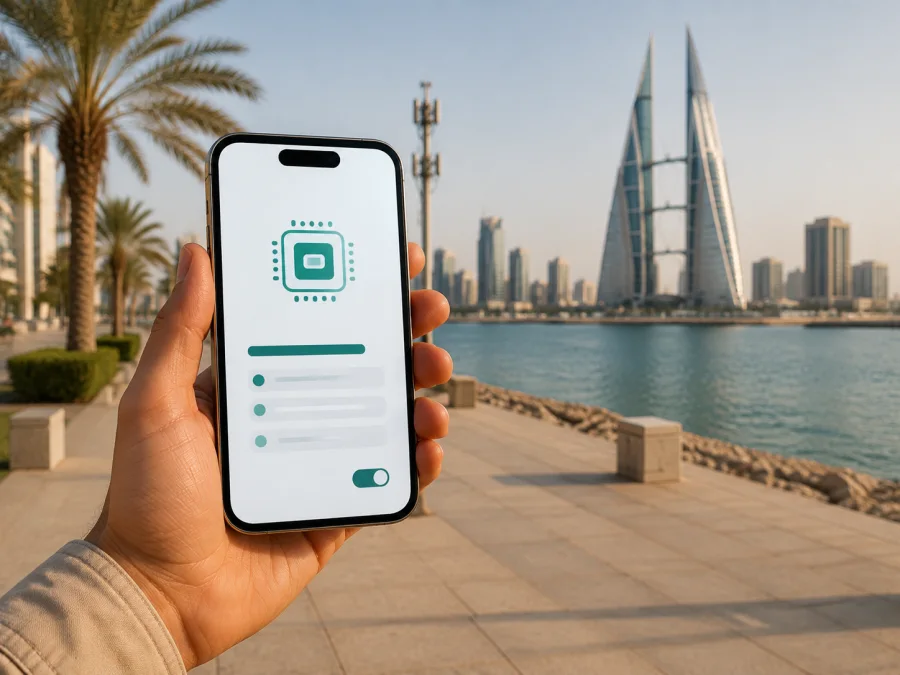
stc eSIM in Bahrain: activation, coverage and options for travellers
If you are travelling to Bahrain, an eSIM can simplify arrival: a compatible phone can hold a local or travel profile alongside your home line. This guide covers what is confirmed about stc eSIM in Bahrain, visitor checks before ordering, and the difference between a local and travel eSIM.
Checked on 5 September 2026 against stc’s official eSIM, prepaid-service and connection-support pages and the Telecommunications Regulatory Authority of Bahrain (TRA) licensee directory. Device lists, requirements and activation flows can change, so confirm current conditions in the operator’s app or support channels before travelling.
Short answer
Yes. stc publicly describes eSIM ordering and activation in Bahrain. Its current eSIM guide says that customers can use the My stc BH app, choose a prepaid or postpaid service, select the instant eSIM option, complete identity verification and begin installation. The same guide describes direct installation, QR-code installation and order tracking.
There is a significant travel restriction. The troubleshooting section says that stc eSIM installation and activation can be completed only from within Bahrain, and that voice and data services are enabled when the customer is there. The guide also says that an eSIM can be obtained in advance and activated after entering Bahrain. In practice, prepare the order and confirmation before departure, then plan the final setup after arrival.
stc’s current pages also show prepaid services and a visitor-oriented mobile option. This confirms general prepaid and short-stay availability, not universal eligibility; ask stc about current documents and visitor status before purchase.
stc’s place in the Bahrain market
stc operates as a licensed telecommunications provider in Bahrain. The TRA’s public licensee directory, checked on 5 September 2026, lists “STC Bahrain B.S.C Closed” with an individual licence for mobile telecommunications services. This describes authorisation, not network performance.
Start with the use case: clarify visitor eligibility and the accepted identity document for a Bahrain operator line; verify exact device compatibility for a local eSIM; check whether a data-only travel eSIM is enough for a short trip; and decide which line will handle calls, messages and mobile data.
Is stc eSIM available in Bahrain?
The current English stc eSIM guide presents a new-eSIM flow through the My stc BH app: choose prepaid or postpaid service, select instant eSIM, pass identity verification and begin installation. It also provides QR-code and order-tracking routes. A visitor-oriented option is shown, confirming general visitor/prepaid availability but not approval for every passport holder.
The guide’s location statements are best understood as a two-stage journey: obtain the order or confirmation in advance, then complete installation and activation in Bahrain.
Leave time after landing for the final setup and keep the confirmation and QR code accessible.
How stc eSIM activation works
stc describes direct installation from the app and installation with a QR code. Menu names vary by iOS or Android version, but the sequence is similar.
Before you start
Check that the phone supports eSIM and is not locked to another provider. Charge it, update the operating system and keep the order confirmation available. A stable internet connection is useful for downloading and activating a profile; keep your home SIM until the new line works.
Make sure your identity document is valid. stc’s troubleshooting page says that an expired document or a face/document mismatch can prevent verification. It also says that a rooted device is not accepted for that process and that VPN use is not allowed during verification. These are operator-specific restrictions, so a failed identity check does not necessarily mean the phone is incompatible.
Direct installation
- Open the My stc BH app and enter the online shop.
- Select an available prepaid or postpaid service and choose instant eSIM.
- Complete the face-recognition identity check.
- Tap installation and accept the cellular plan when it is ready.
- Give the new line a clear label.
- Choose the primary line for calls and messages.
- Select the stc eSIM for mobile data.
- Keep automatic data switching off until you confirm the data line.
The English guide says that confirmation and a QR code are sent with the receipt and by email. It advises keeping the app open during activation and being connected to the Bahrain network.
QR-code installation
- Retrieve the QR code in My stc BH or the order-tracking area.
- Open mobile-network settings and choose Add eSIM or Add mobile plan.
- Select the QR-code method and scan the code or load the saved image.
- Confirm the cellular plan and label the line.
- Select the intended mobile-data line.
Do not scan a partial or blurry code. stc says that a partial scan caused by a weak connection can prevent installation. If the code is lost, the guide says that purchased eSIMs can be accessed through My stc BH. Order tracking may ask for order and identity details, so keep the confirmation email and registration document available.
Identity and visitor requirements
An eSIM is digital, but it is not automatically free of registration requirements. stc’s current eSIM flow uses identity verification and face recognition. Its prepaid revalidation page, checked on 5 September 2026, says that prepaid line owners must confirm the identity document used at registration and identifies CPR, passport or CR as possible document types. It also describes recurring confirmation under the applicable regulatory process.
For a visitor, a passport is the relevant item in that list, but it does not guarantee approval. The document must be valid, the face check must match and the service must be eligible. Keep the order name, document and My stc BH details consistent.
stc also warns that an eSIM already added to another device can block installation on a new phone. Its guide says that transfer requires deactivating the profile on the old device first. The phone may also limit the number of stored eSIM profiles. These checks matter if you are replacing a phone close to departure.
Treat an operator-issued line as a regulated local service: be ready to provide the required document and retain activation information until the line works. Do not send identity documents through unofficial messages; use the official app, shop or support route.
Supported devices and compatibility
stc publishes a device list in its eSIM guide. The current list names Apple iPhone 12, 13, 14 and 15 families; Samsung Galaxy S20 through S24 families; and Huawei P40, P40 Pro and Mate 40 Pro. The list names families rather than every regional variant and may be updated.
Treat it as a starting point, not a substitute for checking your exact phone, model region, software version and carrier-lock status.
Find the exact model and sales region, look in mobile-network settings for Add eSIM, confirm that the phone is unlocked and updated, and check that it can use two lines in the way you need.
The eSIM profile does not determine every radio feature. Available technology depends on the handset, local network, selected service and location. A digital profile cannot remove a hardware limitation.
4G, 5G and coverage in Bahrain
stc’s public 5G page describes its 5G service and provides an interactive coverage view for 4G and 5G. Its connection-support article says that a 5G-capable handset is needed for a 4G/5G connection issue to be assessed as a 5G-device case, and cautions that connection can vary by location. These pages support a careful conclusion: stc offers 4G and 5G access in relevant parts of its network, while the usable technology depends on the device, coverage layer and place of use.
“Coverage in Bahrain” is not one uniform setting: buildings, roads and coastal locations can produce different results. stc advises checking the signal indicator and trying another location when the signal is low. Before relying on mobile data for maps, transport, work or translation, check the coverage view and save essential directions offline.
| Technical point | Publicly confirmed | Traveller’s check |
|---|---|---|
| eSIM profile | stc describes instant and QR-based installation | Exact device and regional compatibility |
| 4G and 5G | stc provides 4G/5G coverage and connection guidance | Device capability and local coverage |
| Activation location | Final installation and activation are limited to Bahrain | Complete setup after arrival |
| Multiple lines | The guide explains selecting a line for data and voice | Choose the data line deliberately |
Local stc eSIM or a travel eSIM?
A local stc eSIM is relevant when you want a Bahrain operator service, can complete identity checks and need a local line managed through the operator’s systems. stc confirms prepaid and postpaid routes and shows visitor-oriented prepaid availability in general. Confirm current documents and eligibility with stc.
A travel eSIM is a different arrangement. Kaspersky eSIM Store is an app and website for selecting, arranging and activating an eSIM for mobile data abroad. It is not a mobile operator, does not own a Bahrain network and does not provide stc service. Its current Bahrain page describes local telecommunications providers as underlying suppliers and offers a device-compatibility check; it was checked on 5 September 2026.
The current Kaspersky page says that an ordered eSIM appears in the user profile, can be installed from the app or website, and comes with a confirmation email and QR code. Check compatibility, select the destination, activate the digital SIM and follow the current instructions.
The travel product described by Kaspersky is data-only. It does not provide a separate ordinary phone number, regular voice calls or SMS. Your home SIM can remain in the phone, but select the data line deliberately and consider disabling data roaming on the home line to avoid unintended use. Messaging and calling apps can work over travel data when their accounts are already set up.
Choose the local stc route when you need an operator-issued Bahrain service and can meet its registration conditions. Consider a travel eSIM when your main requirement is mobile data. If you need a local number for calls or SMS, verify that requirement before selecting a data-only product.
For visitors who want to review a travel-data option for the destination, choose an eSIM plan for Bahrain after checking compatibility and the current conditions shown for the selected product.
Before flying and after landing
Before departure, confirm the exact phone model, eSIM support and unlock status; update and charge the phone; keep the stc confirmation, QR code and identity document available; decide which line will handle calls, messages and mobile data; and check coverage.
Do not delete the home SIM before the new profile works. If you use two lines, label them clearly. stc’s iPhone guide says to select the intended line for cellular data and keep automatic switching off while completing the process.
After landing, connect to a trusted internet source and follow the chosen product’s instructions. For stc, the official guide says that installation and activation take place within Bahrain. If the app or QR route fails, check the signal, retry with a clear code and confirm that the profile is not already installed elsewhere. If the line appears but data does not move, select it for mobile data, check the signal and try another location; stc also suggests briefly toggling airplane mode.
Do not repeatedly delete the profile if identity verification or activation remains blocked. Use stc’s official support route in the app or contact the operator. Account status, local connection and device settings still matter.
Common questions
Can I order stc eSIM before I reach Bahrain?
Yes. stc says that an eSIM can be obtained while you are elsewhere and activated after entering Bahrain. Its troubleshooting section says that installation and activation can be done only from within Bahrain. Prepare the order in advance, then complete the final steps after arrival.
Does a visitor need identity verification?
The current stc flow includes identity verification and face recognition. stc says that an expired document or face/document mismatch can stop the process. Its prepaid information refers to CPR, passport or CR records. Confirm the current visitor requirements with stc.
Is a travel eSIM the same as a local stc line?
No. A local stc eSIM is an operator-issued service with stc’s registration and activation process. A travel eSIM arranged through Kaspersky eSIM Store is intended for destination mobile data and is not the stc network or a replacement for a local number. Check whether data-only service is enough.
Final takeaway
stc eSIM in Bahrain is a documented local-operator option. The main checks are identity verification, exact device compatibility, activation in Bahrain and deliberate selection of the mobile-data line. Prepaid and visitor-oriented availability is confirmed in general; check current eligibility before travel.
For a travel-data route, review the Bahrain eSIM options and check the device, activation and data-only conditions shown when you choose. The named stc and Kaspersky sources were checked on 5 September 2026; conditions may change.
Kaspersky eSIM Store is not affiliated with stc. The stc name and related marks belong to their respective owner. This article describes public operator and travel-eSIM information and does not represent an official partnership, endorsement or distribution relationship.


