Travel connectivity guide
Stone Town eSIM: Mobile Internet for Travel
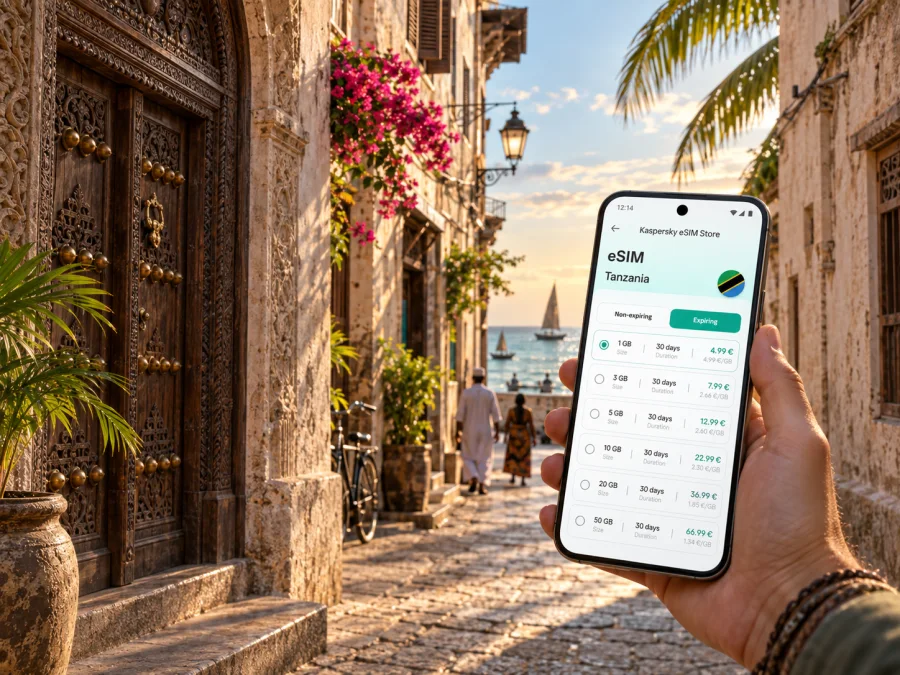
Stone Town eSIM: mobile connection and internet for a city trip
Stone Town is the historic urban core of Zanzibar City, where a short walk can take you from a narrow coral-stone lane to the seafront, a market, a ferry terminal or a quiet hotel courtyard. The city is easy to explore at a human pace, but your practical needs change quickly: you may need a transfer after landing, a map for a meeting, a booking confirmation at the right moment, or mobile internet for a trip beyond the old town.
An eSIM, or virtual SIM card, can help you stay online in the United Republic of Tanzania without removing your physical SIM card. You can prepare a compatible device before departure, keep your usual number available for incoming messages if your home plan allows it, and use a separate eSIM tariff for mobile data during the trip. The right setup depends on your device, route, tariff conditions and how much data you expect to use.
When mobile internet is useful in Stone Town
Stone Town rewards flexible planning. Some visits are built around a few landmarks and a sunset walk; others begin with an airport transfer, continue through meetings, and end with a ferry or road journey to another part of Zanzibar. In each case, a dependable data plan reduces the number of small decisions you need to make after arrival.
The first hours after landing
The airport serving Zanzibar is outside Stone Town, so your first online tasks may happen before you reach the old city. You might need to show a hotel address, message a driver, check a reservation, or confirm where a transfer will meet you. Having an eSIM ready can be useful because you do not have to search for a physical SIM immediately after leaving the terminal.
Before travelling, save the accommodation name, arrival details and one offline map area on your phone. Mobile data is a support for the journey, not a substitute for basic preparation. Keep your booking information available offline and make sure your phone has enough battery for the transfer.
Walking, maps and meeting points
Stone Town’s historic centre is compact, but its lanes can feel intricate when you are visiting for the first time. Map data can help you identify the nearest main street, return to a hotel, or share a meeting point without repeatedly asking for directions. This is especially useful when a group separates around a market, waterfront promenade or museum visit.
When walking, use clear meeting points rather than relying only on a pin in a narrow lane. A hotel entrance, a visible square, a ferry-terminal approach or a recognised waterfront spot is easier for everyone to identify. Keep an offline copy of the address in case the signal changes while you are moving between buildings.
Transport around the city
You may combine walking with a taxi, a pre-arranged transfer, a local minibus or a driver for longer routes. The useful data tasks are similar: sharing your location, checking the next stop, sending a message and confirming a pickup time. If you leave Stone Town for a beach area, a nature attraction or another settlement, check that the tariff you choose applies to the full route in the United Republic of Tanzania rather than assuming that a city label means every location.
Hotels, guesthouses and short stays
Stone Town accommodation ranges from small guesthouses in the historic centre to hotels near the waterfront and properties outside the densest lanes. A traveller arriving late may need to message reception, find an entrance or check a change to a reservation. A traveller staying for several nights may use data for restaurant bookings, walking routes, payments that require a confirmation message, and communication with a host.
Work and business travel
Stone Town can be a base for meetings, research, hospitality work or a short extension to a business trip. A business traveller may need to join a call, send a document, check a calendar, or move between a hotel, an office and a meeting venue. For this pattern, estimate data usage realistically: video meetings and file transfers can use much more data than text messages or map searches.
If you plan to work from a phone or use it as a hotspot, review the tariff conditions before purchase. Hotspot support and fair-use rules can depend on the selected plan. Carry a charging cable and avoid making a time-critical call from a place where the phone is exposed to heat, rain or a weak battery.
Choosing an eSIM tariff for a Stone Town itinerary
The best tariff is not determined by the city name alone. Start with the whole itinerary: Stone Town may be one stop on a Zanzibar visit, while the same trip can include a beach area, a national-park excursion or a mainland connection. Select the country or region of coverage that matches your actual route and read the tariff details before payment.
Estimate data by activity
Use your normal habits as a starting point, then add a margin for navigation and unexpected changes. This simple comparison can help:
| Trip pattern | Typical data needs | What to consider |
|---|---|---|
| Short stopover | Messages, maps, booking checks | A smaller package may be enough if most content is prepared offline |
| Two- or three-day city visit | Navigation, photos, reservations and messaging | Allow extra data for repeated map use and uploading images |
| Longer island stay | Daily navigation, social apps, calls and bookings | Compare the validity period with your full itinerary |
| Business trip | Email, documents, calls and occasional hotspot use | Check whether tethering is allowed and reserve data for work |
| Multi-stop route | Maps, transfers and communication across several areas | Choose coverage for the country or region, not only the first city |
The numbers in a tariff are more useful when connected to a plan for the day. Download large files over trusted Wi-Fi when practical, turn off automatic updates while travelling, and check which apps can use mobile data in the background.
Check validity and activation conditions
Read when the validity period begins. Depending on the tariff, the countdown may relate to activation or first connection, so do not assume that installing a profile and using data are always the same event. Also check whether the tariff is data-only, whether calls and SMS are excluded, and whether a top-up is available under the stated conditions.
An eSIM for mobile data normally does not give you a regular local telephone number. You can continue to use messaging apps over the internet, but ordinary calls and SMS are not included unless the selected tariff explicitly says otherwise. Keep your home SIM enabled only if you understand its roaming and call settings.
For a clearer starting point, you can choose an eSIM tariff for a trip to the United Republic of Tanzania after matching the destination, validity period and data volume to your Stone Town plans. Kaspersky eSIM Store is an app and website where you can select, arrange and activate an eSIM with a suitable tariff for mobile internet during an international trip; it is not a mobile operator or a network owner.
Plan for changing conditions
Stone Town is often one stop in a longer Zanzibar route. Leave enough data for an unplanned drive, ferry change or meeting moved to another area, and verify the tariff’s country or regional scope before leaving the city.
Installing and activating eSIM before or after arrival
Install the eSIM while you have a reliable internet connection and access to your purchase details. Some travellers prefer to set up the profile before departure and leave it turned off until arrival; others install it after landing. Follow the tariff instructions and avoid deleting the profile if the terms do not allow a transfer or reinstallation.
1. Check the device first
Make sure the phone supports eSIM and is not locked to a mobile operator. Models can differ by region of sale, so the exact device version matters. Check whether your device is compatible before paying for a tariff. If your phone has two SIM lines, confirm that it can manage the combination you plan to use.
2. Open mobile-network settings
Go to the mobile-network or cellular settings and choose the option for adding an eSIM or mobile plan. The wording differs between manufacturers and operating-system versions. Keep the QR code, activation details or account profile available on another screen if your phone cannot scan its own display.
3. Add the eSIM profile
Scan the QR code or follow the installation flow provided with the selected tariff. Give the new line a clear label, such as “Tanzania data”, so you do not confuse it with your usual SIM. Do not scan a code repeatedly unless the instructions tell you to; an eSIM profile may have limits on installation.
4. Select the line for mobile data
Choose the travel eSIM as the line for mobile data when you are ready to use it. Keep your primary line for calls or messages only if you have checked the roaming implications with your home provider. If you do not need the primary line abroad, turning it off can help prevent unintended roaming use.
For device-specific help, use the Android eSIM installation instructions or the iOS eSIM installation instructions. The menu names may vary, but the important sequence is consistent: add the profile, choose the data line and check the connection after activation.
5. Allow the connection to start
Depending on the device and tariff, you may need to enable data roaming for the travel eSIM. This setting can sound counterintuitive: it applies to the travel line’s use on a partner network and does not automatically mean that your home SIM should roam. Check which line is selected for mobile data before switching the setting on.
Activation can take several minutes and depends on the device and local network. If data does not start, confirm that the eSIM is enabled, mobile data is assigned to the correct line, airplane mode is off, and the tariff is within its validity period. Restarting the phone may help, but do not delete the profile as a first response.
A practical Stone Town connection checklist
Use this checklist on the day before departure:
- Confirm the exact country or regional coverage for the full route.
- Check the device’s eSIM support and operator-unlock status.
- Compare the data volume and validity period with your itinerary.
- Save accommodation details, transfer instructions and key contacts offline.
- Install the eSIM over a reliable connection if you want it ready before arrival.
- Label the travel line clearly in mobile-network settings.
- Decide whether the primary SIM should remain active for calls or messages.
- Identify the line that will be used for mobile data.
- Check data-roaming settings for the travel eSIM only when required.
- Carry a charger or power bank for the airport transfer and first walk.
On arrival, test one simple action first: send a message, open a saved route or refresh a booking page. Then check the device’s data counter.
FAQ for an eSIM trip to Stone Town
Do I need a local physical SIM for Stone Town?
Not necessarily. A compatible phone and a suitable travel eSIM tariff may cover your mobile-data needs, so you can keep the physical SIM in the device. Whether this is the best option depends on your route, data requirements, home-provider settings and the terms of the selected tariff.
Can an eSIM replace my normal phone number?
Usually not. A travel eSIM is commonly intended for mobile data and does not automatically include a regular phone number, calls or SMS. Keep your usual line available only after checking how your home provider charges for roaming.
Should I activate the eSIM before flying?
You can install it before departure if the tariff instructions allow it and your device is compatible. Many travellers install the profile over a reliable connection, then choose when to enable the travel line. Read the conditions carefully because the start of validity can depend on activation or first connection.
Will I need Wi-Fi at the airport?
If the eSIM is already installed and correctly configured, it may help you use mobile data after arrival without first finding public Wi-Fi. You still need an internet connection to install a profile if you have not prepared it, and the actual connection depends on the device, tariff and local network.
Is Stone Town enough as the tariff destination?
Treat Stone Town as part of your route rather than assuming a city-only boundary. Select a tariff for the United Republic of Tanzania or the relevant region, then verify that the coverage includes your onward destinations. This is particularly important when a trip combines Stone Town with other areas or countries.
Can I share the eSIM connection with a laptop?
Possibly, but do not assume it. Hotspot functionality can depend on the device and tariff conditions. If remote work is important, check tethering support before purchase and keep a backup plan for a meeting or file transfer.
Prepare your Stone Town connection plan
The simplest setup is the one you can explain to yourself before you travel: this eSIM is for mobile data, this line is selected for data, the tariff covers the route, and the validity period matches the trip. Save the practical information you need offline, charge your phone, and test one small data action after arrival.
When you are ready, choose an eSIM tariff for your Stone Town journey through Kaspersky eSIM Store. Review the data volume, validity period, compatibility requirements and activation conditions, then install and activate the eSIM according to the instructions for your device.


