Travel connectivity guide
Suai eSIM Guide: Mobile Internet in Timor-Leste
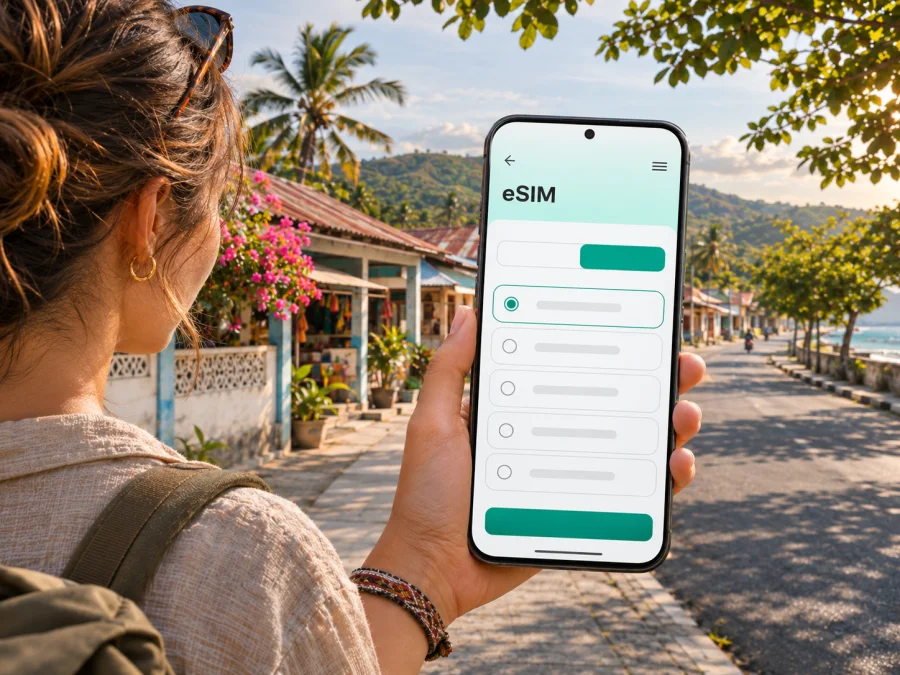
Suai eSIM: mobile connection and internet for your trip
Suai is a practical base for Covalima and Timor-Leste’s southern coast. You may arrive by road, arrange a pickup or travel onward to a rural area. Mobile data can help with maps, messages, bookings and changing plans.
An eSIM is a digital SIM profile installed on a compatible, unlocked device. It can be prepared before departure, so you do not have to begin your trip by looking for a physical SIM card. Coverage, speed and availability still depend on the local network, the selected plan, the device and your exact location. In and around Suai, plan for some tasks to require advance preparation or an offline backup.
Suai at a glance: a town, an administrative post and a regional base
Suai is in Covalima Municipality in the southwest of Timor-Leste. The name is used for both the town and a wider administrative post; it is also the municipality’s administrative capital. The post covers a larger area than the built-up town, so a guide to Suai should not be read as a promise that every nearby village, road or coastal point has the same services or mobile signal.
The official municipal authority places its offices in Debos, Suai, and describes the administrative post as a broad area with five sucos. For visitors, the distinction matters in practical ways. A map pin marked “Suai” may refer to the town centre, an office, an accommodation, or a location elsewhere in the administrative area. Before setting off, check the exact destination with your host or driver and save its name or pin while you have a reliable connection.
The town serves as a useful starting point for work and travel across Covalima. It is not a large metropolitan transport hub, and public information about local routes, departure times and service frequency can be limited or change. Treat a route displayed in a map app as a planning aid, then confirm the last part of the journey with a local contact. If your itinerary includes several stops outside town, allow time for road conditions and the availability of transport rather than relying on a tightly timed sequence of online directions.
Quick facts for planning
| Topic | What to keep in mind |
|---|---|
| Location | Suai is in Covalima Municipality, in southwest Timor-Leste. |
| Administrative role | Suai is the municipal capital; the administrative post is larger than the town itself. |
| Airport | Kay Rala Xanana Gusmão International Airport is in Suai Municipality, about 15 km from the town according to the government’s inauguration notice. |
| Local travel | Confirm current transport and pickup details directly; do not assume a frequent scheduled service. |
| Mobile data | A country-level eSIM plan may be an option, but exact signal and performance at a particular address cannot be guaranteed. |
| Best preparation | Save key addresses, tickets and messages offline before leaving a dependable Wi-Fi connection. |
When mobile internet is useful in Suai
In a compact town, a connection is useful less for navigating a complex metro system and more for coordinating each step of a trip. A driver may need your arrival time; a guesthouse may send a location pin; a colleague may change a meeting point; or you may need to check a onward road journey. If these details are already saved, you can manage short periods without signal more calmly.
Common uses include:
- Arrival coordination: message your host or driver if a flight, road journey or pickup time changes. Confirm where you will meet rather than assuming the driver will be at a particular entrance.
- Finding accommodation: compare the written address with the map pin. If the pin is imprecise, ask for a recognizable nearby landmark and save both details.
- Everyday navigation: use maps to orient yourself around the town and to estimate direction. Download an offline map area where your app allows it, and remember that offline maps may not include fresh traffic or business-hour information.
- Work and field visits: keep agendas, shared documents and meeting contacts accessible. Download files before leaving your hotel if your work depends on them.
- Staying in touch: messaging and internet calls can be useful when both parties have data or Wi-Fi. A data-only travel eSIM does not itself give you a regular local phone number or ordinary voice and SMS service unless the plan explicitly says otherwise.
- Changes on the road: check revised plans when a connection is available, then save the details. Do not make an unfamiliar driver or remote route depend on a live map alone.
Confirm destinations, save routes, charge your phone and download documents before setting out. Mobile internet can then support the journey without being the only place your plans are stored.
Getting to and from Suai Airport
Kay Rala Xanana Gusmão International Airport is located in Suai Municipality. The Timor-Leste government’s airport announcement says it is about 15 kilometres from the town of Suai. That is a useful orientation point, not a door-to-door travel-time estimate: the time you need depends on the starting point, road conditions and transport arrangements on the day.
Share your arrival details with the person meeting you and confirm the meeting place in advance. Save the accommodation address and a contact method that works offline. If using a data eSIM, install it over a stable connection and check its activation instructions before departure; keep the QR code or setup details accessible.
Check that the intended line is selected for mobile data. If it has not connected, do not immediately delete the profile: activation codes may be one-time use. Confirm the line is enabled, the plan covers Timor-Leste and the required settings are selected. If needed, use Wi-Fi to consult the provider’s instructions while relying on your saved pickup details.
Airport facilities and commercial services can change. Do not assume that a ticket desk, shop, staffed SIM counter, public Wi-Fi connection or a particular flight route will be available at the time you arrive. Verify current flight and transport information with the relevant carrier or host before departure; keep screenshots of bookings and essential directions in case you cannot get online immediately.
Moving around town and planning regional journeys
For a short stay, many of your destinations may be accommodation, municipal or business appointments, shops, food stops and the place where you meet a driver. Rather than relying on live turn-by-turn navigation for every leg, ask your host which place names locals use, and note the nearest recognizable point. A pin, a written address and a local description together are more useful than any one of them on its own.
Covalima travel can take you beyond the town. The Suai administrative post borders areas including Tilomar and Zumalai, while the municipality itself connects a range of communities and coast-side destinations. These are geographic relationships, not assurances that a particular road is paved, open, signposted or easy to travel at a given time. For journeys outside town, ask a local host about the route and conditions, agree on transport before setting out, and carry water and the essentials you would need if the trip took longer than expected.
Keep the phone’s navigation simple and resilient:
- Search for the destination while online and check that the result is the right place.
- Save a pin, written directions and the name of your local contact.
- Download the relevant map area if your mapping app supports offline maps.
- Share your broad itinerary with someone who knows when you expect to return.
- Recheck the route when you have a connection, especially before a longer drive.
- Keep the device charged; use a power bank if you will be away from a charging point.
A travel eSIM can make route checks and messages more convenient when a local network is available. It cannot replace local knowledge, an agreed driver or a backup plan for places where coverage is weak. Use it as one part of your travel preparation.
Choosing an eSIM plan for Suai
Suai is a town, not a separate mobile destination for plan selection. When choosing a travel eSIM, select Timor-Leste as the country unless your journey calls for a regional plan that explicitly covers every stop. A plan page can tell you whether it is data-only, how much data it includes, how long it remains valid and any activation terms. Those details can change, so review the current information shown for the plan before you complete a purchase.
The country page is the appropriate place to check current options for a Suai trip: view eSIM options for Timor-Leste. This is a country-level destination page, not a Suai-specific coverage map or guarantee for a particular hotel, road or village. Confirm the displayed plan conditions against your whole itinerary, especially if you will spend time away from town or cross a border.
To decide how much data you may need, start with your actual habits. A traveler who mainly exchanges text messages, checks maps occasionally and reads email can use less data than someone who regularly joins video calls, uploads photos or streams media. Hotel Wi-Fi, if available and suitable for your needs, may reduce mobile data use, but it is sensible not to make essential planning dependent on it.
| Trip pattern | A reasonable way to plan |
|---|---|
| One or two days in town | Estimate navigation, messages and booking checks; keep media downloads on Wi-Fi where possible. |
| Several days with work calls | Check whether your plan and device support hotspot use if needed; allow for video meetings and file transfers. |
| Town plus rural visits | Prioritize offline maps and saved details; do not buy a plan based on an assumption of continuous signal outside town. |
| Multi-country itinerary | Check the destination list and validity rules for every country. A Timor-Leste-only plan may not cover the next leg. |
Choose duration around the trip dates and review when the validity period starts. Installation, activation and the start of data use can be different events, depending on the plan’s terms. If you install before departure, follow the plan’s instructions about when to enable data and avoid switching off or deleting the profile without a reason. Keep a copy of the order confirmation and activation details somewhere accessible offline.
Device compatibility and regional variants
Before purchasing, confirm that your exact phone variant supports eSIM and is not locked to a home carrier. Product names can cover multiple models sold in different markets, and support can vary by model number, country of sale, software version and carrier restrictions. A general statement that a device family supports eSIM is not enough to confirm every regional variant.
Look for “Add eSIM” in your phone’s mobile-network settings, then check the exact model code with the manufacturer. If it was bought through a carrier or in another market, confirm its status with the seller or carrier. Check whether your device is compatible before choosing a plan.
Also check practical setup conditions:
- Your phone is unlocked and can add another mobile profile.
- The operating system is up to date enough for the manufacturer’s installation flow.
- You can access a stable Wi-Fi or other internet connection while downloading the eSIM profile.
- You know which line will handle mobile data after installation.
- You understand whether your home SIM will remain active and whether it may incur roaming charges.
- You have a way to retrieve the QR code or installation instructions if the app is not available offline.
Resolve uncertainties before travel; a regional hardware limitation can disrupt access to directions and bookings after arrival.
Installation and activation: prepare before you leave
Install the profile when you have a stable connection and enough time to follow the steps without rushing. A typical setup asks you to add the eSIM in your phone settings or through the supported app, then choose which SIM is used for mobile data. The exact wording differs between phone makers and operating-system versions. Use the instructions for your device: Android eSIM installation instructions and iPhone eSIM installation instructions.
A practical sequence is:
- Check the plan details. Confirm Timor-Leste is covered, the package suits your dates and data needs, and its activation terms are clear.
- Check the phone. Confirm eSIM support, an unlocked device and access to a Wi-Fi connection for installation.
- Install the profile. Follow the on-screen steps and keep the confirmation email or QR code until setup is complete.
- Label the line. Give the profile a clear name such as “Travel data” so it is easy to distinguish from your home SIM.
- Set mobile data deliberately. Choose the travel eSIM for data when appropriate. Keep the home line’s roaming settings in mind to avoid unintended charges from your regular carrier.
- Check activation guidance. Some plans require a particular setting, such as data roaming on the eSIM line. Follow the plan instructions; do not assume every profile behaves the same way.
- Test and save. When the plan should be active, confirm that data works and save maps, bookings and addresses offline.
For a temporary loss of signal, check the selected data line, airplane mode, mobile data and the plan’s validity instructions before changing the profile. If the issue continues, use Wi-Fi to contact support. The installation QR code may not work again after setup.
A compact connectivity checklist
Before departure
- [ ] Confirm your phone’s exact regional model supports eSIM and is carrier-unlocked.
- [ ] Review current Timor-Leste plan coverage, data allowance, duration and activation rules.
- [ ] Install the eSIM over a dependable connection if the plan instructions allow it.
- [ ] Save airport, accommodation and pickup details in a form that works offline.
- [ ] Download an offline map area and essential documents.
- [ ] Tell your host or driver your arrival details and confirm the meeting point.
- [ ] Decide which SIM will handle data and review your home carrier’s roaming settings.
After arrival
- [ ] Confirm the eSIM line is on and selected for mobile data.
- [ ] Check whether the plan requires data roaming for that eSIM profile.
- [ ] Send a brief test message or load a simple page when you have signal.
- [ ] Keep the offline route and address available even after the connection works.
- [ ] Recheck your remaining data before a long day of travel or work.
Suai as part of a wider south-coast itinerary
Suai may be one stop in a journey through Covalima. Before travelling to nearby communities or along the south coast, confirm the route and transport arrangements with a local host. Map distance alone does not predict journey time, road conditions or service frequency. Download directions, tell your accommodation where you plan to go, and keep your driver’s contact and return plan offline. If you cross a border, check entry rules and destination coverage separately; do not assume a Timor-Leste plan includes another country.
Frequently asked questions
Is Suai a city or a wider administrative area?
The name refers to both the town and the larger Suai Administrative Post in Covalima Municipality. Suai is also the municipality’s administrative capital. A pin marked Suai may be outside the town centre, so confirm the exact address.
Is there an airport in Suai?
Yes. Kay Rala Xanana Gusmão International Airport is in Suai Municipality. A Timor-Leste government announcement places it about 15 kilometres from the town. Confirm current flights and pickup arrangements directly.
Will an eSIM work at my hotel or on every road near Suai?
That cannot be guaranteed from a country-level plan listing. Availability depends on the network, location, terrain, device and current conditions. Keep offline maps and contact details for journeys outside town.
Does a travel eSIM give me a Timor-Leste phone number?
A data-only travel plan generally provides mobile data, not a local number, regular voice calls or SMS. Check the plan terms; internet calls and messaging apps need a connection at both ends.
Should I install the eSIM before arriving?
If allowed by the plan, install over stable Wi-Fi before departure. Read when activation and data use begin; these may be different events. Keep setup details accessible offline.
What if my phone supports eSIM in one country but I bought it elsewhere?
Check the exact model number and regional variant with the manufacturer or carrier, and confirm the device is unlocked. A product-family name alone may not settle compatibility.
Can I rely on mobile data for navigation around Suai?
Use it as a tool, not your only navigation method. Save a pin, offline map and written directions, and confirm unfamiliar routes with your host or driver.
Prepare your connection before the trip
For a visit to Suai, the practical goal is to have the right information ready when you need it: a confirmed pickup, a saved accommodation address, offline directions and a data plan whose terms match your route. Check your device and review the current country-level options before choosing. You can choose an eSIM plan for travel in Timor-Leste, then install it through Kaspersky eSIM Store on a compatible, unlocked device and follow the plan’s activation instructions. Keep a local backup of your essential details so your journey remains manageable when mobile service is unavailable.


