
Travel connectivity guide
eSIM for Sudan: mobile internet guide
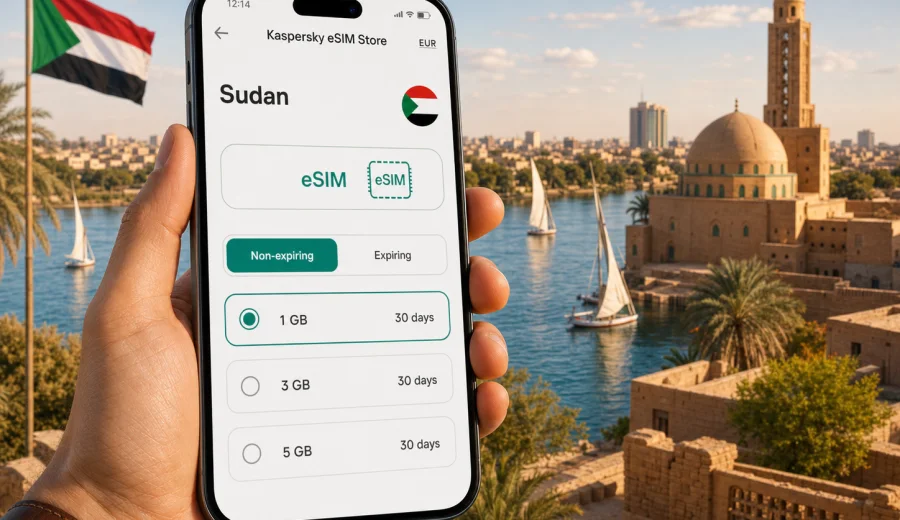
eSIM in Sudan: mobile connection and internet for your trip
Traveling in Sudan usually means thinking ahead. Distances are long, routes may combine airports, hotels, offices, desert roads, Nile-side districts, and Red Sea stops, and many everyday tasks depend on a working data connection. Maps, ride coordination, hotel messages, banking notifications, translator apps, flight updates, and contact with family all become easier when your mobile internet is ready before you need it.
An eSIM can help you prepare mobile data for Sudan without looking for a physical SIM card after arrival. Instead of changing a plastic card in your phone, you install a digital SIM profile on a compatible device, choose a data plan for the destination, and use mobile data through that eSIM when conditions and the selected plan allow it.
Kaspersky eSIM Store is an app and website where you can quickly choose, arrange, and activate an eSIM with a suitable data plan for mobile internet during an international trip. It is useful when you want to compare plan size, validity period, destination, and price before you travel, then keep the setup process in one place.
Why mobile internet matters in Sudan
Sudan is a country where a trip can involve several very different scenarios: arrival logistics, city navigation, work communication, family visits, field projects, or movement between regions. Even if you are not using mobile data every minute, a prepared internet option can reduce small but stressful moments.
Common situations where mobile data helps:
- checking hotel, apartment, or driver messages after landing;
- using maps when street names or landmarks are unfamiliar;
- confirming flight, bus, or transfer details;
- sharing your route or arrival time with colleagues or relatives;
- translating short messages and signs;
- opening booking confirmations and travel documents;
- using messaging apps when a regular phone number is not required;
- finding an alternative route when plans change.
Public Wi-Fi can be useful in airports, hotels, and cafes, but it is not always available when you need it. You may also need internet before you can find a reliable Wi-Fi network, such as during transfer from the airport, when meeting a driver, or when checking an address. An eSIM gives you another prepared option for mobile internet, so you are not relying only on Wi-Fi or standard roaming.
What an eSIM does, and what it does not do
An eSIM is a digital SIM profile that can be installed on a compatible phone or tablet. For travel, it is commonly used for mobile data. You choose a plan for the country or region, install the profile, and select it for mobile data in your device settings.
It is important to keep expectations precise. A travel eSIM usually provides mobile data, not a local phone number. Voice calls and SMS are not included unless the conditions of a specific plan say otherwise. If you need to call or message, you can usually use internet-based apps through mobile data.
| Question | Practical answer |
|---|---|
| Do I need a plastic SIM card? | No, if your device supports eSIM and the selected plan suits your trip. |
| Can I keep my main SIM active? | In many dual-SIM devices, yes. You can keep your regular number for calls or SMS and use the eSIM for data. |
| Is eSIM the same as roaming? | No. Roaming uses your home operator's terms. A travel eSIM uses a separate data plan for the chosen destination. |
| Does eSIM include calls? | Usually it is for mobile data. Check the plan details before purchase. |
| Can one eSIM be moved to another phone? | Not always. Treat the activated eSIM as tied to the device unless the plan terms say otherwise. |
How to estimate the right data plan
The best eSIM plan for Sudan depends on how long you stay and how you use your phone. A short trip with maps and messaging needs much less data than a work trip with video calls and cloud files.
Use this simple planning table:
| Trip style | Typical data use | What to look for |
|---|---|---|
| Short arrival or transit | Low | Small data volume, short validity, easy setup before departure. |
| Several days in one city | Low to medium | Enough data for maps, messaging, bookings, and light browsing. |
| Business trip | Medium to high | More data and validity that covers the full schedule. |
| Family visit | Medium | Messaging, calls through apps, photo sharing, and maps. |
| Longer route | Variable | A plan with a comfortable validity period and enough reserve data. |
If you are unsure, avoid choosing only for the first day. Think about the entire route: arrival, transfer, city movement, work or family communication, and the return journey. Also check whether you can top up or arrange another plan later from your account or app if you need more data.
What to check before choosing an eSIM for Sudan
Before you arrange any travel eSIM, check the technical and plan details. This is the part that prevents most avoidable setup problems.
First, make sure your phone supports eSIM. Some models vary by country, carrier, or version. A device may also be locked by a mobile operator, which can prevent another SIM or eSIM profile from working as expected. You can check your device before you choose a plan.
Second, read the plan conditions. Look at the destination, data volume, validity period, activation rules, price, and whether the plan is data-only. If you need regular voice calls or SMS, do not assume they are included.
Third, consider your route. If Sudan is one stop in a wider trip, compare a country plan with a regional or broader plan where available. A country plan can be simpler when Sudan is your main destination. A broader plan may be useful when your itinerary crosses multiple destinations.
A practical setup timeline
You do not need to leave eSIM preparation until the airport. A calmer approach is to set up the basics while you still have stable Wi-Fi.
| Time | What to do |
|---|---|
| A few days before travel | Confirm your phone supports eSIM and is not operator-locked. |
| Before departure | Choose the plan, review data volume and validity, and install the eSIM while on Wi-Fi. |
| At the airport | Keep your main SIM and eSIM settings clear, and know which line will use mobile data. |
| After arrival | Turn on the travel eSIM for mobile data when you are ready to use it. |
| During the trip | Track data usage and reduce background consumption if needed. |
This timeline keeps the most technical part away from the busiest travel moments. It also gives you time to contact support if you have a question before you depend on the connection.
Choosing a Sudan eSIM plan in Kaspersky eSIM Store
When you are ready to prepare mobile internet for the trip, Kaspersky eSIM Store helps you review available options for the destination and choose a suitable data plan. You can compare the main conditions before purchase: data amount, validity period, destination, and price. That makes it easier to match the plan to your route instead of guessing at the last moment.
For a trip focused on Sudan, you can choose an eSIM plan for Sudan and prepare the setup before departure. This first step is most useful after you have checked device compatibility and estimated your data needs for the full trip.
Kaspersky eSIM Store should be understood as an app and website for choosing, arranging, and activating an eSIM plan for travel mobile data. It does not replace a local mobile operator, and the actual connection conditions depend on the selected plan, the device, and local network availability.
How to install and activate an eSIM
Installation is usually straightforward, but it is worth doing carefully. Keep a stable Wi-Fi connection during setup, follow the instructions for your operating system, and do not delete an installed eSIM profile unless you are sure you no longer need it.
General steps:
1. Check that your phone supports eSIM and is not locked to one operator.
2. Choose the destination and suitable data plan.
3. Open the installation instructions or scan the QR code if the setup flow uses one.
4. Add the eSIM profile to your phone.
5. Label the line clearly, for example "Travel data" or "Sudan eSIM".
6. Set the eSIM as the mobile data line when you are ready to use it.
7. If required by the plan or device, enable data roaming for that eSIM line.
8. Test data only after you understand when the validity period begins.
For detailed setup steps, use the Android installation guide or the iOS installation guide. The exact screens can vary by phone model and operating system version, so follow the device prompts closely.
Device compatibility checklist
Before you pay for a plan, run through this checklist:
- Your phone or tablet supports eSIM.
- The device is not locked to a single mobile operator.
- The operating system is up to date enough to support eSIM setup.
- You have access to Wi-Fi during installation.
- You know which SIM line will handle mobile data.
- You understand whether the travel eSIM is data-only.
- You have saved the installation email, QR code, or in-app setup screen.
- You have checked when the plan validity period starts.
If one of these items is unclear, solve it before travel. A few minutes of checking can prevent a difficult setup moment after arrival.
eSIM, roaming, local SIM, and Wi-Fi: what to choose?
Different connection options fit different travelers. There is no single best answer for every trip.
| Option | Strength | Limitation |
|---|---|---|
| Travel eSIM | Can be prepared before arrival; no physical SIM swap; useful for data. | Requires a compatible, unlocked device and correct setup. |
| Home operator roaming | Keeps your usual number and familiar billing. | Pricing and limits depend on your home operator. |
| Local physical SIM | May suit longer stays or local call needs. | Requires finding a point of sale and handling local setup. |
| Public Wi-Fi | Useful in hotels, offices, and cafes. | Not always available during movement and may require extra caution. |
For many travelers, the most practical setup is a combination: keep the main SIM for your regular number and use a travel eSIM for mobile data. This can help you stay reachable while managing data separately.
Common mistakes to avoid
- Buying a plan before checking eSIM compatibility.
- Installing the eSIM on the wrong device.
- Deleting the eSIM profile after installation.
- Assuming that data-only eSIM includes a phone number.
- Forgetting to set the travel eSIM as the mobile data line.
- Leaving cloud backups or app updates active on mobile data.
- Waiting until arrival to read the setup instructions.
- Choosing a plan that expires before the end of the trip.
The safest habit is to separate preparation from activation. Prepare while you have stable Wi-Fi and time to read the instructions. Start using the eSIM according to the plan rules when you are ready.
FAQ
Can I use eSIM in Sudan for calls and SMS?
Most travel eSIM plans are designed for mobile data. Calls and SMS are not included unless the specific plan says so. You can usually use messaging and calling apps over mobile data.
Should I install the eSIM before traveling?
Yes, in many cases it is more convenient to install the eSIM while you still have reliable Wi-Fi. Check the plan terms so you know when the validity period starts and when mobile data should be turned on.
What happens if I use all my data?
Your mobile data may stop or slow according to the plan conditions. Check whether top-up or another plan is available through your account or app before you travel.
Do I need Wi-Fi to install an eSIM?
You normally need an internet connection during installation. Stable Wi-Fi is recommended because the device must download and add the eSIM profile.
Short planning checklist
Before your Sudan trip, make sure you can answer these questions:
- How many days will I need mobile data?
- Will I mainly use maps and messaging, or also video calls and large files?
- Does my device support eSIM?
- Is my device unlocked for another SIM or eSIM profile?
- Do I need a Sudan-only plan or a broader regional plan?
- Do I understand when the plan starts and expires?
- Have I saved installation instructions for my phone?
If the answers are clear, choosing a data plan becomes much easier.
Prepare your eSIM for Sudan
An eSIM can make the mobile connection and internet part of your Sudan trip more predictable. It helps you prepare data access before you arrive, keep your main SIM available if your device supports dual-SIM use, and reduce dependence on public Wi-Fi during practical travel moments.
Use Kaspersky eSIM Store to review the available destination options, compare data amount and validity, and prepare an eSIM plan for your trip to Sudan. Check compatibility first, install the eSIM on Wi-Fi, and keep the plan conditions handy so you know exactly how to use mobile data when you need it.