Travel connectivity guide
Sunrise eSIM in Switzerland: Visitor Guide
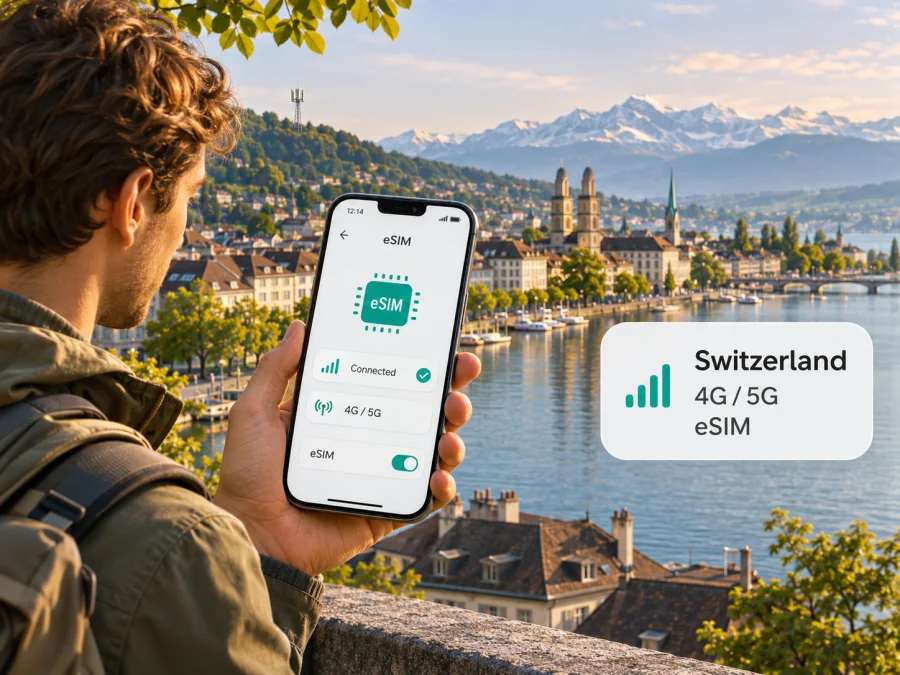
Sunrise eSIM in Switzerland: a traveller’s guide
If you are travelling to Switzerland, a Sunrise eSIM may be one way to connect to a local mobile service without inserting a plastic SIM card. Sunrise offers prepaid products with eSIM support, including an option presented for visitors. You can register online, but activation is subject to an identity check required by Swiss law. Before you choose this route, check that your phone supports eSIM, review the current Sunrise registration steps, and decide whether you need a Swiss mobile number or mainly data for your trip.
This guide explains what Sunrise currently confirms about prepaid eSIM, how activation works, what to check about the network and your device, and when a travel eSIM may be a better fit. It does not list Sunrise plans or their prices: these details change and should be checked directly with Sunrise before you order. Information below was checked on 2 November 2026 against Sunrise’s official website and support pages, and the Swiss Federal Office of Communications (OFCOM) broadband atlas.
Sunrise in the Swiss mobile market
Sunrise is a Swiss telecommunications provider with mobile and fixed services. Its corporate “About us” page describes the company as a leading challenger with a number two position in the Swiss telecommunications market. This is Sunrise’s own market description, not an independent measure of network performance. (Sunrise, “About us,” checked 2 November 2026.)
For visitors, Sunrise offers prepaid service through its website and Swiss shops. The company’s eSIM information says its mobile subscriptions and prepaid products are available with eSIM. Registration and account handling follow Sunrise’s local process, so check its current requirements before ordering. (Sunrise, “Sunrise eSIM” and “Prepaid Travel eSIM Switzerland and Europe,” checked 2 November 2026.)
Is Sunrise eSIM available to visitors?
Yes. Sunrise currently presents a prepaid travel eSIM for Switzerland and Europe. It says a foreign address can be used to register an eSIM, but a legally required identity check still applies. Sunrise describes this as uploading an identity document and recording a short video selfie; activation follows verification. Check its current registration instructions and accepted documents before starting. (Sunrise, “Prepaid Travel eSIM Switzerland and Europe,” checked 2 November 2026.)
Registration can be completed online, while Sunrise prepaid offers are also available in its Swiss shops. Online setup may suit someone preparing before departure; a shop can provide in-person assistance in Switzerland. Neither route guarantees that a particular document or device will be accepted, so leave time to resolve questions before relying on service on arrival.
An eSIM is a digital SIM profile, but compatibility depends on the exact phone, regional variant, software and carrier lock status. Check the model identifier against the manufacturer’s specifications and confirm with Sunrise if your handset was bought in another market.
How Sunrise eSIM registration and activation work
Sunrise describes two installation methods for prepaid eSIM: scan a QR code available in My Sunrise, or install the profile through a message sent to the phone. The method offered can depend on the product and handset. Sunrise support says Wi-Fi is normally needed during installation, with a limited exception for certain eSIM-only Apple devices. (Sunrise, “Prepaid Travel eSIM Switzerland and Europe” and “Set up and use the eSIM,” checked 2 November 2026.)
A practical sequence is:
- Check the device. Confirm eSIM support, an unlocked phone and current software. Keep the exact model variant available if you need help.
- Prepare internet access. Use a stable Wi-Fi connection and open the current Sunrise registration instructions.
- Register and verify your identity. Follow the online or in-store steps for the prepaid eSIM.
- Retrieve and install the profile. Use the QR code in My Sunrise or the direct installation message. Add it on the phone that will use the eSIM.
- Choose your SIM settings. Select the intended data line and review roaming settings separately for each active SIM.
- Test after arrival. Ensure the Sunrise line is enabled and selected for the service you need. If it does not connect, restart the phone and contact Sunrise before deleting the profile.
Sunrise’s support page says a QR code is linked to one device. Moving the service to another phone can require a transfer or a new profile through My Sunrise. Follow the operator’s current process and do not assume the original QR code can be reused. (Sunrise, “Set up and use the eSIM,” checked 2 November 2026.)
Network coverage and mobile technology
Sunrise publishes a mobile coverage map and describes its network using 4G and 5G. Its separate 5G Standalone information explains that this technology is also available. A compatible device and local availability are both needed; a 5G icon does not guarantee a particular speed or indoor reception. Check the current Sunrise map for places on your itinerary, especially mountain routes, valleys, tunnels and indoor destinations. Reception can vary with terrain, buildings, device support and local network conditions. (Sunrise, “Mobile network coverage” and “5G SA,” checked 2 November 2026.)
The Swiss Federal Office of Communications (OFCOM) broadband atlas offers a second geographic reference. OFCOM says its maps show expected 3G, 4G and 5G availability on a 100-metre grid and are updated twice a year; operator participation is voluntary. This is not a real-time coverage guarantee or a measure of indoor signal. Use it alongside Sunrise’s map, and keep essential travel information available offline where a connection matters. (OFCOM, “Broadband atlas,” checked 2 November 2026.)
Sunrise states that its 3G network was switched off in June 2025 and recommends a 4G- and 5G-capable device. Older travellers’ phones should therefore be checked before departure. Network compatibility and eSIM compatibility are separate questions: confirm that the exact handset supports both. (Sunrise Business, “3G network,” checked 2 November 2026.)
Local Sunrise service or a travel eSIM?
A Sunrise prepaid eSIM is issued under Sunrise’s account, registration and identity-verification process. It may suit a visitor who wants local Swiss mobile service and can complete those steps. A travel eSIM is arranged for use abroad and may be more convenient when you want to prepare mobile data before leaving home or keep your home SIM in the phone.
Check the service description rather than assuming every travel eSIM works the same way. Some are data-only and do not include a regular phone number, calls or SMS. Confirm which countries are included, when activation begins, device compatibility, support and which local network may be used. If your trip crosses a border, verify each destination rather than relying on a regional label. Neither type is automatically cheaper or better for every traveller; needs and current conditions differ.
If a travel eSIM fits your plans, you can review eSIM options for Switzerland and check the current destination information. Kaspersky eSIM Store is an app and website that helps travellers select, arrange and activate an eSIM with a plan for mobile data abroad. It is not a mobile operator, network owner or supplier of mobile internet. Check availability and terms shown for the destination before making a choice.
Before you choose a Sunrise eSIM
Use this checklist before ordering:
- Check the exact phone variant. Confirm eSIM support, unlocked status and current software with the manufacturer; regional versions can differ.
- Decide what service you need. Check whether you need data, a local number, ordinary calls and texts, or a combination. A travel eSIM may be data-only.
- Review identity verification. Sunrise says prepaid eSIM registration requires a legal identity check. Read the latest accepted-document instructions and make sure you can complete them.
- Confirm registration details. Sunrise says a foreign address can be used for eSIM registration; this does not remove the identity-check requirement.
- Check your route. Use Sunrise’s current coverage map and plan for possible gaps in mountain, tunnel, remote or indoor locations.
- Prepare installation. Have Wi-Fi available, keep account details accessible and follow the method supplied for your eSIM.
- Set the data line deliberately. If you keep another SIM active, check the selected data line, data switching and roaming settings to avoid unintended charges.
- Read current terms and prepare a fallback. Check Sunrise’s official instructions and save essential maps, addresses and travel documents for offline use.
Troubleshooting while travelling
If the profile installs but data does not work, first check that the eSIM line is enabled, selected for mobile data and that airplane mode is off. Restart the phone and confirm that you are in an area where service is expected. Check that the device is unlocked; use only Sunrise’s current instructions if the phone asks for additional network settings.
With Dual SIM, review both lines separately. Keep the home SIM for calls or messages only if that is what you intend, and disable automatic data switching if it could move traffic to a roaming line. If the eSIM still will not connect, contact Sunrise through its official support channel. Avoid deleting the profile before you know how it can be restored; profile recovery may require My Sunrise or a replacement issued by the operator. Treat activation QR codes and account credentials as private.
You can check eSIM device compatibility before choosing a travel eSIM. Confirm the exact model and regional version rather than assuming that support for one phone variant applies to every device with a similar name.
Frequently asked questions
Can a visitor get a Sunrise eSIM in Switzerland?
Sunrise lists a prepaid travel eSIM and says registration can use a foreign address. A legally required identity check still applies. Confirm accepted documents and current registration steps directly with Sunrise. (Sunrise, “Prepaid Travel eSIM Switzerland and Europe,” checked 2 November 2026.)
Does Sunrise offer eSIM for prepaid service?
Yes. Sunrise says prepaid products are available with eSIM. Verify current terms with the operator. (Sunrise, “Sunrise eSIM,” checked 2 November 2026.)
How do I install it?
Sunrise describes installation by QR code through My Sunrise and a direct profile method without a QR code. Wi-Fi is normally needed. Follow the method offered for your device, and do not delete a working profile unless you know how to restore it. (Sunrise, “Set up and use the eSIM,” checked 2 November 2026.)
Is Sunrise coverage available everywhere?
No map guarantees reception at every location. Check Sunrise’s map and OFCOM’s atlas for expected availability, while allowing for terrain, buildings and local conditions. (Sunrise, “Mobile network coverage”; OFCOM, “Broadband atlas,” checked 2 November 2026.)
Will my phone support Sunrise eSIM?
It depends on the exact model and regional variant, carrier lock status, software and operator compatibility. Check the manufacturer’s specifications and ask Sunrise about the specific device if documentation is unclear.
Can I keep my regular SIM active?
Many phones support Dual SIM, but combinations vary. Select the intended data line carefully and check roaming settings with your home operator before travel.
Is a travel eSIM the same as Sunrise prepaid eSIM?
No. Sunrise prepaid eSIM follows Sunrise’s account and identity-check process. A travel eSIM is arranged for travel service and may use a partner or local provider. Check its destinations, activation steps, voice-service details and support.
A practical way to decide
Sunrise confirms prepaid eSIM availability, visitor registration using a foreign address, mandatory identity verification and QR-code or direct installation. This can suit a traveller seeking local Swiss service who can complete Sunrise’s registration process.
Before ordering, check your exact phone variant, current eligibility rules, route coverage and whether you need a local number or data for travel. Keep offline travel information ready wherever reception may vary. If you want to prepare mobile data in advance, review the travel eSIM’s coverage, activation and service conditions.
For a travel eSIM option, see the current Switzerland destination page. Kaspersky eSIM Store is an app and website for selecting, arranging and activating an eSIM with a plan for mobile data abroad; it is not affiliated with Sunrise and does not operate Sunrise’s network. Sunrise names are used only to identify the operator discussed here. This article is independent and is not sponsored by or affiliated with Sunrise. Operator requirements, device compatibility, coverage and travel eSIM availability may change; confirm current information with the relevant provider before making a decision.


