
Travel connectivity guide
Surabaya eSIM: mobile internet for your trip
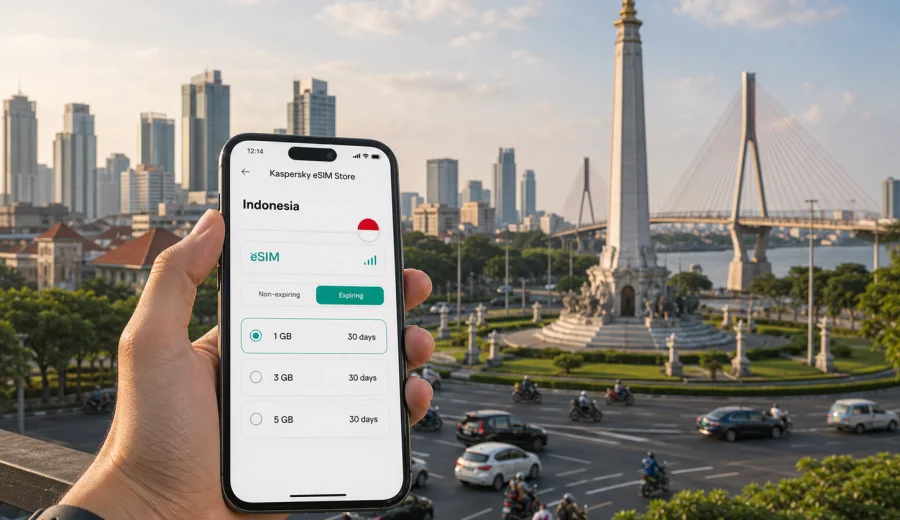
Surabaya eSIM: mobile connection and internet for your trip
Surabaya is a city where mobile internet quickly becomes part of the travel plan. You may need maps as soon as you leave Juanda International Airport, a ride-hailing app for the route into the city, a messenger to confirm a hotel check-in, or a browser tab to compare train times from Surabaya Gubeng. An eSIM can make this first hour easier because you can prepare mobile data before the trip and start moving without looking for a physical SIM card counter.
This guide is about using an eSIM for Surabaya, not about Indonesia in general. The same country plan may support your route beyond the city, but the practical questions begin in Surabaya: how to get from the airport, how to move between districts, how to keep maps open in traffic, how to handle a business day, and how much data you may need for a short stay or a longer East Java itinerary.
Kaspersky eSIM Store is an app and website where you can choose, arrange, and activate an eSIM with a suitable plan for mobile internet during an international trip. It helps you prepare the data connection side of the journey, while the actual conditions, data allowance, validity period, and supported destination depend on the plan you select.
Why an eSIM is useful in Surabaya
Surabaya is large, busy, and spread across several practical travel zones. The airport is south of the city center. Business hotels and offices can be around Central Surabaya, West Surabaya, or industrial areas outside the main tourist loop. Train stations, shopping malls, university districts, heritage streets, and port access points may be far apart on the map.
In that kind of city, mobile internet is not just for posting photos. It supports small decisions all day:
- checking the route from Juanda International Airport to your hotel;
- comparing taxi, ride-hailing, bus, and train options;
- sharing your live location with colleagues or family;
- translating addresses, menus, and driver messages;
- confirming hotel, meeting, or ticket details;
- checking traffic before crossing town;
- using maps when walking around Tunjungan, Kota Lama, or the riverfront;
- arranging onward travel to Malang, Mount Bromo access points, Madura, or other parts of East Java.
Public Wi-Fi can be useful in hotels, cafes, and airports, but it is not always available exactly when you need it. A prepared eSIM plan can reduce the need to search for Wi-Fi before you can order transport, open a booking, or message someone after landing.
Arrival in Surabaya: where mobile data helps first
Most international and domestic travelers arrive through Juanda International Airport. After immigration, baggage, or a domestic connection, the first practical tasks are usually the same: message your hotel or host, check the correct pickup point, open a map, and decide whether the fastest route is worth the price.
Mobile data can help in these moments:
| Travel moment | Why internet matters | Practical tip |
|---|---|---|
| Airport exit | Ride-hailing pickup zones and meeting points can be confusing | Keep your booking app and map open before leaving the terminal |
| Transfer to the city | Traffic can change the best route | Compare estimated arrival times before confirming transport |
| Hotel check-in | Some bookings need email, app, or messenger confirmation | Save documents offline, but keep data available for updates |
| First meal or errand | You may need translation, reviews, or a card terminal backup | Use mobile data for maps and messaging instead of relying on cafe Wi-Fi |
| Late arrival | Fewer counters and less time to compare options | Prepare the eSIM before departure if your device supports it |
Surabaya can feel straightforward once you have transport arranged, but it is less forgiving if you cannot load the address, contact a driver, or check a route in the heat or rain. That is why many travelers prefer to sort out mobile internet before they need it.
City movement: districts, transport, and everyday navigation
Surabaya travel often involves crossing several neighborhoods in one day. You might start near Tunjungan Plaza, go to a meeting in West Surabaya, visit the Heroes Monument area, then take an evening ride to a restaurant or station. Distances that look simple on a map can take longer during busy periods, so live navigation matters.
For short city stays, eSIM data is most useful for:
1. Maps and traffic. Keep your route visible when a driver changes roads or traffic slows down.
2. Ride-hailing and taxis. Confirm pickup points, send messages, and check vehicle details.
3. Train and bus planning. Compare departure points such as Gubeng, Pasar Turi, or bus terminals before you leave the hotel.
4. Hotel coordination. Message reception, share arrival time, or send a location pin.
5. Translation. Translate short messages, signs, menus, or address details.
6. Payment checks. Some apps and banks may need mobile verification or internet access.
Surabaya is also a common base for trips across East Java. If you plan to continue to Malang, Bromo access towns, Banyuwangi, or Madura, choose a plan for Indonesia rather than thinking only about the city center. The destination field and validity period matter more than the place where you first land.
How much data may be enough for Surabaya?
The right data allowance depends on how you travel. A traveler who uses hotel Wi-Fi at night and mobile data mostly for maps will need less than someone who works from a laptop hotspot, uploads video, or keeps navigation running for hours.
Use this simple planning table:
| Trip style in Surabaya | Likely data use | What to check before choosing a plan |
|---|---|---|
| Stopover or one-night stay | Low to moderate | Enough data for maps, messaging, ride-hailing, and booking checks |
| Weekend city break | Moderate | Validity that covers all days, not only the arrival day |
| Business trip | Moderate to high | Data for calls through apps, email, file access, and backup tethering if allowed |
| East Java route from Surabaya | Moderate to high | Country coverage, validity, and data allowance for travel outside the city |
| Content-heavy trip | High | Larger allowance if you upload photos, stream, or use cloud storage on mobile data |
Avoid choosing only by the smallest allowance if you plan to use maps continuously or rely on app calls. Also avoid choosing more data than you reasonably need if your hotel and office connections are stable. The useful middle ground is a plan that covers your full stay, your likely app use, and your route beyond Surabaya if you are leaving the city.
Choosing an eSIM plan for a Surabaya trip
For a city trip, the plan still needs to match the country where the city is located. Surabaya is in Indonesia, so check that the selected eSIM plan is valid for Indonesia and that the validity period matches your travel dates. If your itinerary includes only Surabaya, a country plan for Indonesia is usually the relevant starting point. If your route crosses several countries, compare whether a regional option is more suitable, but keep the article focus on the places you will actually visit.
Before choosing, review:
- Destination. The plan should include Indonesia for a Surabaya trip.
- Data allowance. Match it to maps, messaging, calls through apps, browsing, and work tasks.
- Validity. Check whether the plan covers the full stay, including arrival and departure days.
- Activation details. Read when the validity period starts and what steps are required.
- Device compatibility. Your phone or tablet must support eSIM and should not be locked by another operator.
- Mobile data settings. Some devices may require data roaming to be enabled for the eSIM profile.
Once you know your dates and expected data use, you can choose an eSIM plan for your trip to Surabaya and review options for Indonesia before you fly. This is especially useful if you arrive late, have a tight meeting schedule, or want to avoid making connectivity decisions at the airport.
Installing and activating eSIM before or after arrival
You can usually prepare the eSIM before departure, then activate or start using it according to the instructions for the selected plan. The exact flow depends on your device and operating system, so follow the on-screen steps and keep a stable internet connection during installation.
A practical setup sequence looks like this:
1. Check that your device supports eSIM and is not operator-locked.
2. Choose a plan that includes Indonesia and fits your Surabaya travel dates.
3. Arrange the plan through Kaspersky eSIM Store.
4. Install the eSIM profile using the instructions in your profile, app, or email.
5. Select the eSIM line for mobile data when you are ready to use it.
6. Keep your primary SIM active if you still need your usual number.
For installation details, use the Android eSIM setup instructions or the iOS eSIM setup instructions. The process can take a few minutes and may depend on your device, software version, and local network conditions.
Check device compatibility before you pay
Not every phone with modern mobile data settings supports eSIM. Some models differ by region, and some devices can be locked by an operator. Before you choose a plan, check your device and make sure eSIM is available in the device settings.
This check matters in Surabaya because mobile internet is often needed immediately after arrival. If your phone cannot install an eSIM profile, you may need to use roaming, a physical SIM card, or Wi-Fi until you sort out an alternative. It is easier to confirm compatibility at home than to troubleshoot while standing in an airport pickup area.
Practical Surabaya scenarios
- Short stopover: prioritize maps, hotel messages, ride-hailing, and enough validity for delays.
- Business trip: allow for calendar updates, messenger calls, email, and navigation between offices or industrial areas.
- Family visit or holiday: make sure the phone managing bookings and transport has enough data for repeated route checks.
- Hotel-based stay: use hotel Wi-Fi for heavy browsing and keep eSIM data for movement around the city.
- Trips from Surabaya: if you continue toward Malang, Mount Bromo routes, waterfalls, or Madura, choose enough validity and data for the route, not only the hotel area.
What eSIM does and does not replace
An eSIM plan for travel is mainly about mobile internet. It does not automatically replace a local phone number, ordinary voice calls, or SMS unless those features are clearly included in the conditions of the selected plan. Keep these points clear before you rely on the eSIM:
- Use the eSIM for mobile data in Surabaya and elsewhere in Indonesia if the plan supports it.
- Keep your home SIM active if you need your usual number for calls, bank messages, or verification.
- Read plan conditions before relying on tethering, top-ups, or a specific activation moment.
- Save critical documents offline in case settings or signal cause a delay.
A Surabaya-ready mobile internet checklist
Before you leave, run through this checklist:
- Your phone supports eSIM and is not operator-locked.
- Your selected plan includes Indonesia.
- The data allowance fits your route, not only your arrival day.
- The validity period covers arrival, full stay, and departure.
- You know when the validity period starts.
- Hotel and booking details are saved offline.
- Your ride-hailing, maps, banking, and messenger apps are updated.
- You know how to switch mobile data to the eSIM profile.
This checklist is especially useful for late arrivals, business trips, and onward travel from Surabaya, where a small setup issue can affect transport, meetings, or check-in.
FAQ: eSIM and mobile internet in Surabaya
Can I use an eSIM as soon as I land in Surabaya?
You may be able to use it after installation and activation, depending on your device, the selected plan, and local network conditions. Prepare the eSIM before departure if the plan instructions allow it.
Is a Surabaya eSIM different from an Indonesia eSIM?
Surabaya is the city context and Indonesia is the destination that usually matters for plan coverage. Choose a plan that includes Indonesia, then use it for your Surabaya arrival and supported travel beyond the city.
Do I get a local Indonesian phone number?
Not necessarily. Travel eSIM plans are commonly focused on mobile internet. Ordinary calls, SMS, and a separate phone number are not included unless the selected plan says so. You can usually use messengers and app calls over mobile data.
Choose an eSIM plan for Surabaya
Surabaya is easier to handle when mobile internet is ready before the first route across town. With Kaspersky eSIM Store, you can choose, arrange, and activate an eSIM with a suitable plan for mobile internet in your international trip, then manage the setup through the app or website.
If Surabaya is your destination, your stopover, or the starting point for East Java, review the Indonesia options and prepare an eSIM plan for your Surabaya trip before you travel. Check compatibility first, choose the data allowance and validity period that match your itinerary, and keep the setup instructions available for the moment you need mobile data.