Travel connectivity guide
eSIM for Suwon: Mobile Internet Guide
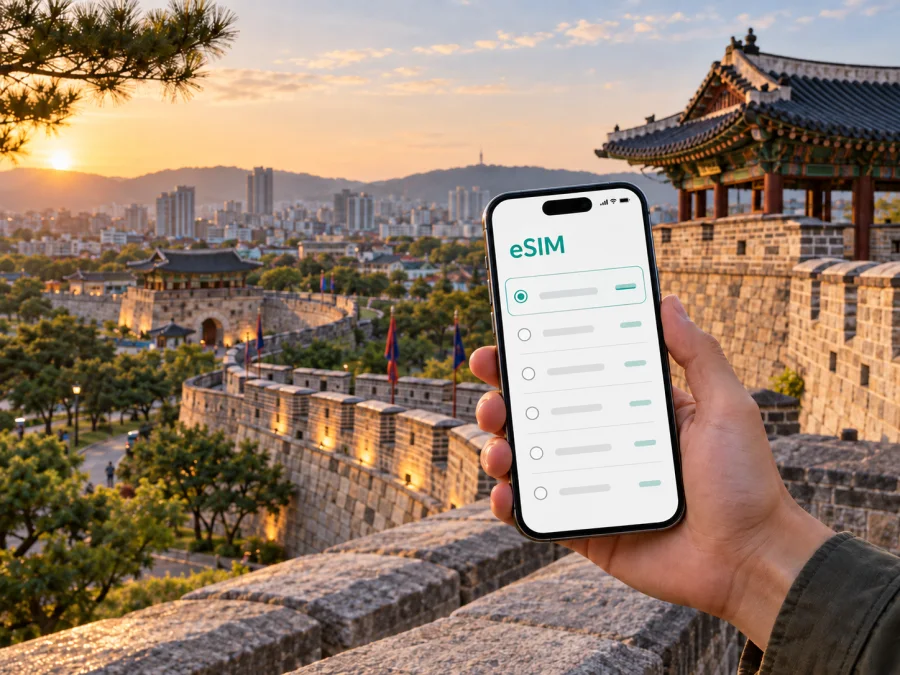
eSIM for Suwon: mobile connection and internet for your trip
Suwon is a practical base for a trip in South Korea: it is close enough to Seoul for a combined itinerary, but it has its own historic centre, business districts, universities, parks and everyday neighbourhoods. Whether you arrive for a meeting, stay near Suwon Station, walk around Hwaseong Fortress or use the city as a starting point for nearby excursions, mobile internet helps turn an unfamiliar route into a manageable plan. An eSIM can give you a way to prepare that connection without removing your regular physical SIM card.
Why mobile internet matters in Suwon
The first hours in Suwon often involve several small decisions. You may need to confirm a hotel address, choose between rail and a local bus, read a message from a host, check a map, or find the right exit at a large station. A working data connection is useful for all of these tasks, particularly when your accommodation is not next to the station or your plans change during the day.
An eSIM is a digital SIM profile that can be installed on a compatible phone. For a trip to Suwon, it is mainly a tool for mobile internet: maps, translation, messaging, ride information, reservations and work applications. It is not automatically a replacement for a normal phone number. Unless the selected tariff says otherwise, ordinary voice calls and SMS are not included, so you can keep your usual number for essential calls and use internet messengers for chats and calls.
The useful part is preparation. You can review the destination, traffic allowance and validity period before you travel, then decide whether the tariff fits a short stopover, a weekend in the city or a longer South Korea itinerary. Conditions depend on the selected tariff, so check them before purchase rather than assuming that every option works in the same way.
Arriving in Suwon and getting oriented
Suwon does not have its own international airport. Many visitors arrive in South Korea through Incheon International Airport and continue towards the Seoul metropolitan area; some itineraries use Gimpo Airport instead. The final route can involve an airport bus, rail connections, a taxi or a combination of these. Timetables, stops and fares can change, so check the current details close to departure and keep the name and address of your accommodation available in Korean as well as English if possible.
On arrival, mobile internet is helpful before you have fully understood the local transport layout. You can:
- open the most recent route to your hotel;
- compare a rail journey with a bus or taxi;
- translate a check-in message or address;
- contact your accommodation if your arrival time changes;
- save a map area for moments when reception is weak;
- check the platform, exit or stop connected with the next leg of the journey.
Suwon Station is a major orientation point for many visitors, but it is not the answer to every destination in the city. Hwaseong Fortress and the surrounding old centre, Gwanggyo, Yeongtong and the convention area are separate parts of the urban map. A route that looks short in a straight line can still require a transfer or a walk. Keep the full destination, not only a landmark name, in your notes.
Suwon’s areas and the connection tasks they create
Suwon is easier to navigate when you think in areas rather than treating it as one compact attraction. The right eSIM tariff is still a country-level choice, but the amount of data you need can change with the way you use the city.
The Hwaseong Fortress and old city centre
Hwaseong Fortress surrounds the historic core of Suwon. UNESCO describes it as a Joseon-period fortress in Gyeonggi Province; its surviving walls extend for nearly six kilometres and include four main gates. The site was inscribed on the World Heritage List in 1997. These details are useful context, but the practical point for visitors is that a walk around the fortress involves several streets, slopes, gates and viewpoints rather than one indoor address.
The area around Paldalmun, Janganmun, Hwaseomun and the stream can form different walking plans. Use your connection to check the next gate, opening information for a specific attraction and the route back to your hotel. If you are walking in warm weather or returning after dark, plan a shorter loop and keep transport information available instead of relying on memory.
Gwanggyo and the lake area
Gwanggyo is a newer, planned part of Suwon with offices, residential buildings, retail and the Gwanggyo Lake Park area. It is a common contrast to the historic centre: streets are wider, destinations are more spread out and a short taxi or bus ride can be more convenient than walking between every stop.
For an evening at the lake or a meeting near the convention facilities, use the exact venue name and building address. Large modern complexes can have several entrances, and a saved location can prevent a last-minute detour. A mobile connection is also useful for checking the return route before the park or shopping area becomes quiet.
Yeongtong and business travel
Yeongtong-gu is important for work trips, technology-related business and longer stays in the eastern part of the city. Suwon is associated with major technology and research activity, but visitors should confirm their host’s exact campus, office building or meeting venue rather than relying on a company name alone. Large sites may have multiple gates and nearby addresses.
For a business itinerary, mobile internet supports calendar updates, two-factor sign-ins, video calls, document access and messages about a changed meeting room. If you plan to use the phone as a hotspot, check the selected tariff conditions and your device settings in advance. A laptop can use substantial data during a workday, so estimate that separately from maps and casual browsing.
How to choose an eSIM tariff for Suwon
The most appropriate option is based on the trip, not simply on the city name. Suwon is in South Korea, so choose a tariff that covers South Korea and check whether it also fits the rest of your route. A city visit followed by Seoul, Busan or Jeju may require a different regional plan from a short stay only in the Suwon area; the plan description and coverage terms are the deciding information.
Use this planning table before you choose:
| Travel pattern | Main data uses | What to consider |
|---|---|---|
| One-day visit from Seoul | Maps, messages, transport checks | A smaller allowance may be enough if you download some details in advance. |
| Two- to four-day city stay | Navigation, translation, bookings and social messaging | Allow for repeated route searches and photo sharing. |
| Business stay in Yeongtong or Gwanggyo | Email, authentication, calls through apps and documents | Estimate work data separately and check hotspot conditions. |
| Suwon plus other Korean cities | Maps, reservations, media and travel between cities | Select a destination or regional option that matches the whole route. |
| Stopover with a late arrival | Airport transfer, hotel contact and live directions | Prepare the profile and accommodation details before the first transfer. |
Before paying, compare the following items in the tariff information:
- the countries or regions where it is intended to work;
- the amount of high-speed or included data, as described in the offer;
- the validity period and the event that starts it;
- whether the tariff is data-only;
- whether top-ups or a new package are available under the stated conditions;
- whether your device can use eSIM and is not locked to an operator.
At this point in your planning, you can choose an eSIM tariff for South Korea and compare the available options for the route. Kaspersky eSIM Store is an app and website that helps you select, arrange and activate an eSIM with a suitable tariff for mobile internet during an international trip. It does not replace the local network, and the conditions of the selected tariff remain important.
Install an eSIM before departure or in Suwon
Installation is easiest when your phone has internet access, enough battery and the QR code or profile details available. The exact menu names vary by operating system and device model. Some regional versions of a phone may differ, and an operator lock can prevent installation.
Step-by-step setup
- Check the phone. Confirm that it supports eSIM and is not locked to another operator. Use check your device compatibility before buying if you are unsure.
- Review the tariff. Verify that South Korea is included, then note the data amount, validity period and activation conditions.
- Prepare internet access. Install while connected to reliable Wi-Fi or another working data connection if the device requires it.
- Open mobile-network settings. Choose the option to add a mobile plan or eSIM profile.
- Scan or enter the details. Use the QR code or the profile information supplied after the order.
- Label the line. Give the new profile a clear name such as “South Korea” so that you can distinguish it from your home line.
- Choose mobile data. Select the travel eSIM for mobile data when you want to use it. Keep your regular line available only if you understand how your home operator may charge for roaming.
- Set data roaming if required. Some devices and tariffs may require data roaming to be enabled for the eSIM. Follow the selected tariff’s instructions.
- Test carefully. After arrival, allow a few minutes for registration, then test a map or message. If it does not connect, check the selected data line, airplane mode, network selection and the tariff conditions.
For detailed device-specific steps, use the Android eSIM installation instructions or the iOS eSIM installation instructions. Do not delete a profile while troubleshooting unless the instructions or support team tell you to: an eSIM may not be transferable after activation under the applicable conditions.
When should you install it?
Installing before departure can make the arrival process simpler, but activation and the start of data use depend on the tariff and device. If you prefer to install at the destination, keep the QR code accessible offline and make sure you can reach the installation screen without relying on the eSIM itself. Read whether the validity period begins at installation, first connection or another stated event.
If your phone has two lines, confirm which line is selected for mobile data after landing. Turn off data switching if your device could silently move to the home line. This is a settings choice, not a guarantee about billing: check your home operator’s roaming terms separately.
FAQ for a Suwon trip
Is an eSIM for Suwon different from one for South Korea?
Usually, the relevant destination is South Korea rather than the individual city. Suwon is in South Korea, so review the country or regional coverage stated for the tariff. If your journey includes Seoul or other Korean cities, choose an option that matches the complete route.
Can I use the eSIM for calls and SMS?
Not automatically. The eSIM scenario described here is for mobile internet, and a normal phone number, voice calls and SMS are not included unless the selected tariff states otherwise. Internet messengers can be used for calls and messages when data is available.
Should I install the eSIM before flying?
It can be convenient, but read the activation terms first. Some tariffs begin their validity at a particular event, and setup requires a compatible, unlocked device plus internet access. You can also install after arrival if you have a reliable connection and the QR code or profile details available.
Will I need data roaming?
Possibly. Some devices or tariffs require data roaming to be enabled for the travel eSIM. Check the installation instructions and selected tariff. Keep an eye on which line is selected for data so that the home SIM is not used unintentionally.
What should I do if the eSIM does not connect?
Confirm that the eSIM profile is enabled, the travel line is selected for data, the phone is not in airplane mode and the required roaming setting is on. Restarting the phone may help, but do not delete the profile without guidance. If the problem continues, contact support with the relevant details.
Final preparation checklist
Before travelling to Suwon, review this short list:
- [ ] Your phone supports eSIM and is not operator-locked; if unsure, check device compatibility.
- [ ] The selected tariff covers South Korea and the rest of your route.
- [ ] You understand the data amount, validity period and activation conditions.
- [ ] The QR code or profile details are accessible when you need them.
- [ ] Your hotel address, airport route and first meeting point are saved.
- [ ] You know which line will be used for mobile data.
- [ ] You have considered calls, SMS, hotspot use and your home operator’s roaming terms.
- [ ] You know where to find the Android or iOS installation steps and support information.
Prepare your mobile internet for Suwon
When you are ready, choose an eSIM tariff for your trip to South Korea. Review the allowance and validity period, install the eSIM using the appropriate instructions, and activate it according to the selected conditions. Kaspersky eSIM Store helps you choose, arrange and activate an eSIM for mobile internet during an international trip, while the final tariff terms determine how it works in Suwon.


