
Travel connectivity guide
Suzhou eSIM for Mobile Internet in China
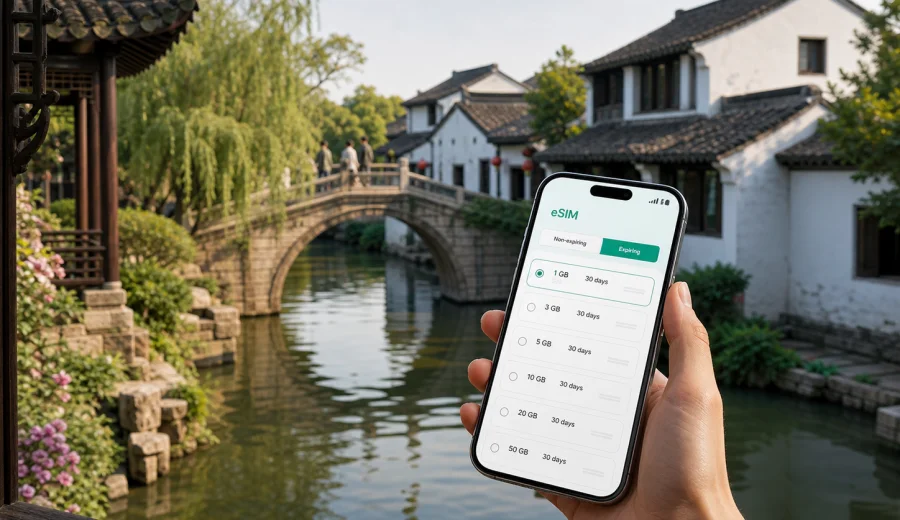
Suzhou eSIM: Mobile Connection and Internet for a Trip to China
Suzhou is a city where travel often depends on moving smoothly between old canals, business districts, railway stations, hotels, gardens, and day trips across the Yangtze River Delta. Mobile internet helps with every small decision: checking a platform, finding a station gate, translating a menu, confirming a hotel address, ordering a ride, or sending a message after a meeting.
An eSIM can be a practical way to prepare mobile data for Suzhou without looking for a physical SIM card after arrival. You choose a suitable data plan for China, install the eSIM on a compatible device, and use mobile data for maps, transport apps, messaging, bookings, and everyday travel tasks. Kaspersky eSIM Store is an app and website where you can quickly choose, arrange, and activate an eSIM with a suitable plan for mobile internet during an international trip.
This guide focuses on Suzhou itself: arriving through nearby airports or railway stations, moving between districts, using navigation near canals and gardens, planning business trips, and preparing for short routes to Shanghai, Wuxi, Hangzhou, Nanjing, or other cities in China.
Why mobile internet matters in Suzhou
Suzhou is easy to enjoy when you can keep your route flexible. The historic center is compact in some areas, but the full city is large. A typical day may include a hotel near Guanqian Street, a garden visit around the old city, a metro ride to Suzhou Industrial Park, dinner near Jinji Lake, and a high-speed train the next morning. Each part of that itinerary benefits from stable access to maps, messages, and booking details.
Mobile internet is useful in Suzhou for these everyday tasks:
- checking metro routes, exits, and walking directions;
- saving the Chinese name and address of a hotel or meeting venue;
- translating signs, menus, and taxi instructions;
- confirming train times at Suzhou Railway Station, Suzhou North Railway Station, or Suzhou Industrial Park Railway Station;
- coordinating with colleagues, guides, drivers, or family;
- accessing digital tickets, hotel confirmations, and travel documents;
- using cloud notes, email, and work apps during a business trip;
- avoiding a rushed search for public Wi-Fi after arrival.
The city has many moments where a few minutes online can prevent a larger travel problem. If you exit a metro station on the wrong side of a canal or a meeting address has several similar building names, mobile data can help you correct the route immediately.
Arrival scenarios: airport, railway station, and first transfer
Suzhou does not have the same international-airport role as Shanghai, so many travelers reach the city through Shanghai Pudong International Airport, Shanghai Hongqiao, Sunan Shuofang International Airport near Wuxi, or by high-speed rail. The first transfer can involve several steps: airport arrivals, metro or taxi, a train ticket check, then a final ride to the hotel.
For that first travel hour, an eSIM is useful because you may need internet before you are settled:
| Arrival route | Why mobile data helps |
|---|---|
| Shanghai Pudong to Suzhou | Check train or transfer options, message the hotel, monitor traffic, and keep booking details available. |
| Shanghai Hongqiao to Suzhou | Navigate between airport, railway station, and train gates in a large transport hub. |
| Wuxi airport to Suzhou | Confirm ride pickup points and route times before crossing into Suzhou. |
| High-speed rail to Suzhou | Identify the correct station, exit, metro line, or taxi pickup area. |
| Business arrival by car | Share live updates with colleagues and confirm office or hotel entrances. |
If you install an eSIM before departure, make sure your device is compatible and unlocked. Some phones also require you to select the eSIM line for mobile data and, depending on the plan and local network settings, enable data roaming for that profile. Check the instructions before you are standing in a busy station.
Local movement: gardens, canals, metro, and business districts
Suzhou combines historic lanes with modern urban zones. A route that looks short on a map may involve a canal crossing, a pedestrian entrance, or a metro exit that changes the walking time. Mobile internet is especially useful around popular city areas:
- Historic city and classical gardens: Humble Administrator's Garden, Lion Grove Garden, Pingjiang Road, Shantang Street, and nearby canals are easier to navigate with live maps.
- Guanqian Street and old-city hotels: Many streets are busy, and pickup points may not be exactly at the hotel door. Mobile data helps you coordinate the final few minutes.
- Suzhou Industrial Park and Jinji Lake: Meetings, serviced apartments, malls, and waterfront venues can be spread across large blocks.
- Suzhou New District: Business parks and hotels may require longer transfers, so route checks are useful before you leave.
- Railway station areas: Suzhou has multiple stations with similar names for first-time visitors. Confirm the correct station before you book or depart.
For many travelers, the value of mobile data is not entertainment. It is control over small logistics: the right address, exit, train, and contact person.
How to choose an eSIM plan for Suzhou
For a city trip to Suzhou, choose the eSIM plan by country coverage, trip length, data volume, and your route. A city trip still uses the country plan because Suzhou belongs to China. If your itinerary crosses several countries or regions, compare the available country and regional options before purchase.
Start with these questions:
1. How long will you stay in Suzhou? A weekend visit, a week of meetings, and a month of study or project work need different validity periods.
2. How much will you rely on maps and messaging? Light use can require far less data than video calls, cloud backups, or frequent tethering.
3. Will you travel beyond Suzhou? Day trips to Shanghai, Wuxi, Tongli, Zhouzhuang, Hangzhou, or Nanjing still affect how long and how intensively you use mobile data.
4. Do you need mobile hotspot? If you plan to share a connection with a laptop, check the conditions of the selected plan before you rely on it.
5. When does the validity period start? Read the plan conditions carefully so you understand when data use begins and how long the plan remains active.
A practical rule is to separate essential data from heavy data. Essential data includes maps, rides, messages, email, translation, tickets, and banking confirmations. Heavy data includes long video calls, streaming, large uploads, app updates, and cloud photo backups.
Data needs by type of Suzhou trip
| Trip type | Typical online tasks | Planning note |
|---|---|---|
| Two-day city break | Maps, messaging, translation, tickets, restaurant searches | Choose enough data for frequent navigation and photo sharing, but avoid assuming hotel Wi-Fi will cover every gap. |
| Business trip | Email, ride coordination, calendar updates, document access, messaging | Allow extra data for work apps and possible mobile hotspot use if the plan conditions permit it. |
| Family visit | Maps, group chats, attraction bookings, ride apps | Keep one device with reliable data for coordination if people separate during the day. |
| Canal-town day trips | Train checks, route planning, map searches, messages | Data is useful outside the central city when you need a return route or pickup point. |
| Long stay | Regular messaging, navigation, work tools, top-ups | Track usage and validity so the plan does not run out during a transfer day. |
Before buying, check whether your device supports eSIM. Device compatibility is essential because an eSIM cannot be used on every phone or tablet. Also check whether your device is locked to a carrier.
Preparing before you travel
The best time to prepare mobile internet for Suzhou is before you need it. Install the eSIM while you still have stable Wi-Fi, keep the installation details available offline, and avoid deleting the eSIM profile unless the plan instructions clearly allow reinstalling it.
A useful preparation checklist:
- confirm that your phone supports eSIM;
- check that the phone is not carrier-locked;
- choose China as the destination if Suzhou is the main city of the trip;
- compare data volume and validity period;
- read whether calls and SMS are included, if that matters to you;
- save your hotel address in English and Chinese if available;
- keep your train station name and booking details offline;
- install the eSIM while connected to reliable Wi-Fi;
- decide which SIM line will handle mobile data after arrival;
- turn off unnecessary automatic cloud backups if you want to save data.
If you are planning a Suzhou trip and want to prepare mobile internet before departure, you can choose a suitable eSIM plan for China through Kaspersky eSIM Store and review the plan conditions before installation.
How to install and activate an eSIM for Suzhou
The exact steps depend on your device, but the process is direct: choose the destination and plan, complete the order, install the eSIM profile, then select it for mobile data when you are ready to use it. Keep a stable internet connection during installation.
For device-specific setup, use the official installation guides: Android eSIM installation instructions and iOS eSIM installation instructions. Follow the steps carefully and keep the QR code or installation details accessible until setup is complete.
General activation flow:
1. Open the site or app and choose the destination plan for China.
2. Check data volume, validity period, and any plan-specific conditions.
3. Complete the order and open the eSIM details in your profile or email.
4. Install the eSIM on the compatible device you will use in Suzhou.
5. Label the eSIM line clearly, for example "China data" or "Travel data".
6. When ready, select the eSIM as the mobile data line.
7. If required by the plan or device, enable data roaming for the eSIM profile.
8. Test basic internet access once you arrive and have network coverage.
Do not remove your primary SIM unless you have a reason to do so. Many phones can keep a physical SIM or existing eSIM for calls and messages while using the travel eSIM for mobile data. Check the mobile data and default line options before you land.
Suzhou use cases where eSIM is especially practical
Finding the right railway station
Suzhou has several railway stations, and booking systems may show names that look similar to a first-time visitor. Suzhou Railway Station, Suzhou North Railway Station, and Suzhou Industrial Park Railway Station are not interchangeable. Mobile data helps you check the station location before you leave.
Moving around canals and old streets
Historic Suzhou is beautiful but not always linear. A bridge, one-way street, waterway, or garden wall can turn a short walk into a detour. Online maps and translation tools help you adjust quickly.
Managing business days
Business travelers often move between a hotel, a factory visit, an office park, a restaurant, and a station in one day. Mobile data helps with calendar changes, ride pickup instructions, document checks, and messaging.
Coordinating group trips
Families and small groups can split up around gardens, shopping streets, museums, or waterfront areas. A reliable data connection helps with meeting points and quick messages.
Day trips from Suzhou
Suzhou is often part of a wider Jiangsu or Yangtze River Delta route. Mobile data helps when you visit Tongli, Zhouzhuang, Wuxi, Shanghai, Hangzhou, or Nanjing. The difficult moments often happen between Wi-Fi points: on a platform, in a taxi queue, or while walking to an address.
How to manage data during the trip
Travel data can disappear quickly if your phone is left on default settings. Before you rely on an eSIM plan for Suzhou, review background usage.
Practical ways to control usage:
- download offline maps for the main city area before leaving the hotel;
- pause automatic app updates on mobile data;
- turn off automatic cloud photo and video backups;
- use hotel Wi-Fi for large uploads if you trust the network and conditions;
- send compressed images in messengers when possible;
- close navigation after the trip is complete;
- check data usage in your phone settings and in the relevant plan screen;
- choose a larger data allowance if you expect video calls or hotspot use.
For most city trips, maps and messaging are not the main risk. Long video, large uploads, and background backups usually consume more data. If you use mobile internet mainly for directions, tickets, email, translation, and messaging, you can keep usage predictable. Remember that travel eSIM plans are usually focused on mobile data; calls and SMS are included only if the selected plan says so.
FAQ: eSIM and mobile internet in Suzhou
Can I use an eSIM for a Suzhou-only trip?
Yes. Since Suzhou is in China, choose a plan that covers China and matches your trip length and data needs. The city itself does not need a separate city-specific plan.
Should I install the eSIM before I arrive in Suzhou?
It is usually more convenient to install it before departure while you have stable Wi-Fi. You can then select the eSIM for mobile data when you are ready to use it, following the plan and device instructions.
Does an eSIM include a Chinese phone number?
Travel eSIM plans are usually focused on mobile data. Calls and SMS are not included unless this is stated in the selected plan conditions. For many travel tasks, messaging and calling apps over mobile data are enough.
Can I use the same eSIM outside Suzhou?
If the plan covers China, it can be useful for other Chinese cities in your route, subject to the plan conditions and local network availability. Check the destination coverage and validity period before you rely on it for a multi-city itinerary.
Prepare mobile internet for Suzhou before you travel
Suzhou rewards travelers who keep their plans flexible: a garden visit may run longer, a meeting may move to another district, or a train time may change. A prepared eSIM helps you handle those changes with maps, messaging, translation, bookings, and travel documents on your own device.
Before your trip, check device compatibility, choose a plan with enough data and validity for your route, and install the eSIM while you have reliable Wi-Fi. Then you can arrive in Suzhou with mobile internet already prepared for the first transfer, the first hotel check-in, and the first day of movement around the city.
To get ready, choose an eSIM plan for your trip to China in Kaspersky eSIM Store and follow the installation steps for your device before departure or after arrival.