Travel connectivity guide
Svolvær eSIM: Mobile Internet and Connection Guide
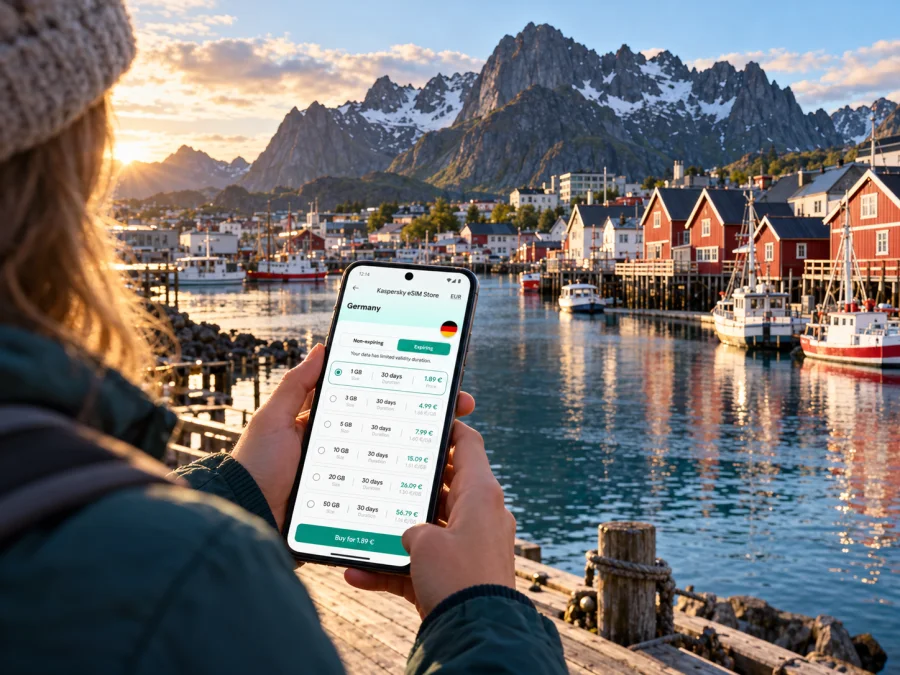
Svolvær eSIM for mobile connection and internet: a practical travel guide
Svolvær is a working harbor town in Norway’s Lofoten Islands, where a day can move quickly from the airport or a ferry pier to a hotel, a boat tour, a mountain trail, or a bus heading west. Mobile internet helps with the unglamorous but useful parts of that day: confirming a transfer, opening a map, checking a departure, finding a booking message, and letting someone know that your plans have changed. An eSIM can make data access easier to prepare because it adds a digital mobile plan to a compatible phone without replacing your physical SIM.
The key is to plan for the journey around Svolvær, not just the town centre. A route may cross bridges, tunnels, open coastal stretches, or sparsely settled areas, and the signal conditions can change with terrain and the network used by your chosen Norway plan. Keep essential reservations and directions available offline, and treat mobile data as a useful travel tool rather than a substitute for route planning.
Svolvær at a glance
Svolvær sits between sea and steep mountain scenery and is the largest town in Lofoten. The town has around 5,000 residents and functions as a local centre for Vågan municipality. Its harbour, accommodation, cafés, restaurants, galleries, shops, and activity providers make it a practical base as well as a destination in its own right.
| What you are planning | Why mobile data can help in Svolvær |
|---|---|
| Arrival and transfer | Find the correct airport or pier, check a pickup message, and contact your accommodation if plans change. |
| Exploring the centre | Walk between the harbour, restaurants, galleries, and your hotel while keeping your route and booking details handy. |
| A boat trip | Recheck meeting instructions and the departure point before leaving your accommodation. |
| A day outside town | Compare bus and ferry connections, check road updates, and save maps before you leave. |
| A work trip | Join a call from accommodation or a café, send files, and confirm the next leg of the itinerary. |
Svolvær is a town in Norway, not a separate country or a separate mobile-plan market. For an eSIM, the destination to check is Norway. Lofoten is a region within Norway; the name of the island group does not mean a plan for another country or a special Lofoten-only network applies. The service network depends on the particular plan and its local network arrangements, so check the Norway coverage and network details shown for the plan you choose.
Choose the right arrival point
Check the airport code, pier, and transfer details before travelling. Svolvær Airport, Helle (SVJ), is the town’s airport. Harstad/Narvik Airport at Evenes (EVE) is separate, and travellers continue from there to Lofoten by road. A ticket to Evenes is not a ticket to Svolvær Airport.
Visit Lofoten lists flights to Svolvær via Bodø, buses from the Narvik–Evenes direction, and sea connections including the Bodø–Skrova–Svolvær express boat. It also describes the Bodø–Moskenes ferry followed by onward travel, and a seasonal Skutvik–Skrova–Svolvær ferry. Routes and schedules vary; check the service for your travel date.
| Arrival point | Confirm | Phone preparation |
|---|---|---|
| Svolvær Airport (SVJ) | Flight and transfer meeting point | Save your hotel address and transfer details. |
| Evenes Airport (EVE) | Bus, shuttle, rental car, or transfer | Save the timetable and onward booking offline. |
| Bodø | Flight or NEX 2 express boat and correct terminal/pier | Recheck departure status and download directions. |
| Moskenes | Ferry arrival and onward bus or drive | Keep both legs’ booking details together. |
For a short stopover, prioritise the transfer and one activity instead of tight connections. For a longer Lofoten trip, check overnight stops and inter-town transport before estimating data use.
Getting around the harbour town
Many visitor services are close to Svolvær’s centre, so walking can cover much of a town-only visit. Check the exact pin and entrance for your accommodation, boat operator, or meeting point: “near the harbour” is not a precise address. Save the address and booking message in case you need to show them to a driver.
The harbour is a departure point for boat excursions, including trips toward Trollfjord. Confirm meeting instructions and the departure point before leaving. For a walk toward Fløya or another outdoor viewpoint, check the route, weather, daylight, and expected return. Cold weather and continuous navigation can drain a phone battery, so bring a power bank and download an offline map. Do not assume the signal available in town will continue on a trail.
A simple location routine
- Save your accommodation and meeting point in your map app.
- Download the relevant map before leaving town.
- Keep tickets and booking details available offline.
- Recheck transport on the day of travel.
- Share your route and expected return when heading outdoors.
Buses, ferries, and onward journeys
Svolvær is a regional transport hub. Visit Lofoten identifies Lofotekspressen route 300 between Å, Leknes, Svolvær, Evenes, and Narvik; local routes serve places around Vågan, including Kabelvåg and Henningsvær. Schedules can vary by season, and a route may not run at the time you need.
Use the Reis app or Reis Nordland journey planner for your date, origin, destination, and connection. Confirm the departure stop as well as the route number; stops can change. For ferry and express-boat trips, check the latest sailing, correct pier, and ticket requirements. If a ferry is followed by a bus, check both legs together rather than assuming the bus will wait.
| Journey | Check before leaving | Offline backup |
|---|---|---|
| To Kabelvåg or Henningsvær | Local bus and return service | Stop names and timetable screenshot |
| To Leknes or west Lofoten | Route 300 or current alternative, connections | Map and lodging address |
| To Bodø | Express boat or flight and departure point | Ticket and onward connection |
| Ferry connection | Operating date and onward transfer | Booking details and destination stop |
If driving, download your route and check road conditions before departure. On unfamiliar or narrow roads, stop safely before changing the route.
When data matters most
A travel eSIM is useful when you know what you will use it for. In Svolvær, common tasks include maps, transit searches, messaging, bookings, weather checks, and photos. Video streaming, cloud photo backups, and video calls can use more data than text or occasional map searches. Estimate use across your Norway itinerary, not only your days in town.
Compare the destination, data amount, validity period, and activation or usage conditions. If your trip includes other countries, confirm that they are included too. The local network arrangements matter: a city name does not tell you which Norwegian network an eSIM uses.
You can review eSIM options for a trip to Norway and compare plan conditions with your itinerary. Kaspersky eSIM Store is an app and website where you can choose, arrange, and activate an eSIM with a suitable data plan for travel abroad. It is not the mobile network; service in Svolvær depends on the plan’s stated destination and network, your device, and local conditions.
Estimate your data needs
| Use | Planning note |
|---|---|
| Maps and transit | Save map areas and route details offline. |
| Messages and bookings | Media settings affect usage; text is generally lighter than images. |
| Photo backup | Pause automatic uploads if your allowance is limited. |
| Video calls or streaming | Check the allowance before relying on long sessions. |
| Remote work | Test your workflow at the accommodation and keep a backup option. |
This is a planning guide, not a fixed data estimate. App settings, video quality, and background syncing affect use.
Network coverage in Svolvær and across Lofoten
Norway has several mobile network operators. Nkom’s current reporting identifies Telenor, Telia, and Lyse Tele (Ice) among Norway’s mobile network owners; other providers may use a network under an agreement. A travel eSIM’s storefront or brand does not identify the Norwegian network it uses. Check the plan’s network information, and ask the service provider if a particular network matters for your route.
Coverage is local. A harbour street, indoor room, tunnel, boat, and mountain trail can have different reception. Nkom notes that terrain, buildings, and distance from a base station influence signal strength. Coverage maps are estimates, not guarantees of indoor reception, speed, or continuous service.
For a town visit, verify Norway coverage and test the eSIM after activation. For a longer route, save maps and tickets offline and do not make safety decisions that assume a phone will have a signal.
Check device support before you travel
A phone’s family name alone does not confirm eSIM support. Regional variants can differ, and a carrier lock can prevent use with another provider. Check the exact model number and manufacturer guidance, then verify the device can use a plan for Norway. Check a tablet or spare phone separately.
Apple documents different eSIM arrangements for some iPhone models sold in mainland China, Hong Kong, and Macao. That is a device-market distinction; it does not change Svolvær’s location in Norway or determine which Norwegian network a travel plan uses. Check whether your device supports eSIM before arranging a plan.
Install and prepare the eSIM
Install the eSIM with a stable internet connection and enough time to follow the plan’s instructions. Setup may use a QR code or another activation method. Check when validity begins; rules differ. Do not delete a profile just because it is not yet connected.
- Confirm eSIM support and that the phone is unlocked.
- Read the plan’s destination, data allowance, validity, and activation conditions.
- Connect to Wi-Fi, open mobile-network settings, and add the eSIM using the supplied method.
- Label the profile, then select it for mobile data as directed by the plan.
- After arrival, enable the travel profile and check the data line.
See the Android eSIM installation guide or the iPhone and iOS eSIM installation guide. Menu labels vary by device and software version. Some plans start validity at installation; others use a different trigger, so check the selected plan’s terms.
Practical scenarios
- Landing at Svolvær Airport: Install the eSIM in advance, save your hotel address and transfer instructions, then check which line handles data.
- Arriving at Evenes: Confirm the onward bus, shuttle, or rental-car plan for your arrival time. Save it offline in case a flight or schedule changes.
- Combining a boat tour and bus: Save both meeting points and check that the tour end time leaves room to reach the stop.
- Working remotely: Ask your accommodation about its connection, test your tools before a call, and keep essential files offline.
- Driving west: Check the route, road conditions, and lodging before departure. Download maps and stop safely before changing navigation.
Troubleshooting if data does not connect
- Confirm that the eSIM profile is installed and switched on.
- Check that it is selected for mobile data and that Norway is included.
- Verify that the plan’s validity has started and follow its network or data-roaming instructions.
- Briefly toggle airplane mode or restart the phone, then allow it to register.
- Try another location; reception can vary between buildings and terrain.
- If the issue continues, use the support route provided with your plan.
Do not delete the profile as an early troubleshooting step. Some profiles cannot be installed again after removal; check the activation guidance first.
Frequently asked questions
Is Svolvær in Norway?
Yes. It is a town in Lofoten, Norway. Check that your plan includes Norway and review its network terms.
Are Svolvær Airport and Evenes the same airport?
No. Svolvær Airport, Helle (SVJ), serves Svolvær. Evenes (EVE) is a separate airport with onward travel to Lofoten.
Can I rely on coverage at every stop in Lofoten?
No plan guarantees service at every point. Reception depends on the included network, device, terrain, buildings, and local conditions. Save important information offline.
Does a travel eSIM include calls and SMS?
Not necessarily. Check the selected plan; many travel eSIMs are data-only. Internet messaging apps use data but do not provide a conventional phone number.
Can regional phone variants differ in eSIM support?
Yes. Check the exact model number and manufacturer guidance. The phone’s sales market and destination network are separate considerations.
A short checklist for Svolvær
- Is your airport SVJ or EVE, and is the onward transfer planned?
- Does the plan include Norway, and have you checked its network, allowance, validity, and activation rules?
- Does your exact phone variant support eSIM, and is it unlocked?
- Have you saved accommodation, tickets, maps, and transport details offline?
- Have you checked the return service and set the correct mobile-data line?
Svolvær is compact in the centre and connects to a wider itinerary by air, road, bus, and sea. An eSIM can support maps, messages, bookings, and work tasks; offline information and current transport checks remain useful when reception or schedules change.
Prepare your eSIM for Norway
Choose a plan by matching its Norway coverage, data allowance, validity, and network details to your time in Svolvær and the rest of your route. Install it with a reliable connection, check your device’s regional variant, and save the essentials offline before you travel.
Choose an eSIM plan for your trip to Norway through Kaspersky eSIM Store, the app and website for selecting, arranging, and activating an eSIM for mobile data while travelling abroad. Review the conditions for the specific plan and set your phone’s data line before you arrive in Svolvær.


